200823.TR3000-IRV English Manual.pdf - 第11页
IR AUT O BGA R ework S tation TR3000-IRV Kukjetrading Co., Ltd. 11
IR AUTO BGA Rework Station TR3000-IRV
Kukjetrading Co., Ltd.
10
<Caution >
1.Check if every cable has been connected properly..
2.Check if fastening brackets for the vision head and upper head and a protective cover of a camera have been all
removed.
3. Start
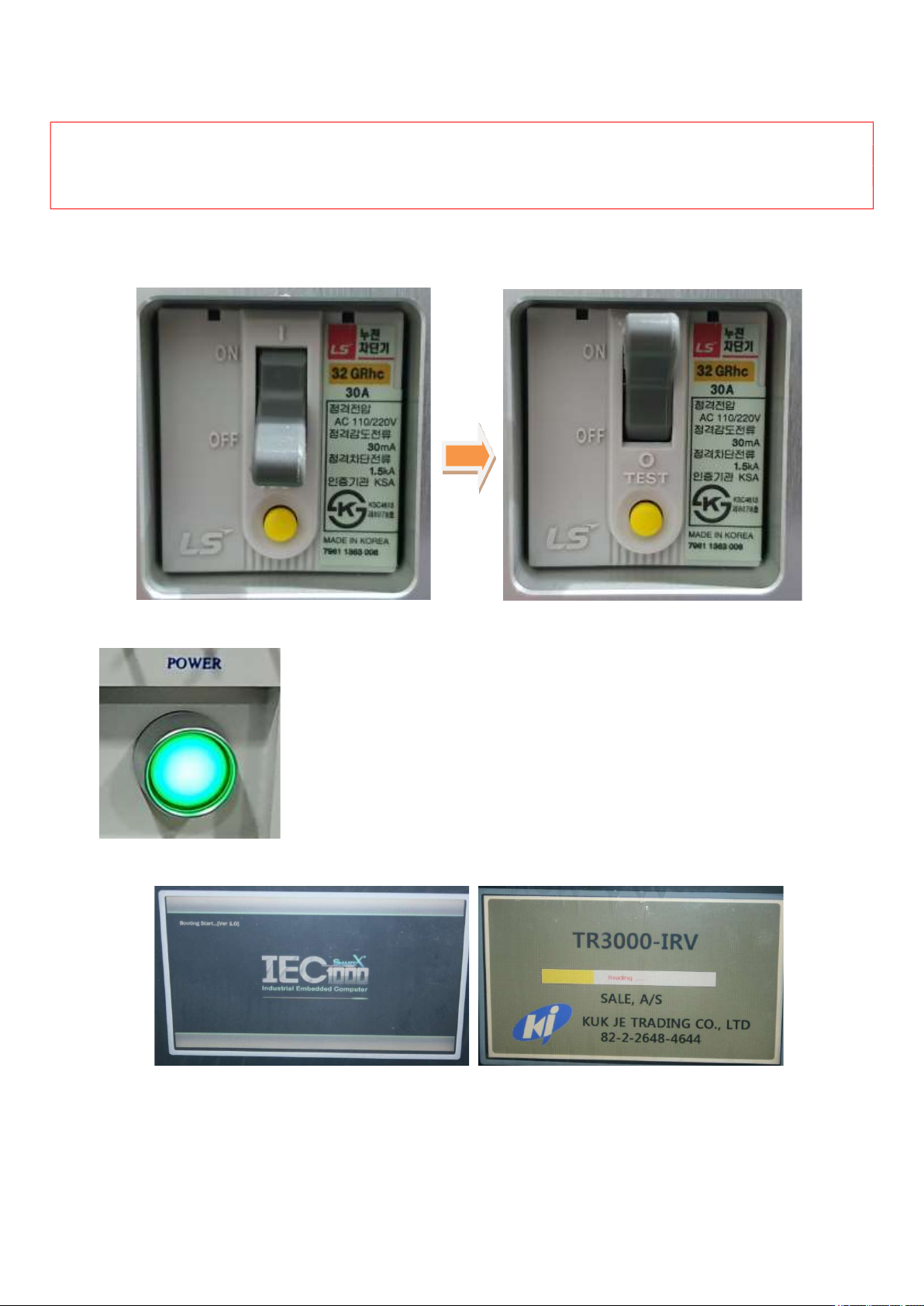
① Turn up a switch of the short circuit breaker on the left of the device.
② Turn on a power switch on the right side.
③ When the power is supplied, booting of the controller starts.
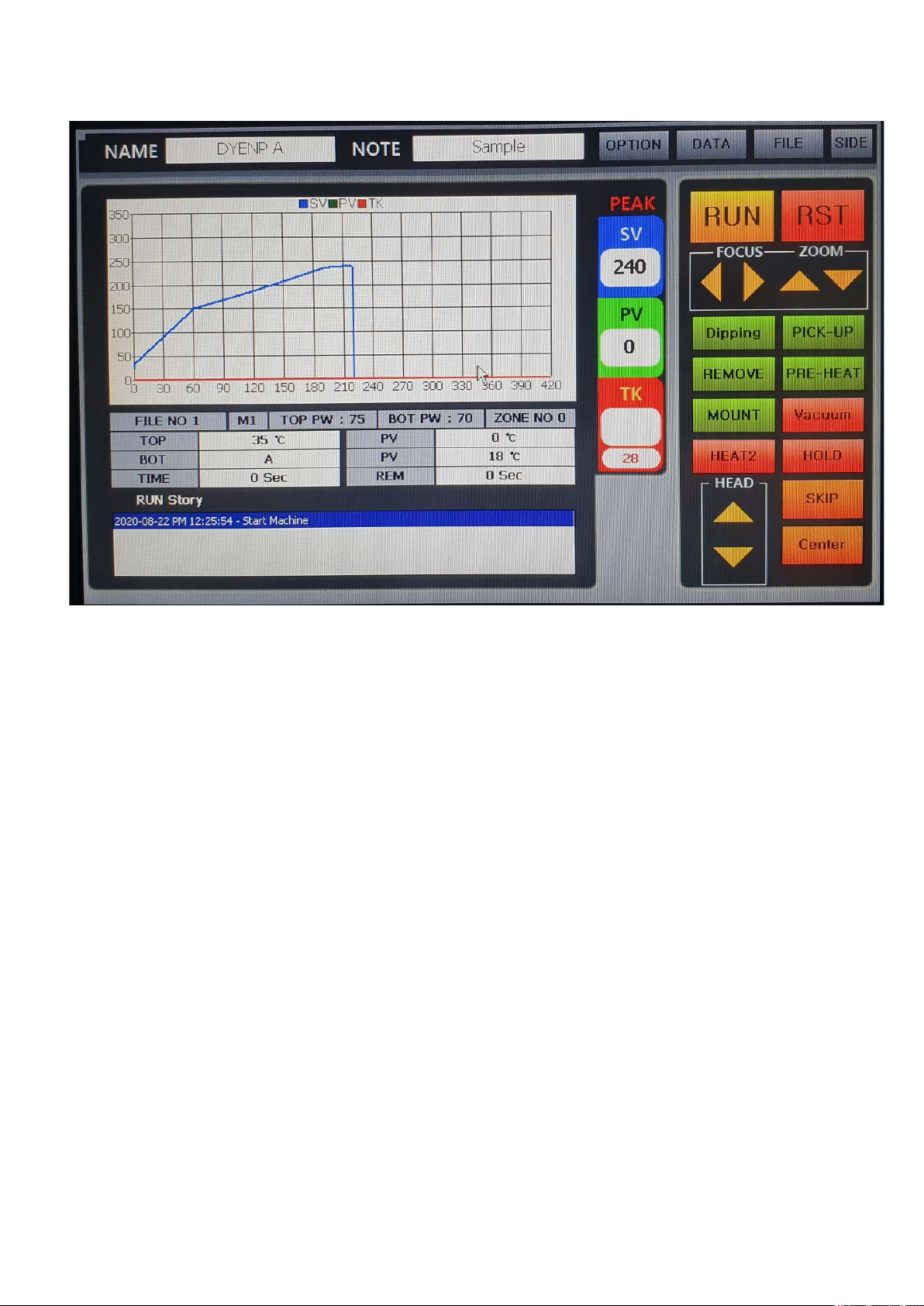
④ Then, TR3000-IRV software runs automatically and upon completion of booting, the following screen
appears.
IR AUTO BGA Rework Station TR3000-IRV
Kukjetrading Co., Ltd.
11
IR AUTO BGA Rework Station TR3000-IRV
Kukjetrading Co., Ltd.
12
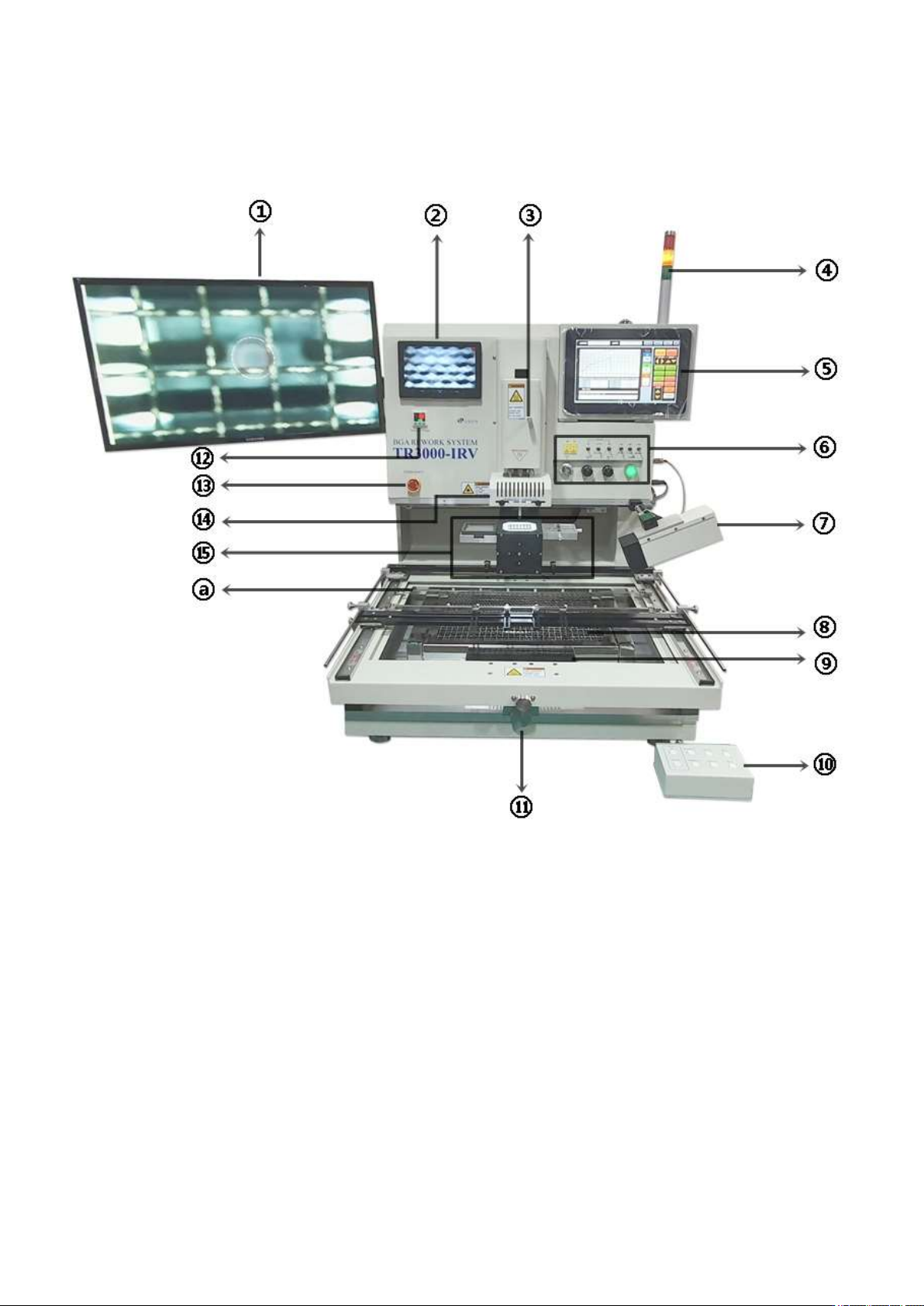
4. BGA Rework Station Parts
① 24-inch monitor: Displays the video from the vision camera as a Full HD image.
② 7-inch monitor: Displays the video from the right side camera as a Full HD image.
③ Rotation shaft adjustment screw: It can rotate the axis of VACUUM BIT. By turning left/right, you can align
the position of the component on the PCB with the rotation direction of the component. It is rotated in a range
of 45 degrees.
④ Tower lamp: It is a three-color alarm light.
⑤ Controller: This is a touch panel operating system. It can be operated with touch, mouse, or remote control.
⑥ Various terminals, switches and buttons: M4, TK terminal, upper and lower vision light selection switch,
laser pointer, external vacuum pen switch, cooling fan RPM control switch, VISION brightness control switch,
and power button.
⑦ Side camera: photographs the soldering process.