200823.TR3000-IRV English Manual.pdf - 第8页
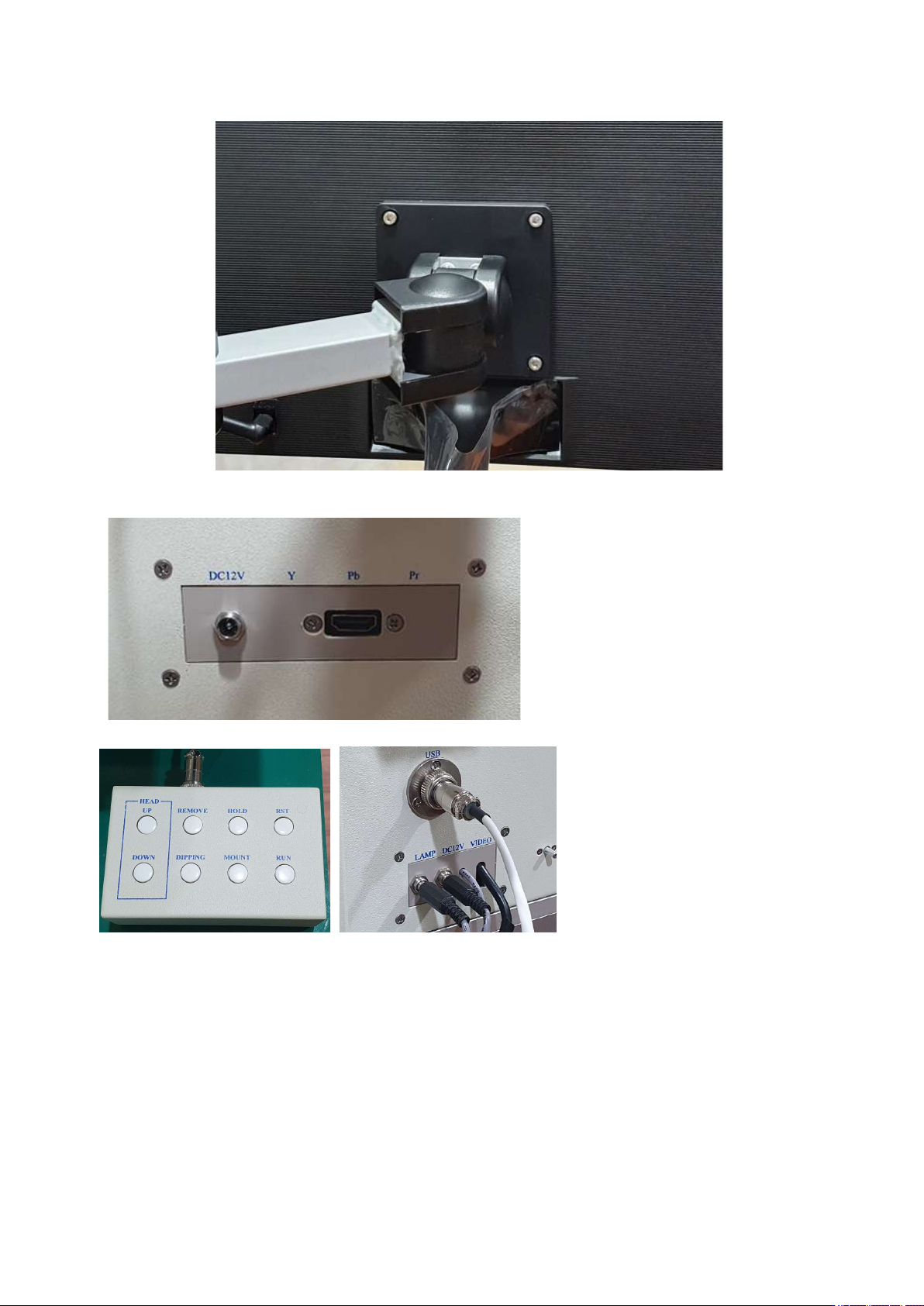
IR AUT O BGA R ework S tation TR3000-IRV Kukjetrading Co., Ltd. 8 ⑤ Connect the power of monitor . Connect the HDMI cab l e to the monitor and the left side of device. (Note: DC12V termi na l is not connected. Reserved) …
IR AUTO BGA Rework Station TR3000-IRV
Kukjetrading Co., Ltd.
7
<Caution >
The installation area should be 1,080(w) x 890(d) x 1050(h)mm at a minimum.
Use more over AC220V 30A for safe.
Oulets must be grounded.
A table strong enough to endure the device (Total Weight: 86kg) should be used.
An adjustment foothold, at the bottom side of the device, should be adjusted to maintain the horizontal level
of the device. .
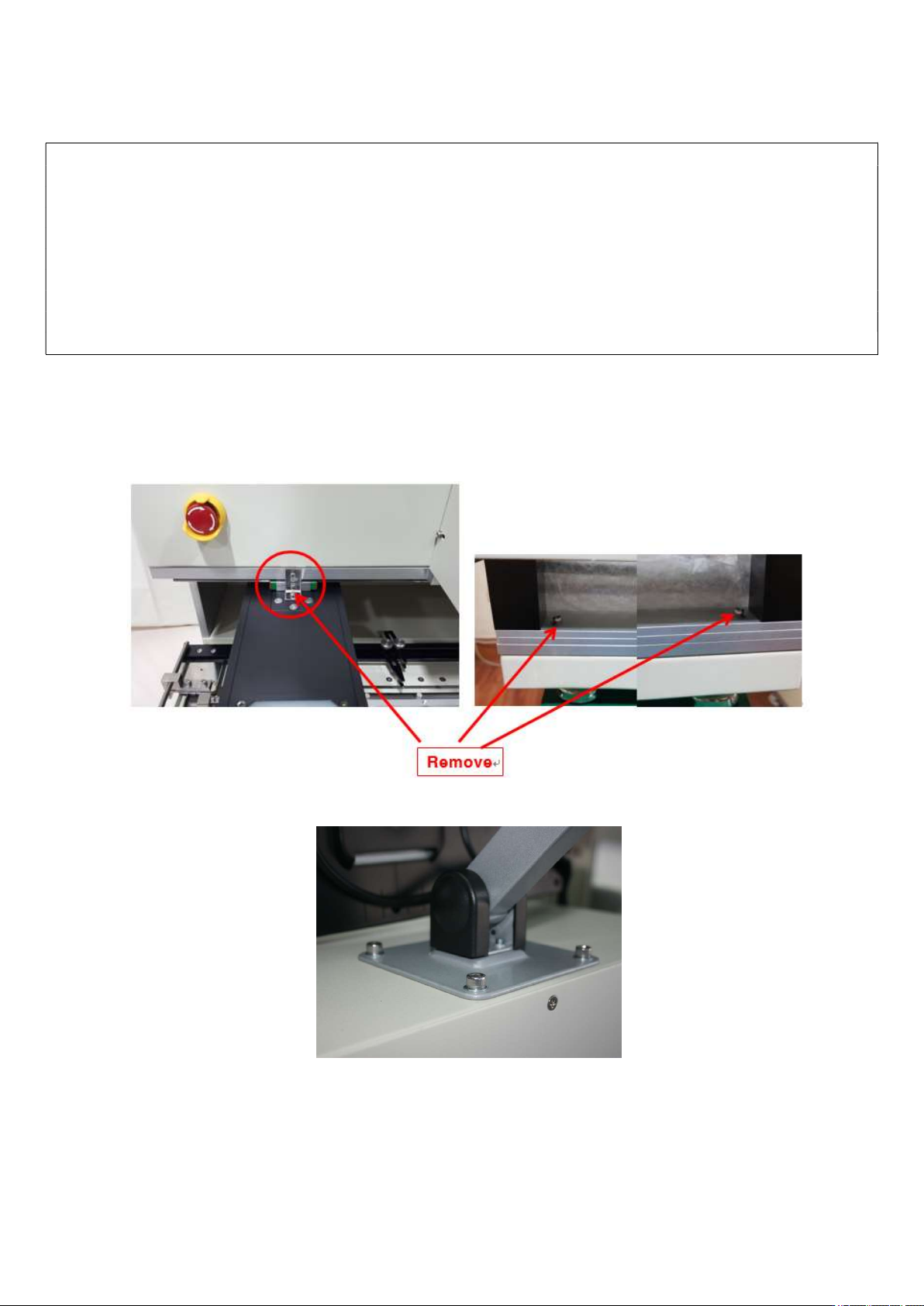
Fastening brackets for a vision and a head must be removed.
A ventilation duct in a shape of roof must be installed on the upper side of the device for emitting soldering
gas.
2. Installation
① Upwrap.
② After placing the equipment on the table, remove the vision fixing bracket and 2 table fixing screws on
the yellow circular display as shown in the picture below.
③ Attach a monitor holder. The holder can be installed the upper or left side.
④ Install a monitor.
IR AUTO BGA Rework Station TR3000-IRV
Kukjetrading Co., Ltd.
8
⑤ Connect the power of monitor. Connect the HDMI cable to the monitor and the left side of device.
(Note: DC12V terminal is not connected. Reserved)
⑥ Connect the Remote Control or Mouse. USB port and connector are right side of machine.
⑦ Mount the warp prevent jig on the table.
⑧ Mount Dipping jig on the tray left side of Vision Camera
⑨ Insert external Vacuum pen right side of machine
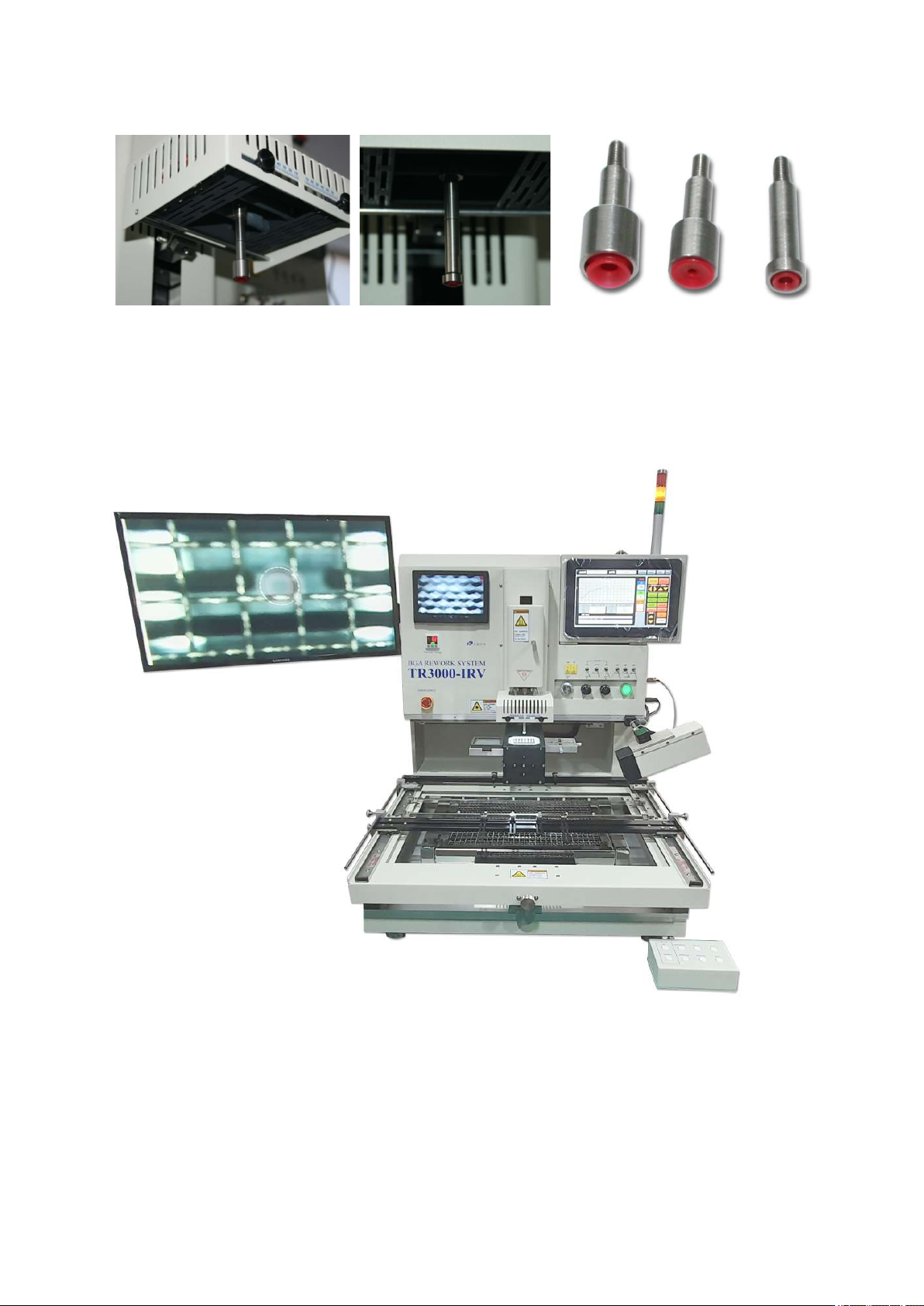
⑩ Install a vacuum bit. Three type sized are provided.
IR AUTO BGA Rework Station TR3000-IRV
Kukjetrading Co., Ltd.
9
A vacuum pipe is projected at the center of the upper heater head. Hold the end of the bit and turn it clockwise
to separate it. If you want to lock it, turn it counterclockwise. 3 types of a vacuum bit are provided so users can
use a proper type of a vacuum bit for operations.
⑪ Connect the tower lamp.
⑫ Installation completed