Board-Inverter-Operation-Manual-REV-F-2.pdf - 第16页
BI2000 Boa rd Invert er Manual Revision F / January 2022 Page 16 of 37 Auto Cyc le 270B Auto Cycl e is th e nor mal operati ng mo de for th e PVA board invert er. In Auto Cycl e , the machine operat es as part of a produ…
BI2000 Board Inverter Manual
Revision F / January 2022
Page 15 of 37
Operation
Startup Procedure
1. 98BCheck the air pressure.
2.
99BClose the door.
3.
100BEngage the “Emergency Stop” button.
4.
101BUse the main power red rotary switch to turn on the system power.
5.
102BDisengage the “Emergency Stop”.
Shutdown
267BDo not shut down the machine down with parts in it.
1.
103BWait for all boards to clear the module.
2.
104BPress “ESC” on the OIT. Wait for the Cycle Stop screen to appear.
3.
105BEngage the “Emergency Stop” button.
CAUTION: If maintenance will be done, lockout and tagout the machine.
Cycle Stop
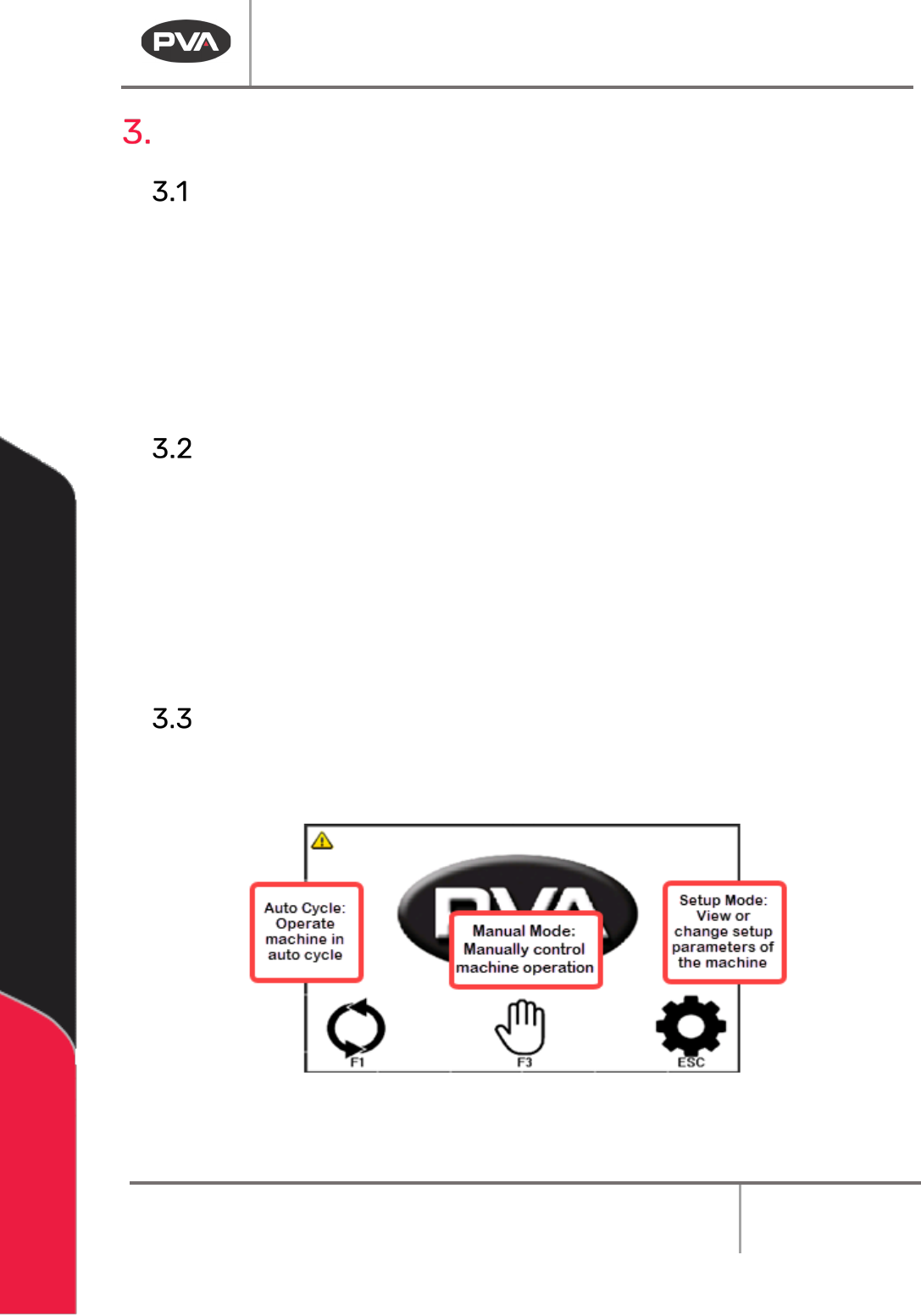
268BThis is the default machine state. All other modes are accessed from this screen. To shut
down the machine or select a different operating mode, you must return to Cycle Stop.
47BFigure 8: Cycle Stop
BI2000 Board Inverter Manual
Revision F / January 2022
Page 16 of 37
Auto Cycle
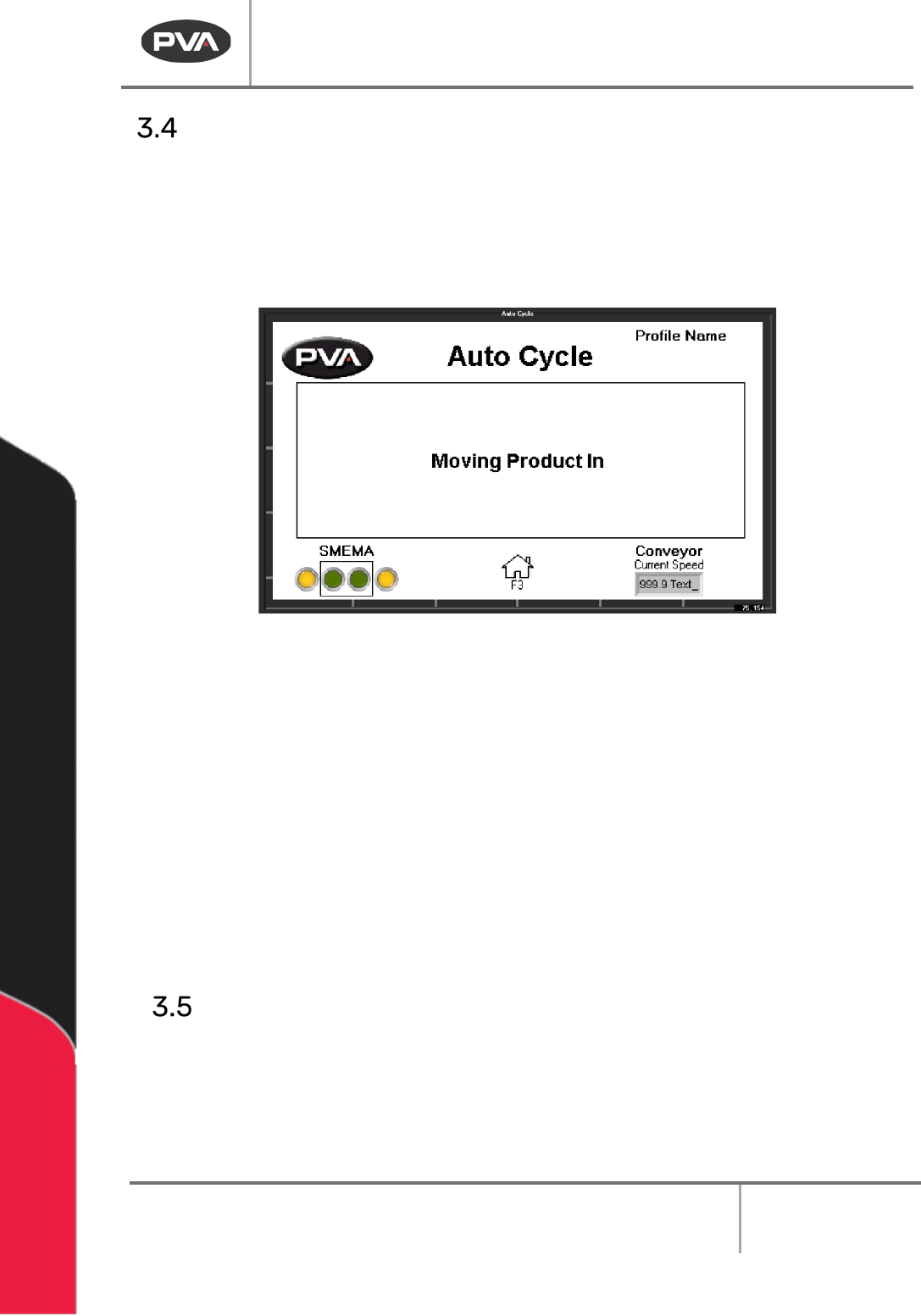
270BAuto Cycle is the normal operating mode for the PVA board inverter. In Auto Cycle, the
machine operates as part of a production line and interfaces with any adjacent machines.
1.
106BSelect Auto Cycle from Cycle Stop.
2.
107BPush the “ESC” button to leave Auto Cycle and return to Cycle Stop.
48BFigure 9: Auto Cycle
Note: The board inverter will wait for the boards to exit if there are boards in the
inverter when the “ESC” button is pushed.
3.
108BTo change the settings shown in Auto Cycle, go to Setup Mode.
4.
109BThe Profile is shown above the screen name. Go to Setup mode to change the
profile.
5.
110BThe current conveyor speed is shown.
6.
111BThe text field shows information about board handling and processing.
7.
112BThe SMEMA indicators show the signals being sent and received. Output from the
system are in the box, external signals are outside of the box.
Manual Mode
272BIn Manual mode, the operator has control of the conveyor, flipper, and SMEMA signals.
1.
113BSelect Manual mode from Cycle Stop.
2.
114BUse the “Left”, and “Right” arrow buttons to scroll through the screens.
BI2000 Board Inverter Manual
Revision F / January 2022
Page 17 of 37
Conveyor Operation
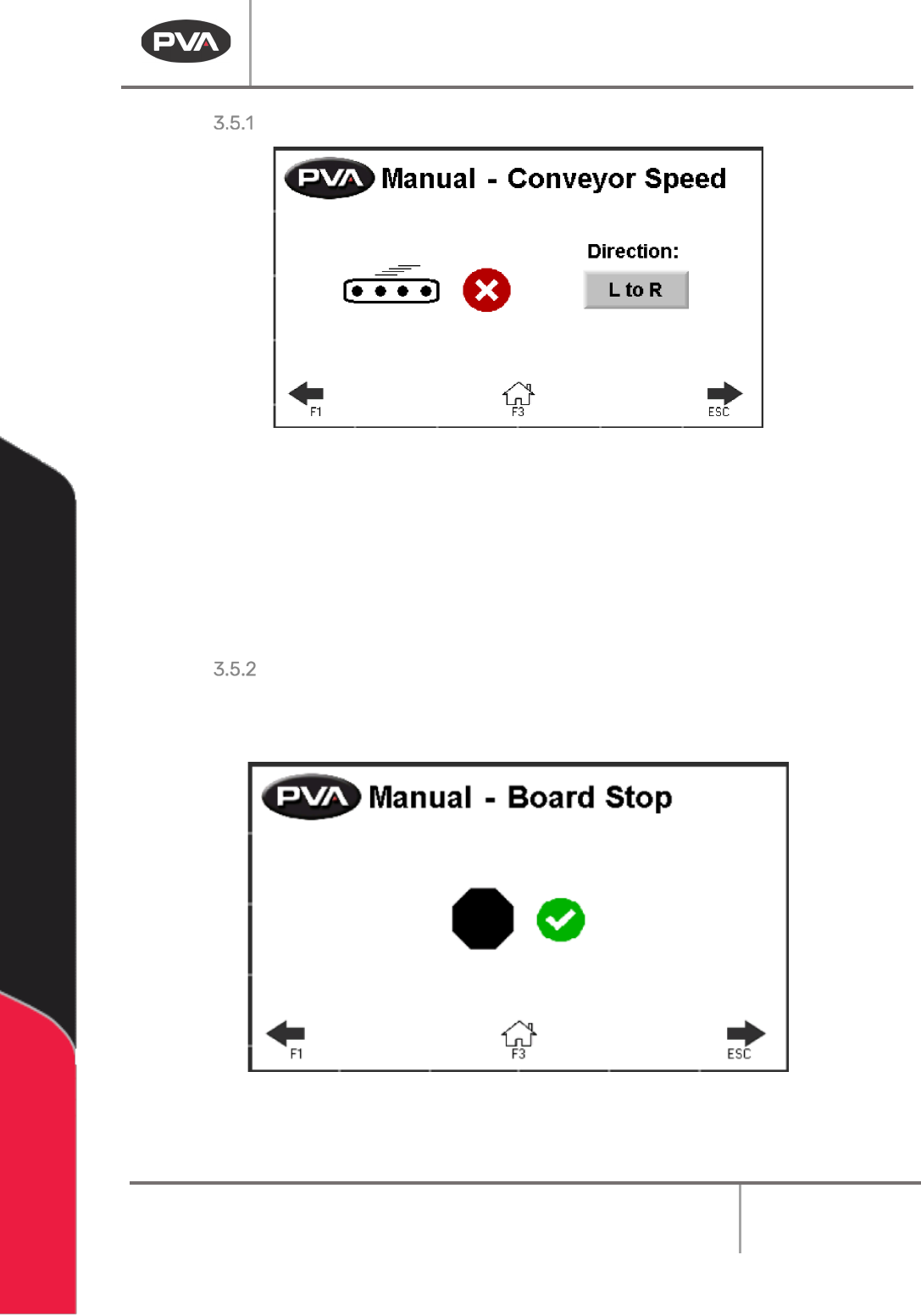
49BFigure 10: Manual Mode, Conveyor Speed
1. 115BUse the Red X or the Green Checkmark button to toggle the conveyor “On” or
“Off”.
2.
116BSelect the Direction: button to toggle between L to R (left to right) or R to L
(Right to Left). The default direction is downstream.
Board Stops
• 117BTo manually extend or retract the board stops, select the Red X or the Green
Checkmark button.
50BFigure 11: Manual Mode, Board Stop