Board-Inverter-Operation-Manual-REV-F-2.pdf - 第23页
BI2000 Boa rd Invert er Manual Revision F / January 2022 Page 23 of 37 Prof ile Naming 1. 140B Use the arr ows on the screen or the “ F1 ” and “ ESC ” button to scroll t o the Setup - Rena me Pr ofil e scr een. 2. 141B U…
BI2000 Board Inverter Manual
Revision F / January 2022
Page 22 of 37
Board Second Flip
290BSelect the 2nd Flip icon to toggle between “Yes” and “No” for the second flip board process.
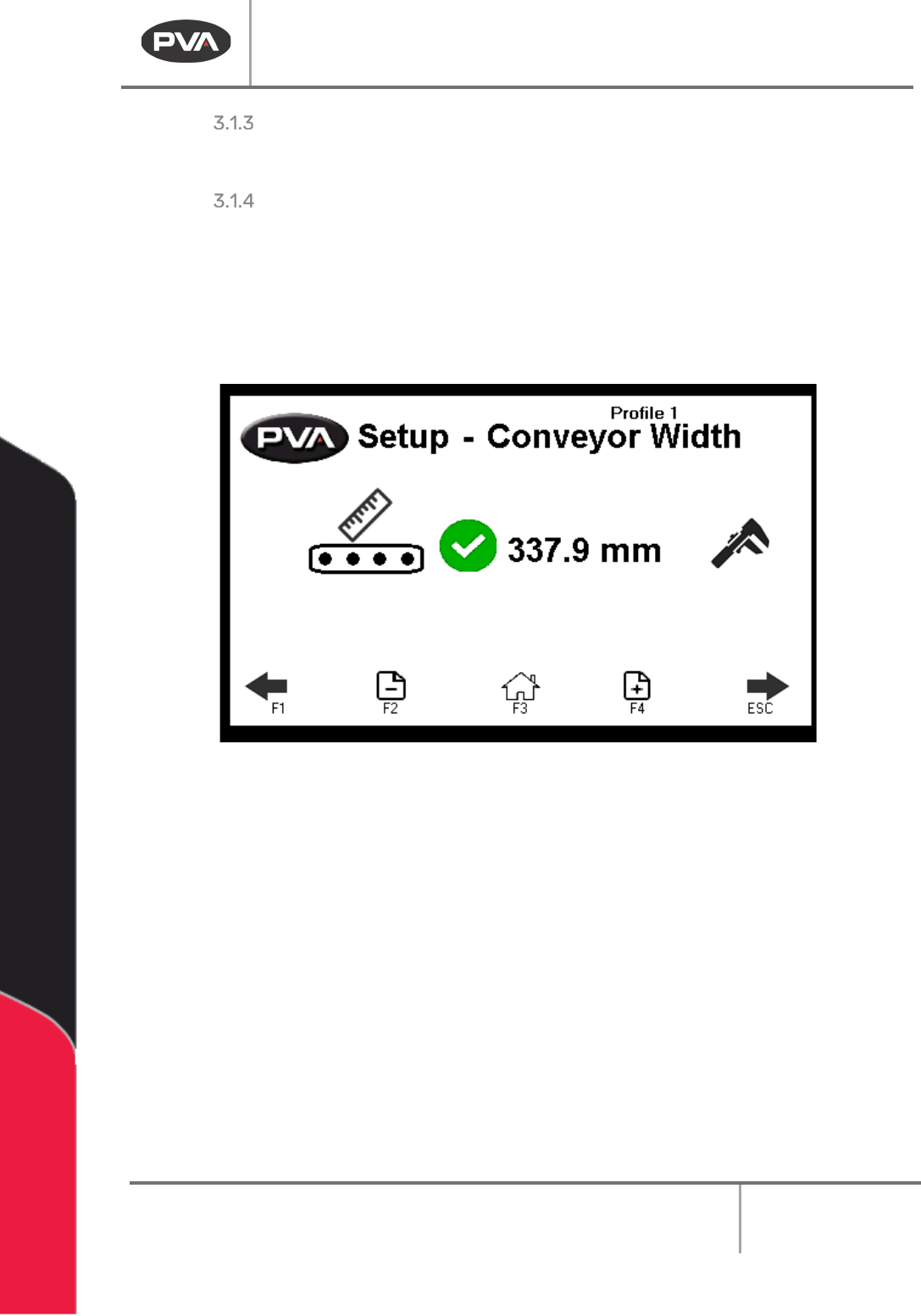
Conveyor Width
291BThis is an optional setting. Not all modules will have this option.
1.
133BUse the arrows on the screen or the “F1” and “ESC” button to scroll to the Setup-
Conveyor Width screen.
2.
134BSelect the indicator to toggle this feature on and off.
58BFigure 19: Conveyor Width
3. 135BPut the board on the conveyor.
4.
136BSelect Auto Width Adjust icon to auto adjust the conveyor.
5.
137BUse the Manual Width Adjust handle to make any necessary changes.
6.
138BSelect “Save” to keep and use the new value.
7.
139BUse the Use the + - Page icons or the F2 and F4 keys to scroll through the profiles.
The profile name is shown at the top of the screen.
BI2000 Board Inverter Manual
Revision F / January 2022
Page 23 of 37
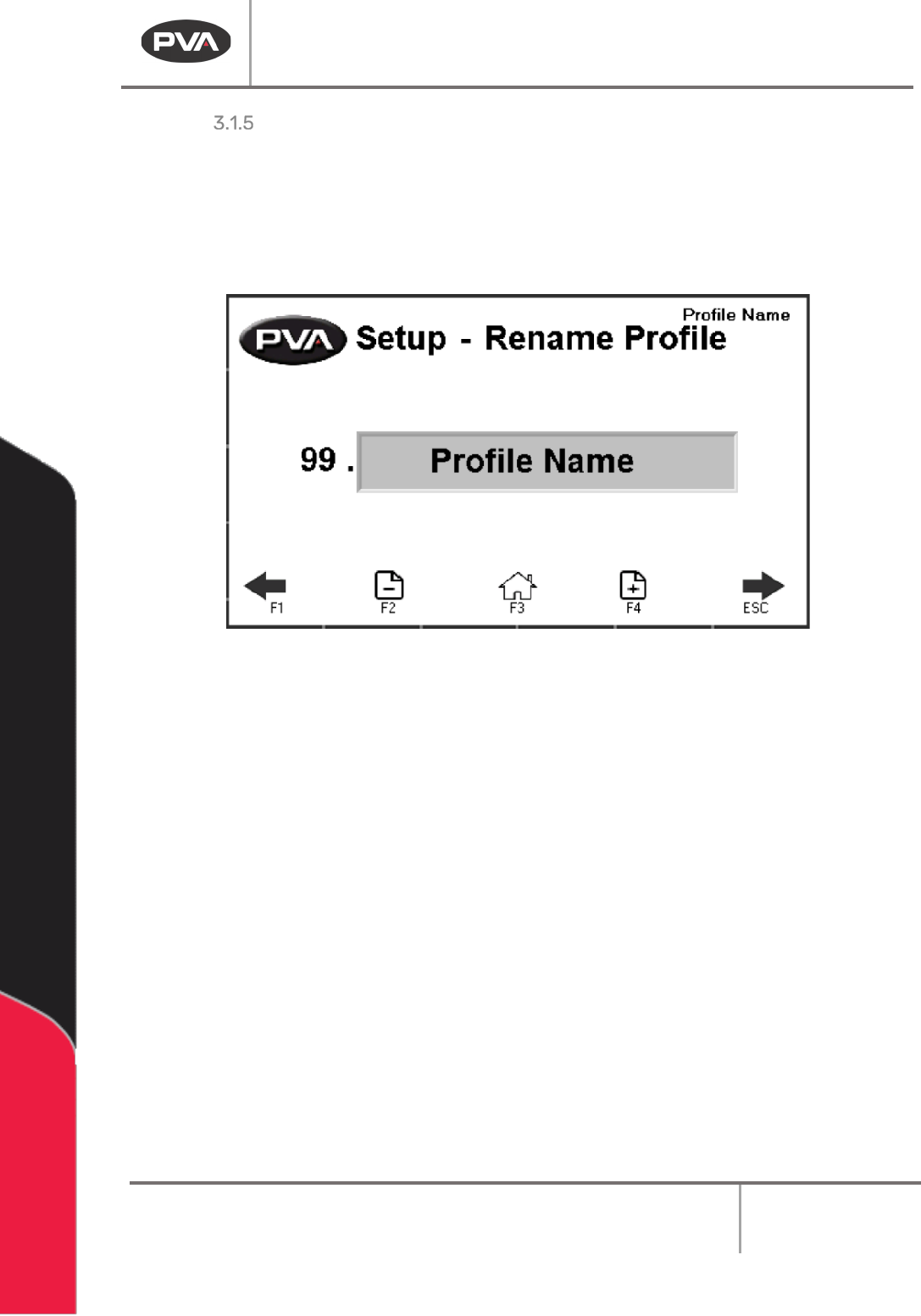
Profile Naming
1. 140BUse the arrows on the screen or the “F1” and “ESC” button to scroll to the Setup-
Rename Profile screen.
2.
141BUse the + - Page icons or the F2 and F4 keys to scroll through the profile names.
You can have a maximum of 30 profiles.
59BFigure 20: Rename Profile
3. 142BSelect the name you want to change.
4.
143BThe keyboard will be shown, type the new name and select enter. The new name will
be saved. Profile names are limited to 15 characters.
BI2000 Board Inverter Manual
Revision F / January 2022
Page 24 of 37
Fault Recovery
294BSeveral errors can cause a fault condition:
•
144B“Emergency Stop” is engaged
•
145BThe door is open
•
146BLow air pressure (option)
•
147BBoard processing failure
•
148BHoming failure
295BThe sections below show examples of some errors. For a complete list of error messages,
refer to Section 4.3.
WARNING: If the “Emergency Stop” was engaged because of a system failure, do not
disengage the “Emergency Stop” button. Shutdown the system and have qualified
personnel repair the machine.
Board Removal
296BAfter a fault, if there is a board in the inverter it must be removed. There are two ways to
remove a board.
Manual Board Removal
1. 149BEngage the “Emergency Stop” Button.
2.
150BOpen the Door.
3.
151BUse your hand to rotate the roll cage, if necessary.
4.
152BSlide the board out of the conveyer.
Conveyor Board Removal
1. 153BGo to Manual mode.
2.
154BSet the conveyor direction to the necessary setting, either upstream or
downstream.
3.
155BSet the conveyor to on. The board will exit the conveyor in the set direction.
4.
156BTurn the conveyor off.