Board-Inverter-Operation-Manual-REV-F-2.pdf - 第18页
BI2000 Boa rd Invert er Manual Revision F / January 2022 Page 18 of 37 Rotate 51B Figure 12 : Man ual Mod e, R otat e • 118B To manual ly rot at e the cage, push the “S quare Arro w Butt on” o n - scr een. Th e arrow dir…
BI2000 Board Inverter Manual
Revision F / January 2022
Page 17 of 37
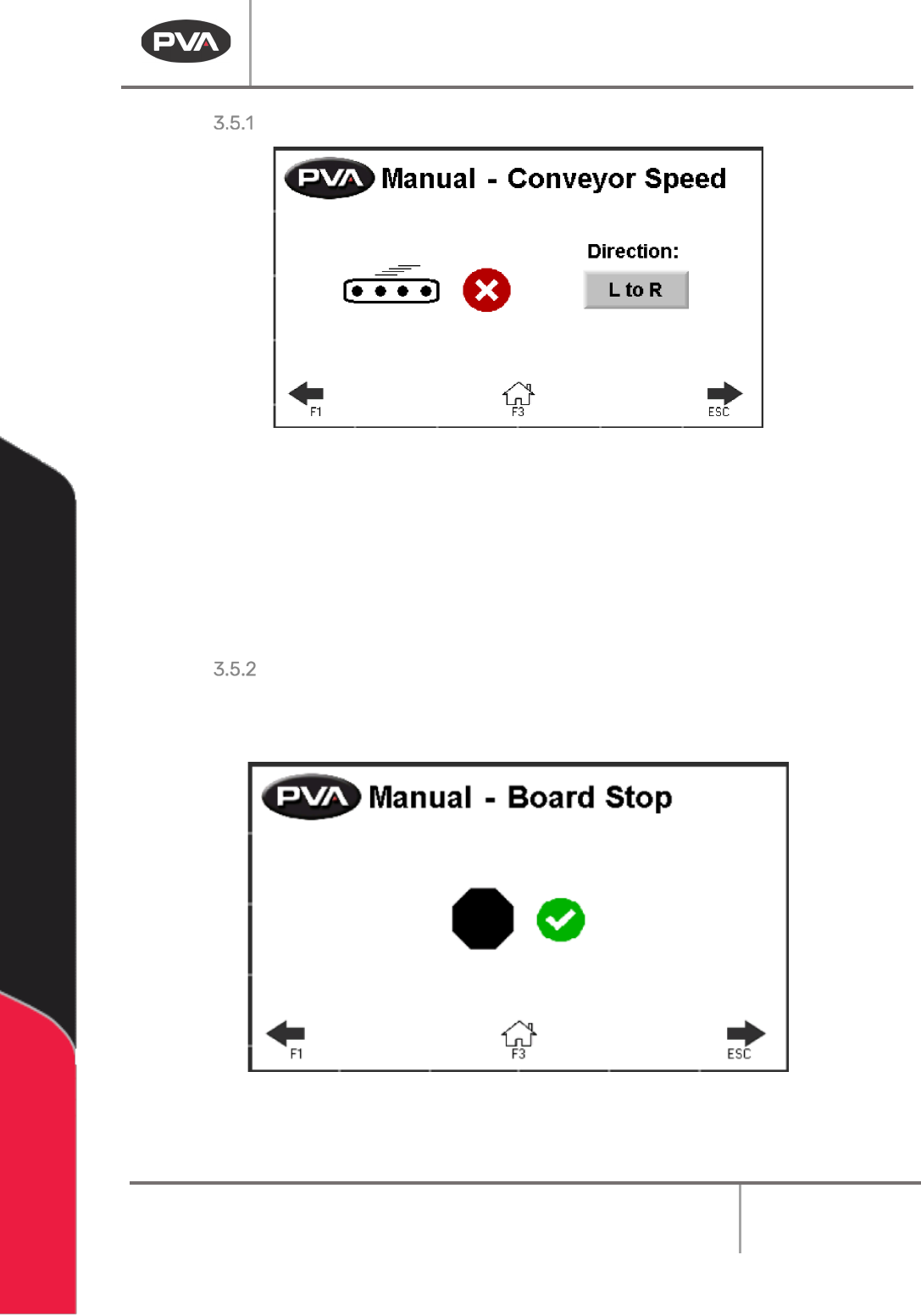
Conveyor Operation
49BFigure 10: Manual Mode, Conveyor Speed
1. 115BUse the Red X or the Green Checkmark button to toggle the conveyor “On” or
“Off”.
2.
116BSelect the Direction: button to toggle between L to R (left to right) or R to L
(Right to Left). The default direction is downstream.
Board Stops
• 117BTo manually extend or retract the board stops, select the Red X or the Green
Checkmark button.
50BFigure 11: Manual Mode, Board Stop
BI2000 Board Inverter Manual
Revision F / January 2022
Page 18 of 37
Rotate
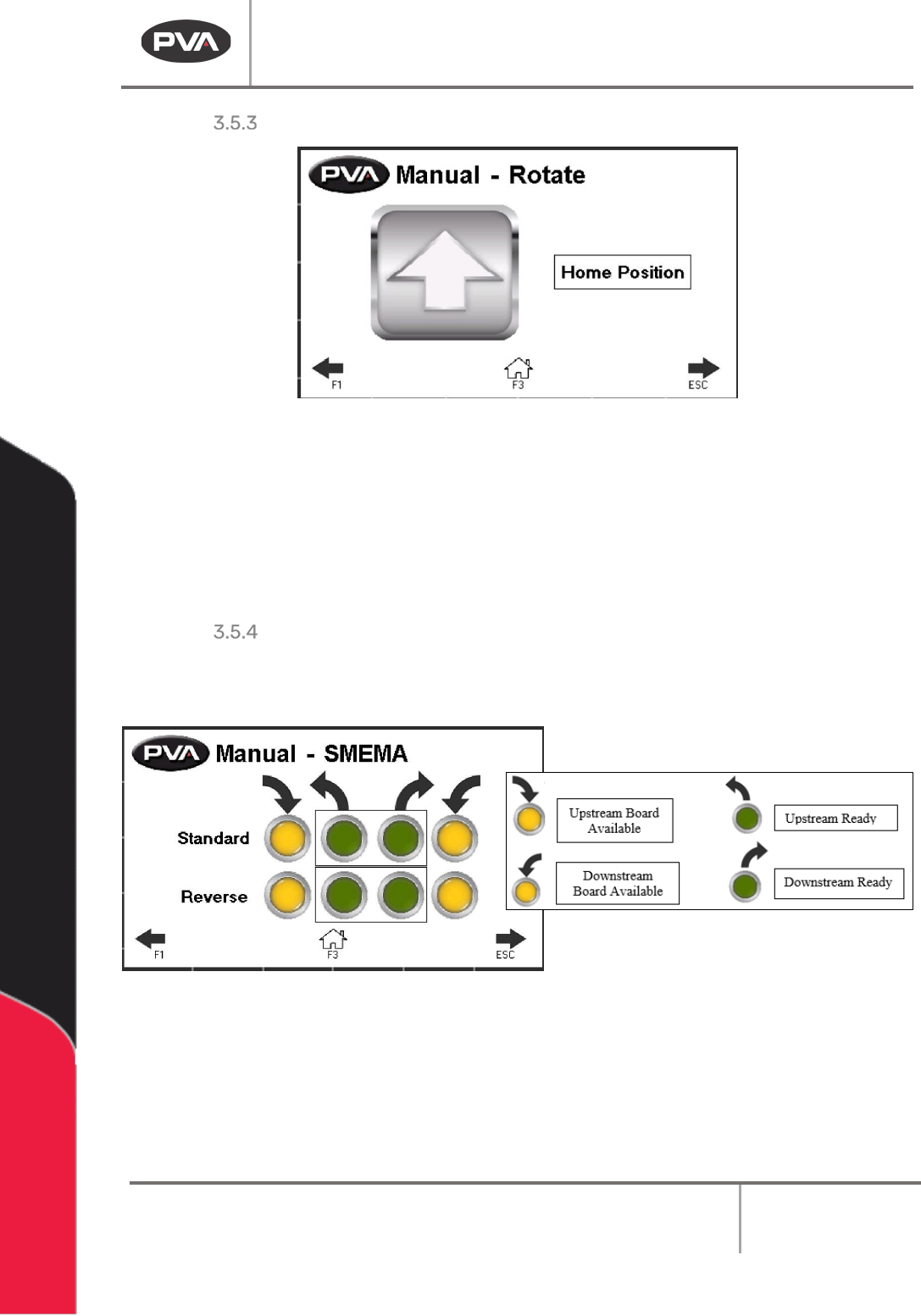
51BFigure 12: Manual Mode, Rotate
• 118BTo manually rotate the cage, push the “Square Arrow Button” on-screen. The arrow
direction shows the current position.
o
119BWhen the arrow is Up the cage is in the home position (0 degrees)
o
120BWhen the arrow is Down the cage is in the flip position (180 degrees)
SMEMA
276BYou can view the status of the SMEMA input from the machine selected. To toggle the
SMEMA output on and off, push the related light on the screen.
277B
52BFigure 13: Manual Mode, SMEMA
BI2000 Board Inverter Manual
Revision F / January 2022
Page 19 of 37
PIP Status
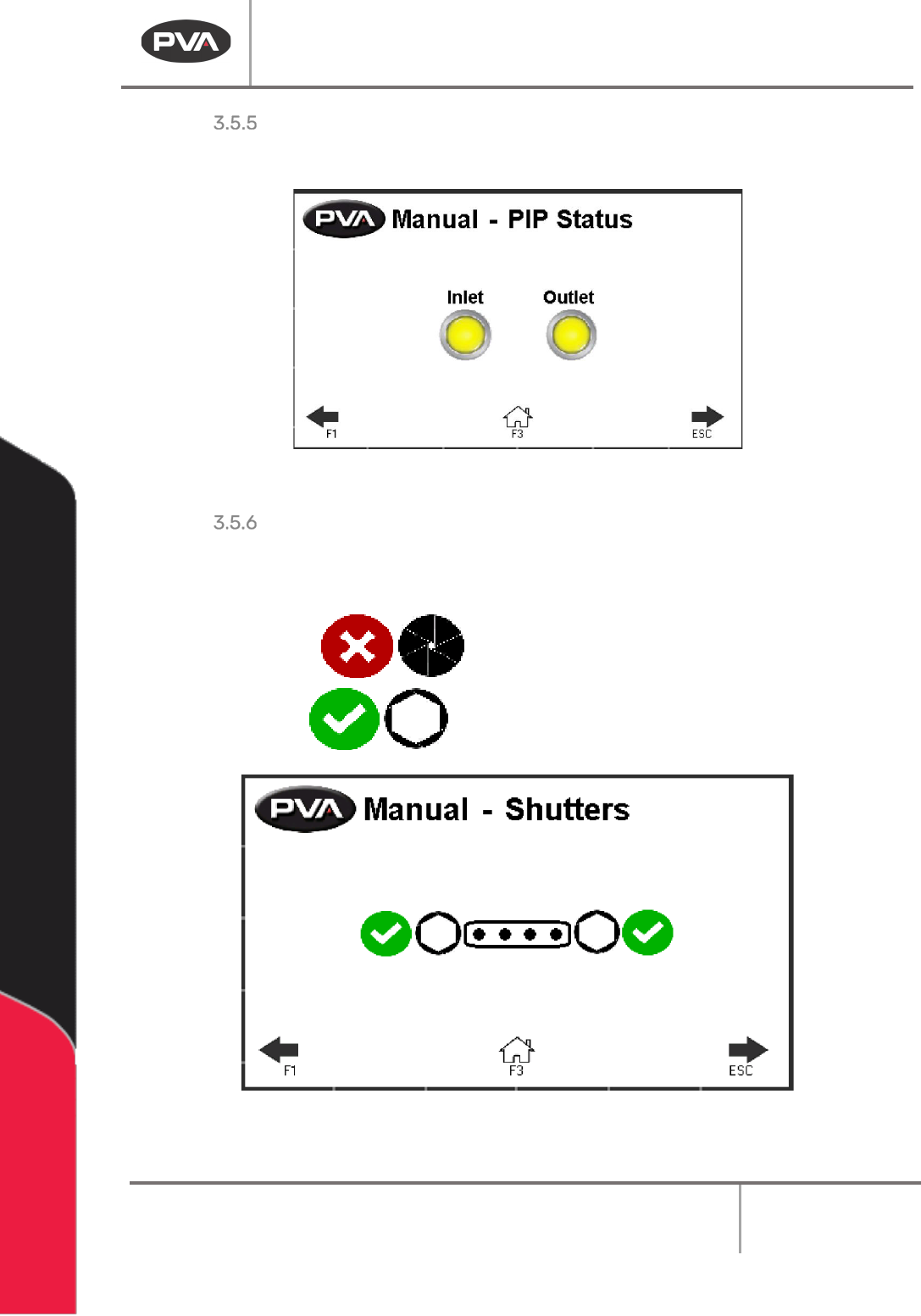
278BView the status of the part in place (PIP) input from the machine.
53BFigure 14: Manual Mode, PIP Status
Shutters
280BThis screen only applies to systems with shutters. To manually open or close the shutters
select the Green Checkmark or Red X.
54BFigure 15: Shutters