Board-Inverter-Operation-Manual-REV-F-2.pdf - 第25页
BI2000 Boa rd Invert er Manual Revision F / January 2022 Page 25 of 37 Open Door or “ Emergency Sto p” Recovery Proced ure 297B If the “Eme r gen cy St op” button is eng aged or there is a machin e erro r, do this proced…
BI2000 Board Inverter Manual
Revision F / January 2022
Page 24 of 37
Fault Recovery
294BSeveral errors can cause a fault condition:
•
144B“Emergency Stop” is engaged
•
145BThe door is open
•
146BLow air pressure (option)
•
147BBoard processing failure
•
148BHoming failure
295BThe sections below show examples of some errors. For a complete list of error messages,
refer to Section 4.3.
WARNING: If the “Emergency Stop” was engaged because of a system failure, do not
disengage the “Emergency Stop” button. Shutdown the system and have qualified
personnel repair the machine.
Board Removal
296BAfter a fault, if there is a board in the inverter it must be removed. There are two ways to
remove a board.
Manual Board Removal
1. 149BEngage the “Emergency Stop” Button.
2.
150BOpen the Door.
3.
151BUse your hand to rotate the roll cage, if necessary.
4.
152BSlide the board out of the conveyer.
Conveyor Board Removal
1. 153BGo to Manual mode.
2.
154BSet the conveyor direction to the necessary setting, either upstream or
downstream.
3.
155BSet the conveyor to on. The board will exit the conveyor in the set direction.
4.
156BTurn the conveyor off.
BI2000 Board Inverter Manual
Revision F / January 2022
Page 25 of 37
Open Door or “Emergency Stop” Recovery
Procedure
297BIf the “Emergency Stop” button is engaged or there is a machine error, do this procedure.
Do not continue if the “Emergency Stop” was engaged because of a system failure
instead, shutdown the system and have it repaired by qualified personnel.
1.
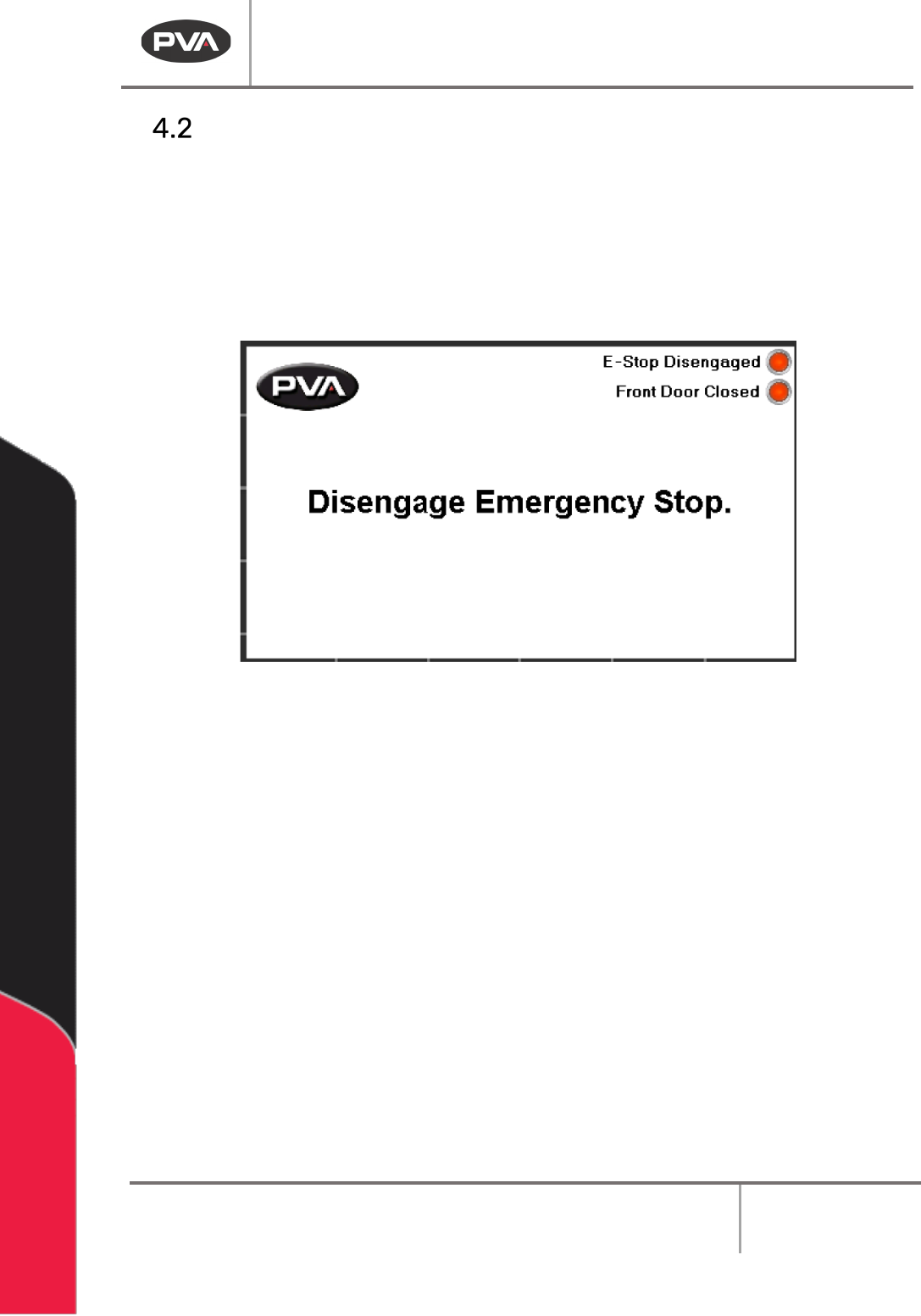
157BDisengage the “Emergency Stop” button or close the doors as necessary.
60BFigure 21: Emergency Stop
2. 158BFollow the on-screen display, push the “POWER ON” button to restore control power.
3.
159BOperate the system as normal.
BI2000 Board Inverter Manual
Revision F / January 2022
Page 26 of 37
Recovery Procedure for Board Processing Failure
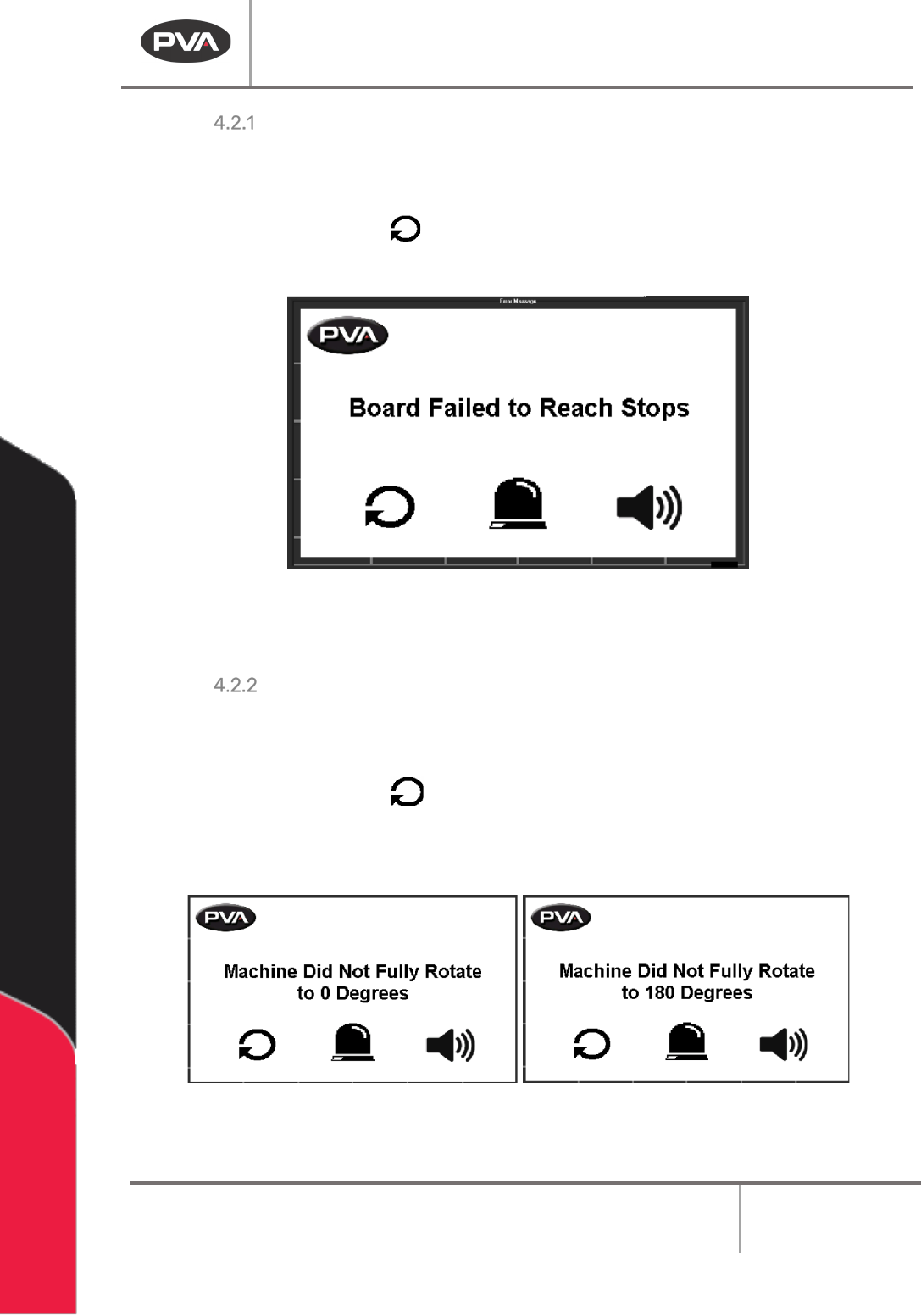
299BA board processing failure can result from a board jam, or if the board is longer than the
inverter can handle and the infeed and outfeed sensor are on at the same time.
2.
161BRemove the board.
61BFigure 22: Board Processing Failure
3. 162BWhen the Cycle Stop screen is shown, operate normally.
Recovery Procedure for a Rotation Error
301BWhen the roll cage cannot do a complete rotation (180°) there is a Rotation Error. This can be
caused by low air pressure.
2.
164BRemove the board.
3.
165BWhen the Cycle Stop screen is shown, operate normally.
62BFigure 23: Rotation Errors
4. 166BIf you continue to have this error, make sure the air pressure is in the necessary range.