Board-Inverter-Operation-Manual-REV-F-2.pdf - 第32页
BI2000 Boa rd Invert er Manual Revision F / January 2022 Page 32 of 37 W idth Adjus tme nt 343B To adjust the wid th of t he rear conveyors on units t hat do n ot have the “Au to Adjust” option, perform th e procedu re b…
BI2000 Board Inverter Manual
Revision F / January 2022
Page 31 of 37
Soft Start Adjustment
340BThe soft start is attached to the main air pressure regulator and regulates the time it takes
for the roll cage’s pneumatic manifold to reach pressure. If the pneumatic manifold is
pressurized too quickly, the roll cage will rotate aggressively and slam into the hard stops.
This could damage the equipment or an operator.
Note: The soft start is set by PVA. It is not necessary to adjust it unless the soft start
is replaced.
1.
189BTo adjust the soft start, engage the “Emergency Stop”.
2.
190BTurn the main air supply to “Off”.
3.
191BOn the bottom of the soft start, turn the brass set screw clockwise until it is
completely closed.
4.
192BTurn the set screw counterclockwise, no more than 1/16
th
of a turn from the closed
position.
341B
69BFigure 30: Soft Start Adjustment
Note: The soft start should always be adjusted before the rotary speed is set.
Rotary Speed Adjustment
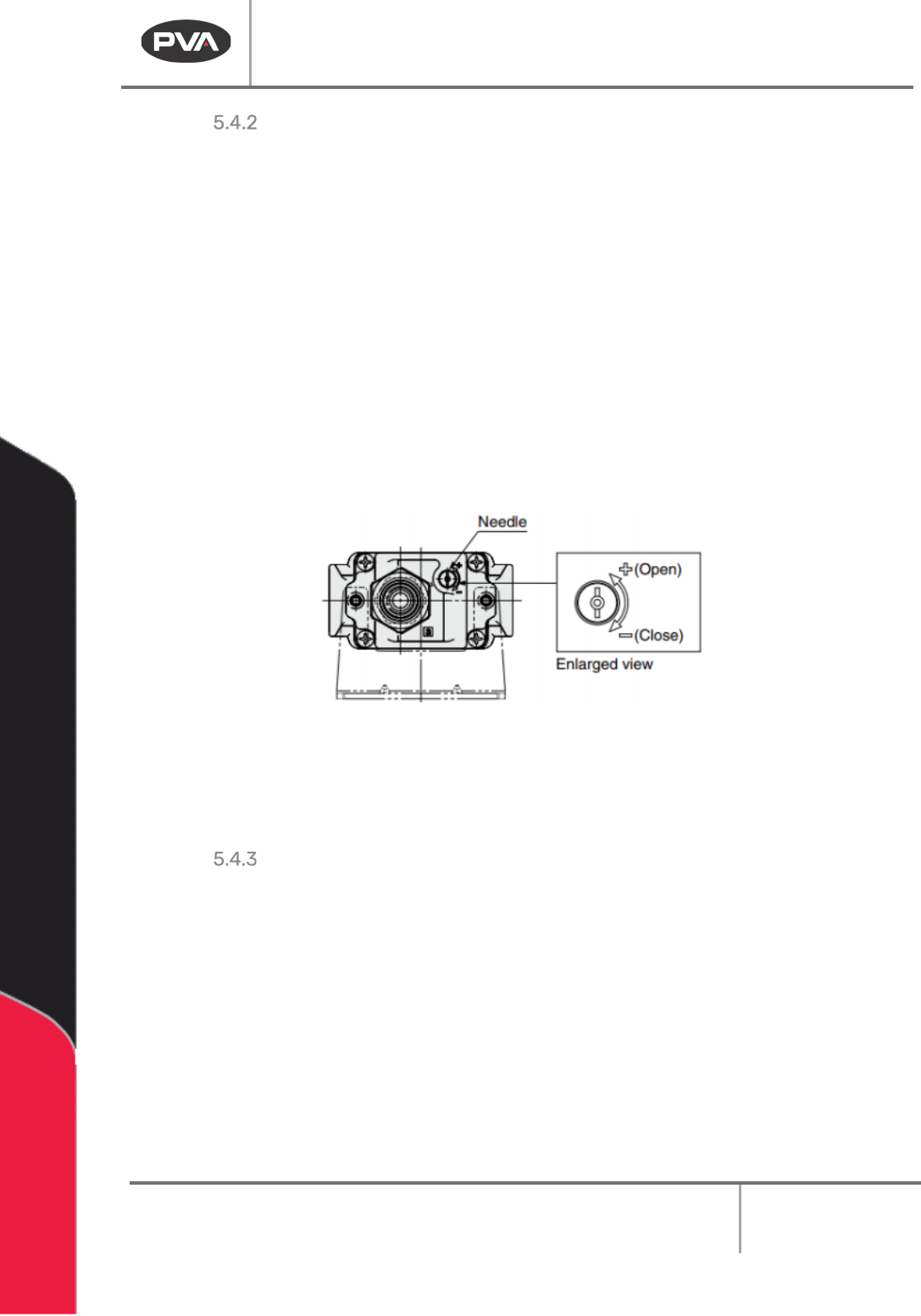
342BBoth ports on the rotary actuator have a quick exhaust flow control to adjust the rotary
speed.
1.
193BTo adjust the speed of the rotary motion, turn the needle valve of the flow control.
2.
194BTurn the needle valve clockwise (in) to decrease the speed of rotary motion.
3.
195BTurn the needle valve counterclockwise (out) to increase the speed of rotary
motion.
Note: The flow controllers regulate the exhaust air from the cylinder, not how much
air enters the cylinder. Be careful when you adjust the speed of the rotary motion. A
small adjustment makes a large difference in speed.
+ (Open) = More Air
- (Close) = Less Air
BI2000 Board Inverter Manual
Revision F / January 2022
Page 32 of 37
Width Adjustment
343BTo adjust the width of the rear conveyors on units that do not have the “Auto Adjust”
option, perform the procedure below.
Note: This is for systems that do not have automatic width adjust.
1.
196BEngage the “Emergency Stop” button.
2.
197BTurn the main air pressure to “Off”.
3.
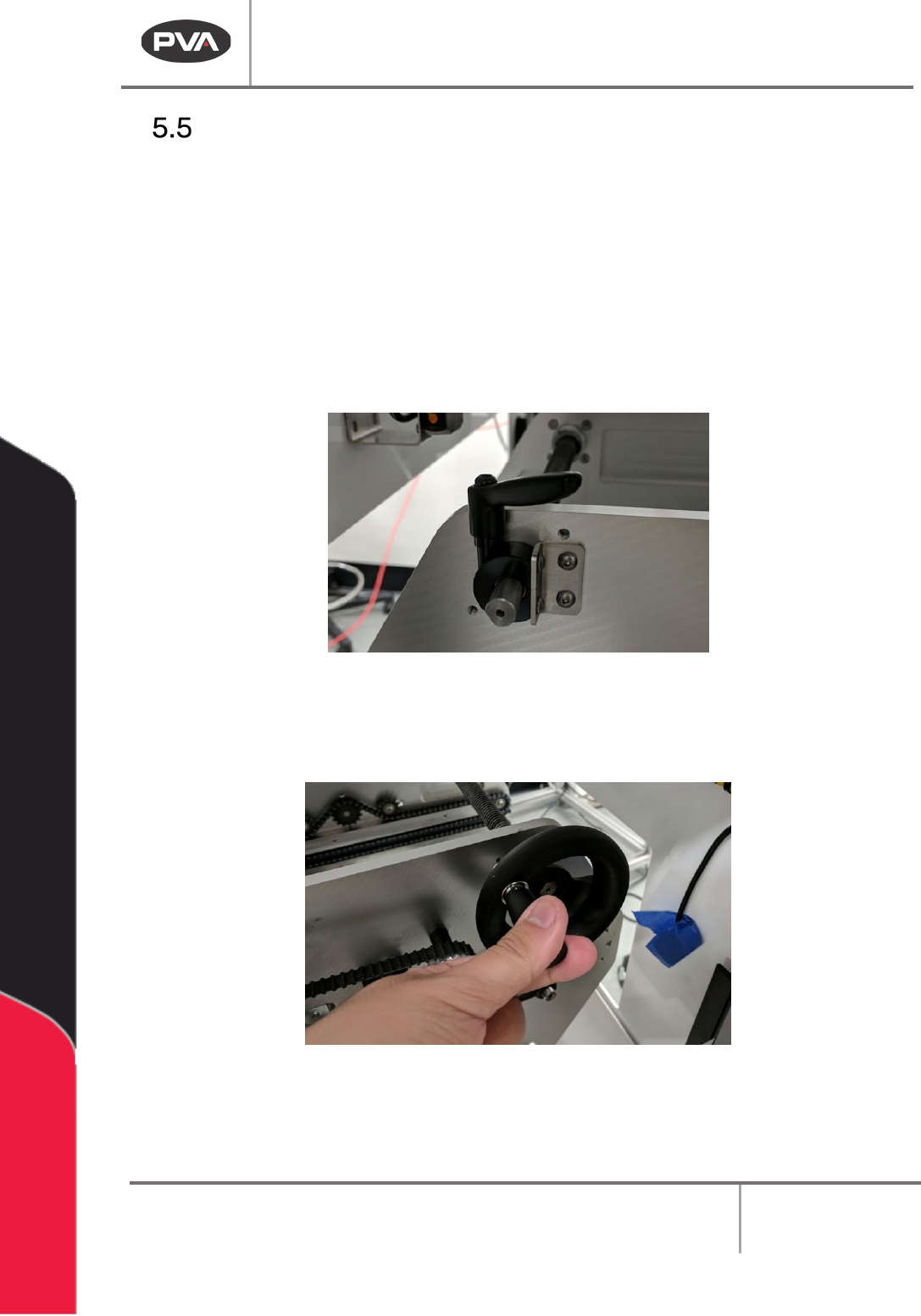
198BTurn the adjustment lock counterclockwise to loosen it.
70BFigure 31: Adjustment Lock
4. 199BTurn the adjustment handle counterclockwise to increase the width or clockwise to
decrease the width of the of the conveyor.
71BFigure 32: Width Adjustment Handle
5. 200BWhen the necessary width is achieved, turn the adjustment lock clockwise to tighten.
BI2000 Board Inverter Manual
Revision F / January 2022
Page 33 of 37
Main Air Regulator
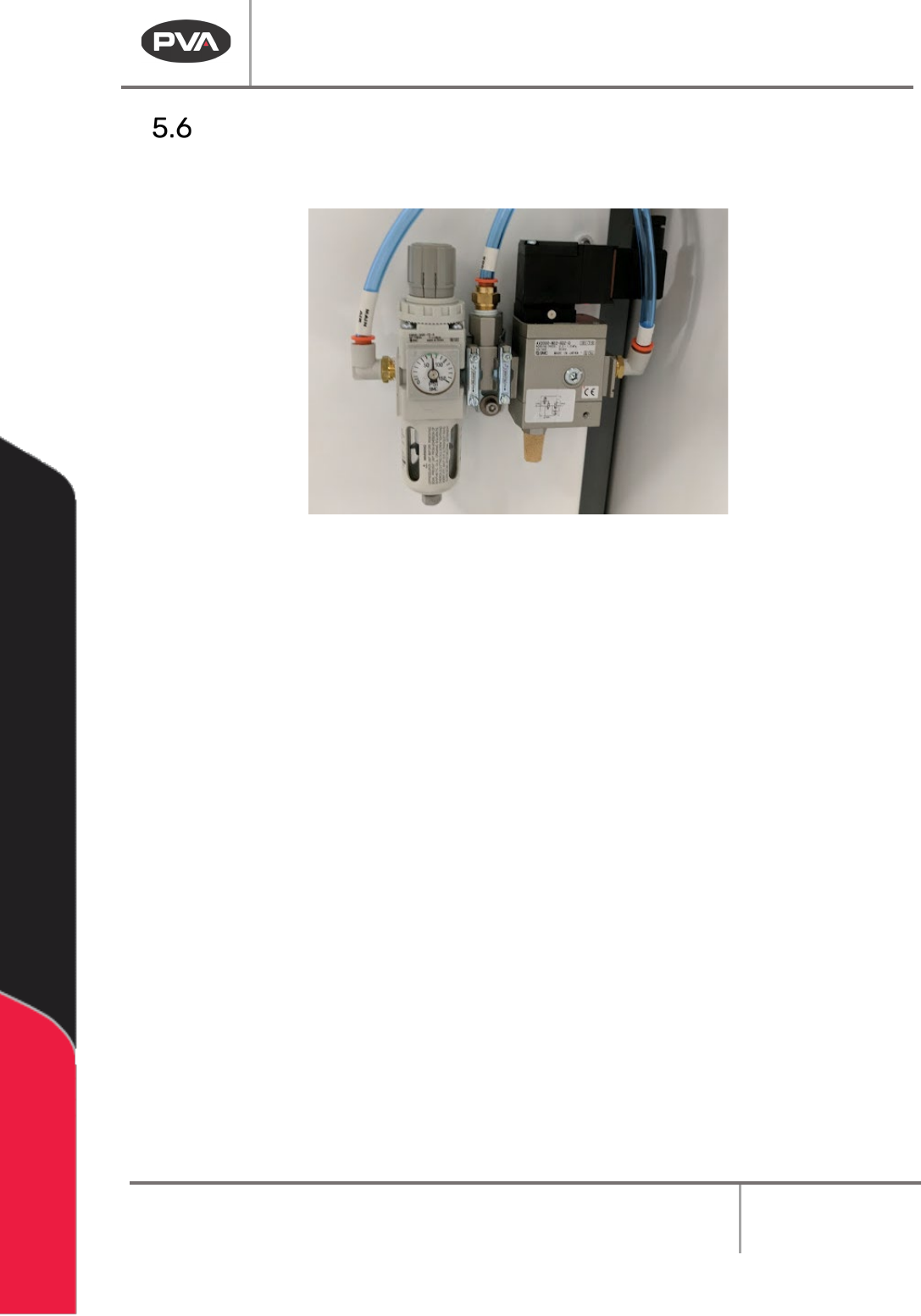
• 201BMake sure there is no water in the bottom, drain as necessary.
72BFigure 33: Main Air Regulator