Maintenance (Micron) workbook Iss07.pdf - 第13页
Issue 6, Nov 14 13 NOTES:

12 Issue 6, Nov 14
Objective MO3: Create a product file
Using the board and stencil provided by your instructor create a new product file.
Creating a New Product File From an Existing File
This is often the quickest way to get started. It is the most efficient method if the new
product has similarities in size, process or 2Di to an existing one. There are however,
precautions to remember: always zero any offsets from the old file and never assume that
the under-screen cleaner or paste dispense strategies are transferable - these should
always be confirmed through test and observation.
The board dimensions are width, length and thickness. It is very important that these are
programmed accurately as the printer software uses these values as the basis for many
other board file and machine parameters.
For each board dimension state what other board file parameter or mechanical settings will
be automatically adjusted:
Board Width
Board Length
Board Thickness
NOTES:

Issue 6, Nov 14
13
NOTES:
14 Issue 6, Nov 14
Objective MO4 Setup synthetic fiducials
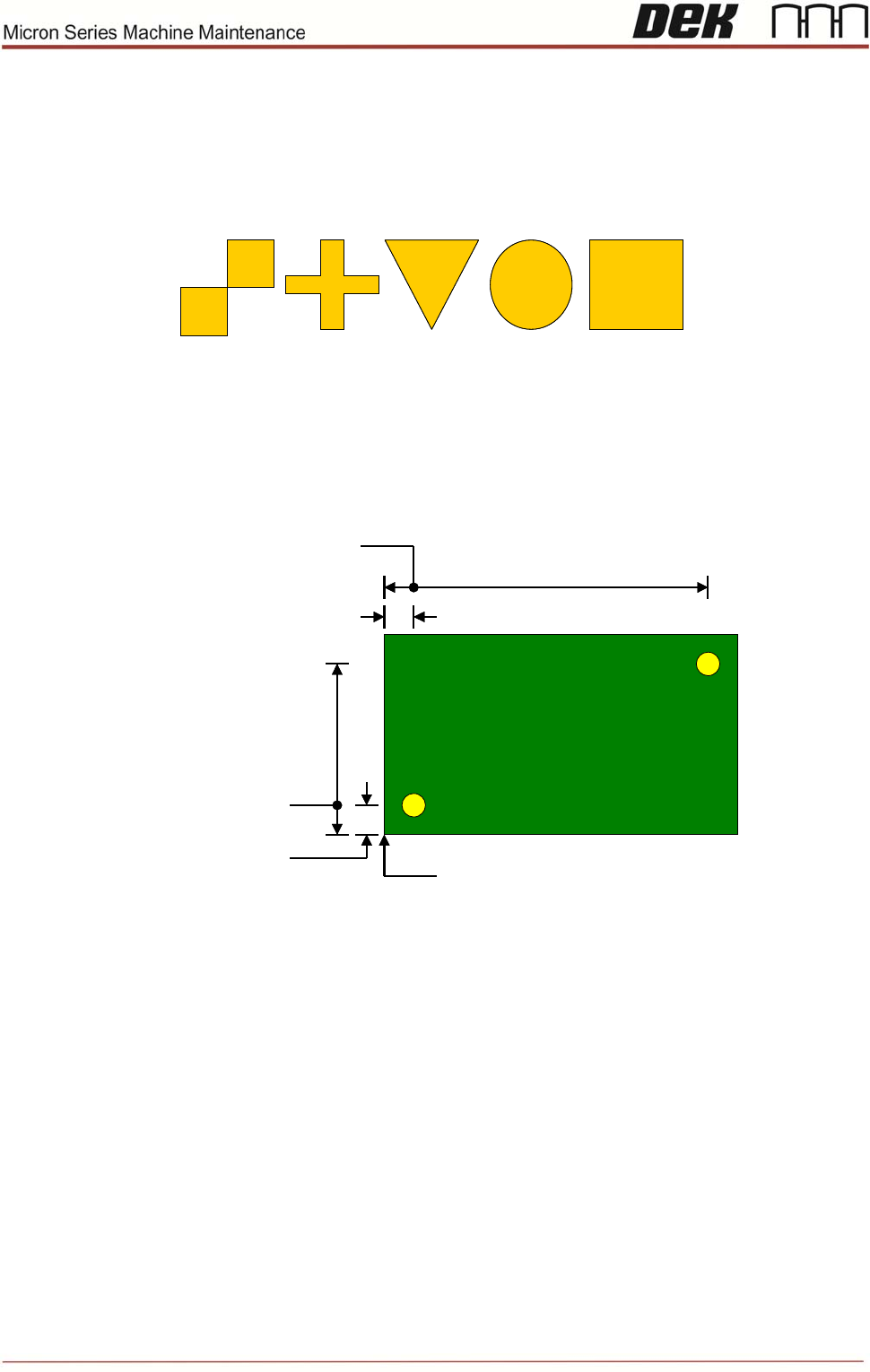
Standard synthetic fiducial shapes should be used whenever available. These must align
to corresponding fiducials on the underside of the stencil.
Failure to set up the fiducials correctly could result in print offsets or vision error messages.
Fiducial Location
It is good practice to choose fiducials that are diametrically opposite and as close to the
outer edges as possible. The following diagram is for a machine set to left fiducial
reference:
(0, 0)
Fiducial #1 X
Fiducial #2 X
Fiducial #1 Y
Fiducial #2 Y
Fiducial #1 X
(0, 0)
Fiducial #1 X
Fiducial #2 X
Fiducial #1 Y
Fiducial #2 Y
Fiducial #1 X
Note that Fiducial #1 should be on the right side of the board, to optimise the trajectory of
the camera as it passes from the board stop position to the first fiducial location.
It is possible to program three pairs of fiducials but this is rarely necessary. It may help if
the board is very large, or has many panels and is showing alignment problems.
Using the on-board tutorials as a guide setup two sets of fiducials.
NOTES: