Maintenance (Micron) workbook Iss07.pdf - 第25页
Issue 6, Nov 14 25 Objective ET3: Monitor DC voltages using power monitor softw are Run the power monitor software and ensure t hat all voltages are within tolerance. NOTES:
24 Issue 6, Nov 14
Objective ET2: Identify power supply and E-stop components
With reference to the technical reference manual and with the aid of the instructor trace the
power supply circuit and safety circuit for the machine.
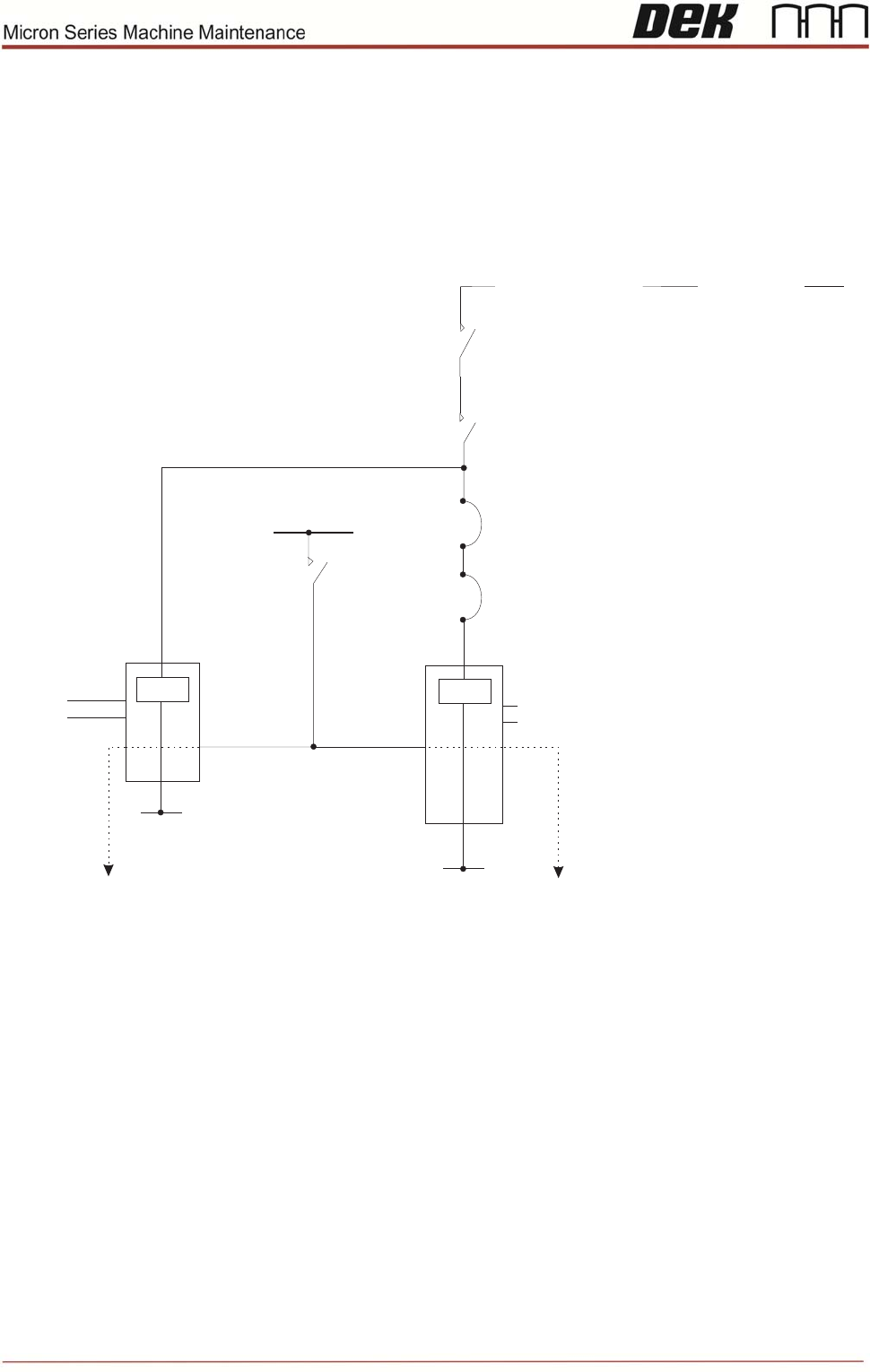
Complete the missing details in the e-stop diagram below:
CON 1 CON 2 CON 3 Sys. Switch
AUX AUX AUX
E Stop
Relay
0V
E Stop Loop and
E Stop Blanking Plug
E Stop Loop Supply
(Software E Stop)
(NextMove Interface)
(NextMove ES)
Contactors
1, 2 & 3
Supplies 24V SW and 42V dc or 48V dc to the motors
Front Cover Interlock
CB1
3.15A
24V US
2 Handed
Relay
0V
Contactors
1 & 3
Jog
Buttons
Supplies 24V SW to the motors
Rear Cover Interlock/
Interlock Blanking Plug
PC

Issue 6, Nov 14
25
Objective ET3: Monitor DC voltages using power monitor software
Run the power monitor software and ensure that all voltages are within tolerance.
NOTES:
26 Issue 6, Nov 14
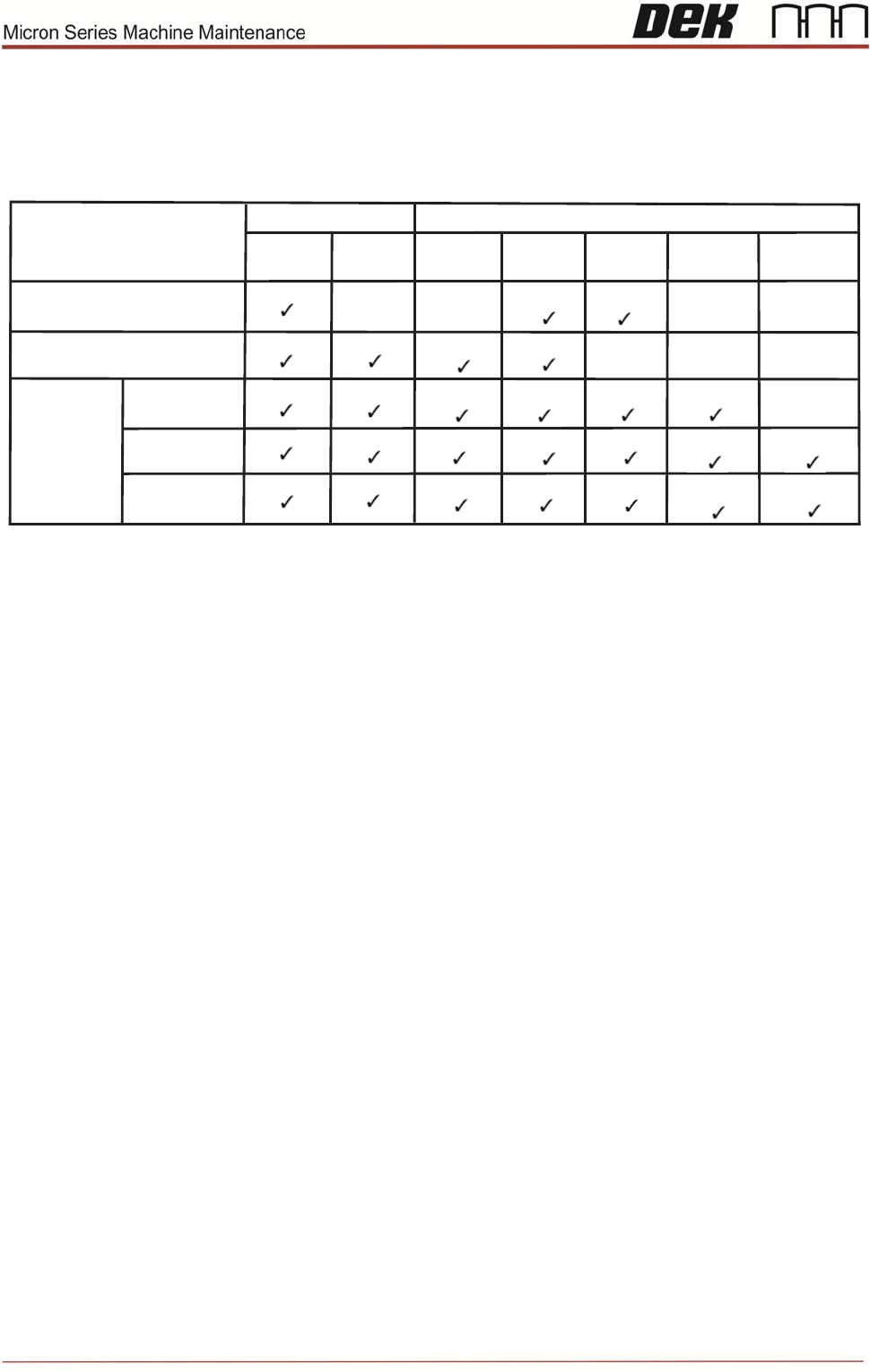
Objective ET4: Identify electronics enclosures and PCB’s
PC CONFIGURATION SUMMARY
PC Type
Drive Type
Camera Type
Advantech PC
Rotary
Linear
Graphite
Green
Gold
HawkEye
400/750
HawkEye
1200/1700
IBUS PC with Vision Card
and Vision PC Adaptor Card
PC with
FireWire Card
IBUS
IBUS ROHS
Q35
Digital
Digital
Digital
Digital
Digital
Digital
Digital
Digital
Analogue
Analogue
Analogue
Analogue
Task: With reference to the table above, identify the configuration of your Printer
Notes: