Maintenance (Micron) workbook Iss07.pdf - 第16页
16 Issue 6, Nov 14 Objective MO5 Setup Video models The video model option is useful when ther e are no synthetic fiducials on the board or stencil, or when the fiducials ar e very poor quality. The secret of success is …
Issue 6, Nov 14
15
NOTES:
16 Issue 6, Nov 14
Objective MO5 Setup Video models
The video model option is useful when there are no synthetic fiducials on the board or
stencil, or when the fiducials are very poor quality. The secret of success is to pick an area
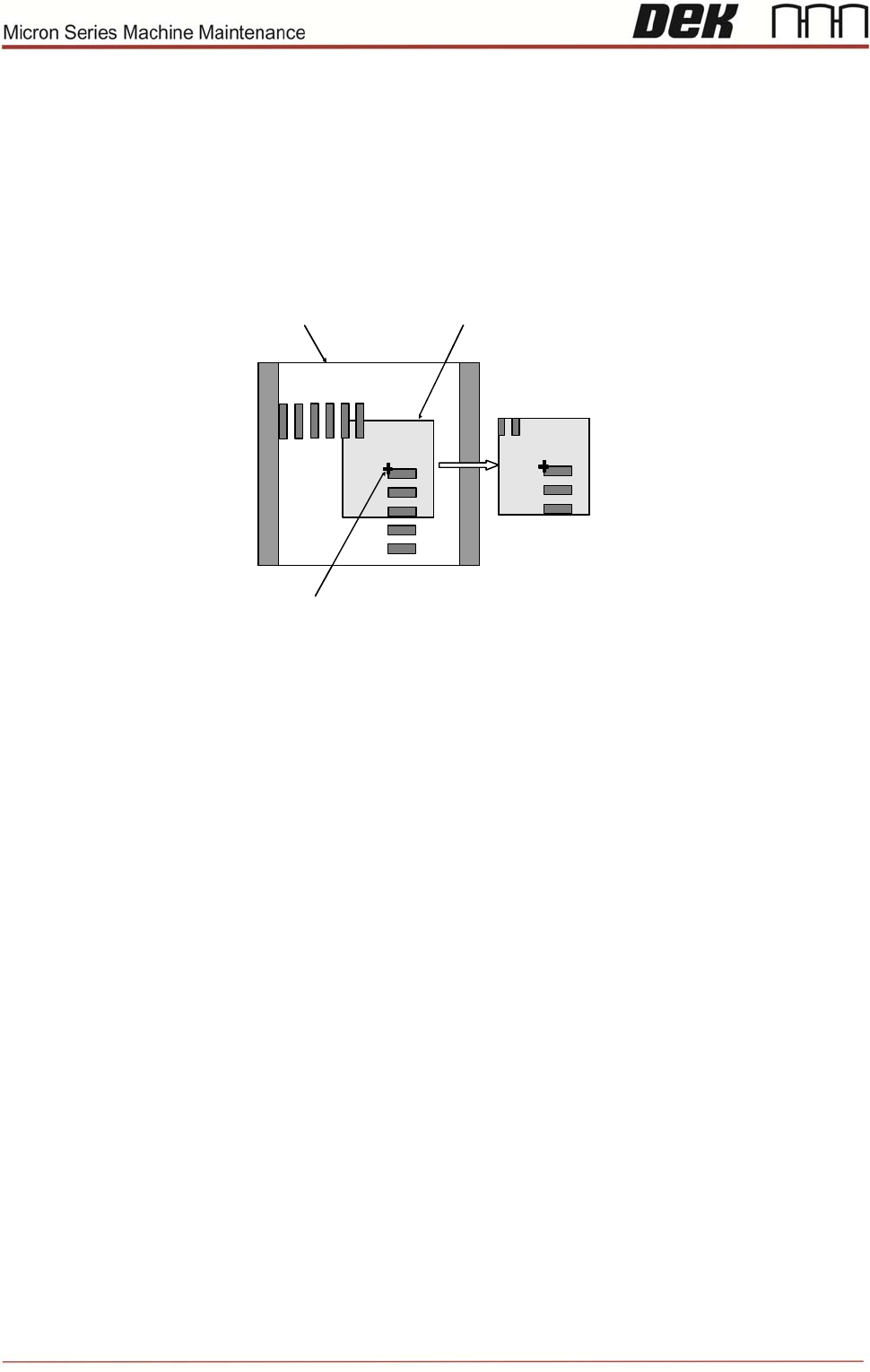
of the image that is unique within the field of view, as shown below.
The image below is using the corner of a component and, of course, it will have a
corresponding set of apertures on the stencil to align to.
Alignment Point
Learned Model
Field of View Sample Window
Alignment Point
Learned Model
Field of View Sample Window
Problems and Limitations
Video models should never be considered as a first choice for alignment as there are
several disadvantages:
Due to the normal practice of using aperture reduction, the alignment point of the
stencil video model is unlikely to match that of the board. Therefore, the need to
program print offsets is common when using video models.
The stencil capture score deteriorates rapidly once the stencil is contaminated with
paste. Therefore, it is necessary to use the under-screen cleaner more often than is
desirable, sometimes after every print!
On a heavily populated board it is often difficult to find an area that contains a unique
image. The software may detect multiple possible targets within the field of view. If
this happens it may help to increase the Accept Score so that only the true video
model will be captured.
Create a new board file based on the one you created in objective 3 giving it the
name ‘Video’ and ID ‘video model practice’. Setup two sets of video models.
NOTES:
Issue 6, Nov 14
17
Objective MO6: Identify print cycle sequence
Observe the machine as it carries out a print cycle.
Number these actions in the correct sequence:
__Camera Moves to Board Stop
position
__Tooling clearance check
__Fiducial positions are captured
__Board travels to Board Stop position
__Press RUN
_ Board is clamped in rails
__Camera homes
__Board lifts to stencil
__Board exits machine
__Board Stop is lowered
__Board separates from stencil
__Stencil alignment completed
__Board is unclamped
__Board stop is raised
__Print stroke carried out
NOTES: