Maintenance (Micron) workbook Iss07.pdf - 第70页
70 Issue 6, Nov 14 Objective BT2: Set up machine for benchmark test Load the 265test1 product file and ensure that the following parameters are set correctly: • Front Print speed 25 mm/s • Rear Print speed 25 mm/s • Fron…
Issue 6, Nov 14
69
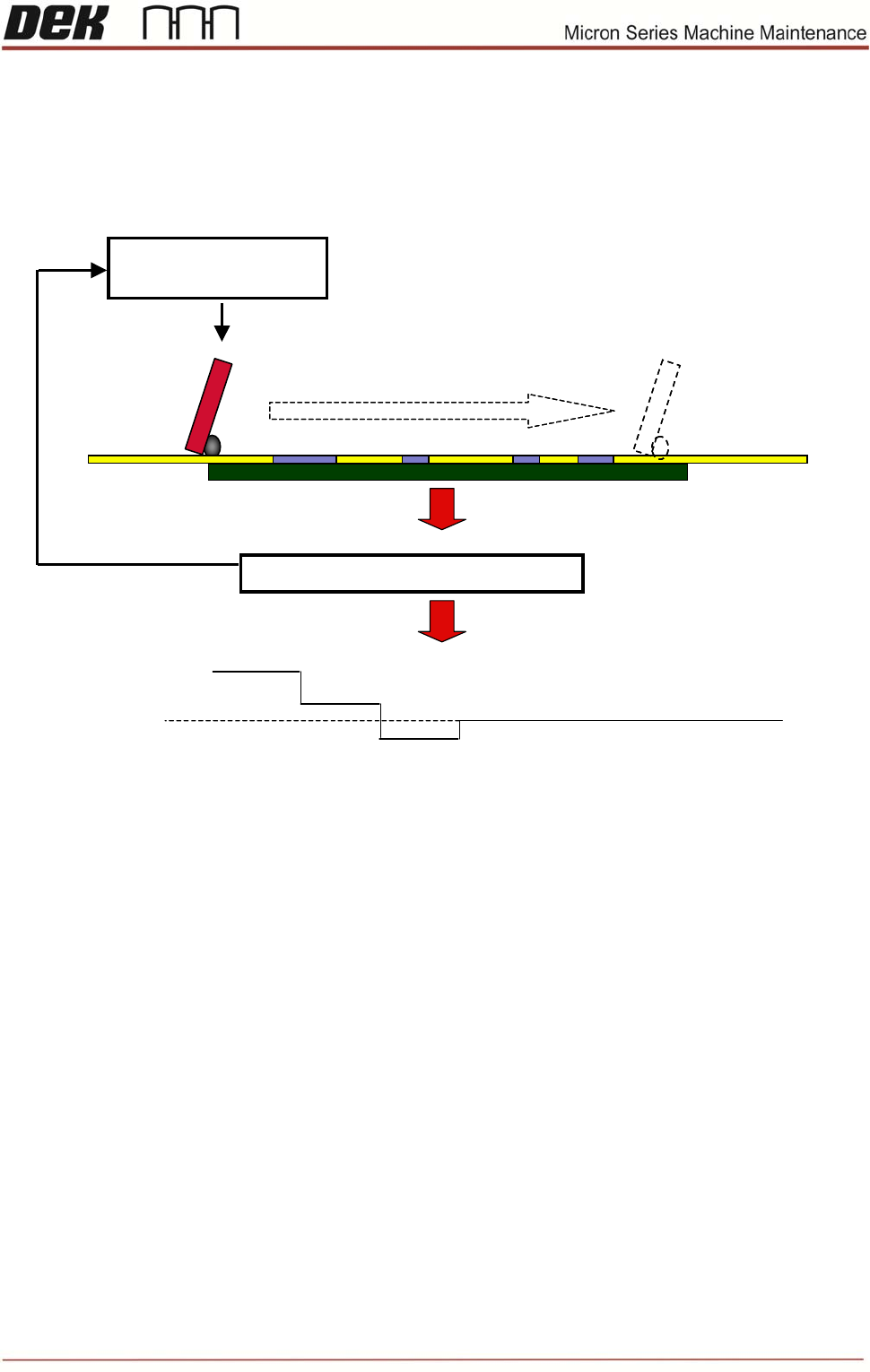
Squeegee Pressure
Dek printers utilise a pressure monitoring and feedback system, which ensures that the pressure applied to
the squeegees is the same as that which is programmed. However, if different length squeegees are fitted or
the material hardness changes it may take one or two prints for the pressure to re-stabilize.
Average pressure across print stroke
SPC output
Programmed
Pressure + feedback
5Kg
Stroke 1
Stroke 2
Stroke 3
Stroke 4 etc.
Pressure Feedback

70 Issue 6, Nov 14
Objective BT2: Set up machine for benchmark test
Load the 265test1 product file and ensure that the following parameters are set
correctly:
• Front Print speed 25 mm/s
• Rear Print speed 25 mm/s
• Front Pressure 5kg
• Rear Pressure 5kg
• Separation Speed 1 mm/s
• Under Clearance 20mm
• No paste dispense or Screen Cleaner rate
• SPC Configuration :
¾ Data output rate = Every cycle
¾ Start Rate = 1
¾ Sample Rate = 0
¾ Start Rate Limit = 0
¾ SPC data mode = Disc
¾ SPC Format = Windows
¾ Update On Start = No
¾ Align Inspect mode = Post
Ensure that the following hardware is set-up correctly:
• 9 Tooling support pillars are used
• Squeegees fitted are of the correct length to suit board and heights calibrated
• DEK alignment test board (Part Number 137071) is used
• Screen loaded is the calibration/dry align screen
• Transport mode – No Transfer
Adjust machine parameters for benchmark test
• Transport Mode Left to Left (or Right to Right)
• Upline Protocol No FMI
• Downline Protocol No FMI
• Screen size 265
Issue 6, Nov 14
71
Objective BT3: Perform benchmark test and record results
Apply small amount of paste or suitable lubricant to stencil to lubricate squeegees.
Run QC-Calc package on printer.
Carry out a minimum of 100 full machine cycles.
On completion of the test record the following information:
• X alignment Cp/Cpk =
• Y alignment Cp/Cpk =
• Theta alignment Cp/Cpk =
• Front Pressure Cp/Cpk =
• Rear Pressure Cp/Cpk =
• Front Print Speed Cp/Cpk =
• Rear Print Speed Cp/Cpk =
• Separation Speed Cp/Cpk =
Note: The error message ‘No variation in selected data – Increase significant digits’ may
appear’ for pressure and speeds due to the lack of variation. In this instance, no values are
required.
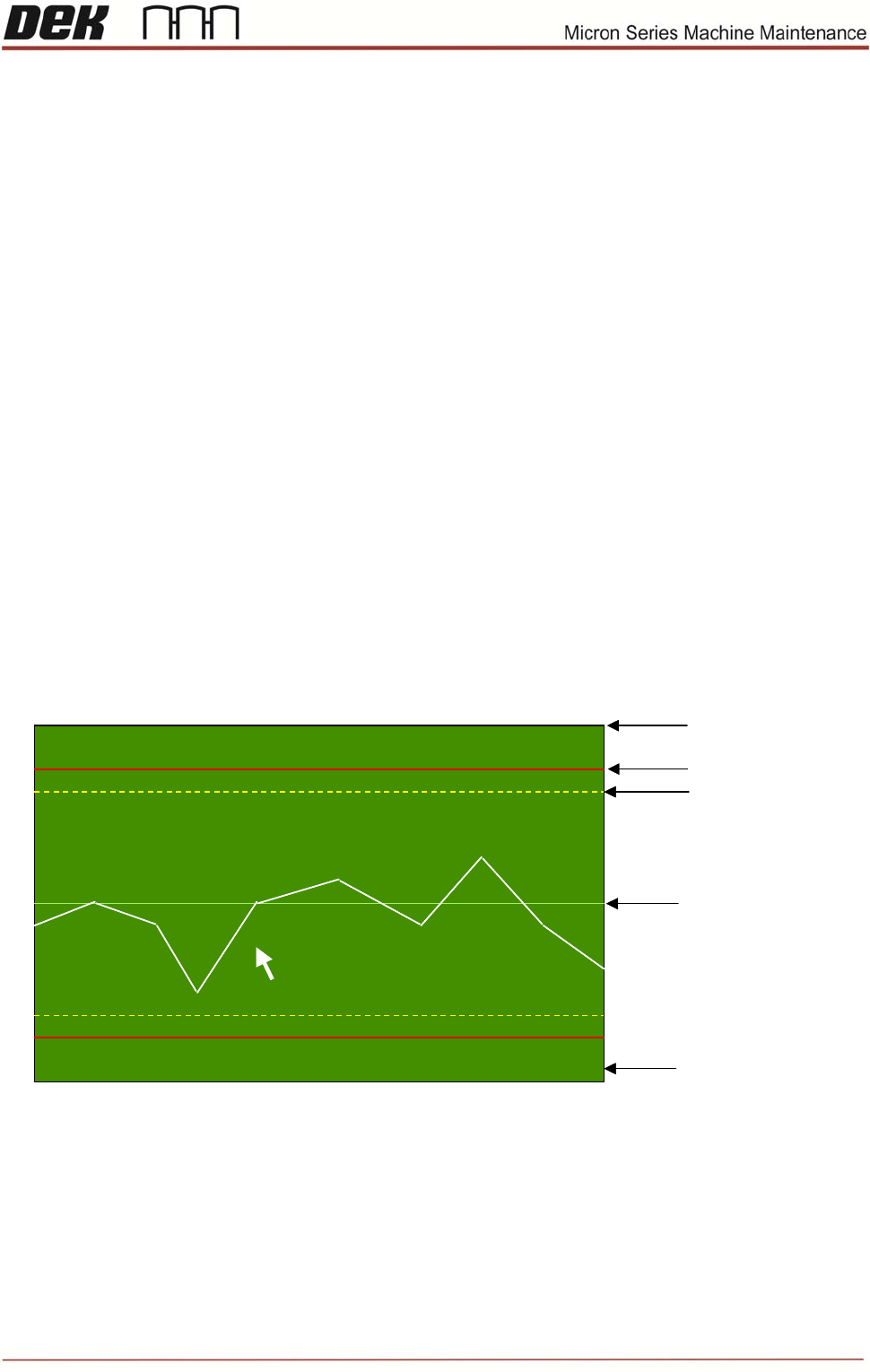
Task: Identify the arrowed items below:
NOTES:
(3) Theta Error (arcsec)
Cp = 1.11
10.0474 143
-17.0000
37.0000
10.0000
(3) Theta Error (arcsec)
Cp = 1.11
10.0474 14310.0474 143
-17.0000
37.0000
10.0000