Maintenance (Micron) workbook Iss07.pdf - 第4页
4 Issue 6, Nov 14 ET14* Describe linear motor X and Y homing sequence* ET15* Measure phase to phase resistance of X and Y forcer* ET16 Describe the homing sequenc e of each motor type M-SC Settings and Calibrations SC1 B…
Issue 6, Nov 14
3
INDIVIDUAL PERFORMANCE CHECKLIST
Name: Department:
Job Title: Shift:
Line Number:
Objectives Date Trainee Instructor
Introduction (Mandatory)
A1 Locate the hazardous areas of the machine
A2 Locate the main assemblies of the printer
A3 Navigate the manuals and sources of information
M-MO Machine Overview
MO1 Identify initialization sequence
MO2 State monitor areas
MO3 Create a product file
MO4 Setup synthetic fiducials
MO5 Setup video models
MO6 Identify print cycle sequence
MO7 Demonstrate how to recover from common error
messages
M-ET Electrical theory and Troubleshooting
ET1 Demonstrate the use of diagnostics
ET2 Identify power supply and E-stop components
ET3 Monitor DC Voltages using power monitor software
ET4 Identify electronics enclosures and PCB’s
ET4.1 Identify each part of the PC
ET4.2 Identify each part of the Machine Controller
ET5 Carry out PCB removal and replacement procedures
ET6 Identify all sensors and switches used on the machine
ET7 Identify rotary motor types used on the machine
ET8 State the components of a typical DC drive axis
ET9 State the components of a typical Stepper drive axis
ET10 State the components of a CAN open servo drive axis
ET11* State the components of a linear motor drive axis*
ET12* Interpret linear encoder LED states*
ET13* Interpret EuroFlex LED states*
4 Issue 6, Nov 14
ET14* Describe linear motor X and Y homing sequence*
ET15* Measure phase to phase resistance of X and Y forcer*
ET16 Describe the homing sequence of each motor type
M-SC Settings and Calibrations
SC1 Backup machine configuration files
SC2 Demonstrate software recovery procedure
SC3 Identify global software machine settings
SC4 Check moving sub-assembly home positions
SC5 Check board clamp setting
SC6 Check conveyor belts
SC7 Check rail-to-table height
SC8 Set vision height
SC9 Check board stop X offset
SC10 Set print height
SC11 Set camera reference position
SC12 Calibrate vision scale
SC13 Calibrate vision offset
SC14 Calibrate squeegee height
SC15 Identify machine related causes of print defects
M-PM Preventative Maintenance
PM1 Carry out recommended monthly maintenance program
PM2 Test and optimize the under-screen cleaner settings
M-BT Benchmark Test
BT1 Interpret SPC output parameters
BT2 Setup machine for benchmark test
BT3 Perform benchmark test and record results
BT4 Identify common causes of poor performance
* Linear Motor objectives are for Galaxy Machines only
Issue 6, Nov 14
5
Objective A1: Locate the hazardous areas of the machine
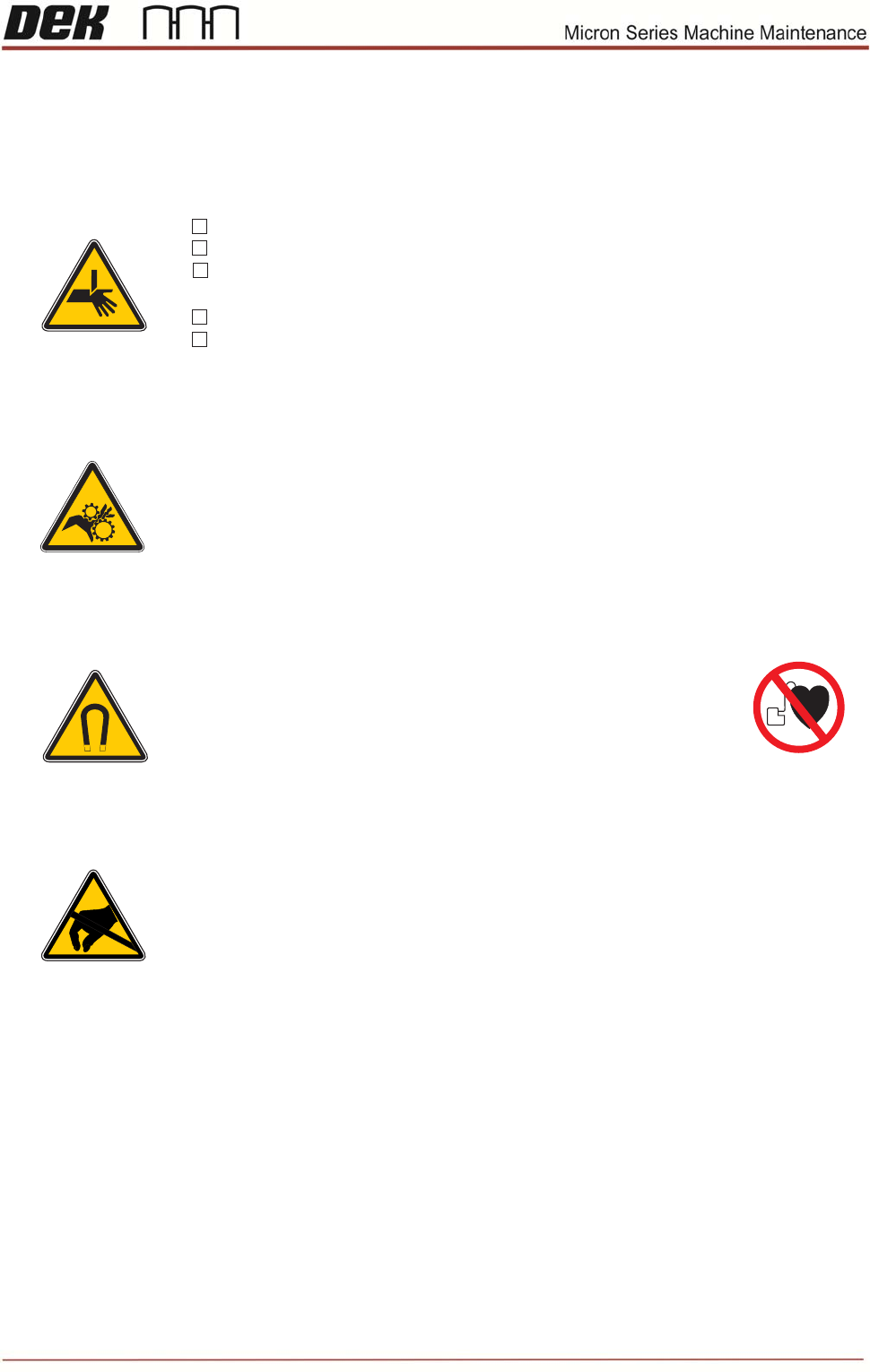
Warning
* Moving machine parts can cause injury.
* During this course the machine may be operated with covers
removed.
* Always remove system power prior to undertaking any work on
machine.
* Ensure you DO NOT push or press any buttons or operate the
machine until all personnel are clear of danger.
Personal Safety
Tick each safety item as it is demonstrated to you by your instructor:
Strong Magnet Warning (Machines with Linear Motors only)
The linear motors inside the machine contain*
strong permanent magnets.
These may interfere with pacemakers and metallic implants.*
These magnets could potentially erase data on credit cards,*
ID cards etc.
))
((
Board clamps are sharp
Brake is hot
Wear eye protection and gloves when working with solder paste
and solvents.
If in doubt press the E-stop
Do not bypass camsafe switches
ESD Hazard
* The printer contains Electro-Static Sensitive Devices (ESD).
* Do not touch any electronic component of PCB unless wearing
a correctly grounded wrist strap.
Safety Objective
I have been briefed on the above safety aspects and I am fully satised with my
responsibilities..
Sign
Date