SIPLACE S-23 HM.pdf - 第237页
User Manual SIPLAC E S-23 HM 6 Vision functions Software Version SR.406.xx 02/00 US Edition 6. 5 Teach Fiducial 237 6.5.6.3 Move X/ Y Axes Option When you select this opti on fro m the T est f iducial me nu, the station …
6 Vision functions User Manual SIPLACE S-23 HM
6.5 Teach Fiducial Software Version SR.406.xx 02/00 US Edition
236
Following this 6
– the test will be shown on the video display as it runs,
– the header will be shown with the option, the fiducial number and the quality factor, and
– in the footer the operator fields and command sequences will be shown and a test started
which determines the fiducial’s quality factor.
Å By pressing the Return key you can repeat the test procedure.
Å You can change the position of the gantry with the arrow keys. By entering the numbers 1 - 6
you can change the step width.
The PCB camera travels into the 4 corners of the search area, and each time, issues a measure-
ment command. For each measurement command, the machine controller is provided with the fi-
ducial quality by the vision analysis unit (MVS). The worst value (which is the worst case) of the
test is displayed on the screen in the header. 6
The quality value is a figure between 0 (= bad) and 100 (= very good) and should not fall below
the value 40 for the fiducial and the ink dot. If it does, we recommend you choose another fiducial.6
User Manual SIPLACE S-23 HM 6 Vision functions
Software Version SR.406.xx 02/00 US Edition 6.5 Teach Fiducial
237
6.5.6.3 Move X/ Y Axes Option
When you select this option from the Test fiducial menu, the station computer will have the fol-
lowing actions carried out: 6
– The screen will close the Test fiducial menu and will switch over to the video image. At the
same time the current camera position will be displayed and the operator field option dropped
down.
– If there is the risk of a gantry/head crash, the axis controllers will be blocked.
6
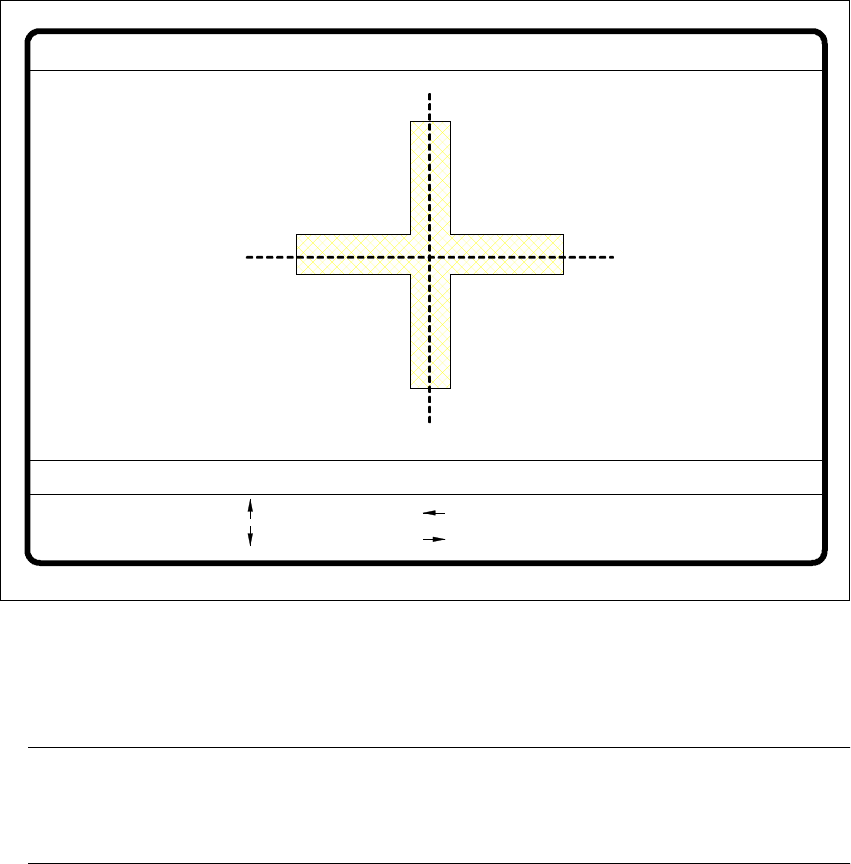
Fig. 6.5 - 26 Test fiducial menu, Move x/y axes video image
Å After selecting the step width (by choosing a number between 1 and 6) you can use the arrow
keys to change the camera position of gantry 1.
NOTE 6
The default teaching gantry is always Gantry 1. You can, however, select Gantry 2 for this by
using the Select gantry option (see Section 6.5.3.1 on page 213). 6
Å With Esc you can quit the option. The Test fiducial menu will be displayed again.
: x axis +
: x axis -
: y axis +
: y axis -
1..6: x/y step
x pos. cam = y pos. cam =
Move x/y axes
x/y step width =

6 Vision functions User Manual SIPLACE S-23 HM
6.5 Teach Fiducial Software Version SR.406.xx 02/00 US Edition
238
6.5.6.4 PCB to Center Conveyor Option
Click on the PCB to center conveyor button and the following actions will be executed: 6
(1) There is a board on the input conveyor.
– The conveyor belt starts and conveys the board as far as the stopper.
– The board will be clamped.
(2) There is no board on the input conveyor.
– The message appears: ’No PCB on the input conveyor’.
– Insert a board.
– Click on the PCB to center conveyor button.
– The conveyor belt starts and conveys the board as far as the stopper.
– The board will be clamped.
NOTE 6
If there is already a board on the center conveyor, this function will be blocked. You will then
see a message informing you that there is already a board on the center conveyor. 6
NOTE 6
If a twin conveyor is installed you can use the buttons in the option box ’Conv. selection’ to
select conveyor 1 or conveyor 2. 6
6.5.6.5 PCB to Output Conveyor Option
This function will only be executed when there is a board on the center conveyor. 6
NOTE 6
When you quit the menu, the board will be transported automatically onto the output conveyor. 6
NOTE 6
If a twin conveyor is installed, you can use the buttons in the option box ’Conv. selection’ to select
conveyor 1 or conveyor 2. 6