00196806-02_IM_EDM_1_10_en.pdf - 第20页
EDM V1.10 / Installation Manual 07/2011 Edition 4.3.3 EDM Line (Line Server) The Master Server must be kno wn to install a Line Server. ► Confirm the selection with the Next button. Figure4-7: Selecting the Master Server…
EDM V1.10 / Installation Manual 07/2011 Edition
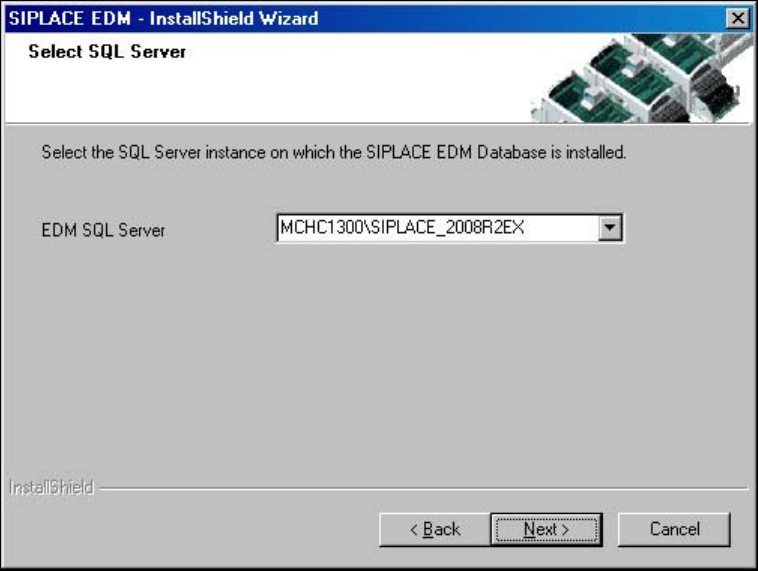
4.3.1 Clearing Pool
You only need to know which Clearing Pool database is to be accessed to install the Clearing Pool
GUI.
► Confirm the selection with the Next button.
The SIPLACE EDM installation checks if it can connect to the specified server and if a Clearing
Pool database is present there.
Figure 4-6: Selecting the Clearing Pool database
4.3.2 EDM Control Tool
If you connect to the Line Server and edit the SIPLACE Pro data from any client, the change dialog
box only appears on the remote client if you have also installed the EDM Control Tool on this
remote client.
► Select EDM Control Tool from the setup type dialog box.
The program is installed automatically.
19
EDM V1.10 / Installation Manual 07/2011 Edition
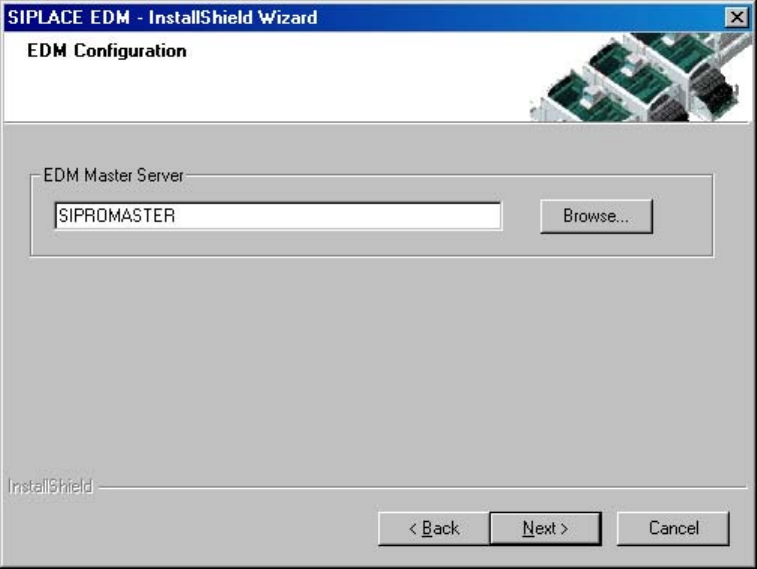
4.3.3 EDM Line (Line Server)
The Master Server must be known to install a Line Server.
► Confirm the selection with the Next button.
Figure4-7: Selecting the Master Server
20
EDM V1.10 / Installation Manual 07/2011 Edition
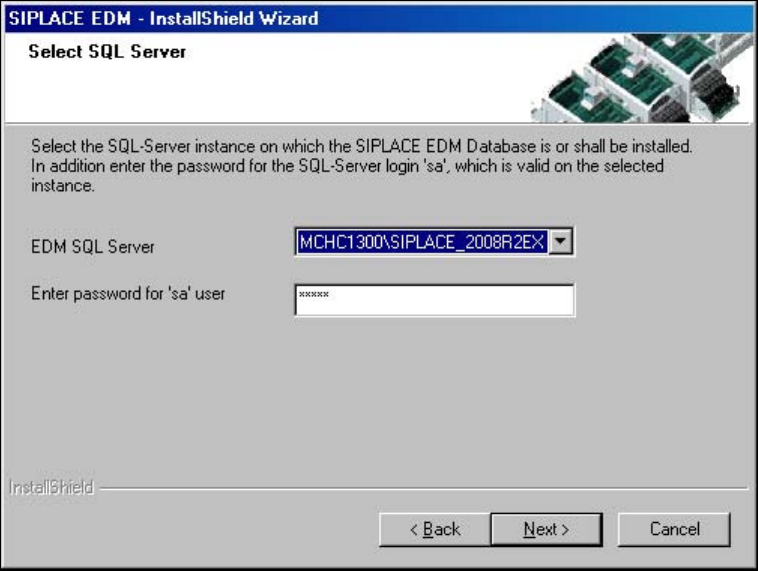
4.3.4 EDM Master (Master Server) / EDM Master with Clearing Pool and Data
Transfer Manager
Figure 4-8: Configuring the EDM database
The installation procedure is identical for both options.
► Select the server for the Clearing Pool database.
► Enter the password for the database user 'sa'.
Only SQL server instances on the local host are available for selection.
If no EDM database yet exists:
► Confirm the creation of the new database.
► Enter the database options in the following screen (Figure 4-9: EDM database options).
The default settings are generally sufficient.
► Confirm your entries with Next.
21