00196806-02_IM_EDM_1_10_en.pdf - 第54页
EDM V1.10 / Installation Manual 07/2011 Edition 5.4.1.3 Line server Figure 5-5: Line servers Here you specify the list of Line Servers for which the appli cation template is to apply. The names in this list must also be …
EDM V1.10 / Installation Manual 07/2011 Edition
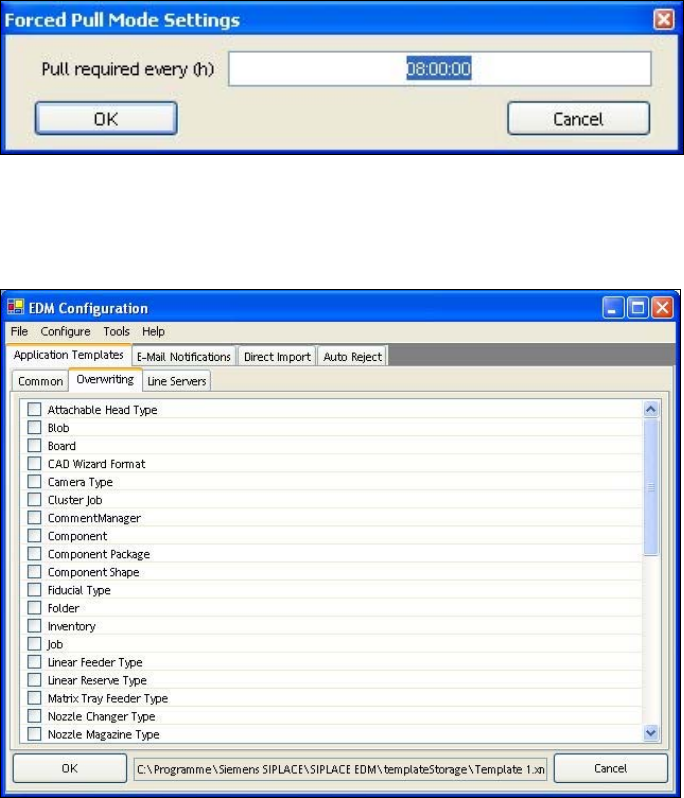
Forced pull mode
For this type of data transfer, the time after which the data preparation engineer will be notified that
no new data has been pulled for the line must be specified via Configure. The time is specified in
hours.
Figure 5-3: Forced pull mode configuration
5.4.1.2 Overwriting
Figure 5-4: Settings for overwriting object types
You can select the object types to be overwritten when the data is imported to the line here.
53
EDM V1.10 / Installation Manual 07/2011 Edition
5.4.1.3 Line server
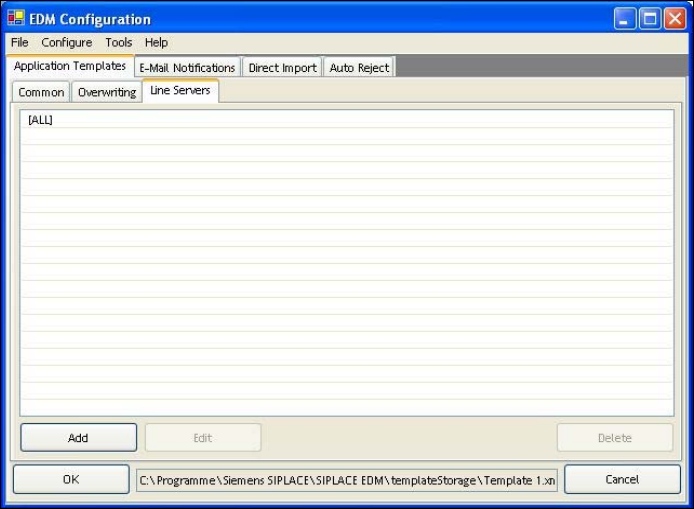
Figure 5-5: Line servers
Here you specify the list of Line Servers for which the application template is to apply. The names
in this list must also be located in the endPointConfig (see section 5.2.3.15 Endpoint
configuration) of the application settings.
5.4.2 Email configuration
EDM email notification uses SMTP to distribute notifications arriving at the Master Server. The
following must be configured:
● The network address of the SMTP server
● The sender to be entered in the message
● A set of distribution lists
Email distribution lists make it possible to keep email traffic to a minimum and to send the emails to
precisely the person(s) responsible. A distribution list only responds to notifications from a specific
line which contain changes to specific object types.
54
EDM V1.10 / Installation Manual 07/2011 Edition
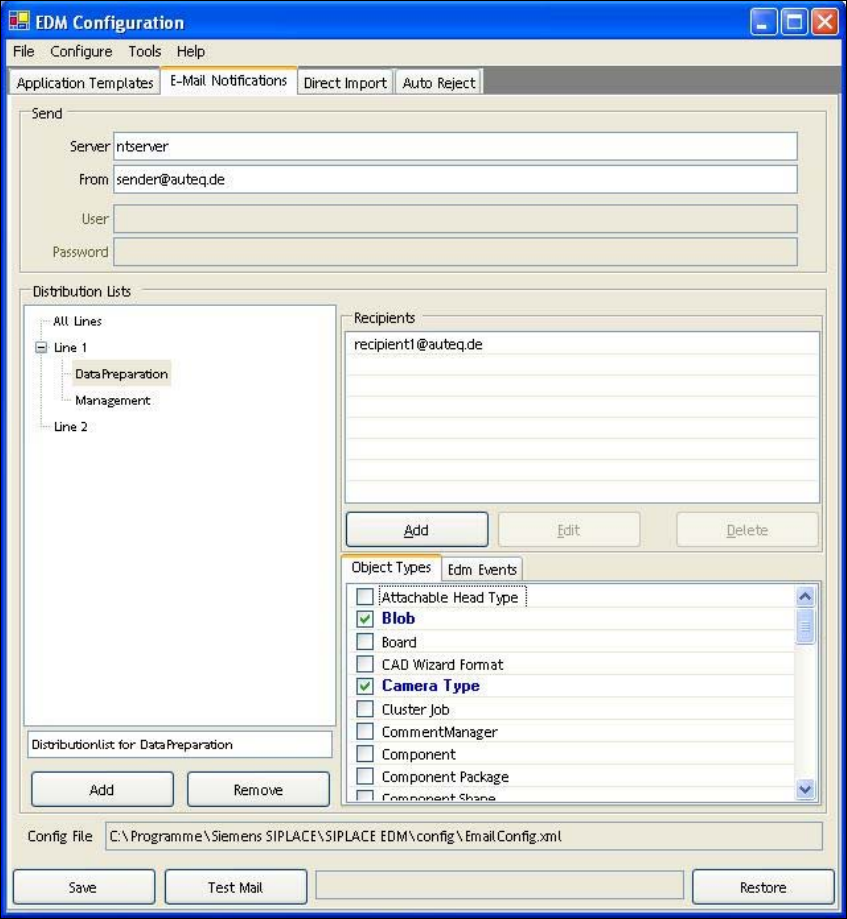
Figure 5-6: Configuration of email distribution lists
The storage location of the configuration file should be specified for informational purposes and
must not be changed. Direct manipulation of the configuration file should also be avoided.
5.4.2.1 Setting up a new list
A line must be selected before a new distribution list can be added. A name and a comment are
assigned to each new list.
5.4.2.2 Configuring a list
After a distribution list has been selected, the email addresses of the recipients and the object
types or EDM events monitored by the list can be entered. All recipients on the distribution list
receive emails regarding notifications which refer to one of the selected object types. Only those
notifications are taken into account that originate from the line for which the distribution list was
created.
If the recipients are to be notified about Forced Pull events, this event must be selected in the
EDM Events tab.
55