Host Computer System.pdf - 第27页
AVK3 HOST COMPUTER SYSTEM 2.1 Downloadi ng NC Data D77HEC-52- 010-A0 2.1- 4

AVK3
HOST COMPUTER SYSTEM
2.1 Downloading NC Data
D77HEC-52-010-A0
2.1-3
Condition
Can be used in standard specification.
Valid in ONLINE mode only.
The data becomes valid when EOP (∗) is received and the processing normally ends down to A2.
(If the processing ends abnormally in downloading, the data will be cleared.)
If the same program as the one in the memory is specified and the processing ends abnormally, the
program in the memory is deleted.
If the download is executed with exceeding the remaining steps or exceeding the stored program
numbers, sends ‘A4E00’ to end the processing.
If invalid M or T commands are sent, they will be M0 and T0. The block ‘M0T0’ is skipped.
(When only one of the pair is 0, ‘A4E00’ is returned.)
Origin return block is skipped. (When the program is uploaded, the block is added to output.)
If the program currently being executed is downloaded during operation, ‘A4E00’ is returned.

AVK3
HOST COMPUTER SYSTEM
2.1 Downloading NC Data
D77HEC-52-010-A0
2.1-4
AVK3
HOST COMPUTER SYSTEM
2.2 Downloading Parts Data
D77HEC-52-100-A0
2.2-1
2.2. Downloading Parts Data
D77HEC-52-100-A0
2.2.1 Downloading Parts Data
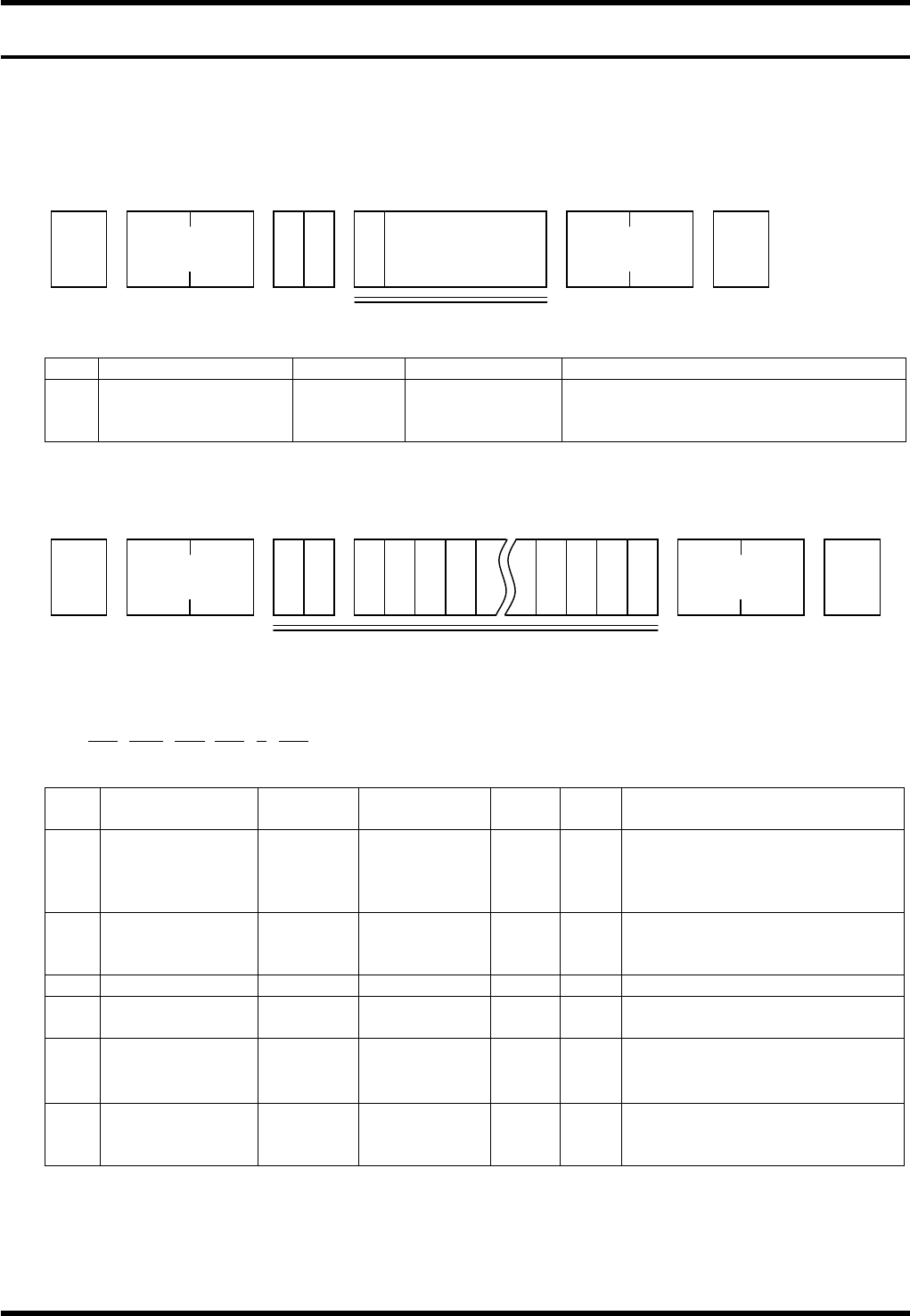
From AVK3, when the host computer sends C0 command to AVK3, the AVK3 goes into receiving mode, and
as a result, can read the data (C0 command is used) sent to it.
Data details
No. Data name Max. digits Input range Remarks
1 Program control No. 15
‘0’ to ‘9’
‘A’ to ‘Z’
Special character
Can be omitted.
It is necessary to include the first
character.
When the machine receives the C0 command, the A0 command is returned as acknowledgment.
The host computer receives this A0 command, and using D command (Data transfer command) sends
leading block (one block) of NC data (N0001or N1) to the AVK3.
1) –1
D0ZnnnP∗ - ∗BnnnLnnnCnSnnn
1 2 3 4 5 6
No. Data name
Max.
digits
Input range
Sup-
press
Vari-
able
Remarks
1 Z axis No. 3 001 to 121
×
Stores data into the designated
parts data.
If not in input range, it
becomes an error.
2 Parts name 16
‘0’ to ‘9’
‘A’ to ‘Z’
× ×
Be sure to make the digits
fixed.
Fill with space if not necessary.
3 Part thickness 3 000 to 999 1 / 100 mm increments
4
Lead wire
diameter
3 000 to 999
1 / 100 mm increments
5 Chuck switching 1 0 to 3
×
0 = 26 mm, 1 = 52 mm
2 = 26 mm + centering
3 = 52 mm + centering
6 Spare feeder 3 000 to 120
×
It shall be made 0
unconditionally, if Z axis No. is
Z121.
1
STX
C 0
No. of
characters
ETX
Check sum
U
Program name
Up to 15 characters
(Can be omitted)
STX
D 0
No. of
characters
ETX
Check sum
Z x x x S x
1) -1
x x