EdisonStandardOwnersManual-RevA-20170818B.pdf - 第114页
P RINTER O PERATIONS Edison Printer User Manual (Part Number 1023838) 114 Rev. A Copyright © 2017 ITW EAE All rights reserved. No part of the contents of thi s manual may be reproduced, copied or transmitted in any form …
Edison Printer User Manual (Part Number 1023838) PRINTER OPERATIONS
Rev. A 113
Copyright © 2017 ITW EAE
All rights reserved. No part of the contents of this manual may be reproduced, copied or transmitted in any form or by any
means including graphic, electronic, or mechanical methods or photocopying, recording, or information storage and
retrieval systems without the written permission of ITW EAE, unless for purchaser's personal use.
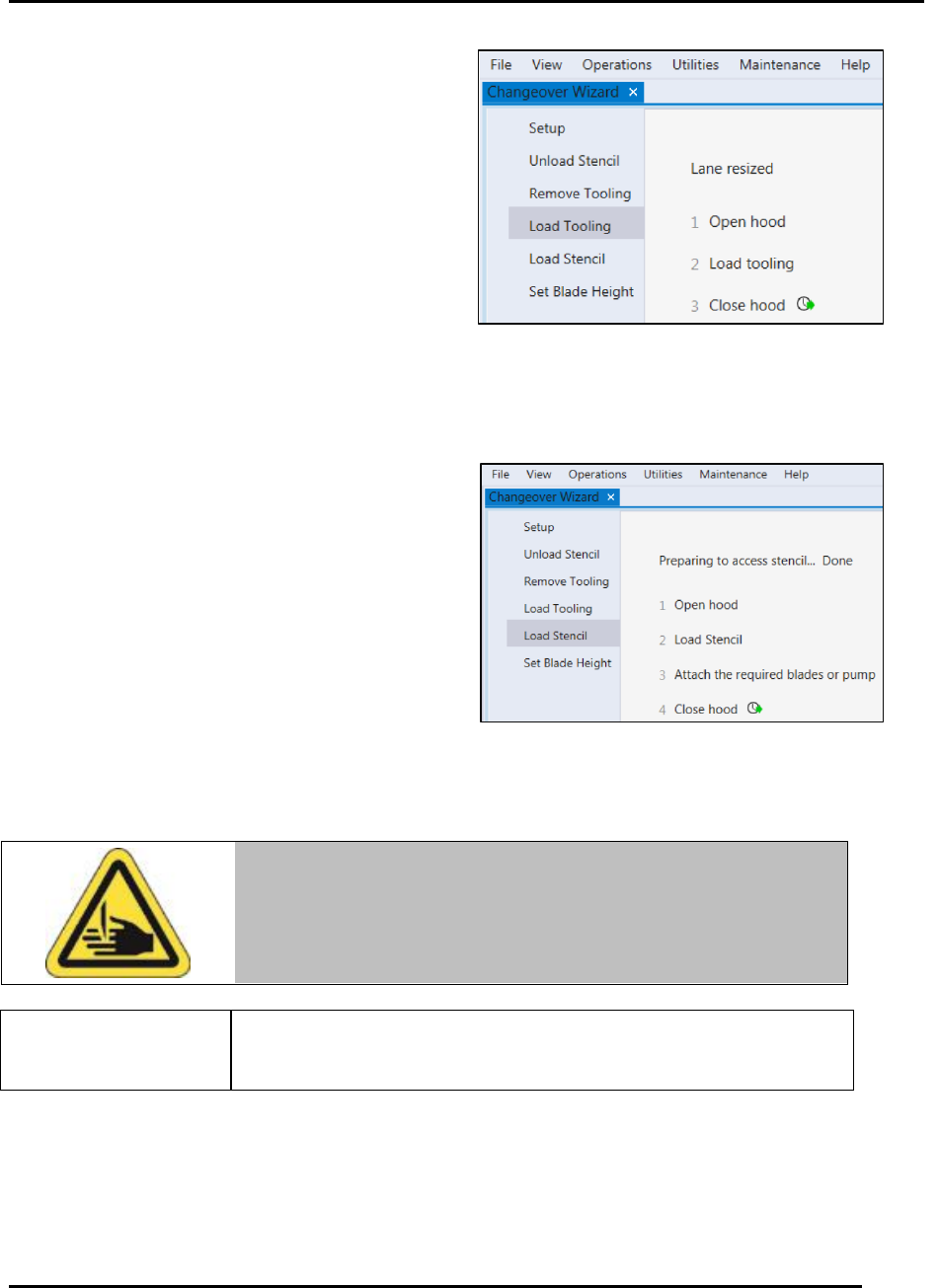
5.5.2.4. Load Tooling
Navigate to Load Tooling to gain access to the
worknest to add the required support tooling for
production (Figure 100).
5.5.2.5. Load Stencil
Navigate to Load Stencil to instruct the printer to position printer components for access to
stencil (Figure 101). Steps for loading and unloading the stencil appear on the screen. Install
required blades or pump at this as well.
When loading the stencil into the printer, push the
stencil all the way to the back of the frame.
5.5.2.5.1. Attach Blades
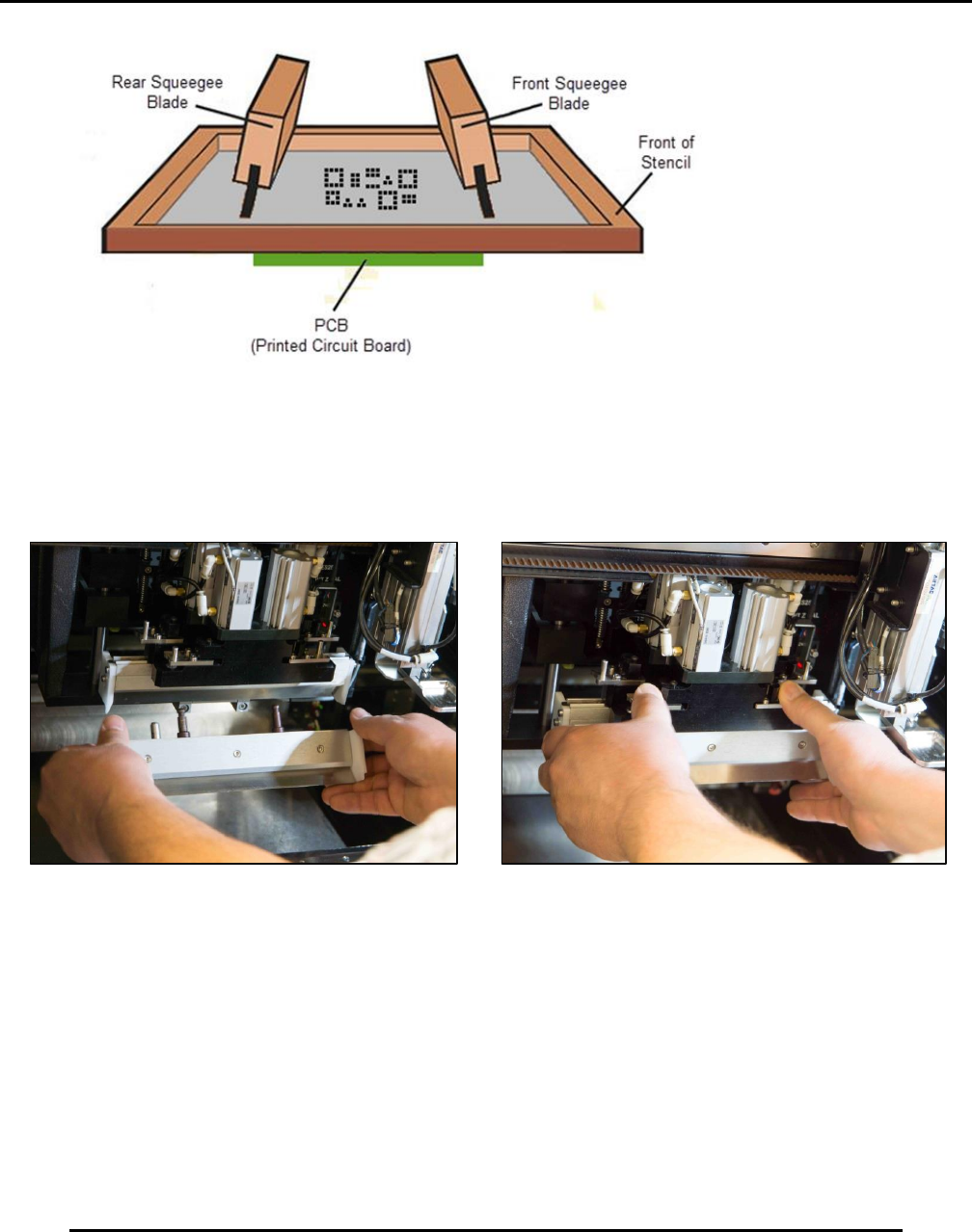
Jog the print head forward first to bring the stencil shelf fully
forward.
1. Slide the rear blade into the rear holder, ensuring the blade is angled toward the back of the
stencil (Figure 102).
Warning!
Blade edges are sharp and can cut. Handle blades with care. Failure
to comply may result in injury.
Figure 100. Load tooling screen.
Figure 101. Load stencil screen.
PRINTER OPERATIONS Edison Printer User Manual (Part Number 1023838)
114 Rev. A
Copyright © 2017 ITW EAE
All rights reserved. No part of the contents of this manual may be reproduced, copied or transmitted in any form or by any
means including graphic, electronic, or mechanical methods or photocopying, recording, or information storage and
retrieval systems without the written permission of ITW EAE, unless for purchaser's personal use.
Figure 102. Rear blade placement.
2. Close the quick-release to the holder (Figure 103).
3. Repeat steps for the front blade, being careful to angle the front blade toward the front of the
stencil.
Figure 103. Position and insert front blades, then close quick-release.
Edison Printer User Manual (Part Number 1023838) PRINTER OPERATIONS
Rev. A 115
Copyright © 2017 ITW EAE
All rights reserved. No part of the contents of this manual may be reproduced, copied or transmitted in any form or by any
means including graphic, electronic, or mechanical methods or photocopying, recording, or information storage and
retrieval systems without the written permission of ITW EAE, unless for purchaser's personal use.
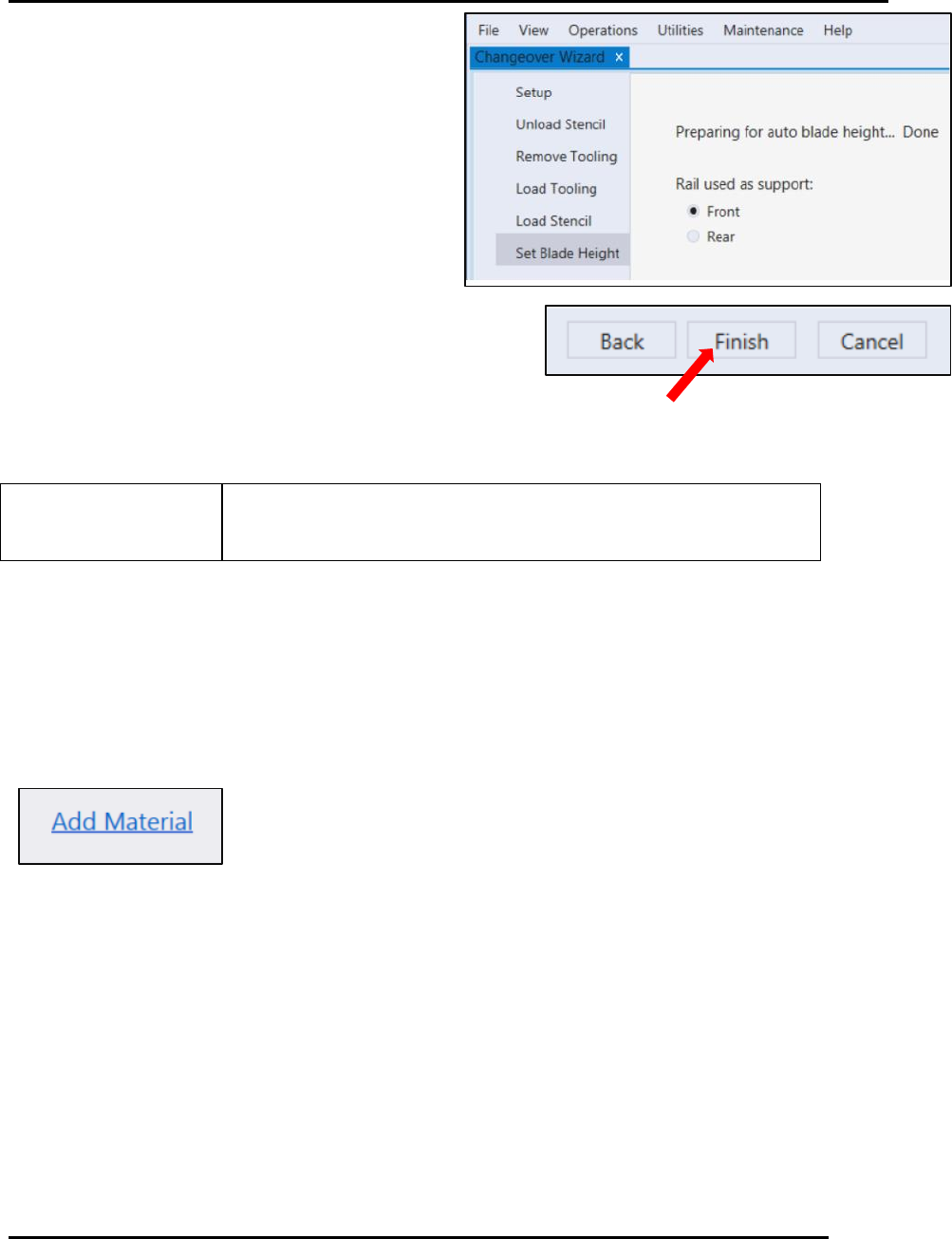
5.5.2.5.2. Set Blade Height
Use Set Blade Height to automatically set blade
height after the desired blade location is selected
(Figure 104).
Select the rail to be used as support during
the blade height routine.
Select Finish.
The Edison printer Set Blade Height routine automatically sets
the height for the front and rear blades
5.5.2.5.3. Add Material
After setting blade height, the Edison printer prompts with Add Material (Figure 105). Select
Add Material to start the Add Material Wizard.
Figure 104. Set Blade Height screen.
Figure 105. Select Add
Material prompt to begin
the Add Material wizard.