EdisonStandardOwnersManual-RevA-20170818B.pdf - 第158页
M AINTENANCE Edison Printer User Manual (Part Number 1023838) 158 Rev. A Copyright © 2017 ITW EAE All rights reserved. No part of the contents of thi s manual may be reproduced, copied or transmitted in any form or by an…
Edison Printer User Manual (Part Number 1023838) MAINTENANCE
Rev. A 157
Copyright © 2017 ITW EAE
All rights reserved. No part of the contents of this manual may be reproduced, copied or transmitted in any form or by any
means including graphic, electronic, or mechanical methods or photocopying, recording, or information storage and
retrieval systems without the written permission of ITW EAE, unless for purchaser's personal use.
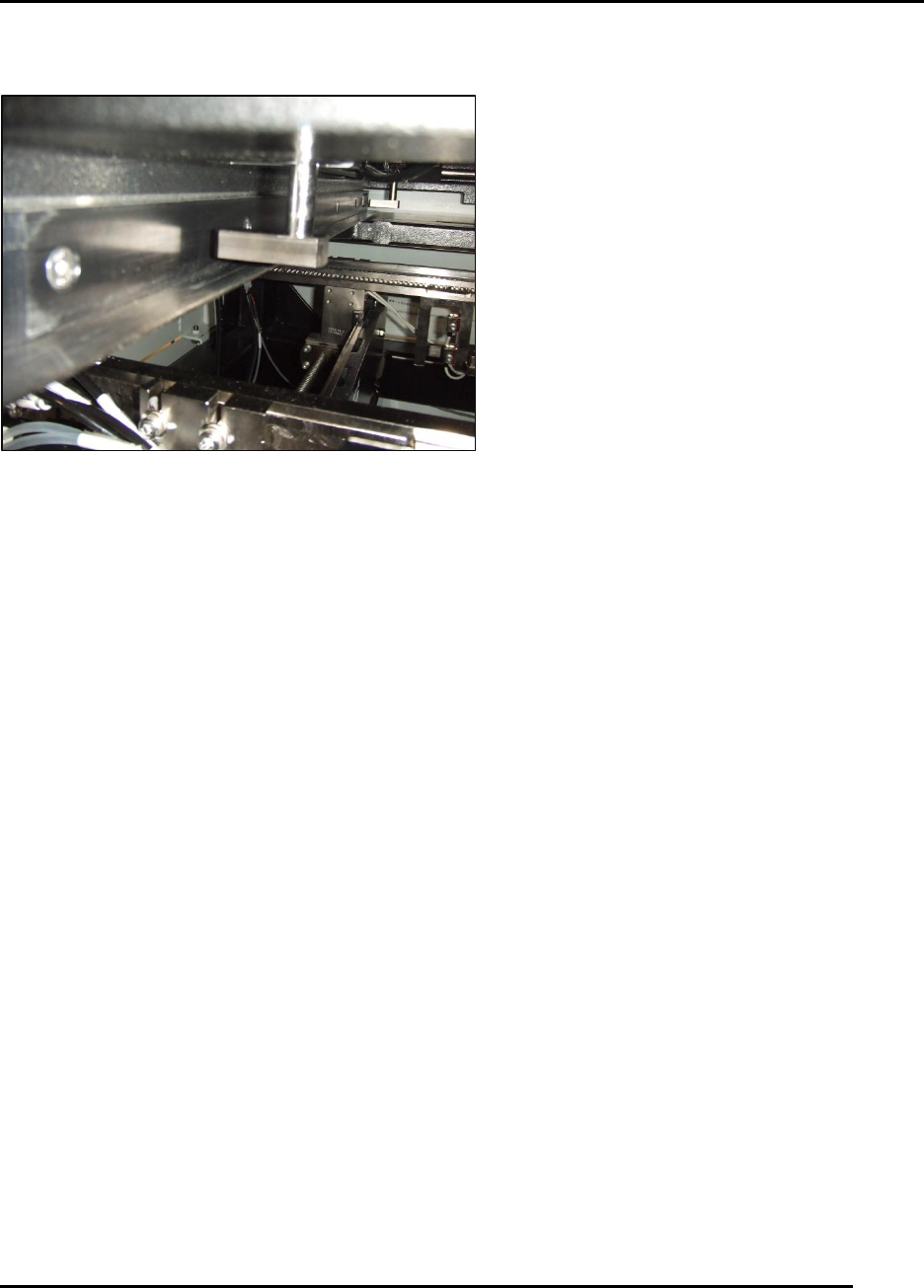
6.2.21. Inspect Stencil Frame Clamps–Monthly
Figure 155. Inspect Stencil Frame Clamp.
Introduction
Inspect, clean and verify operation of stencil frame clamps (Figure 155).
Estimated Completion Time
Less than 5 minutes.
Procedure
Inspect the pads at the bottom of each cylinder to ensure they are properly secure.
Open the adjustable stencil shelf to a maximum opening.
With a standard stencil chase or 29 Inches x 29 Inches load a stencil as per the utility from the
pull-down menu.
Open the hood.
Attempt to pull the stencil out of the printer.
o If the stencil moves, then the holding force of the system is suspect.
o One or more clamps are suspect.
MAINTENANCE Edison Printer User Manual (Part Number 1023838)
158 Rev. A
Copyright © 2017 ITW EAE
All rights reserved. No part of the contents of this manual may be reproduced, copied or transmitted in any form or by any
means including graphic, electronic, or mechanical methods or photocopying, recording, or information storage and
retrieval systems without the written permission of ITW EAE, unless for purchaser's personal use.
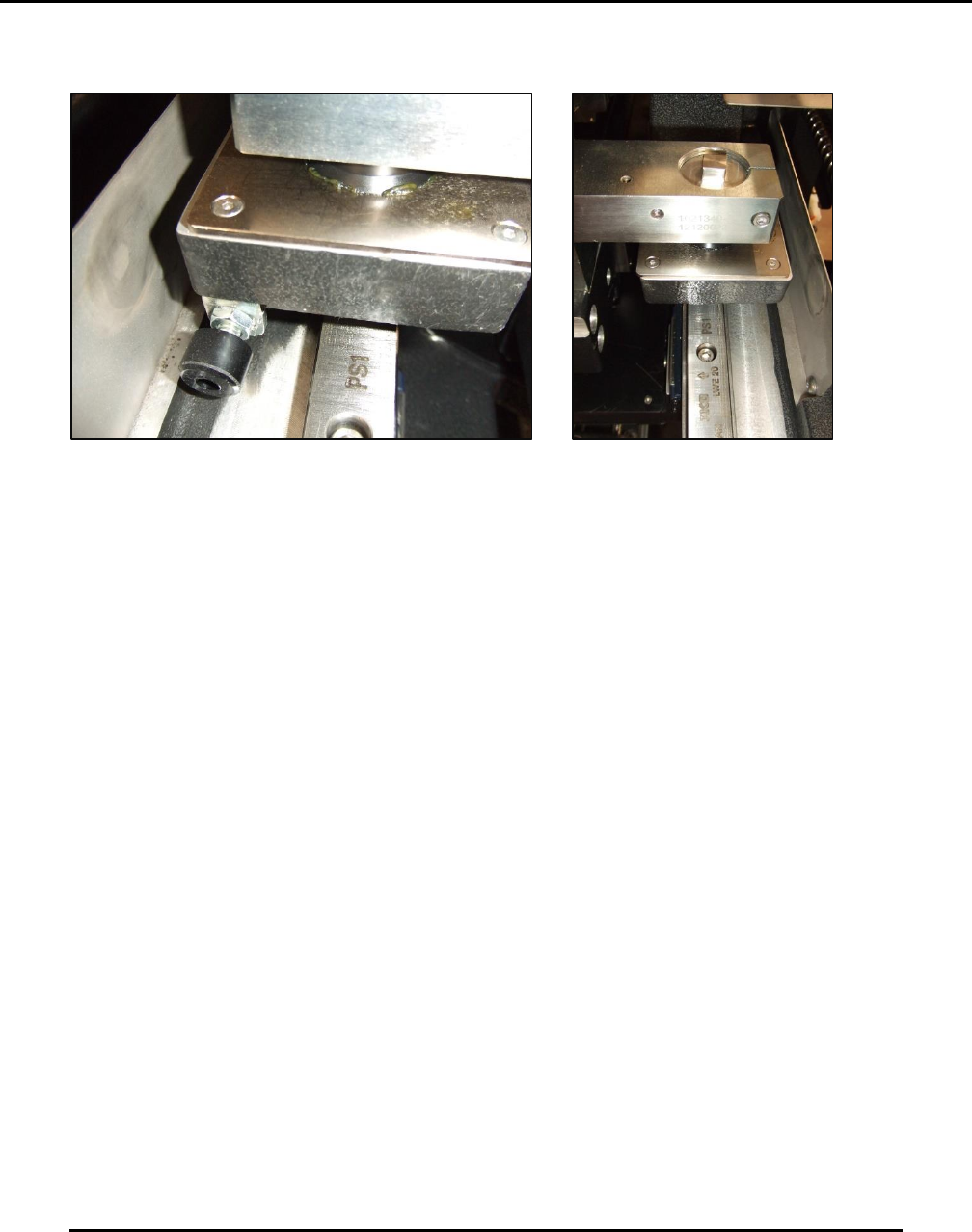
6.2.22. Inspect Roller Plates–Monthly
Figure 156. Inspect Roller Plates.
Introduction
Inspect, clean, and lubricate the roller plates that the XYY alignment stage rests on (Figure 158).
Estimated Completion Time
Less than 5 minutes.
Procedure
With the printer under power go to Motion Control and slowly jog YL to an extreme.
Inspect and clean off the old grease that is visible on the plate and around the rubber skirt of
the roller.
Look for flaking of the finish or scoring of the plate.
o If the surface looks good, apply a light coat of Multis EP2 grease (or similar) in the
path of the ball roller.
o Jog through the grease a number of times.
Edison Printer User Manual (Part Number 1023838) MAINTENANCE
Rev. A 159
Copyright © 2017 ITW EAE
All rights reserved. No part of the contents of this manual may be reproduced, copied or transmitted in any form or by any
means including graphic, electronic, or mechanical methods or photocopying, recording, or information storage and
retrieval systems without the written permission of ITW EAE, unless for purchaser's personal use.
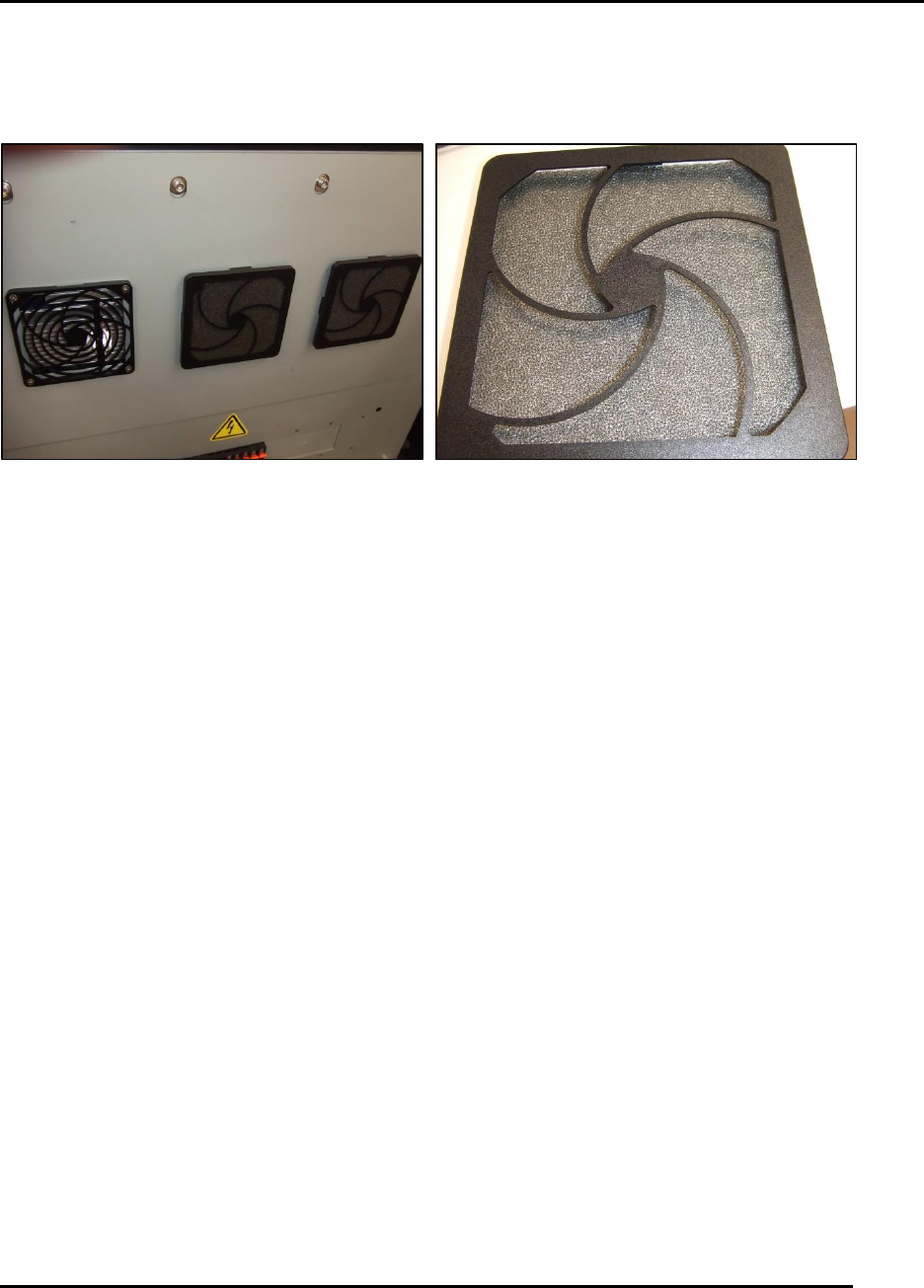
6.2.23. Inspect Inlet Filters –Monthly
Figure 157. Inspect Inlet Filters.
Introduction
Inspect the three air inlet filters and clean (Figure 157).
Estimated Completion Time
Less than 5 minutes.
Procedure
Open the front door.
Inspect the three air inlet filter screens mounted to the cover for the Main Control Module
(MCM). If these filters show dirt build-up:
o Remove the grills retaining the screen material.
o Vacuum and want the screen material as necessary.