EdisonStandardOwnersManual-RevA-20170818B.pdf - 第151页
Edison Printer User Manual (Part Number 1023838) M AINTENANCE Rev. A 151 Copyright © 2017 ITW EAE All rights reserved. No part of the contents of this manual ma y be reproduced, copied or transmitted in any form or by an…
MAINTENANCE Edison Printer User Manual (Part Number 1023838)
150 Rev. A
Copyright © 2017 ITW EAE
All rights reserved. No part of the contents of this manual may be reproduced, copied or transmitted in any form or by any
means including graphic, electronic, or mechanical methods or photocopying, recording, or information storage and
retrieval systems without the written permission of ITW EAE, unless for purchaser's personal use.
6.2.14. Inspect Stencil Alignment Clamp Plates–Monthly
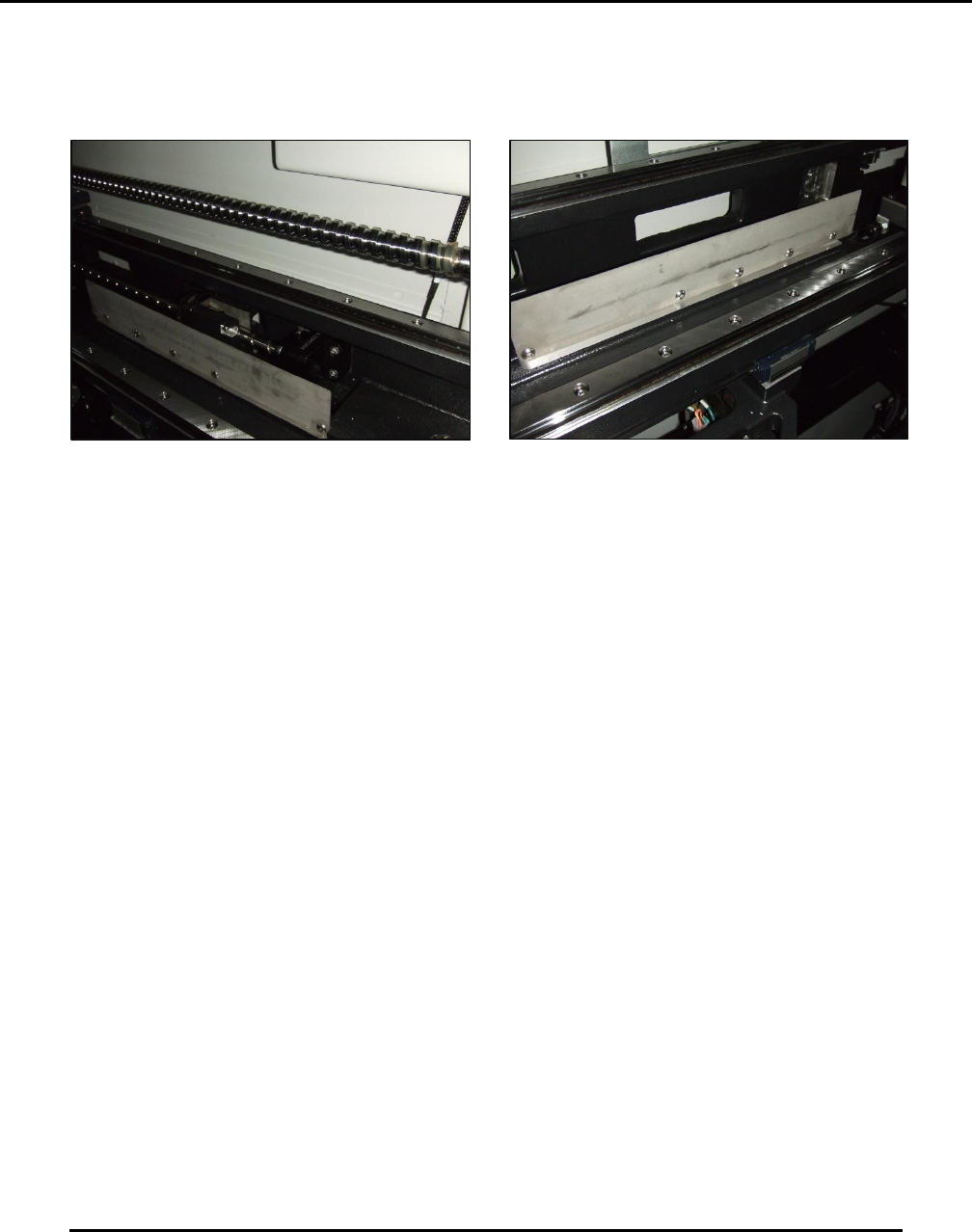
Figure 148. Inspect stencil alignment clamp plates.
Introduction
Inspect the condition of the stencil alignment clamp plates.
Estimated Completion Time
Less than 5 minutes
Procedure
Inspect and clean the two vertically-mounted stencil stage clamp plates.
o Clean the plate surfaces using isopropyl alcohol and a brush.
Normal plate wear indications:
o Round circles, slightly black in color.
o Circles about 30 mm size.
Streaking indicates required clamp maintenance. If plates are streaked:
o Contact the Technical Support Center (see Section 1.2) for the proper clamp assembly
maintenance procedure.
Edison Printer User Manual (Part Number 1023838) MAINTENANCE
Rev. A 151
Copyright © 2017 ITW EAE
All rights reserved. No part of the contents of this manual may be reproduced, copied or transmitted in any form or by any
means including graphic, electronic, or mechanical methods or photocopying, recording, or information storage and
retrieval systems without the written permission of ITW EAE, unless for purchaser's personal use.
6.2.15. Inspect Paste Height Monitor–Monthly
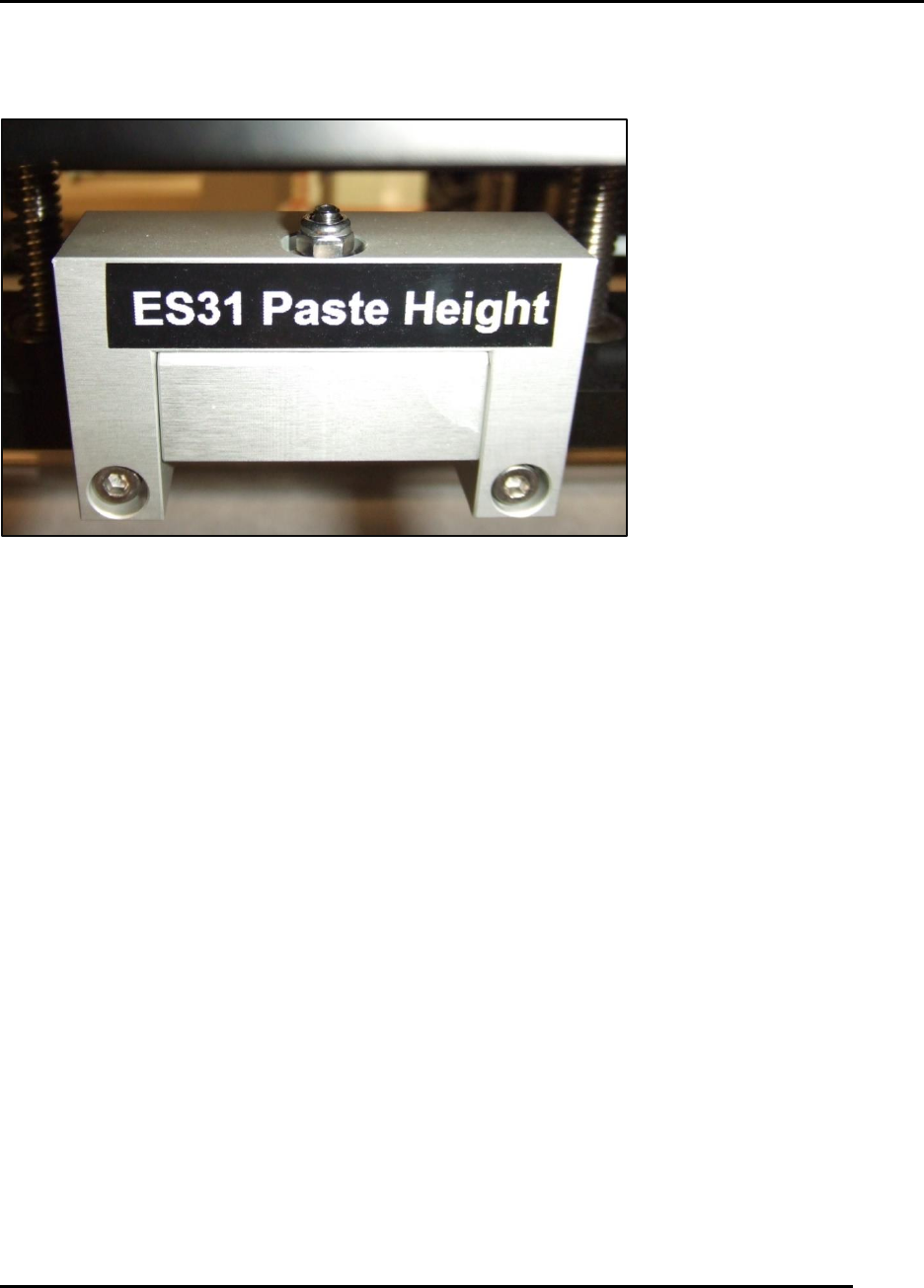
Figure 149. Inspect Paste Height Monitor.
Introduction
Inspect the condition of the Paste Height Monitor.
Estimated Completion Time
Less than 5 minutes
Procedure
The paste height monitor sensor assembly is mounted at the bottom of the squeegee carriage and
subject to contamination.
Inspect the paste height monitor assembly (Figure 149).
o Clean the assembly surface using isopropyl alcohol and a brush.
If the assembly is loose, recalibration is required.
o Contact the Technical Support Center (see Section 1.2) for the proper procedure.
MAINTENANCE Edison Printer User Manual (Part Number 1023838)
152 Rev. A
Copyright © 2017 ITW EAE
All rights reserved. No part of the contents of this manual may be reproduced, copied or transmitted in any form or by any
means including graphic, electronic, or mechanical methods or photocopying, recording, or information storage and
retrieval systems without the written permission of ITW EAE, unless for purchaser's personal use.
6.2.16. Inspect Quik Release Squeegee Side Plates–Monthly
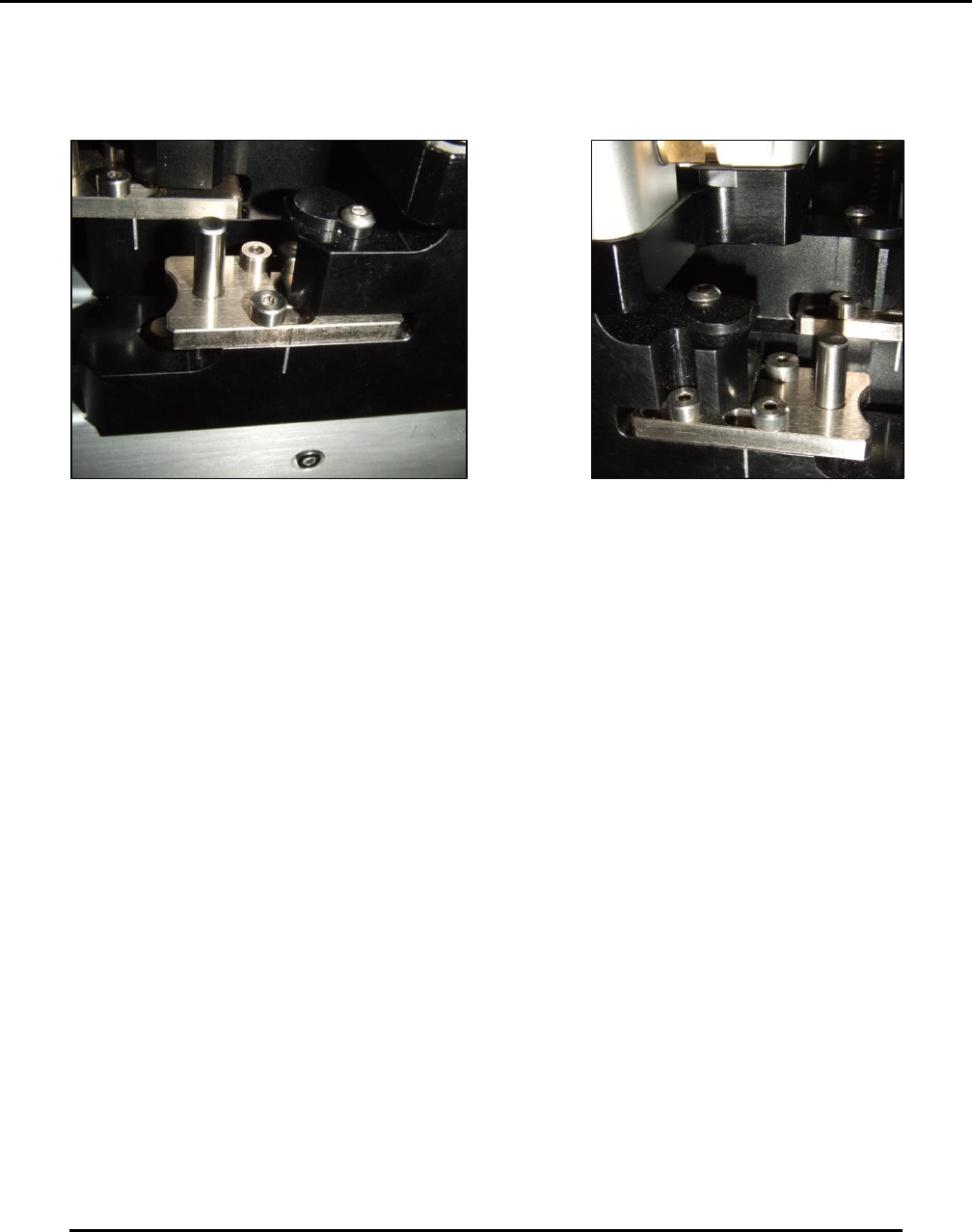
Figure 150. Inspect stencil alignment clamp plates.
Introduction
Inspect the slide plates of the Quik Release squeegees front and rear (Figure 150).
Estimated Completion Time
Less than 5 minutes
Procedure
The Quik Release squeegee system can be contaminated by solder paste during product
changeover, if proper procedures are not followed. If paste is found in the slides:
Clean the assembly:
o Remove the slide by removing the three shoulder bolts.
o Clean the slide using isopropyl alcohol.
o Clean the assembly body that mates with the slide using isopropyl alcohol.
Insert squeegees to ensure proper location for magnet adhesion.
Secure by moving the slide