EdisonStandardOwnersManual-RevA-20170818B.pdf - 第44页
I NSTALLATION AND I NITIA L S T A R T -U P Edison Printer User Manual (Part Number 1023838) 44 Rev. A Copyright © 2017 ITW EAE All rights reserved. No part of the contents of thi s manual may be reproduced, copied or tra…
Edison Printer User Manual (Part Number 1023838) SAFETY
Rev. A 43
Copyright © 2017 ITW EAE
All rights reserved. No part of the contents of this manual may be reproduced, copied or transmitted in any form or by any
means including graphic, electronic, or mechanical methods or photocopying, recording, or information storage and
retrieval systems without the written permission of ITW EAE, unless for purchaser's personal use.
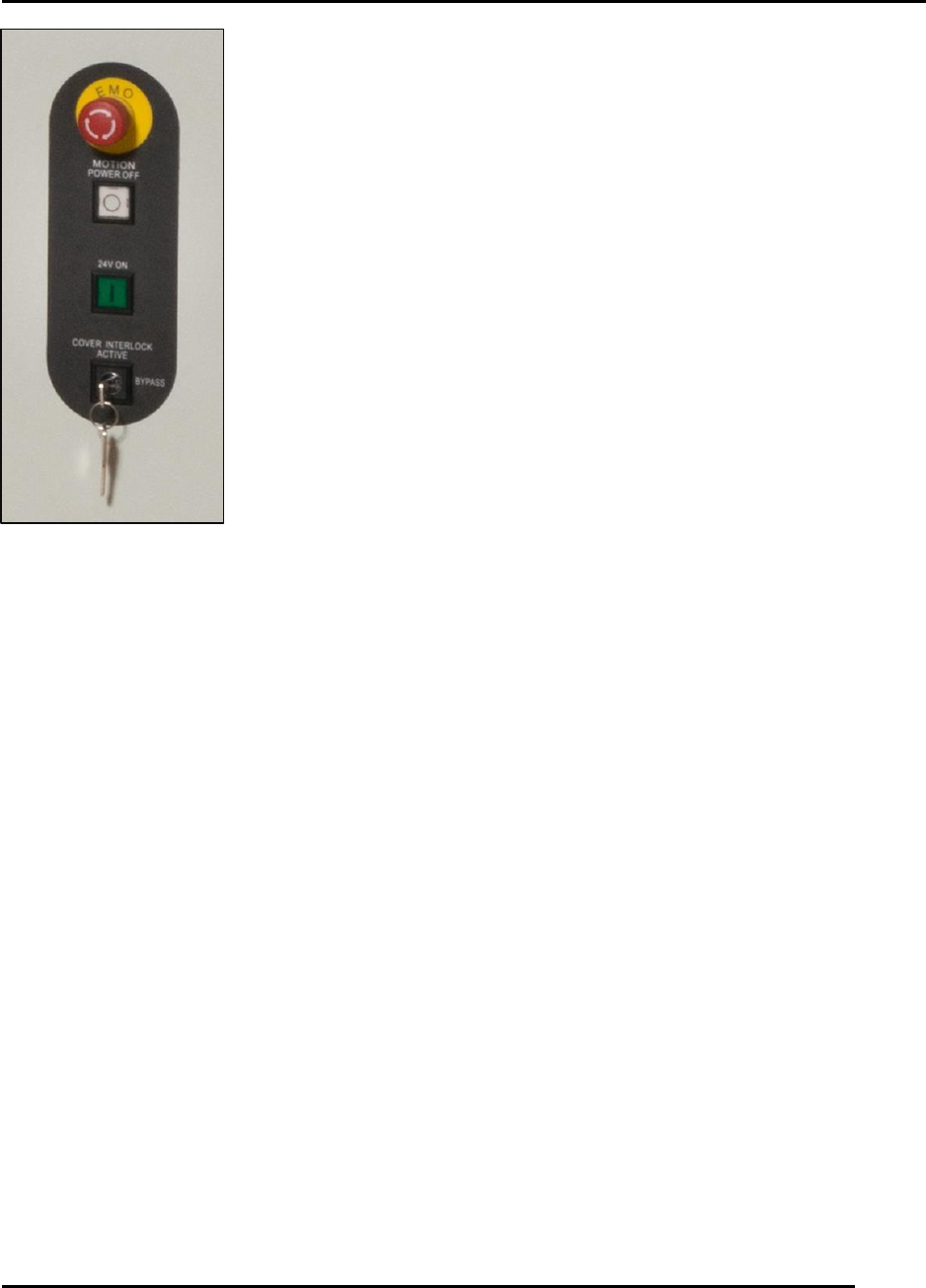
Place the key in the horizontal position to open the hood and jog axes
(Figure 17). Close the hood and set the key in the vertical position to
return the printer to normal operating speed.
Figure 17. Key position:
vertical vs. horizontal.
INSTALLATION AND INITIAL START-UP Edison Printer User Manual (Part Number 1023838)
44 Rev. A
Copyright © 2017 ITW EAE
All rights reserved. No part of the contents of this manual may be reproduced, copied or transmitted in any form or by any
means including graphic, electronic, or mechanical methods or photocopying, recording, or information storage and
retrieval systems without the written permission of ITW EAE, unless for purchaser's personal use.
3. Installation, Initial Start-Up and Decommissioning
This section provides information required for unpacking, set up, positioning, connecting,
powering up, initialization and decommissioning. This information applies to the Edison printer
Models 100, 200, and 300.
3.1. Site Requirements
Before unpacking the Edison printer, review the physical dimensions (Section 1.7.1) and floor
space requirements (Section 1.7.2) to ensure requirements are met. Refer to Table 1 for printer
dimensions
Attention
Printer weights may vary according to printer model. Refer to
the facility layout drawings for full printer dimensions.
3.1.1. Facility Environment
Install the Edison in a clean, dust-free environment to ensure proper operation.
3.1.2. Service Clearance
Ensure a clearance of 24 in (610 mm) around the printer to provide adequate space for service.
3.1.3. Facility Requirements
Table 14 lists Edison printer facility requirements.
Table 14. Facility Requirements.
Electrical Power
200-240VAC (+ 10%) @ 50/60 Hz, 20A
Air Supply Requires
clean, dry air
90 psi @ 4 cfm (standard run mode) to 18 cfm (vacuum wipe)
(6.20 bar @ 1.9L/s to 8.5L/s), 12.7 mm (0.5”) diameter line
Minimum Front Clearance
20 in (508 mm)
Minimum Rear Clearance
20 in (508 mm)

Edison Printer User Manual (Part Number 1023838) INSTALLATION AND INITIAL START-UP
Rev. A 45
Copyright © 2017 ITW EAE
All rights reserved. No part of the contents of this manual may be reproduced, copied or transmitted in any form or by any
means including graphic, electronic, or mechanical methods or photocopying, recording, or information storage and
retrieval systems without the written permission of ITW EAE, unless for purchaser's personal use.
3.1.4. Operational Specifications
Table 15 lists the Edison printer operational specifications.
Table 15. Operational Specifications.
Ambient Operating Temperature
55ºF (13ºC) to 95ºF (35ºC)
Ambient Operating Relative Humidity
30% to 75% Non-Condensing
Maximum Noise Emissions
78 dB(A)
Operating AC Current
Load:
Printer Idle- 1.7 Amps rms
6 axes cycling- 3.5 Amps rms + worknest vacuum
blower- 9.5 Amps rms