EdisonStandardOwnersManual-RevA-20170818B.pdf - 第50页
I NSTALLATION AND I NITIA L S T A R T -U P Edison Printer User Manual (Part Number 1023838) 50 Rev. A Copyright © 2017 ITW EAE All rights reserved. No part of the contents of thi s manual may be reproduced, copied or tra…
Edison Printer User Manual (Part Number 1023838) INSTALLATION AND INITIAL START-UP
Rev. A 49
Copyright © 2017 ITW EAE
All rights reserved. No part of the contents of this manual may be reproduced, copied or transmitted in any form or by any
means including graphic, electronic, or mechanical methods or photocopying, recording, or information storage and
retrieval systems without the written permission of ITW EAE, unless for purchaser's personal use.
3.2.4. Install Leveling Pads
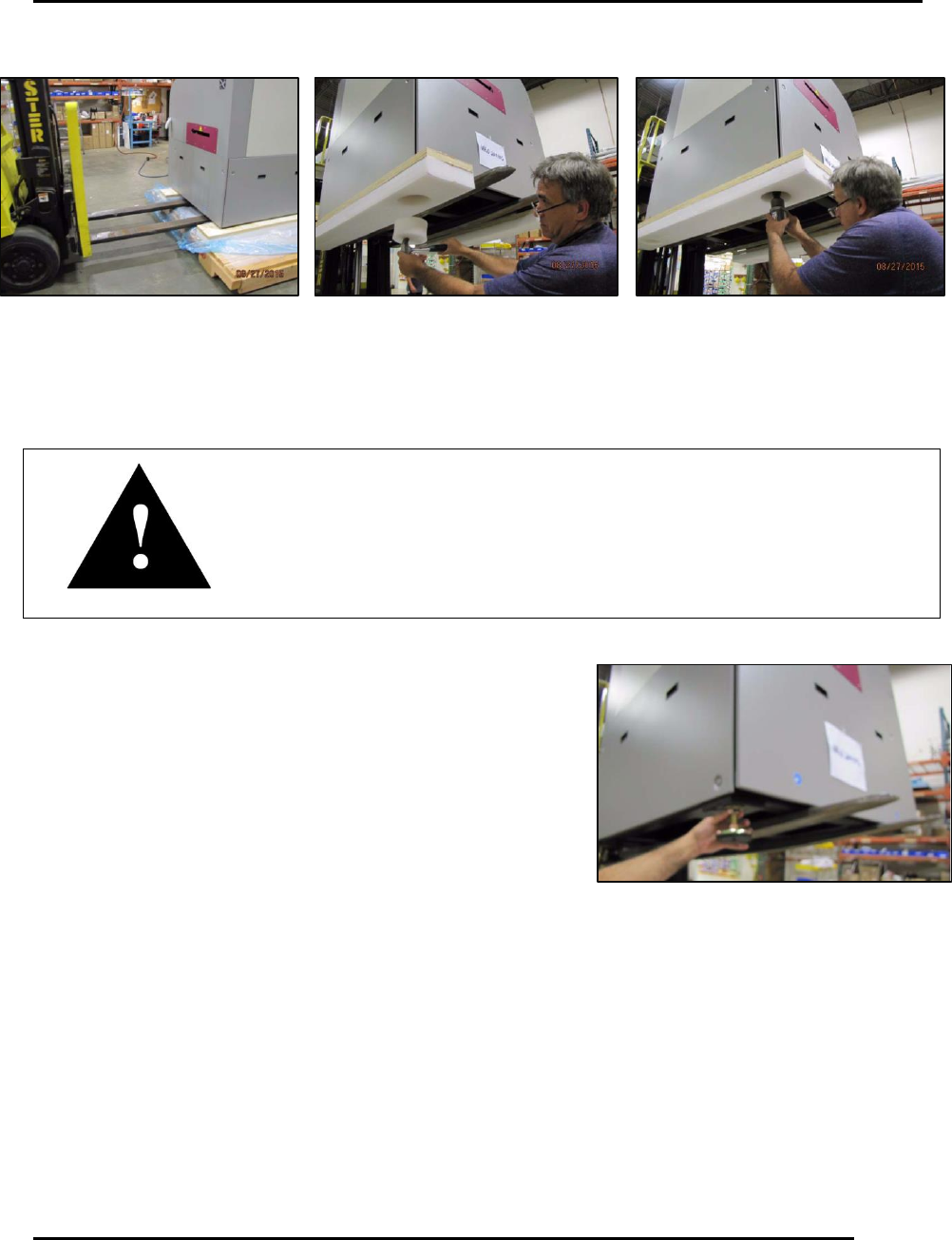
1. Install level pads in holes vacated by the isolator bolts
(Figure 23).
Attention
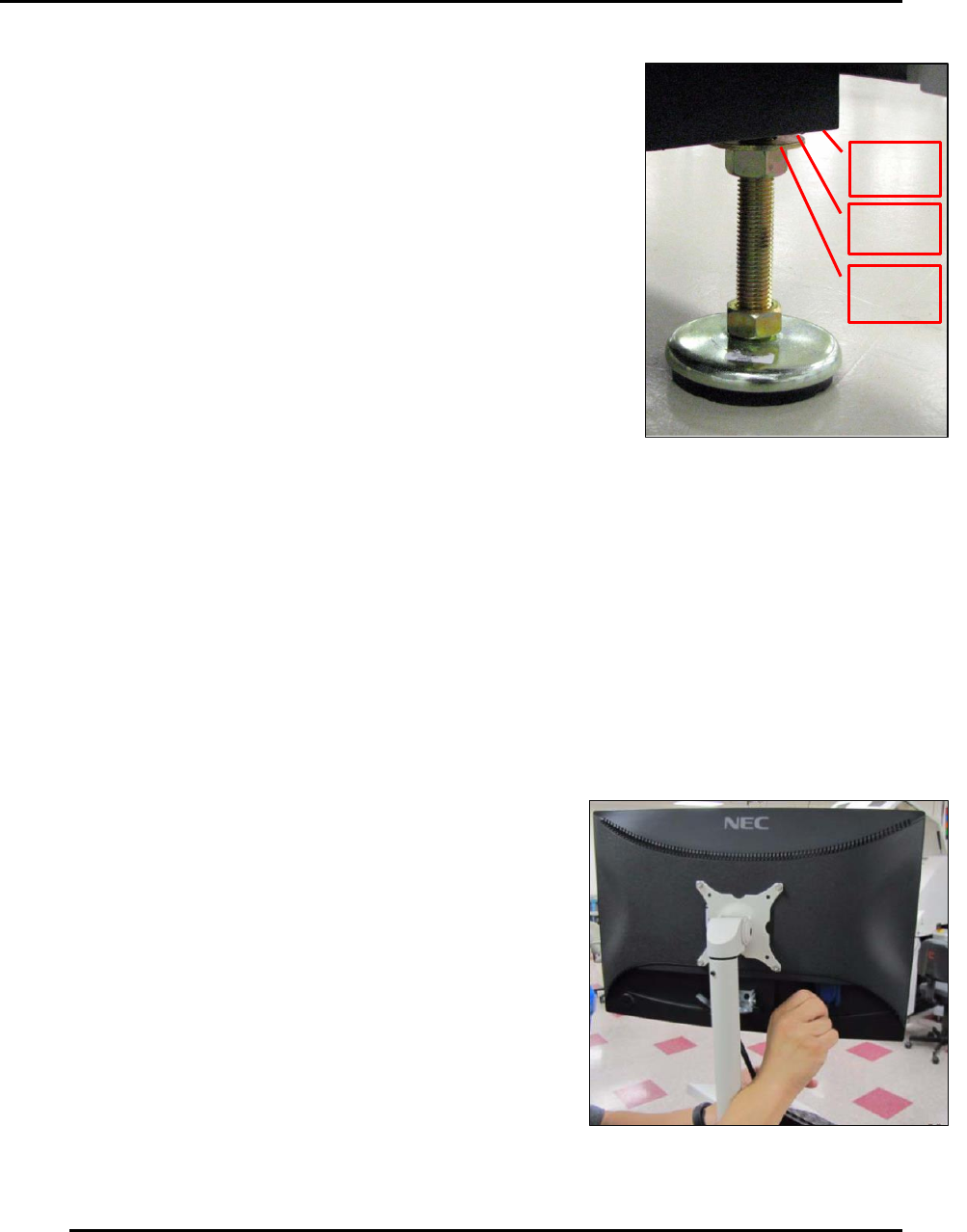
Make sure the washer is above the upper hex nut when installing the
leveling pads so that the washer rests against the printer base (Figure 24).
Figure 22. Lift printer to remove skid and isolators.
Figure 23. Install leveling pads in isolator pad
holes.
INSTALLATION AND INITIAL START-UP Edison Printer User Manual (Part Number 1023838)
50 Rev. A
Copyright © 2017 ITW EAE
All rights reserved. No part of the contents of this manual may be reproduced, copied or transmitted in any form or by any
means including graphic, electronic, or mechanical methods or photocopying, recording, or information storage and
retrieval systems without the written permission of ITW EAE, unless for purchaser's personal use.
Printer
Base
Washer
Hex
Nut
2. Adjust each leveling pad to provide 4 in (100 mm) between
the top surface of the leveling pad and the bottom surface of
the printer frame.
3. Lower the printer to the floor and remove the forklift from
the area.
4. Use the Shipping Checklist to ensure all appropriate
accessories have been received.
3.3. Installation and Setup
3.3.1. Monitor Installation
1. Remove the packing material from the monitor arm and cables.
2. Flip up the keyboard tray and lock in place.
3. Remove the 4 screws securing the monitor mounting bracket
a. Rotate the bracket 90 degrees, so the monitor handle faces up and away from the
mounting arm.
b. Secure the bracket to the arm using the same
screws.
4. Unpack the monitor.
5. Align the mounting bracket with the holes in the back
of the monitor (Figure 25).
a. Secure the monitor to the bracket using the
screws provided.
6. Attach the power cable and signal cable to the back
of the monitor.
Figure 24. Install leveling pads so
washer is above upper hex nut and rests
against printer base.
Figure 25. Align mounting holes and secure
monitor to bracket.
Edison Printer User Manual (Part Number 1023838) INSTALLATION AND INITIAL START-UP
Rev. A 51
Copyright © 2017 ITW EAE
All rights reserved. No part of the contents of this manual may be reproduced, copied or transmitted in any form or by any
means including graphic, electronic, or mechanical methods or photocopying, recording, or information storage and
retrieval systems without the written permission of ITW EAE, unless for purchaser's personal use.
3.3.2. Light Tower Installation
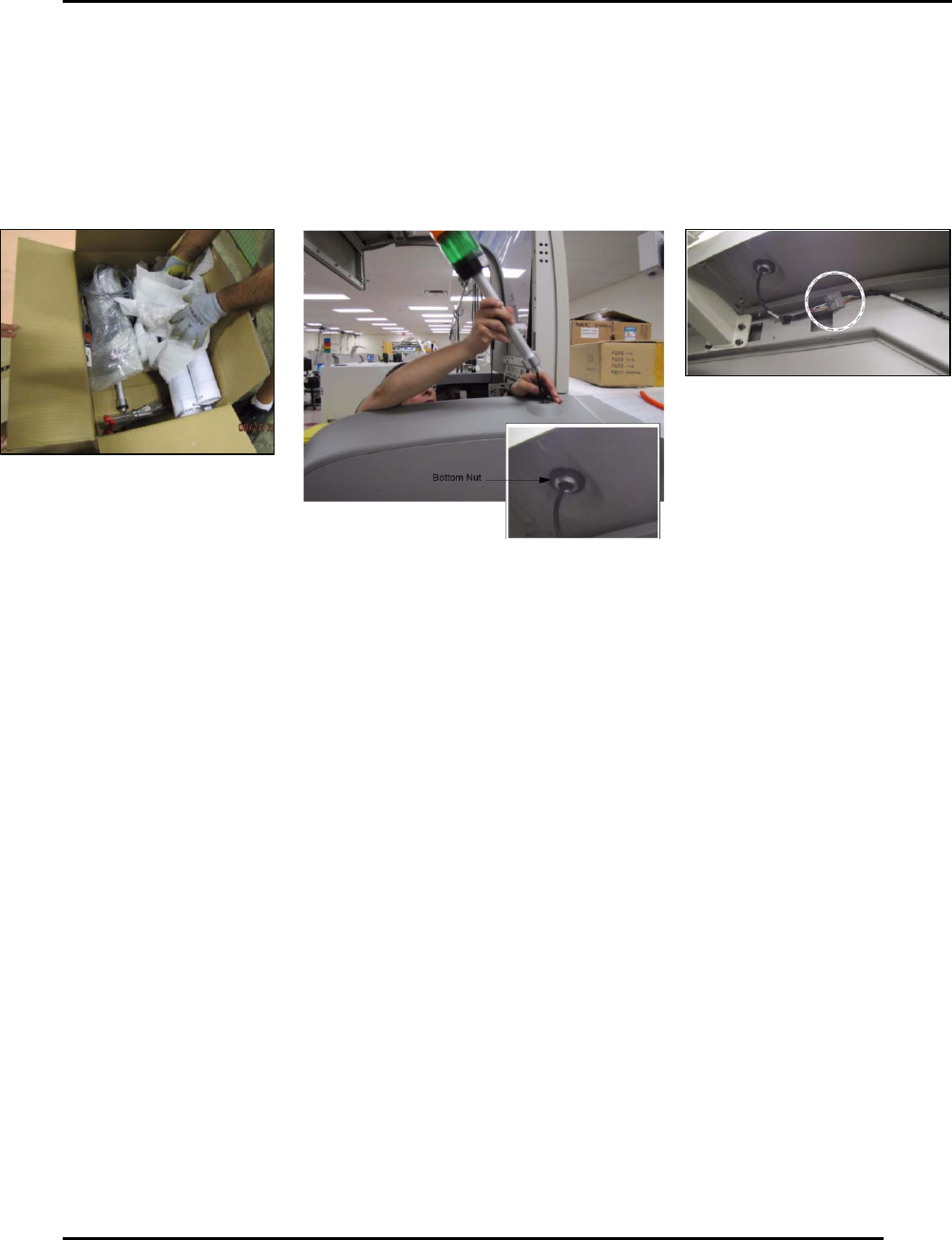
1. Remove the packing material from the light tower (Figure 26).
2. Feed the light tower cable into the hole at the top of the printer, then insert the light tower
post and secure to the hood bracket by tightening the bottom nut.
3. Plug the light tower cable into the cable assembly (2005482).
Figure 26. Light tower installation.