User-Manual-NeoDen3V-PNP-machine.pdf - 第10页
5 2. E dit on the Oper ation Interfac e 2.1. PCB Information Interface See b elow Fig.: Edit Interfa ce Create a new file or choose a file a nd en ter th e e dit p age 2.1.1. PCB Feed Setting Function: This part is used …
4
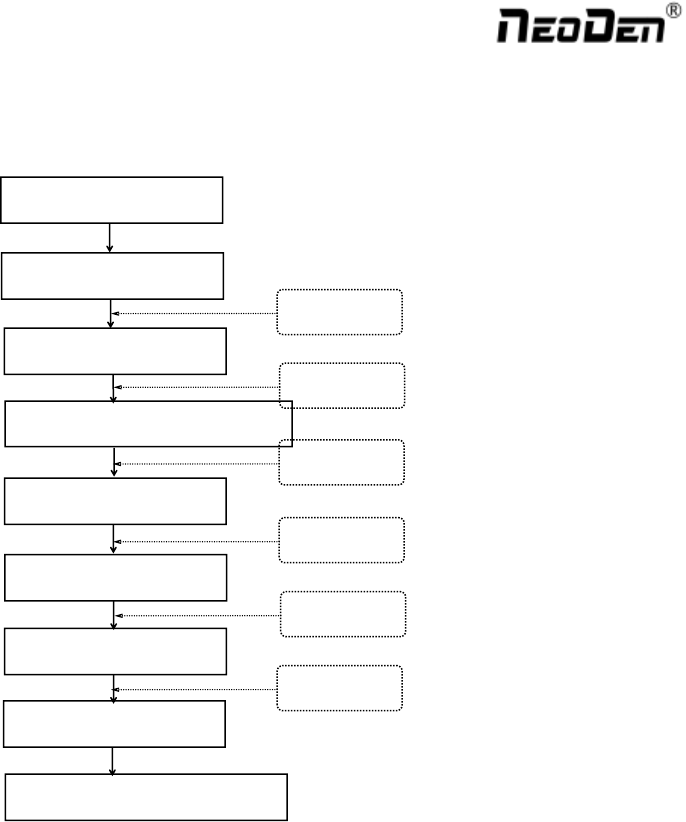
1.4. Procedure for Making a Programming File
Chip list settings
Select a file and start working
Start
Panelized PCB first chip setup
Edit
PCB feed setting
Mark point settings
Feeder settings
Save and cancel
See P6
See P12
See P16
See P20
See P5
See P5
Note: Above the procedure for making a programming file, the basic procedure of manual programming and
importing coordinates file directly are similar. Please find the detailed operation steps of the differences on
relative page.
5
2. Edit on the Operation Interface
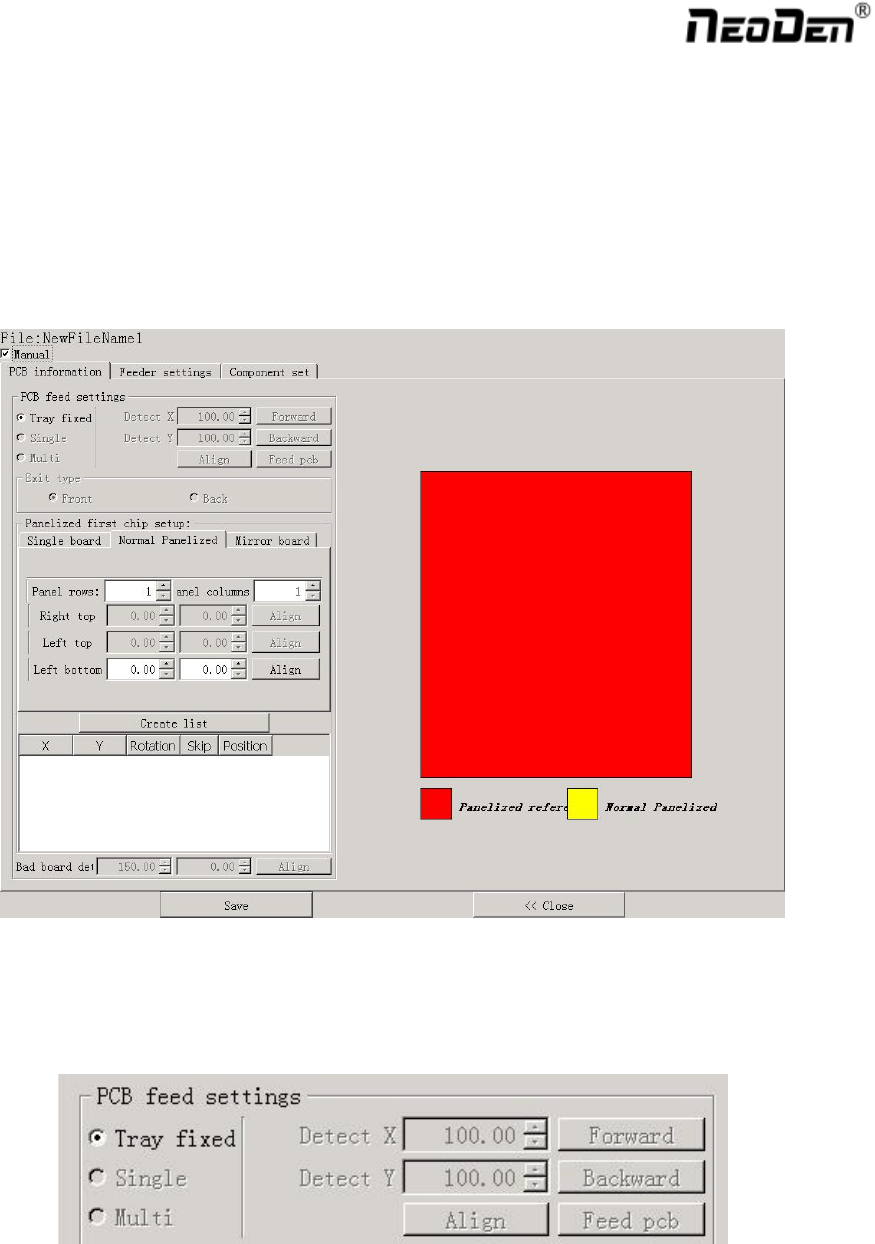
2.1. PCB Information Interface
See below Fig.: Edit Interface
Create a new file or choose a file and enter the edit page
2.1.1. PCB Feed Setting
Function: This part is used to confirm the feeding place, the first edit item in manual program. Feed the PCB to
the estimated position and adjust it by click”Align”
6
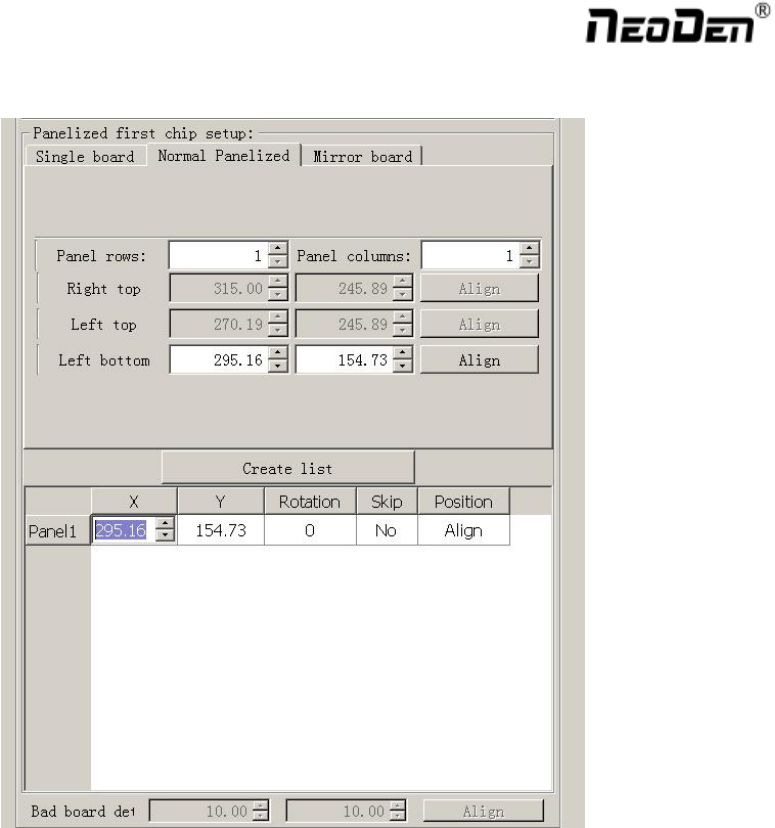
2.1.2. Panelized First Chip Setup
Function: This is mainly to determine the first component position on single or panelized PCB. The principle is to
collect and calculate the data of each board’s relative spacing, in order to achieve the effect of the actual placing.
2.1.2.1. Single Board
Single board: Just need to find the first component (in chip list) actual position on board by clicking “Align”
button, it will skip into below screen under vision. Make sure the cross hair is in the center of bonding pad, this
component will be locked, then save.