User-Manual-NeoDen3V-PNP-machine.pdf - 第28页
23 2.3.1. Placement Head Choose no zzle 1, nozzle 2 , nozzle 3, nozzle 4 to test separa tely Turn le ft& Turn right, selected nozzles will ro tate Blow , a fter c lick this o ption, air will blow-off from sele ct…
22
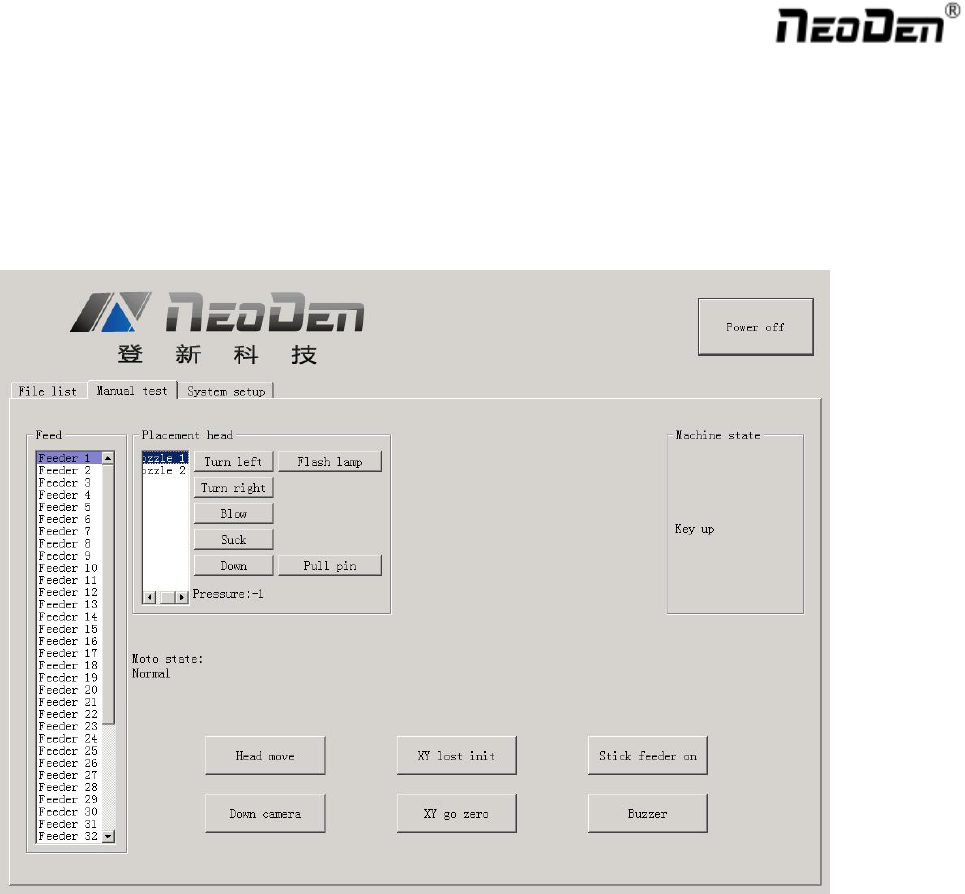
2.3. Manual Test
Function: Used for testing the basic functions, connection between software and hardware , details about testing as
below:
23
2.3.1. Placement Head
Choose nozzle 1, nozzle 2, nozzle 3, nozzle 4 to test separately
Turn left& Turn right, selected nozzles will rotate
Blow, after click this option, air will blow-off from selected nozzle
Suck, after click this option, suction action will appear from selected nozzle
Down, after click this option, selected nozzle will descend slowly
Down Looking Camera light, after click this option, Led light besides the camera will turn on
Needle, selected it and it will go down
Air pressure 1, 2, 3, 4,Based on the testing of nozzles, you can see pressure value of each nozzle.
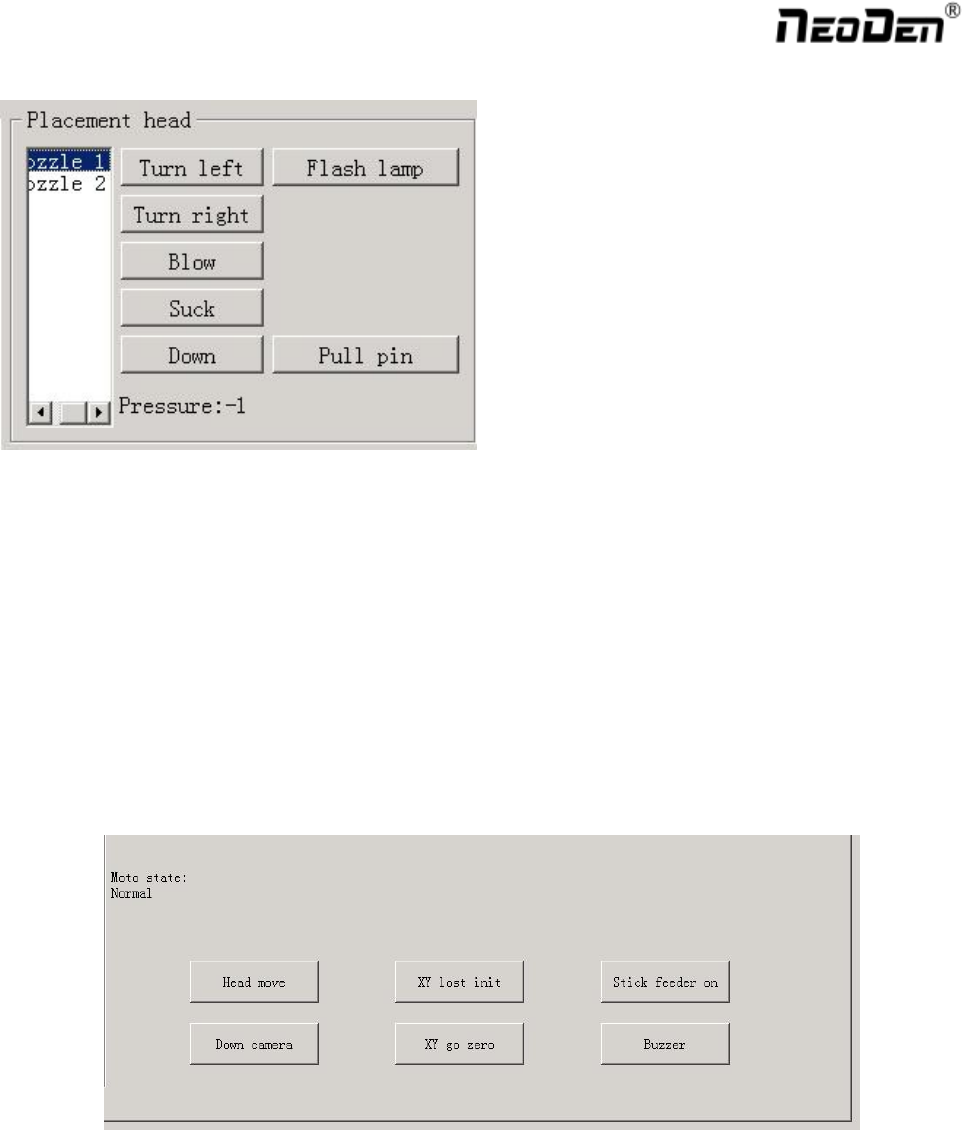
2.3.2. Host Control
Function, test each function key
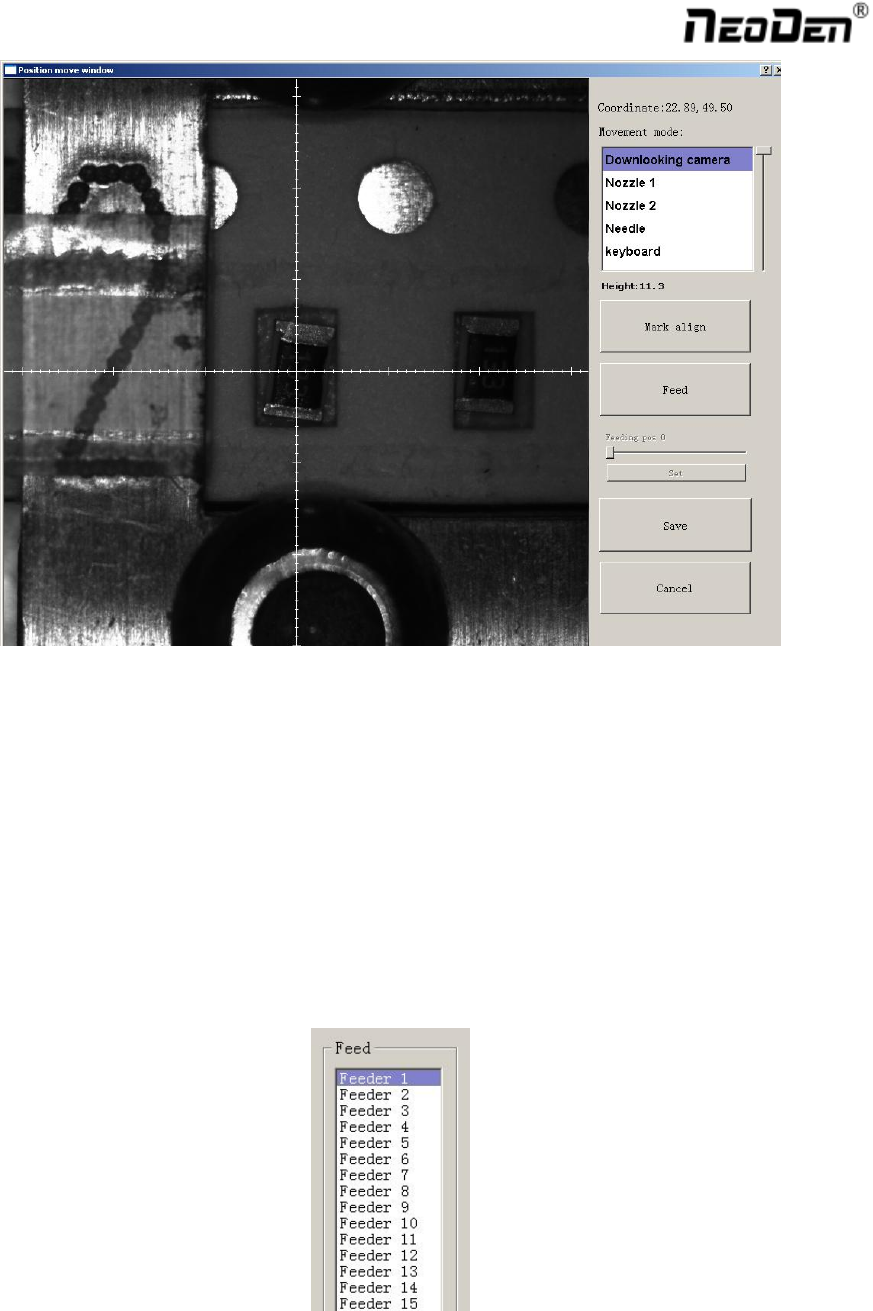
Head move, after click this option, you will enter into”head move”page, click to move
24
Up Looking Camera Photograph, after click this option will take a picture
X Y step out recover&X Y Initialize, after click this, machine will recover to its original position and
coordinates in system will initialize.
Vibration feeder on, after select this option, vibration tray will vibrate
Buzzer,after click this option some sound will appear
2.3.3. Feeder Test
Function: Test each feeder’s matching and feed box & peel box’s function. First, select” Feed-box and peel-box
linkage”, then test function of feed box and peel box.
Click any feeder randomly, feed box and peel box will appear corresponding actions