User-Manual-NeoDen3V-PNP-machine.pdf - 第15页
10 4 4 4 4 4 1 1 1 2 2 2 3 No.1 re d a reas are o riginal ref No.2 yell ow areas are original bo ards No.3 b lue area is mirror re f No.4 ligh t blue areas are m irror boards Based on actual boa rd to choo se an applicab…
9
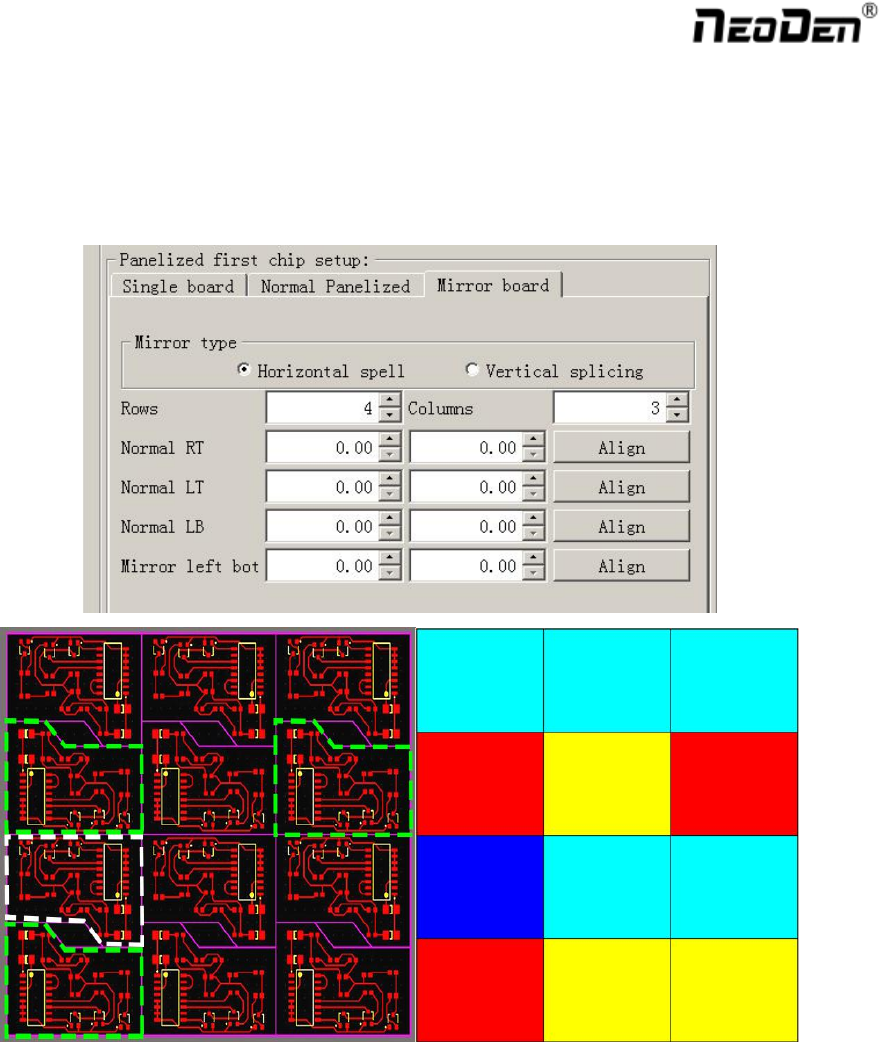
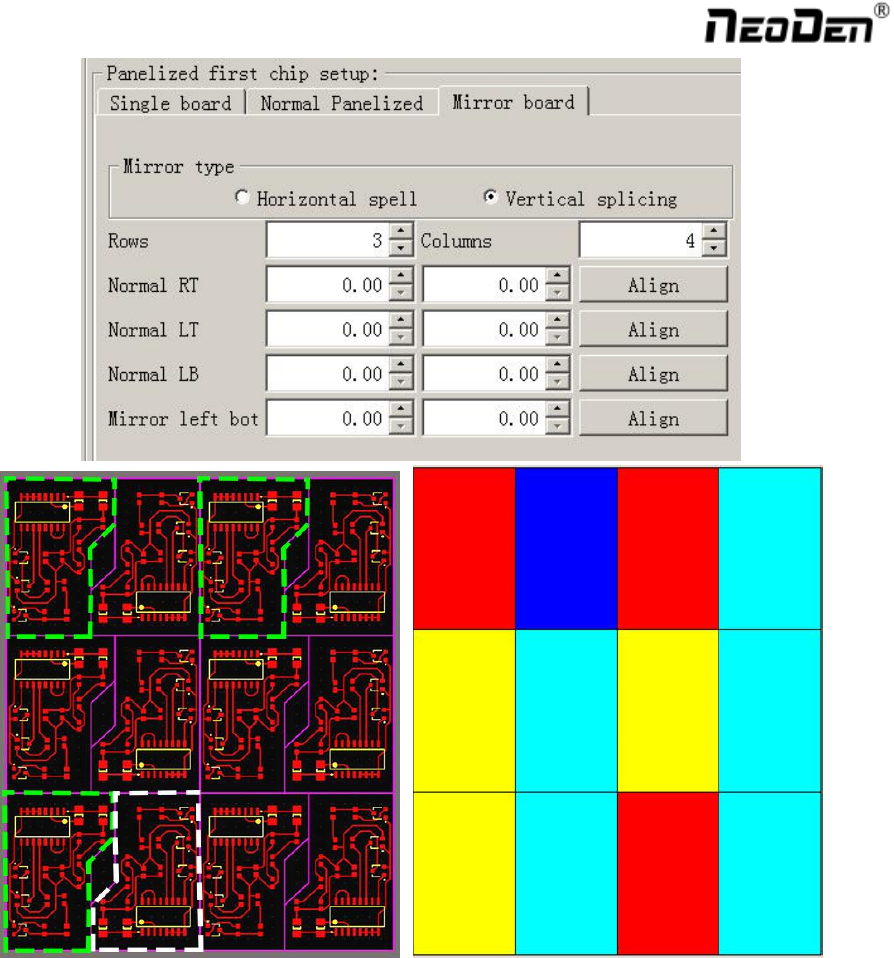
2.1.2.3. Mirror Board
Mirror board includes row panelized PCB and column panelized PCB
Row panelized: several same PCBs are arranged in horizontal direction, and the nearby rows are mirrored
Column panelized: several same PCBs are arranged in vertical direction, and the nearby columns are mirrored
4
4
4
4
4
1
1
1
2
2
2
3
No.1 red areas are original ref
No.2 yellow areas are original boards
No.3 blue area is mirror ref
No.4 light blue areas are mirror boards
10
4
4
4
4
4
1
1
1
2
2
2
3
No.1 red areas are original ref
No.2 yellow areas are original boards
No.3 blue area is mirror ref
No.4 light blue areas are mirror boards
Based on actual board to choose an applicable model of panelized mode. Image left side
is the arrangement way of mirror board and right side is the mirror board showing on computer.
11
2.1.2.4. PCB Angle Correction
PCB angle will influence the accuracy of mounting. The angle more closer to 0 degree the better, and the angel
deviation need to be within 1 degree.
The angle of PCB is generated according to panelized PCB coordinates, but we can also adjust the angle by
manual. Click” PCB angle” button, according to the index of machine to choose two points, then a new PCB angle
will be generated.( Note, the two points need to be in one vertical or horizontal line)
Under panelized PCB mode, “ PCB angle” is locked. You need to correct from panelized PCB to single PCB( 1*1),
after confirm the PCB angle, you can change back to panelized PCB model.
2.1.2.5. Bad Board Detection
In actual work,bad boards no need to be mounted, then, you can activate this function to skip these boards
automatically.
Processes of detecting bad boards,
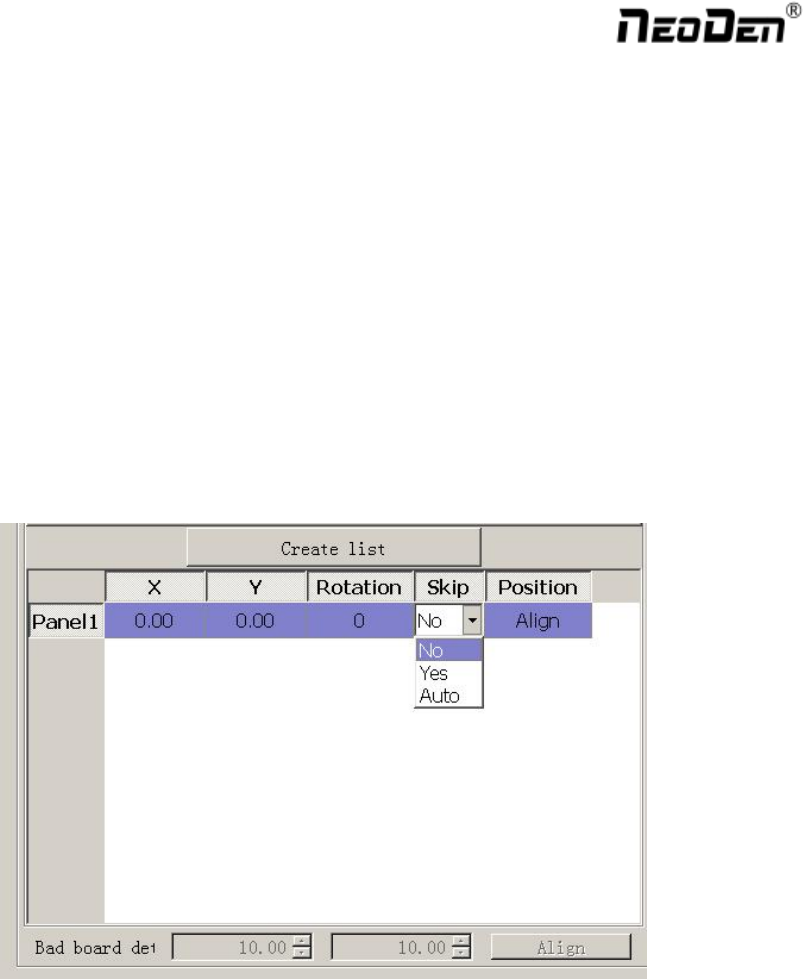
1) According to panelized PCB to generate panelized list
2) Choose” Auto” from “ Skip” options of panelized list
3) Click” Align” button to choose one fixed position and mark it, thus every time when machine scans this mark,
it will skip this bad board.( One common guideline is stick another colorful tag on the bad board, if stick with
this tag the machine will skip the bad board, otherwise it will go on mounting)