User-Manual-NeoDen3V-PNP-machine.pdf - 第12页
7 After saving the coord inate, the screen will au tomatically turn back to “PCB informatio n” . Click “ Create panelized list” to get the informati on of this boa rd. Now we ’ve fin ished setting of first compon ent of …
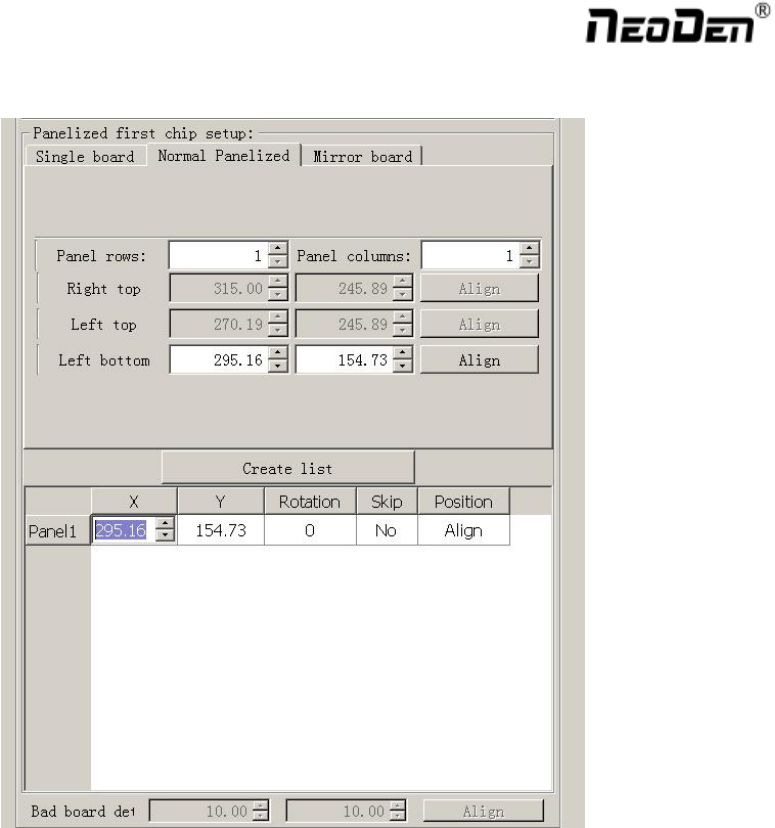
6
2.1.2. Panelized First Chip Setup
Function: This is mainly to determine the first component position on single or panelized PCB. The principle is to
collect and calculate the data of each board’s relative spacing, in order to achieve the effect of the actual placing.
2.1.2.1. Single Board
Single board: Just need to find the first component (in chip list) actual position on board by clicking “Align”
button, it will skip into below screen under vision. Make sure the cross hair is in the center of bonding pad, this
component will be locked, then save.
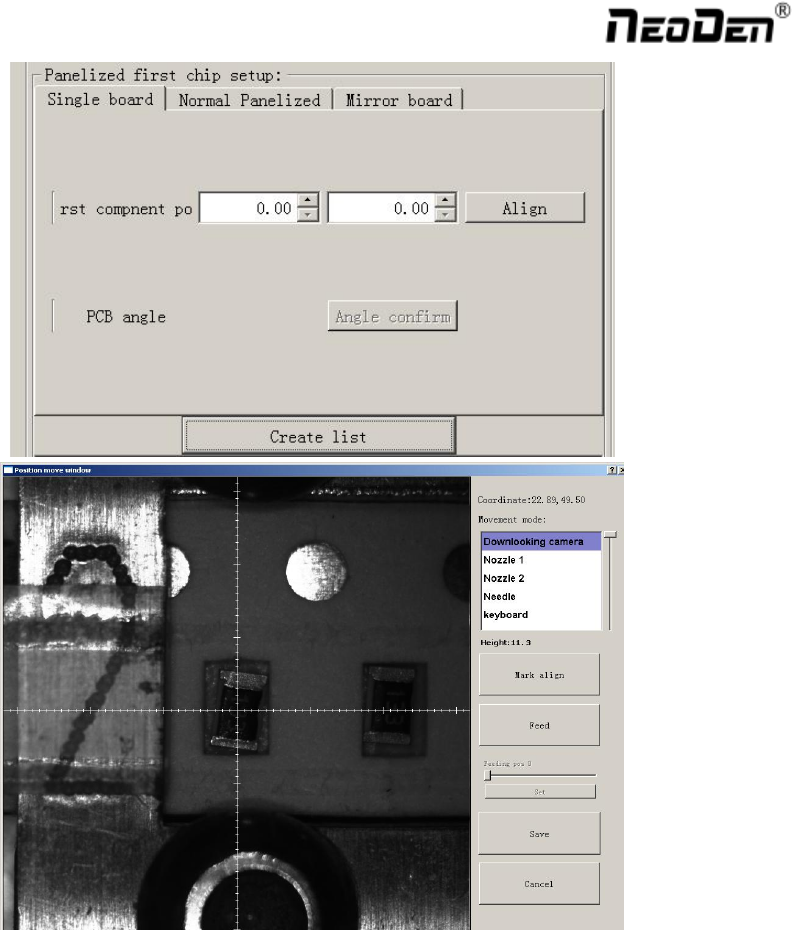
7
After saving the coordinate, the screen will automatically turn back to “PCB information” . Click “Create
panelized list” to get the information of this board. Now we’ve finished setting of first component of Single board.
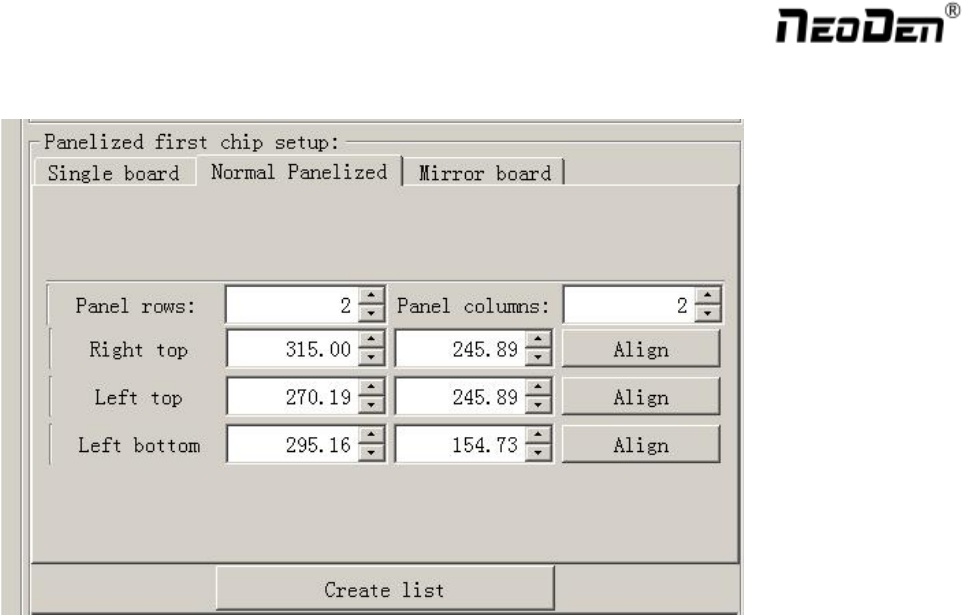
8
2.1.2.2. Panelized Board
The sequence is same to single PCB, but please pay some attention to several points below.
The row and column is determined by the positioning of PCB on working area. The horizontal direction is
the column. Enter data in the row and column.
About the data collection of “left bottom” , “left top” and “right top”, we should take the
“left bottom” as the basic, and then go to set “left top” and “right top”. Once all the data is collected, the
machine can calculate and process the information of panelized PCB.
Please refer to the data collecting method of each position information as following:
The data of “left bottom” is collected according to first component in programming file. Press “align” find
the left bottom panel which is nearest to the feeding entrance, after saving the data, it will return to the “PCB
information” automatically.
The data of “left top” is collected according to component ( the component is same to that on “left bottom”).
Press “align” find the left top panel which is furthest to the feeding entrance, after saving the data, it will
return to the “PCB information” automatically.
The data of “right top” is collected according to component (the component is same to that on “left bottom”).
Press “align” find the right top panel which is furthest to the feeding entrance, after saving the data, it will
return to the “PCB information” automatically.
After setup, click “create panelized list”, the data will be generated accordingly in the blank. You can also
double-confirm each position by clicking” Align”. ( Note, the three positions must be the same component from
different panelized board)