User-Manual-NeoDen3V-PNP-machine.pdf - 第32页
27 Align th e pick up position: Click to enter the visual loc k interface , select the cente r as be st location, it automatic ally gen erate the XY c oordinate s after co nfirmation. Feed V alue: Set the fo rward va…
26
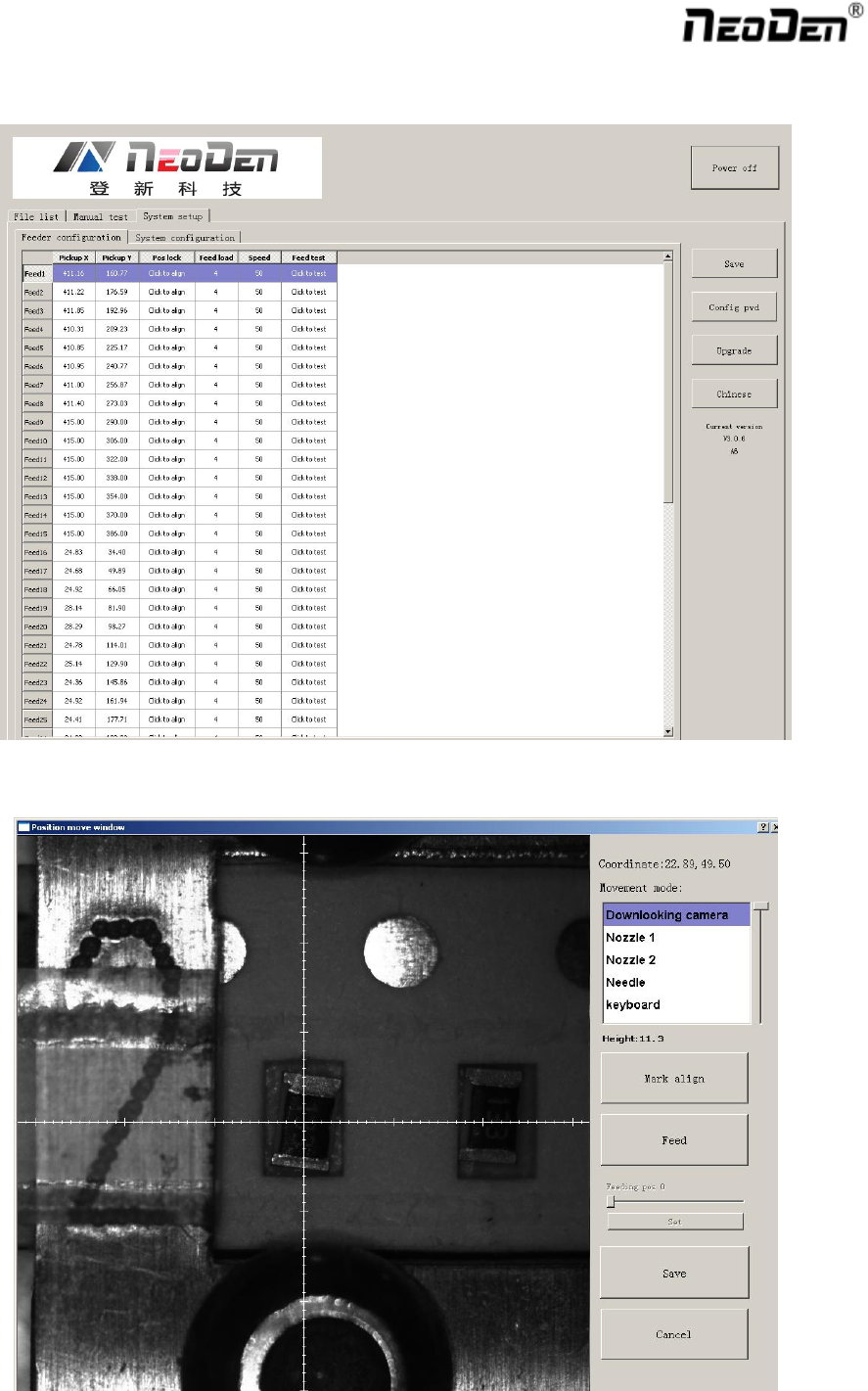
2.4.1. Feeder Configuration
Function: you can set up and test pick up position, needle position as pictures
Position X, position Y: The coordinate position of nozzle
27
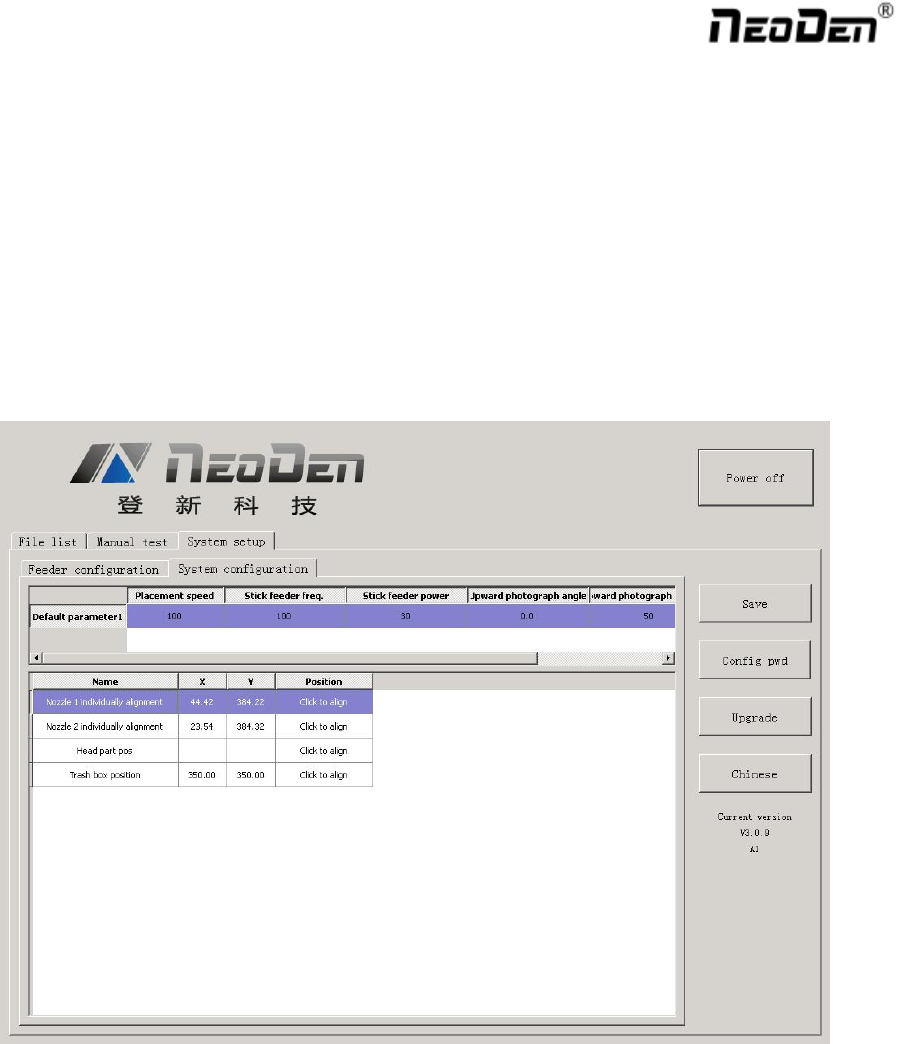
Align the pick up position: Click to enter the visual lock interface, select the center as best location, it
automatically generate the XY coordinates after confirmation.
Feed Value: Set the forward value of each feeder, default value is 4(Unit:mm),but for special components,
0402,should correct to 2
Feed speed: The feeder forwarding speed(Normally default value is ok, no need to chang
Needle Test: Press to test.
Needle X, Needle Y:the coordinate of Needle
Needle Position: Align the needle position, it will generate XY coordinates
2.4.2. System Configuration
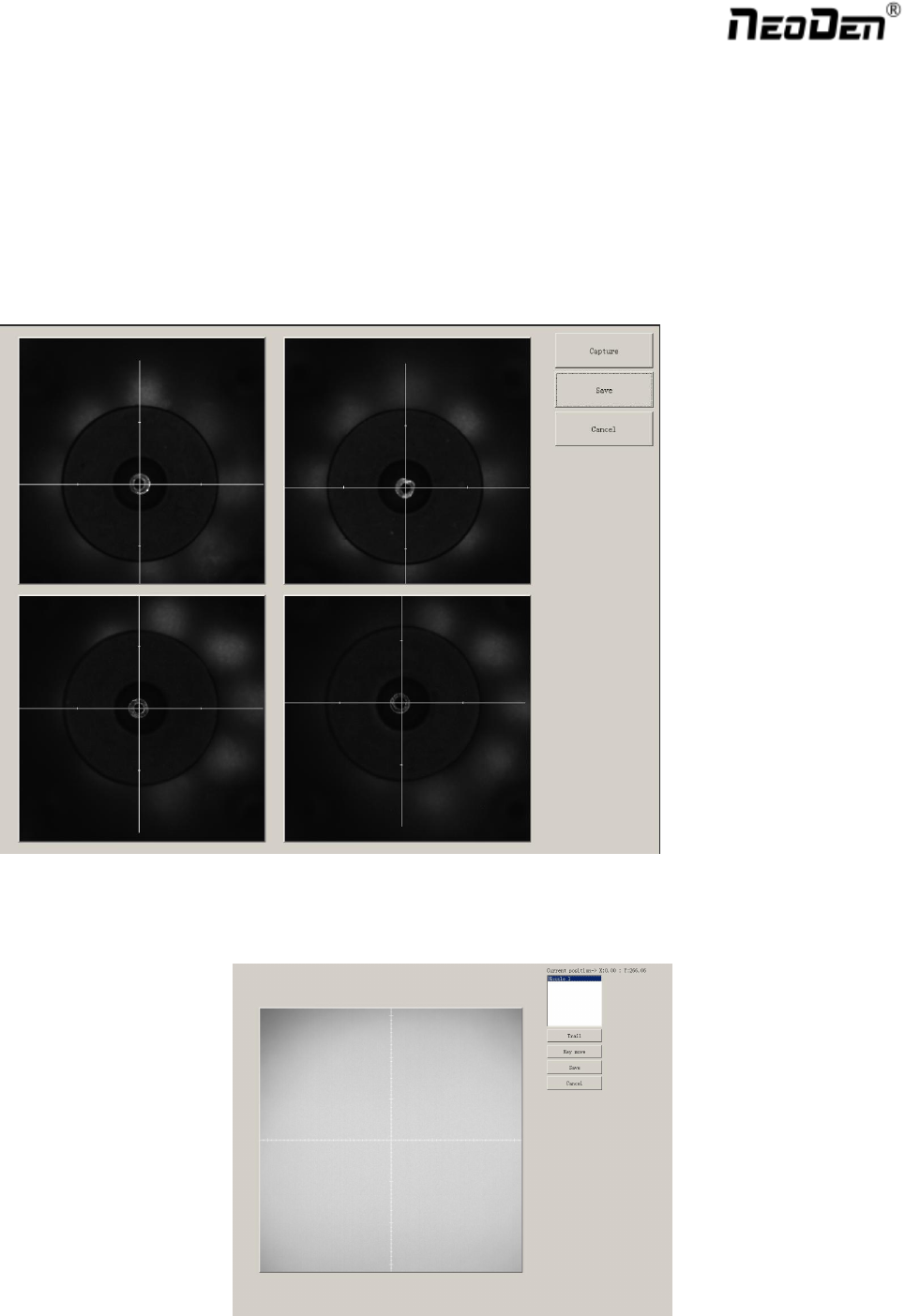
Function: Setting of Nozzle Alignment
(Note:This page has been locked to avoid any misoperation.It will be active only after enter password.)
2.4.2.1. Default Parameter 1 Setting
Placement Speed: Normal Placement speed of whole working file, the actual mounting speed is subject to the
speed in feeder setting)
Vibration feeder Frequency: Setting frequency of vibration feeder, higher value can ensure chip come out
from tube more stable
Vibration feeder Strength: For small chip, it will jump out easily if set high value. For big chip, it is difficult
to come out if set low value.
28
Upward Photograph Angle: If find all chip have same angle problem during the placement, can adjust value
here(Temporary can't use)
Upward Photograph Exposure: Adjust the brightness of the up-looking camera
2.4.2.2. Nozzle Alignment
Find the” Align” button of each nozzle, click “Align” and choose nozzle center pos and then click “Lens rotation”,
up-looking camera will shine for many times, finally “Save “ the values. Also you can use the mouse to adjust the
cross-line to the center of each nozzle by manual.
2.4.2.3. Nozzle 1 and Camera Relative Position