User-Manual-NeoDen3V-PNP-machine.pdf - 第11页
6 2.1.2. Panelized First Chip Setup Function: Th is is m ainly to determine the first compon ent p osition on single or panelized PCB. The p rinciple is to collect and calcula te the d ata of e ach b oard’ s rela tive s …
5
2. Edit on the Operation Interface
2.1. PCB Information Interface
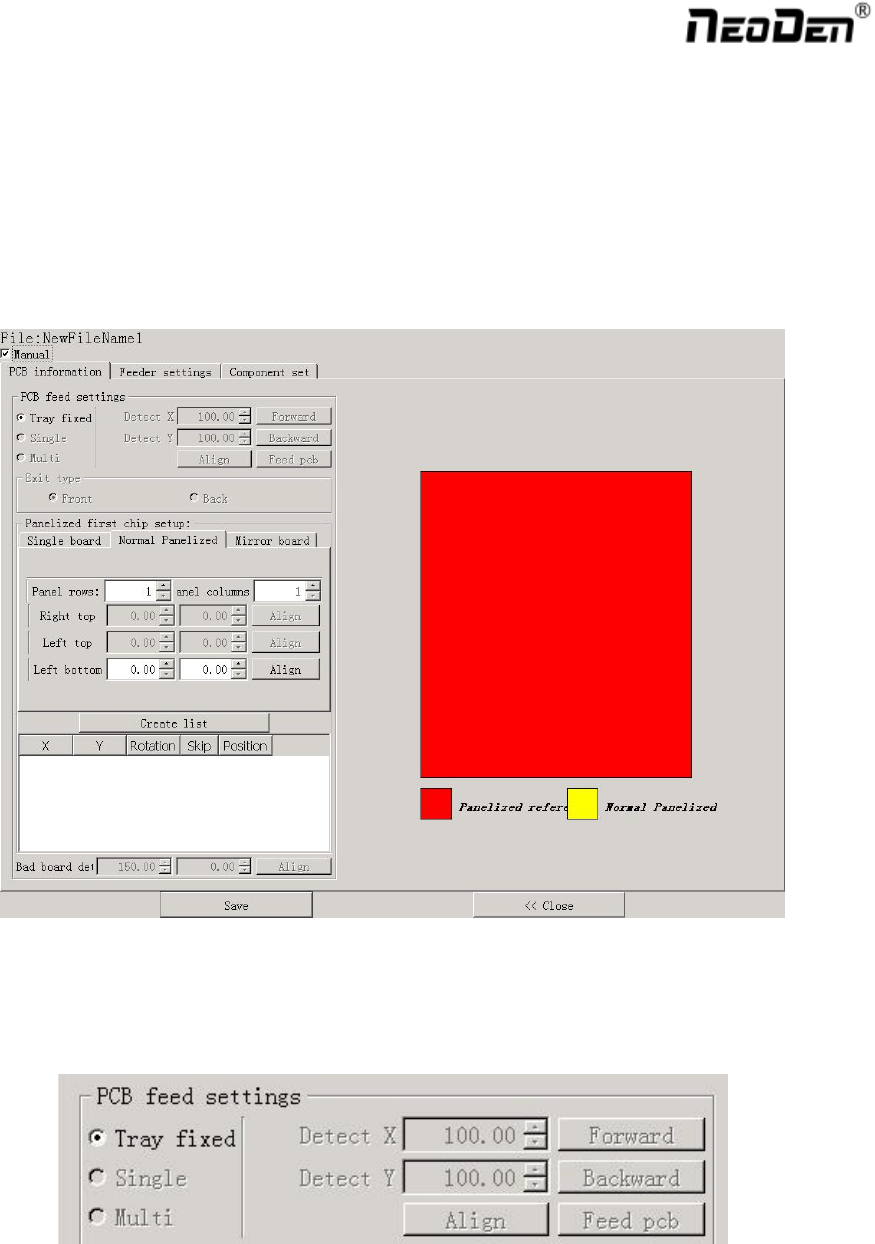
See below Fig.: Edit Interface
Create a new file or choose a file and enter the edit page
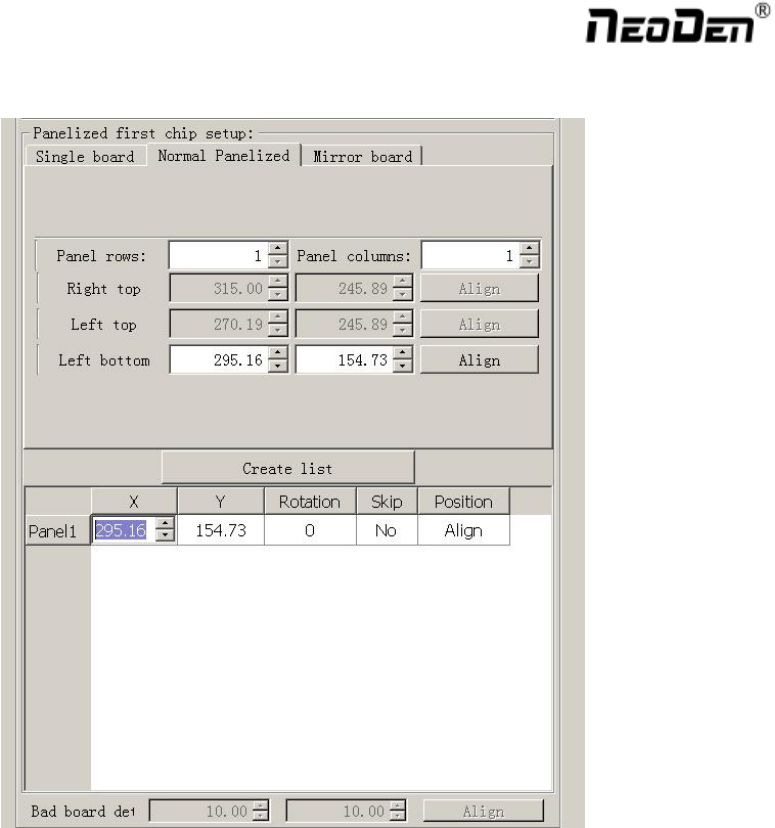
2.1.1. PCB Feed Setting
Function: This part is used to confirm the feeding place, the first edit item in manual program. Feed the PCB to
the estimated position and adjust it by click”Align”
6
2.1.2. Panelized First Chip Setup
Function: This is mainly to determine the first component position on single or panelized PCB. The principle is to
collect and calculate the data of each board’s relative spacing, in order to achieve the effect of the actual placing.
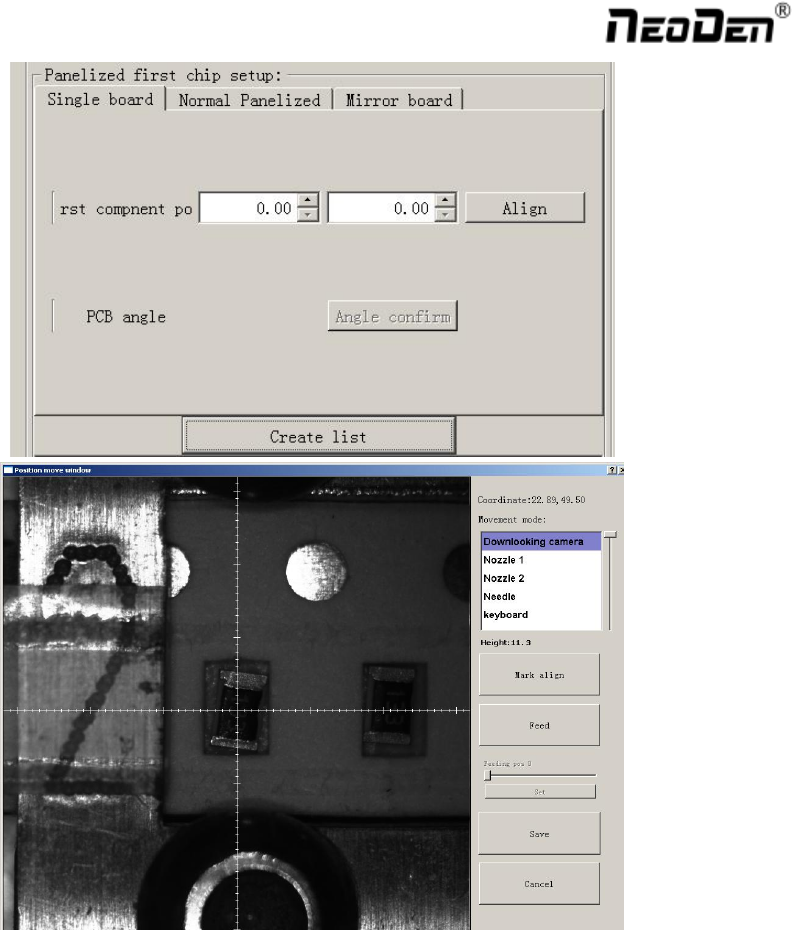
2.1.2.1. Single Board
Single board: Just need to find the first component (in chip list) actual position on board by clicking “Align”
button, it will skip into below screen under vision. Make sure the cross hair is in the center of bonding pad, this
component will be locked, then save.
7
After saving the coordinate, the screen will automatically turn back to “PCB information” . Click “Create
panelized list” to get the information of this board. Now we’ve finished setting of first component of Single board.