User-Manual-NeoDen3V-PNP-machine.pdf - 第8页
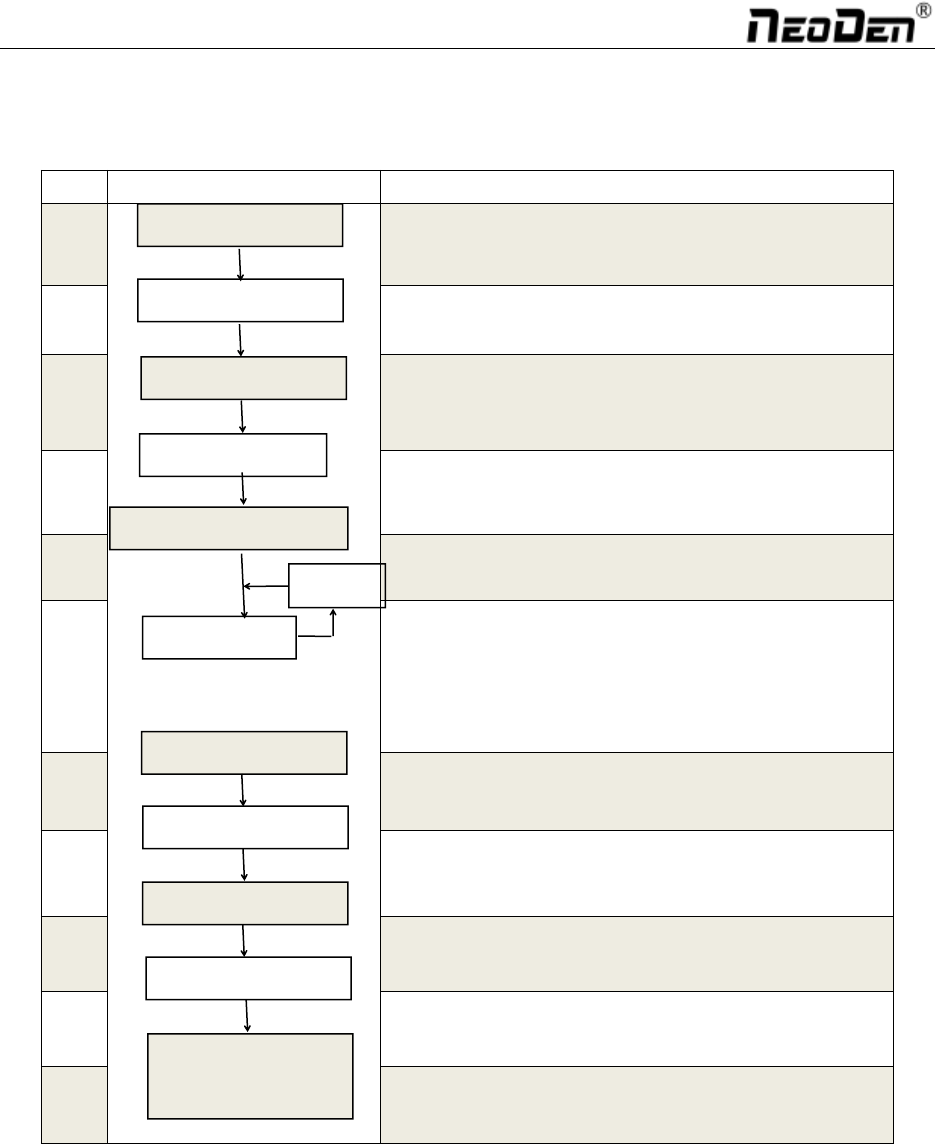
3 1.3. Operat ion Flow Chart NO. Flow Ch art Remark 1 Checking the workin g area wh ether it is sa fe or not 2 3 Machine will start a 1-2 mins self-insp ection proce ss after boot-up. The hea d will trave l along in X &a…
2
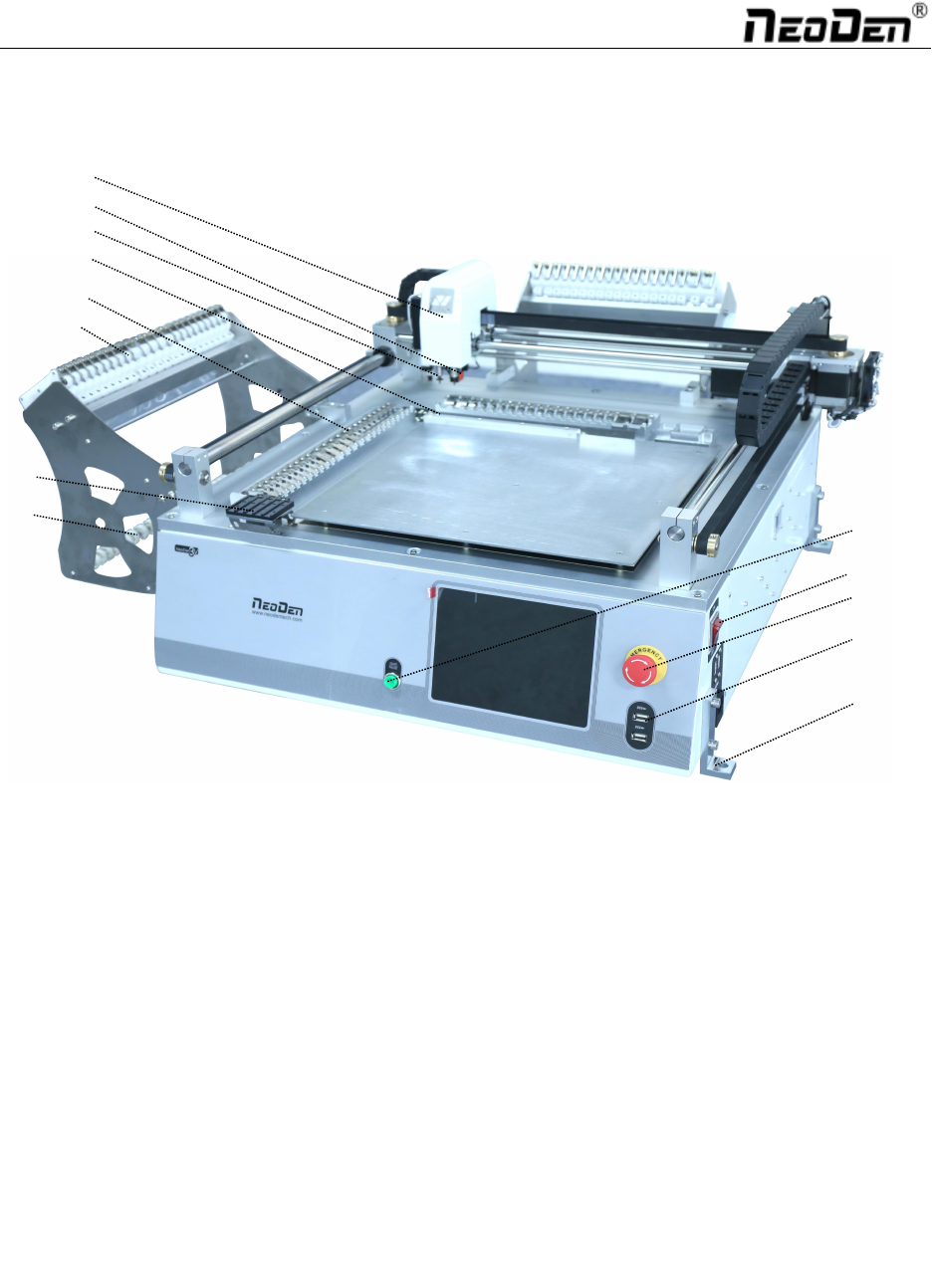
1.2. Structure of NeoDen 3V
⑦
⑧
①
②
③
④
⑤
⑫
⑥
⑨
⑪
⑩
⑬
Each part mentioned above can be disassembled and maintained. Please find more details on Chapter 3.
①:Start/Pause Button
②:On/off Button
③:Emergency Button
④:USB Connector
⑤:Fixation Holder
⑥:Head
⑦:Needle
⑧:Nozzle
⑨:Backward Fixed Block
⑩:Feed Chute
⑪:Peel Box
⑫:Vibration Feeder
⑬:Reel Holder
3
1.3. Operation Flow Chart
NO.
Flow Chart
Remark
1
Checking the working area whether it is safe or not
2
3
Machine will start a 1-2 mins self-inspection process after
boot-up. The head will travel along in X&Y axis. It will
enter the operation page once finished.
4
5
Plz refer to the detailed programming tutorial in Page5
6
After making a programming file, there may exist several
programming issue, such as rotation issues of
components, thus a production testing is necessary for
solving issues.
7
Start to pick and place.
8
Production finish, exit.
9
Shut down the system via computer, then power off the
machine.
10
Disconnect the electricity supply after the system being
powered off.
11
Keep the machine clean, daily maintenance of the nozzles
to assures its high utility.
System power off
Power off
Cleaning and
maintenance
Exit
Mounting
Preparation
Turn on
Initialization
Operation page
Edit
Yes
Test
Modify
No
4
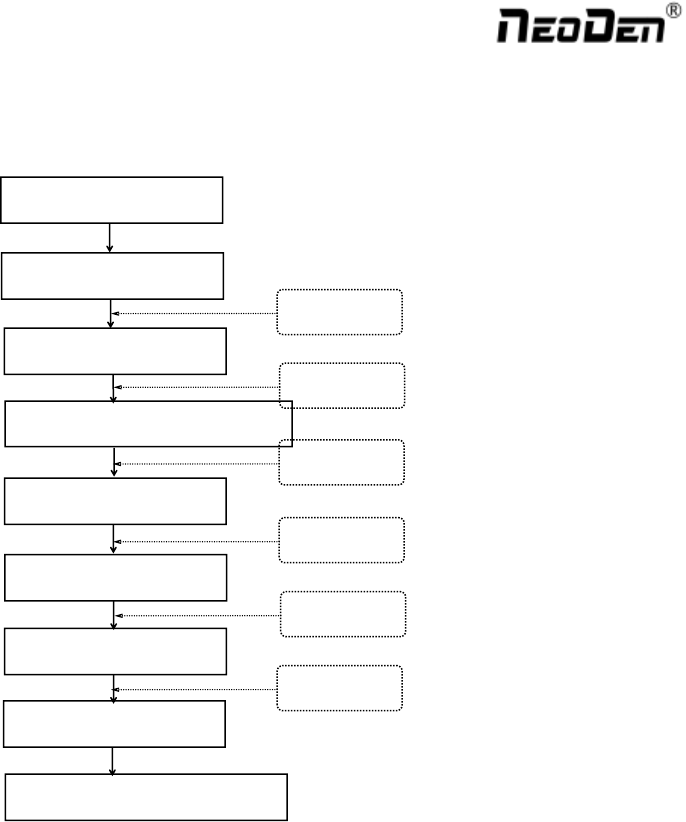
1.4. Procedure for Making a Programming File
Chip list settings
Select a file and start working
Start
Panelized PCB first chip setup
Edit
PCB feed setting
Mark point settings
Feeder settings
Save and cancel
See P6
See P12
See P16
See P20
See P5
See P5
Note: Above the procedure for making a programming file, the basic procedure of manual programming and
importing coordinates file directly are similar. Please find the detailed operation steps of the differences on
relative page.