User-Manual-NeoDen3V-PNP-machine.pdf - 第33页
28 Upward Photogr aph Angle: If find all ch ip h ave same angle problem du ring the placement, c an ad just value here(T emporary c an't use ) Upward Photograph Ex posure: Adjust the bright ness of the up -looki…
27
Align the pick up position: Click to enter the visual lock interface, select the center as best location, it
automatically generate the XY coordinates after confirmation.
Feed Value: Set the forward value of each feeder, default value is 4(Unit:mm),but for special components,
0402,should correct to 2
Feed speed: The feeder forwarding speed(Normally default value is ok, no need to chang
Needle Test: Press to test.
Needle X, Needle Y:the coordinate of Needle
Needle Position: Align the needle position, it will generate XY coordinates
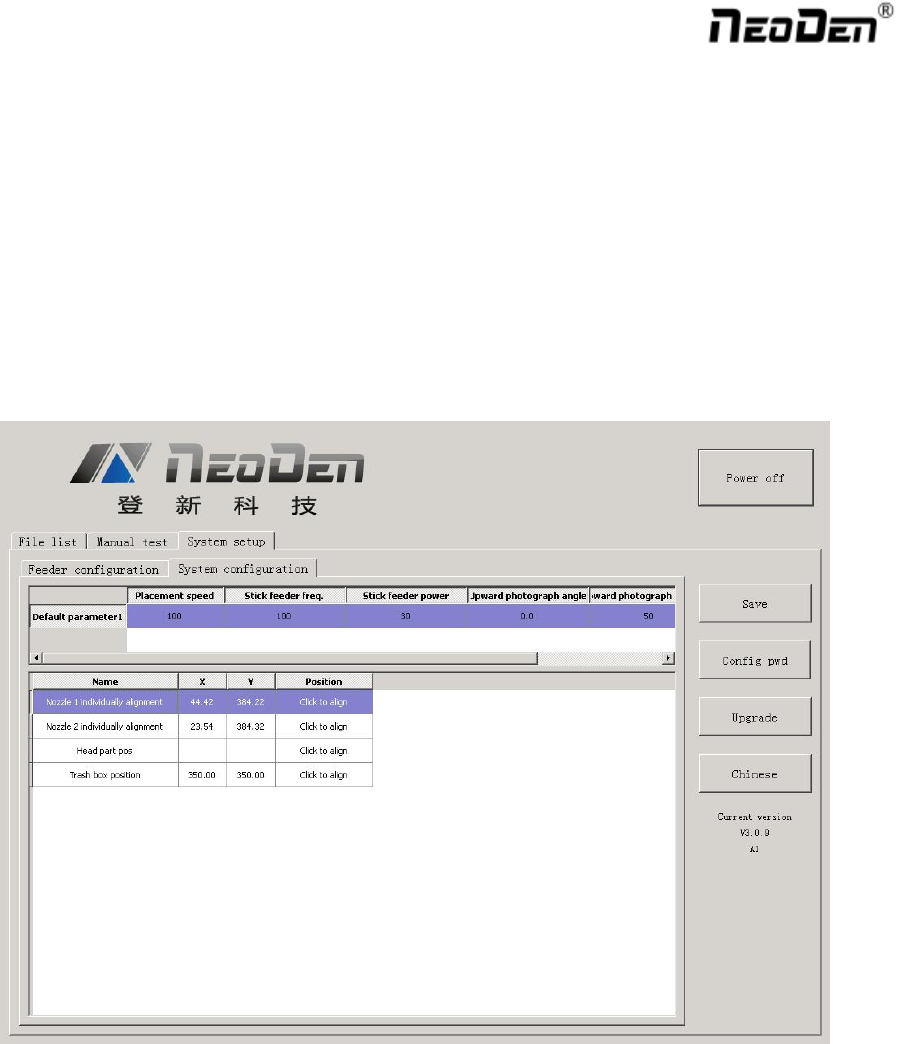
2.4.2. System Configuration
Function: Setting of Nozzle Alignment
(Note:This page has been locked to avoid any misoperation.It will be active only after enter password.)
2.4.2.1. Default Parameter 1 Setting
Placement Speed: Normal Placement speed of whole working file, the actual mounting speed is subject to the
speed in feeder setting)
Vibration feeder Frequency: Setting frequency of vibration feeder, higher value can ensure chip come out
from tube more stable
Vibration feeder Strength: For small chip, it will jump out easily if set high value. For big chip, it is difficult
to come out if set low value.
28
Upward Photograph Angle: If find all chip have same angle problem during the placement, can adjust value
here(Temporary can't use)
Upward Photograph Exposure: Adjust the brightness of the up-looking camera
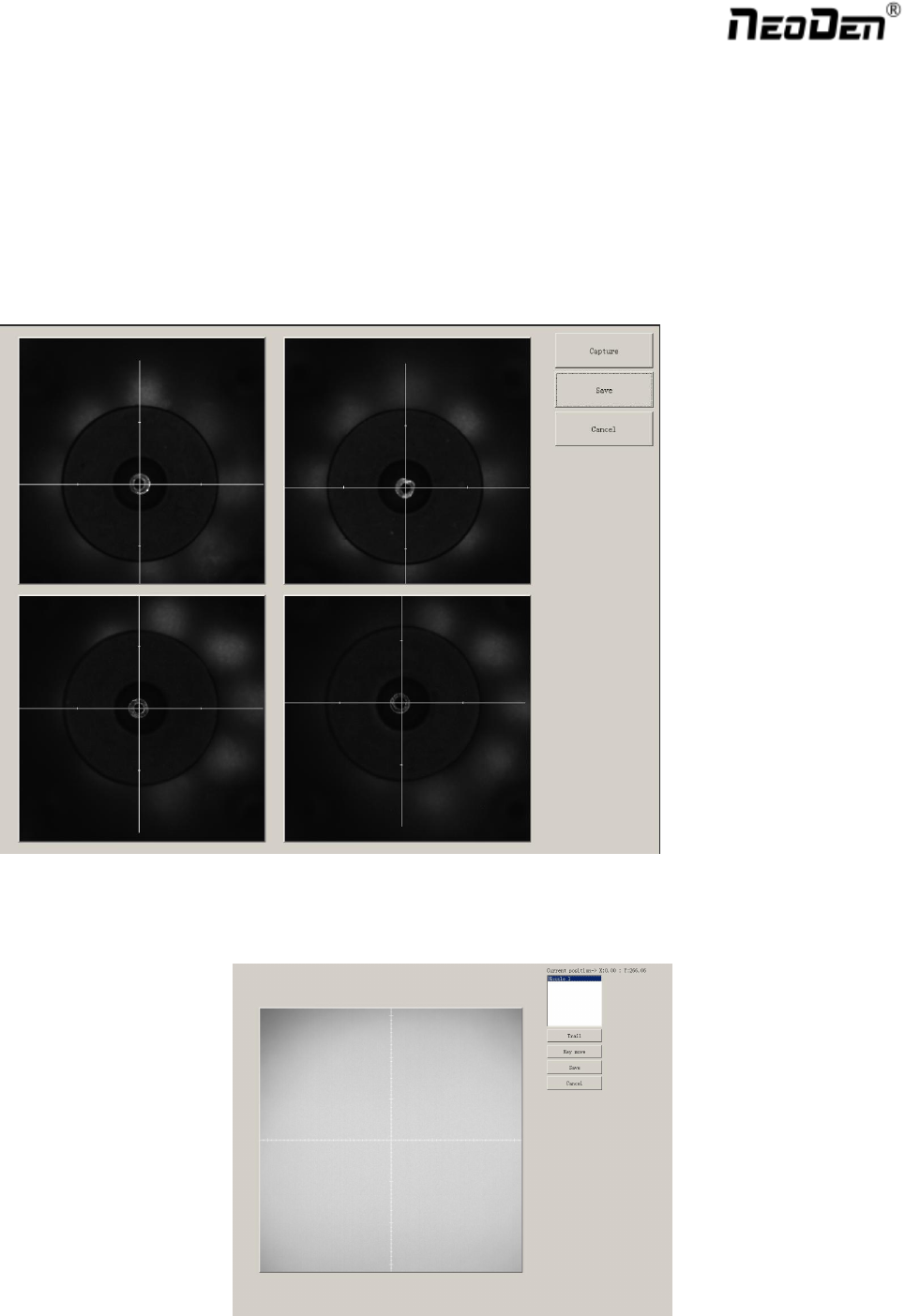
2.4.2.2. Nozzle Alignment
Find the” Align” button of each nozzle, click “Align” and choose nozzle center pos and then click “Lens rotation”,
up-looking camera will shine for many times, finally “Save “ the values. Also you can use the mouse to adjust the
cross-line to the center of each nozzle by manual.
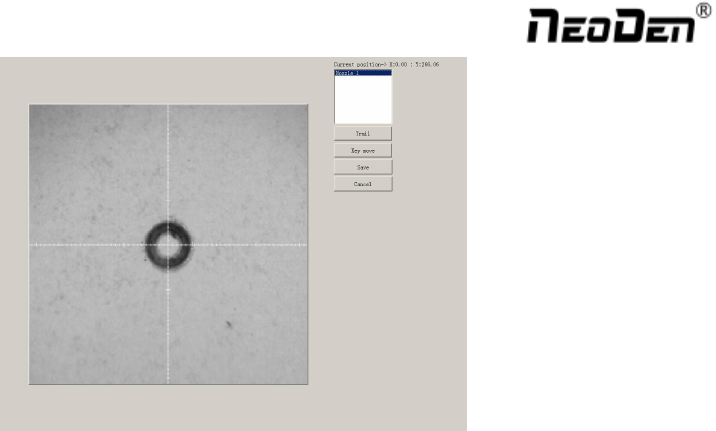
2.4.2.3. Nozzle 1 and Camera Relative Position
29
Click “align” to enter following interface:
Operation Step: Move the nozzle to any position above a PCB, stick one carbon paper on the PCB, click “Trail”,
the nozzle and needle will go down to leave each trails automatically , then click “nozzle1”, use the camera
to match the cross line to the trails center of nozzle 1 and needle, finally “save” the values.
Trash Box Position: Setting “throw components” position as you like.
2.5. First Trial and Test
2.5.1. First Dry Run
Usually we would suggest you to have a dry run (no components are loaded) before production test. After it goes
smoothly, you can start to produce few boards.
2.5.2. Production Test
Make a programming file
Test the file to pick and place components.
2.5.3. Component Inspection
2.5.3.1. Inspection Items
Check if the specification, direction, polarity of components are aligned with what they should be.
Whether the components are damaged or the pins are distorted.
Whether the component is off beyond allowance.
2.5.3.2. Inspection Method
The inspection methods vary from the equipment that you have.
Except visual inspection, all of amplifier, microscope, online or offline AOI equipment can be applied if the pitch
of IC is quite small to check.