User-Manual-NeoDen3V-PNP-machine.pdf - 第31页
26 2.4.1. Feeder Configuration Function: you ca n set up and te st pick up position, nee dle po sition as picture s Position X, pos ition Y : The coordina te position o f no zzle
25
2.4. Factory Settings
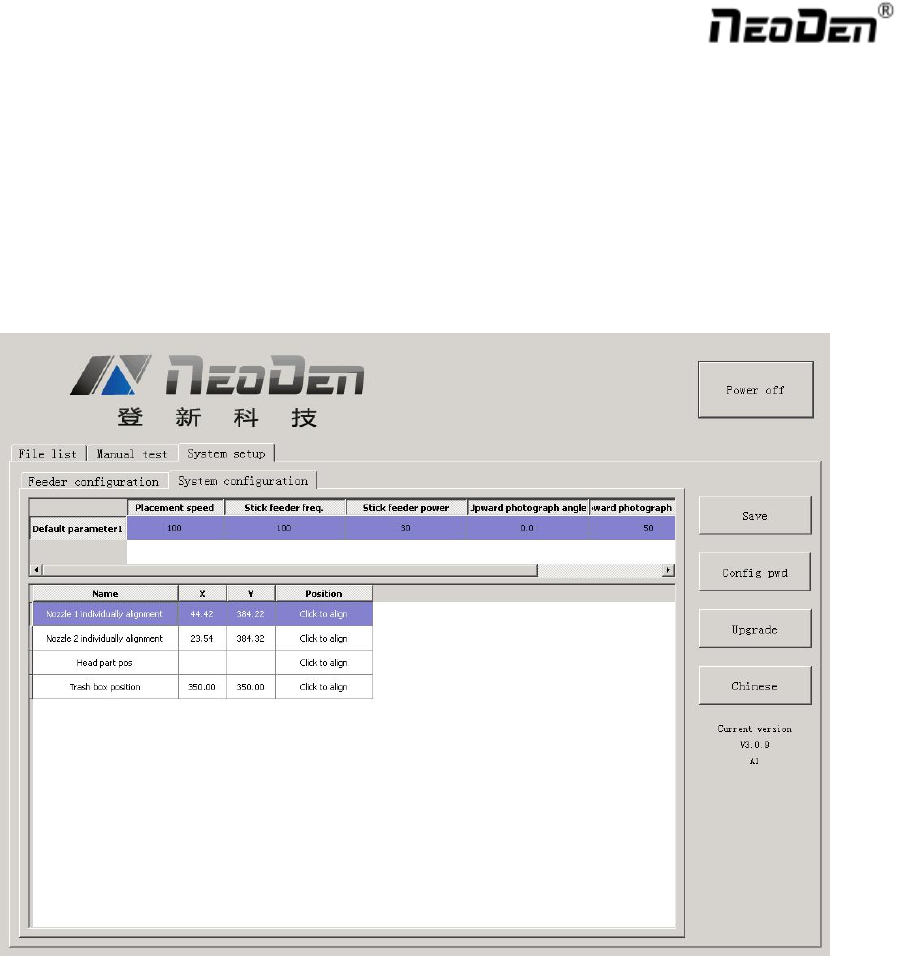
Function, this part is for machine’ global parameter settings, any modified parameter will influence all mounting
files, when modify this part please consider seriously. Especially the last page system settings, we suggest after
using a period of time or under the guidance of our engineers then change its parameter.(Notice, before our
machines leave factory, all parameter already be set and no need to change). This user manual just introduce all
setting functions briefly, more details about parameter modification please refer to comments from our engineers.
As pic show, function description of button on right side
Save configuration: click it for saving after modify the parameters
Modify password: click it, put into the password, then finish change the fourth page which is also the System
interface.
Version upgrade: After receiving our new version file, you can upload it with clicking “version upgrade” to finish.
ENGLISH: Change to the English version.
26
2.4.1. Feeder Configuration
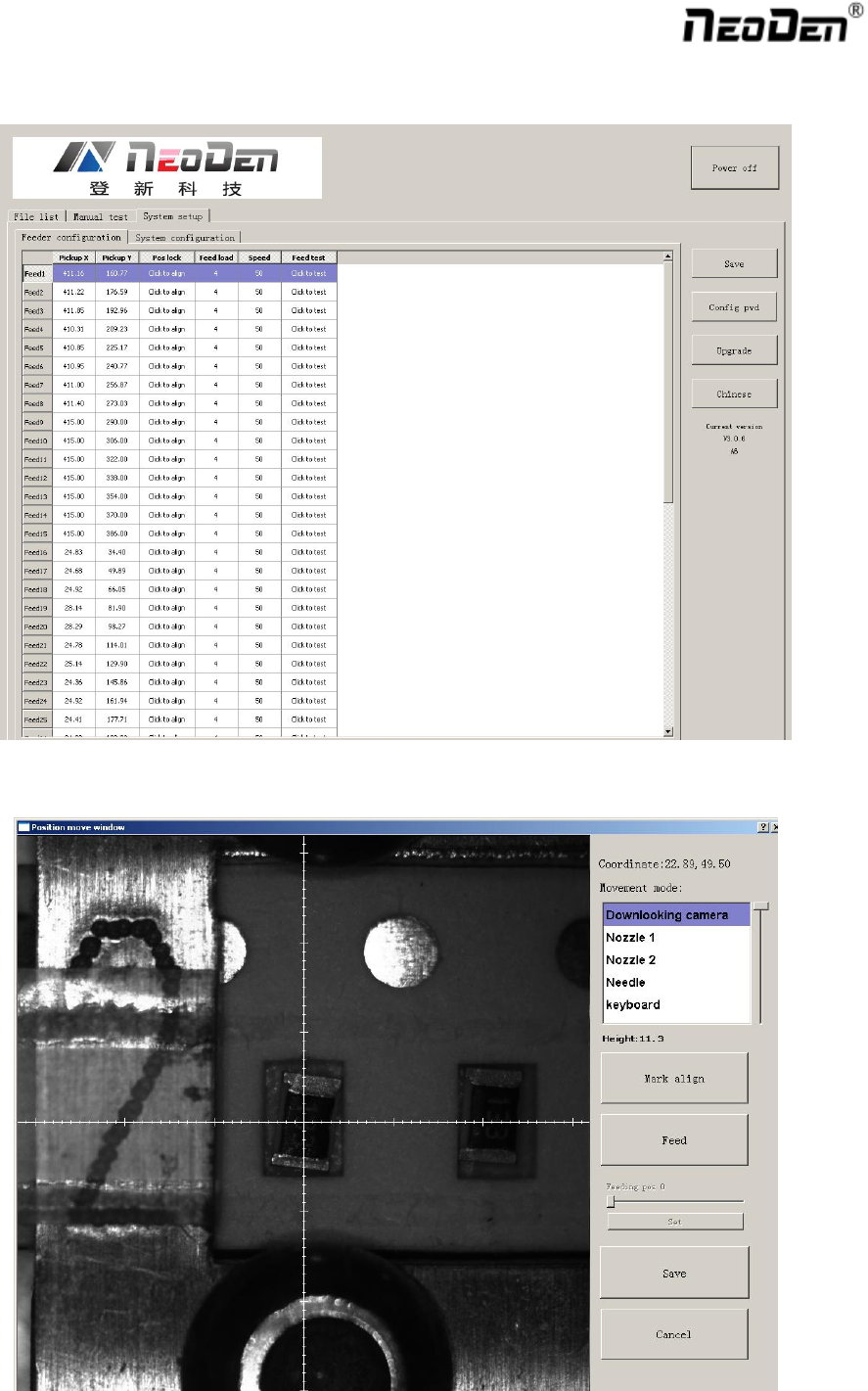
Function: you can set up and test pick up position, needle position as pictures
Position X, position Y: The coordinate position of nozzle
27
Align the pick up position: Click to enter the visual lock interface, select the center as best location, it
automatically generate the XY coordinates after confirmation.
Feed Value: Set the forward value of each feeder, default value is 4(Unit:mm),but for special components,
0402,should correct to 2
Feed speed: The feeder forwarding speed(Normally default value is ok, no need to chang
Needle Test: Press to test.
Needle X, Needle Y:the coordinate of Needle
Needle Position: Align the needle position, it will generate XY coordinates
2.4.2. System Configuration
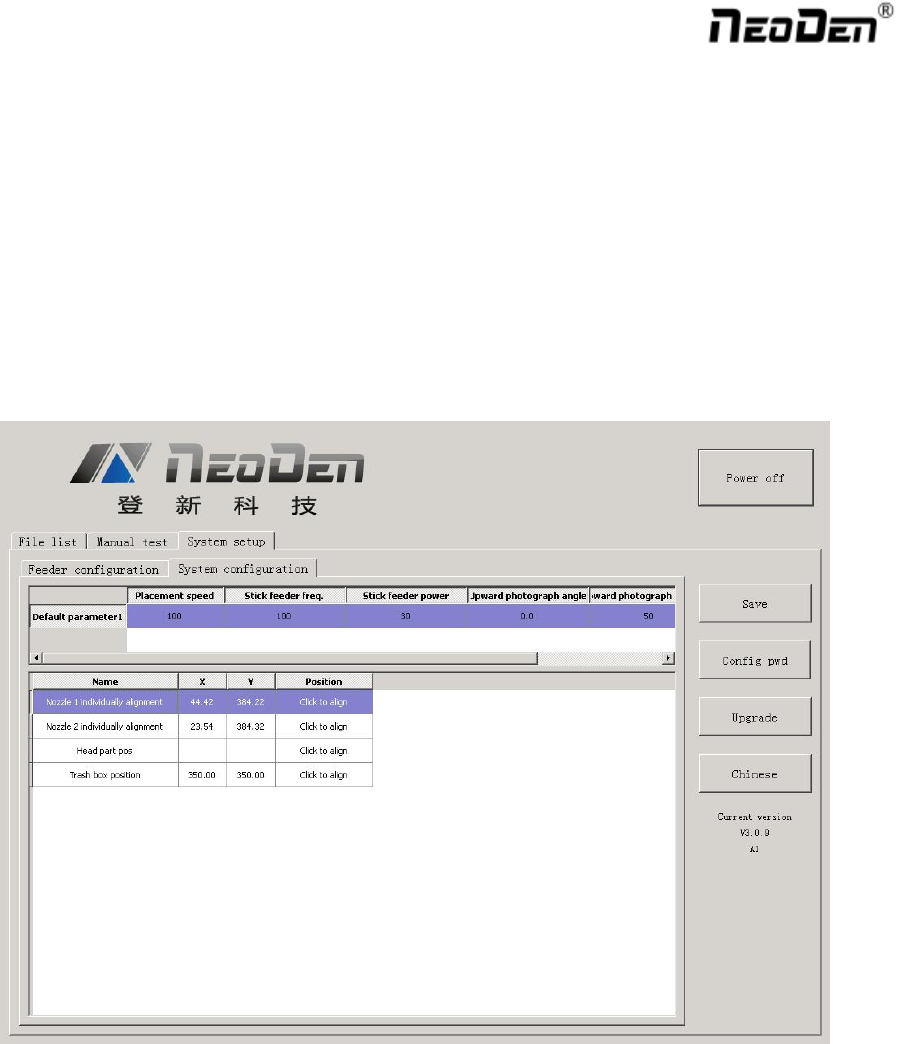
Function: Setting of Nozzle Alignment
(Note:This page has been locked to avoid any misoperation.It will be active only after enter password.)
2.4.2.1. Default Parameter 1 Setting
Placement Speed: Normal Placement speed of whole working file, the actual mounting speed is subject to the
speed in feeder setting)
Vibration feeder Frequency: Setting frequency of vibration feeder, higher value can ensure chip come out
from tube more stable
Vibration feeder Strength: For small chip, it will jump out easily if set high value. For big chip, it is difficult
to come out if set low value.