User-Manual-NeoDen3V-PNP-machine.pdf - 第18页
13 Manual Programming When it’ s in Manua l Programmin g sta tus, the function “ Alignment” of Mark will be effective. Click on it, the camera will go an d collec t the c oordina te of mark, save it and go back. (Note:…
12
2.1.3. Component Setting
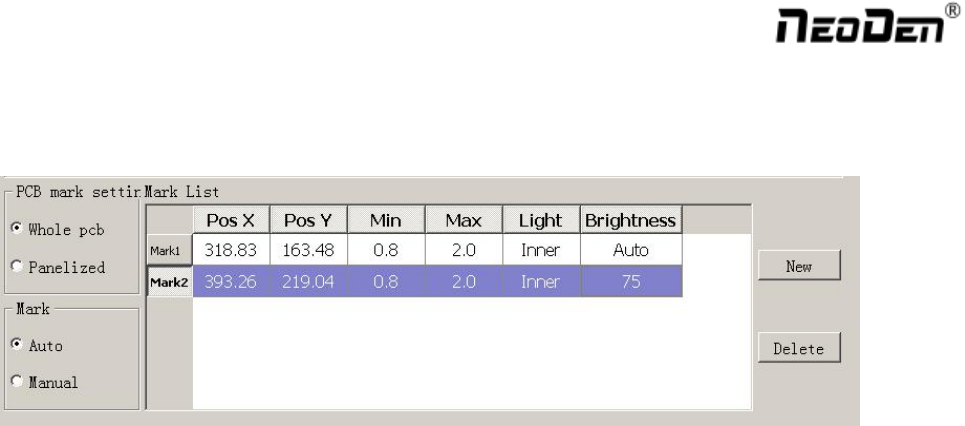
2.1.3.1. PCB Mark Setting
Function: After completing setup of the mark points, with which the machine can locate the position of PCB and
identify the set up mark points, so that the next step can be followed
Mark Point on Single PCB
This mainly applies on single PCB or a whole board that consists of a few same boards (take them as a single
board ). Generally we need to set 2-3 mark points.
Mark Point on Panelized PCB
This mainly applies on multiple, identical PCBs, that is to say when mount each small panelized PCB, machine
will scan mark points of each small panelized PCB.
The biggest advantage is, if each small panelized PCB has a little angle deviation, use panelized PCB mark point,
it will reduce the deviation during pick and place.
Alignment of Mark Point
Alignment includes:align automatically and align manually.
1) Align automatically, find two mark points from PCB, during the mounting, it will know the position of PCB
from aligning the two mark points
2) Manually align, if there is no mark point on PCB, you can use some positioning holes or some other
referential points as subsidies to locate the PCB.
Import Coordinate
According to the PCB schematic, you can get the coordinates of mark and write down manually. Moreover,
you can see “Min” ,“ Max”, “Light ”, “Brightness” from Mark point list.
1) “Min”, “Max” are the minimum and maximum size of mark point, a floating value to make sure you can get
the correct mark points
2) “Light ” includes inner circle and outer circle. If use one hole as mark point need to choose inner circle of
light source, if use bright spot as mark point need to choose outer circle of light source
3) ‘Brightness”, in general, use the default value( You can change the value when necessary)
13
Manual Programming
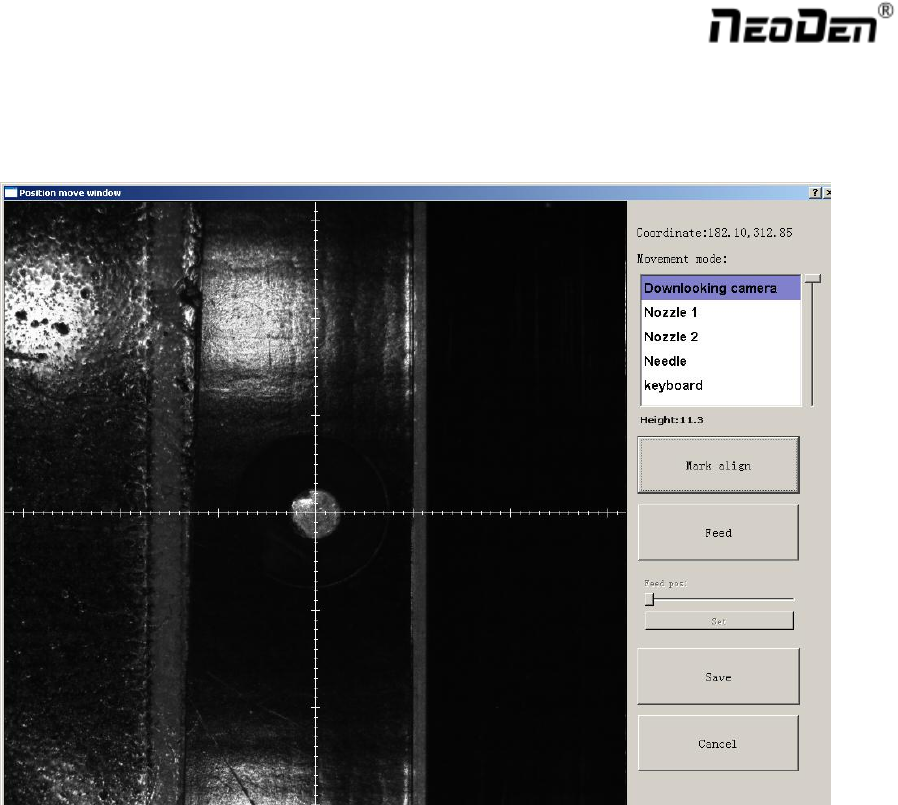
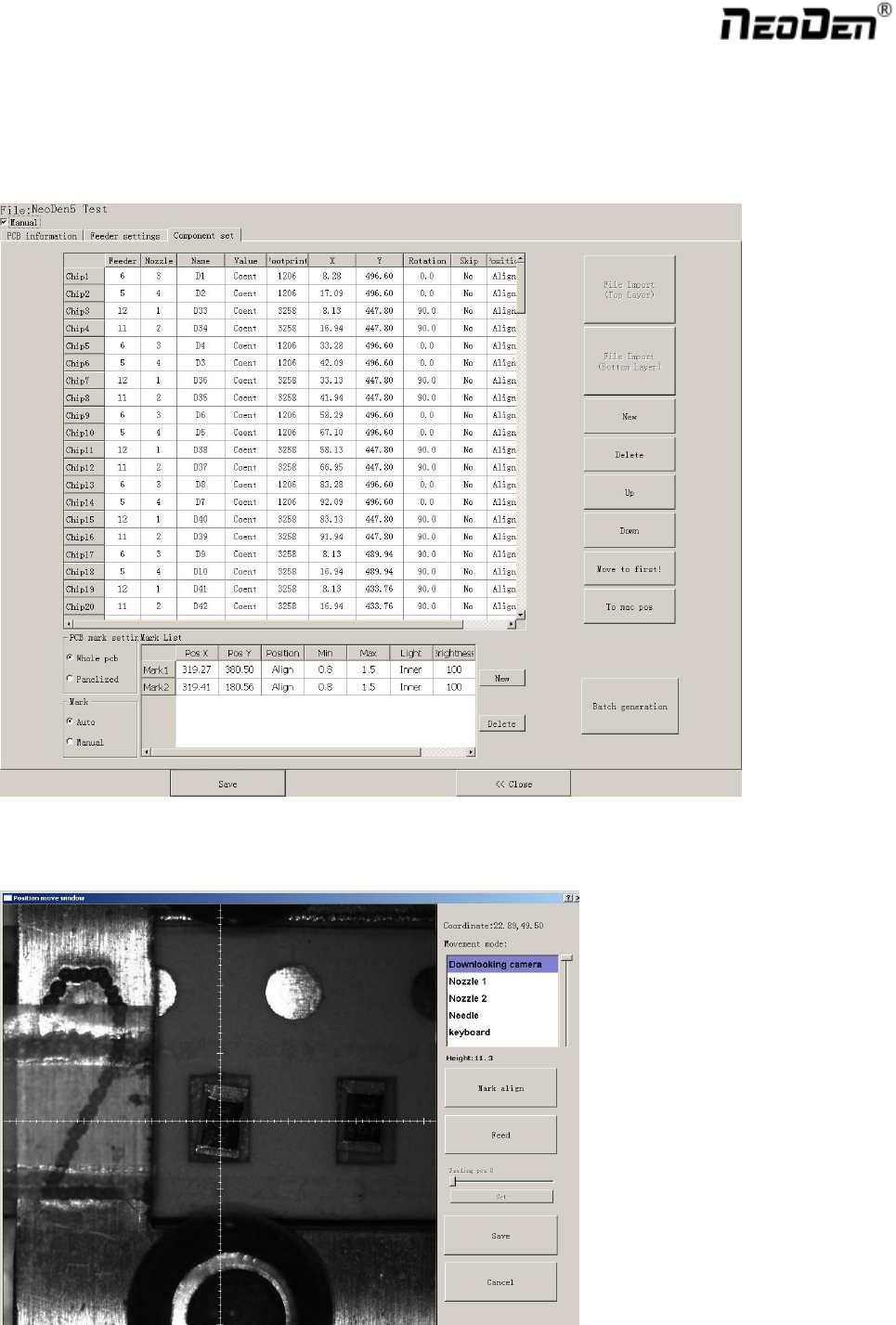
When it’s in Manual Programming status, the function “Alignment” of Mark will be effective. Click on it, the
camera will go and collect the coordinate of mark, save it and go back. (Note: if the mark point is far away, please
use Overall movement to find it)
Align by manual:if there is no mark point on PCB, you can choose this mode.Note:Select two components,the
first one and the other one which can be recognized easily and far from the first component as Mark point.After
start mount,have to confirm Mark by manually.
“Min”, “Max” are the minimum and maximum size of mark point, a floating value to make sure you can get the
correct mark points
“Light ” includes inner circle and outer circle. If use one hole as mark point need to choose inner circle of light
source, if use bright spot as mark point need to choose outer circle of light source
New or Delete
New:add the quantity of mark points
Delete :delete error or useless mark point
14
2.1.3.2. Manual Programming
Select “Chip list” to start manual programming.
Function: it’s used to display footprints, coordinates, angles and sequences of components. You can choose to
manually add these information or import coordinates file directly.
Chip List Setup
First, tick the box in front of “Manual”, you will see an example of component in chip list. You can click ”Align”
to locate this component’s position and revise it accordingly.