00191297-02.pdf - 第125页
User Manual SIPLACE S-23 HM 4 Placement Functions Software Vers ion SR.405.xx 05/99 Iss ue 4.2 Error Display 123 4.2.1 Functions The follow ing fu nctions descr ibed bel ow can be exe cuted by select ing the c orrespon d…
4 Placement Functions User Manual SIPLACE S-23 HM
4.2 Error Display Software Version SR.405.xx 05/99 Issue
122
4.2 Error Display
The errors are listed in tabular form according to their type, and each type has its own view con-
taining its list of errors.
4
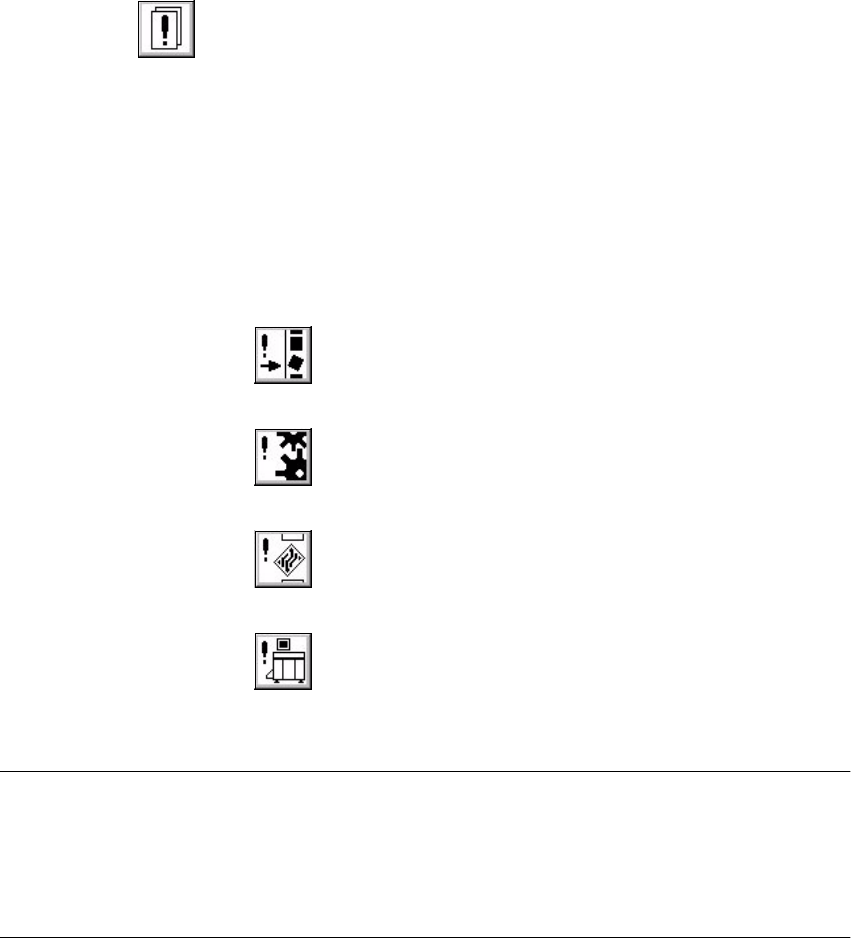
È Click on the icon in the toolbar in the Main view.
The user interface switches to the error display (see Fig. 4.2 - 1, Track errors, for example). All
errors of the current error type that have occurred are displayed in the display area.
È If you want to switch the display area to a different type of error, then click on the icon for the
desired error type in the toolbar.
The display area switches to the selected error type.
4
Error type icon
4
– Track error
– Machine error
– Transport error
– General error
4
NOTE
The error that occurred last is always displayed in the top position in the table.
The error counter is incremented whenever the same error arises ("#E" column).
Information and an error diagnostics can be called up for every error displayed
(see Section 4.2.1 for this procedure). 4

User Manual SIPLACE S-23 HM 4 Placement Functions
Software Version SR.405.xx 05/99 Issue 4.2 Error Display
123
4.2.1 Functions
The following functions described below can be executed by selecting the corresponding buttons
in the views for the corresponding error type. 4
Delete all 4
All entries in the table for the error type currently displayed are deleted with this function. 4
È Click on the Delete all button
The error table is emptied.
Error information 4
This starts a help system that displays information on the possible causes of error for the selected
error as well as corrective measures. 4
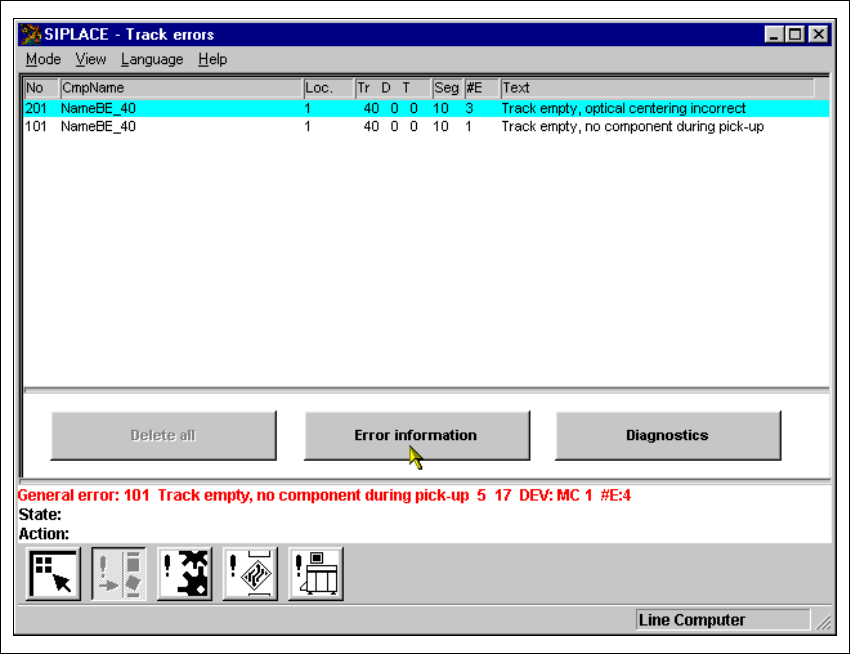
È Select the entry in the table for the error for which you require additional information. The line
selected is highlighted in light blue in the table. The "Error information" button is now active
(see Fig. 4.2 - 1, for example).
È Click on the Error information button
The help system window is opened.
The further procedure is described in Chapter 8 "Error information".
Diagnostics 4
This starts the diagnostics system. You use this system to attempt to recognize the cause of the
current error and to correct this error together with the operator. 4
È Select the entry in the table for the error for which you want to start the error diagnostics.
È Click on the Diagnostics button.
The user interface switches to the Main view of the diagnostics system.
NOTE
The diagnostics system is not available in the current software version. 4
4
4 Placement Functions User Manual SIPLACE S-23 HM
4.2 Error Display Software Version SR.405.xx 05/99 Issue
124
4.2.2 "Track Errors" View
4
Fig. 4.2 - 1 "Track errors" view
4