00191297-02.pdf - 第199页
User Manual S-23 HM 6 Vision functions Software Vers ion SR.405.xx 05/99 Iss ue 6.5 Teach Fiducial 197 6.5.3 Select Fiducial Menu When t he T each fiducial op tion is selected in the Main vie w menu the f ollowing actio …
6 Vision functions User Manual S-23 HM
6.5 Teach Fiducial Software Version SR.405.xx 05/99 Issue
196
6
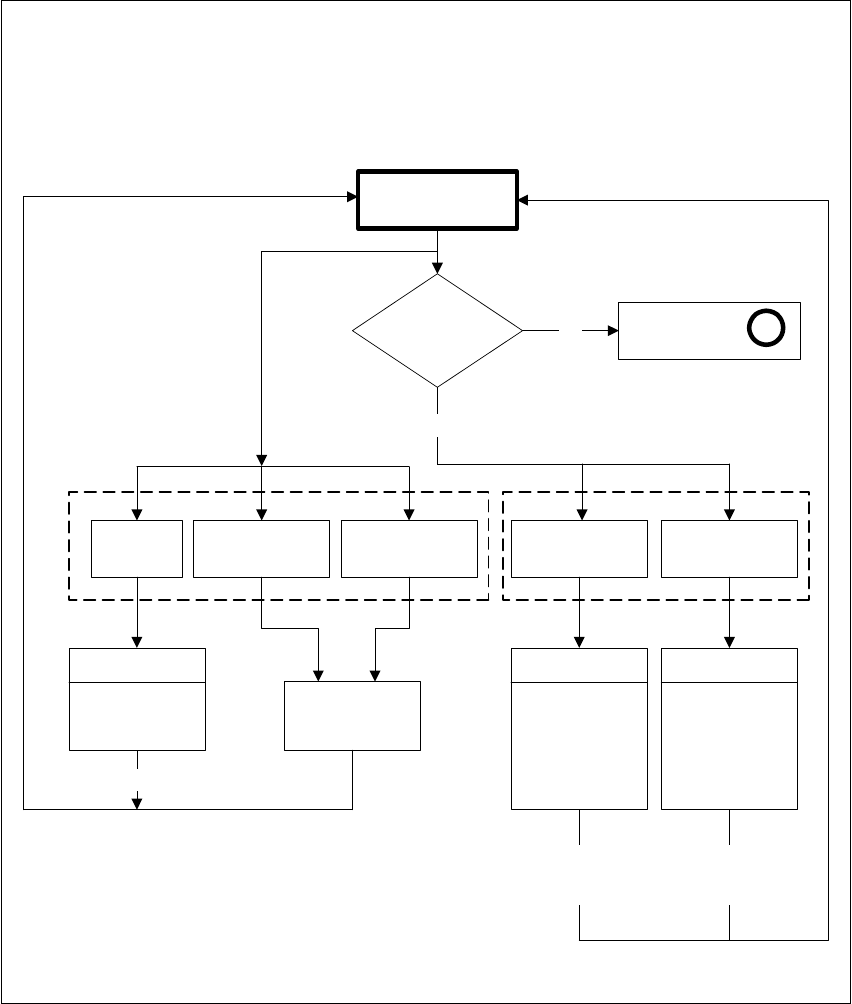
Fig. 6.5 - 5 ’Teach fiducial’ flow chart - ’Test fiducial’ menu’
No
Positioning
Test fiducial
Fiducial
loaded or
taught?
’Select fiducial’
menu
A
Yes
Video image
Triggering
measurement
sequence
fiducial quality
output
ESC
ESC
Return
(repeat)
Move
x/y axes
PCB to
output conveyor
PCB to
processing
conveyor
Center Test
Fiducial
Video image
Define template
window
(hor./vert.)
ESC
Return
(save)
Video image
Position
camera
PCB
transport 1/2
’Teach fiducial’ menu options
’Test fiducial’ menu
User Manual S-23 HM 6 Vision functions
Software Version SR.405.xx 05/99 Issue 6.5 Teach Fiducial
197
6.5.3 Select Fiducial Menu
When the Teach fiducial option is selected in the Main view menu the following actions will be
started: 6
– The functions for the vision system are activated in the station computer
– The Select fiducial menu will drop down.
– The station computer asks the line computer for the list of fiducial numbers with commentaries
and displays them on the screen. The transformation tables for the screen colors are held lo-
cally in the station computer.
6
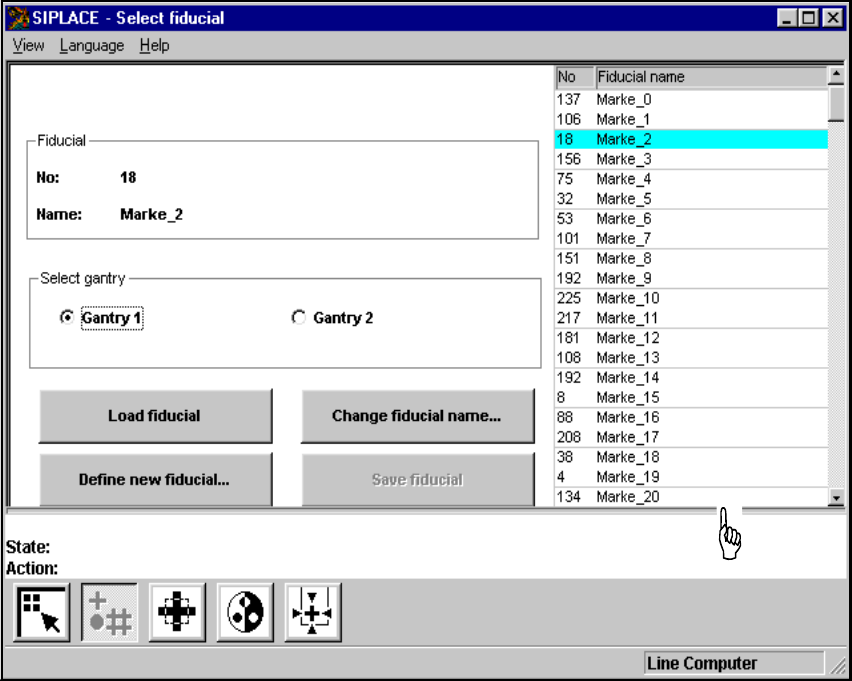
Fig. 6.5 - 6 ’Select fiducial’ menu
As the diagram shows, the menu offers the following options for selection. 6
– Select gantry
– Load fiducial
– Define new fiducial
– Change fiducial name
– Save fiducial
Fiducial numbers list
6 Vision functions User Manual S-23 HM
6.5 Teach Fiducial Software Version SR.405.xx 05/99 Issue
198
NOTE 6
Buttons are active when the text on the button is black (rather than gray). This means that you can
launch the associated function by clicking on the button with the mouse.
The Load fiducial button will, for example, only be active if you have previously clicked on a fidu-
cial in the lists field.
The Change fiducial name button will only be active if you have loaded a fiducial and the Save
fiducial button will only be active if you have either changed the fiducial name or fiducial param-
eters. 6
You can switch from the ’Teach fiducial’ menu to the Main menu at any time in order to start actions
such as "Fill track" etc. The settings in the ’Teach fiducial’ menu will be retained, which means that
the same conditions will be set up when you return to the ’Teach fiducial’ menu. 6
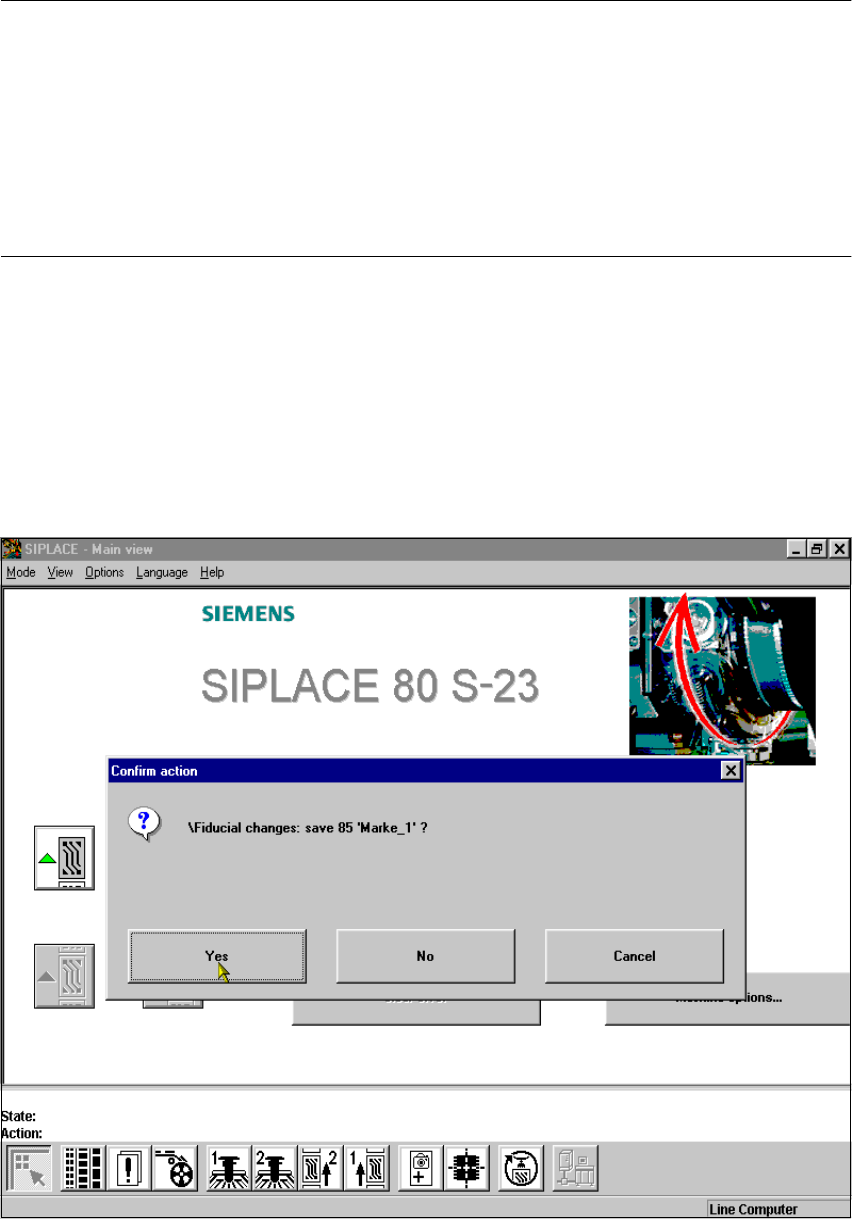
However, if you have changed fiducial data or taught a new fiducial and then switch from the Main
menu to the ’Test component’, ’Single functions’, ’SITEST’ or ’Continue placement’ menu, the
’Save fiducial data’ selection box will appear when you leave the ’Teach fiducial’ option. You can
then either save the modified or new data or delete it. 6
6
Fig. 6.5 - 7 ’Select fiducial’ menu, ’Save fiducial data’ option box