00191297-02.pdf - 第272页
6 Vision functions User Manual S-23 HM 6.6 Test Component Software Version SR.405.xx 05/ 99 Issue 270 Setting t he contrast se nsitivity t o suppress de fective st ructures and intensif y the cont rast at the same time 6…
User Manual S-23 HM 6 Vision functions
Software Version SR.405.xx 05/99 Issue 6.6 Test Component
269
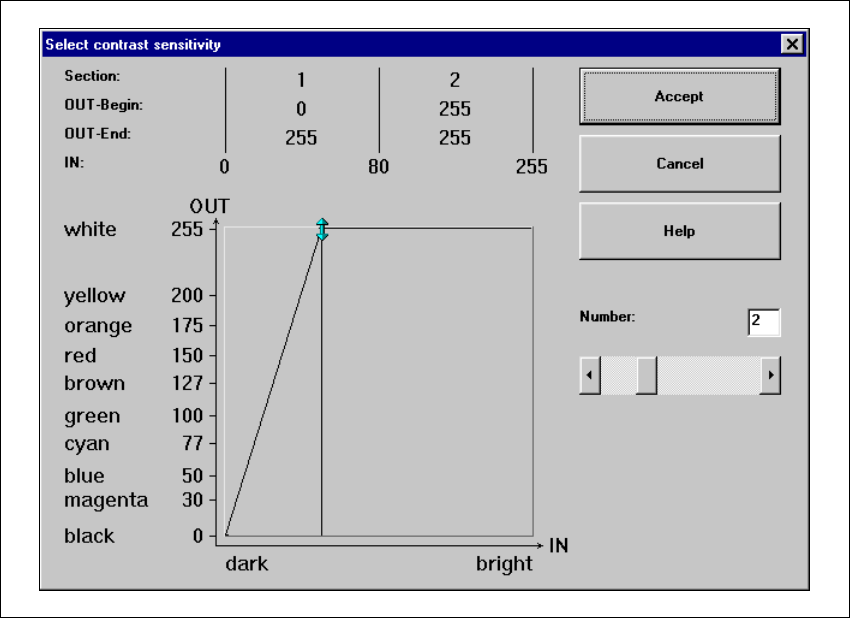
Setting the contrast sensitivity to intensify the contrast for low-contrast components 6
È Select the following settings for low-contrast components in order to intensify the contrast:
6
Fig. 6.6 - 32 Setting the contrast sensitivity to intensify the contrast for low-contrast components
6 Vision functions User Manual S-23 HM
6.6 Test Component Software Version SR.405.xx 05/99 Issue
270
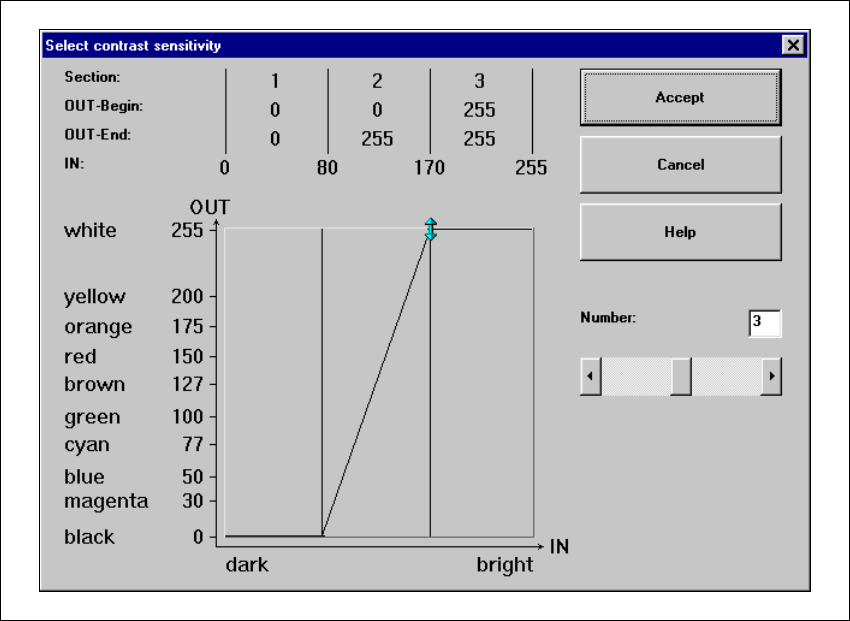
Setting the contrast sensitivity to suppress defective structures and intensify the contrast at
the same time 6
È Select the following settings to suppress defective structures and at the same time to intensify
the contrast for low-contrast components:
6
Fig. 6.6 - 33 Setting the contrast sensitivity to suppress defective structures and
to intensify the contrast at the same time

User Manual S-23 HM 6 Vision functions
Software Version SR.405.xx 05/99 Issue 6.6 Test Component
271
6.6.4.13 Measure Mode Option
NOTE 6
This option can only be activated when a GF number has been loaded. 6
In this menu you can manipulate the measurement conditions. The menu options are primarily in-
tended for the description of non-standard components. 6
This option allows you to 6
È select and activate a particular measurement method or combination of several measurement
methods
È deactivate individual measurement methods, and
È change the parameters belonging to each measurement method.
6
The hex parameters for the individual measuring methods can be modified in two ways: 6
È either indirectly, i.e. menu-driven
You will be guided by the package form manipulator by means of setting menus and explana-
tory text in order to obtain the desired measuring results quickly and accurately.
È or directly, i.e. you enter the necessary hex parameters directly into the ’Measuring mode 2’
input box.
NOTE 6
Please note that entering the hex values directly requires considerable knowledge of the
measuring method sequence.
If you intend to enter or modify hex values directly, please contact Siemens Service first and
do not enter the bit-coded hex values until you have spoken to the Service Department.
We recommend that you generally use the menu-driven package form manipulator. 6