3OM-1064-001.pdf - 第151页
62 07 02 L-CONVEYOR P .C.B. DETEC- TION OUTP . MACHINE WORK REQ. SIG. TURNED OFF BEFORE P .C.B. XFR. ACT . COMPLETED. (Cause 1) This is the device’ s self-diagnostic message. (Reset Procedure in the case of Cause 1) Rese…
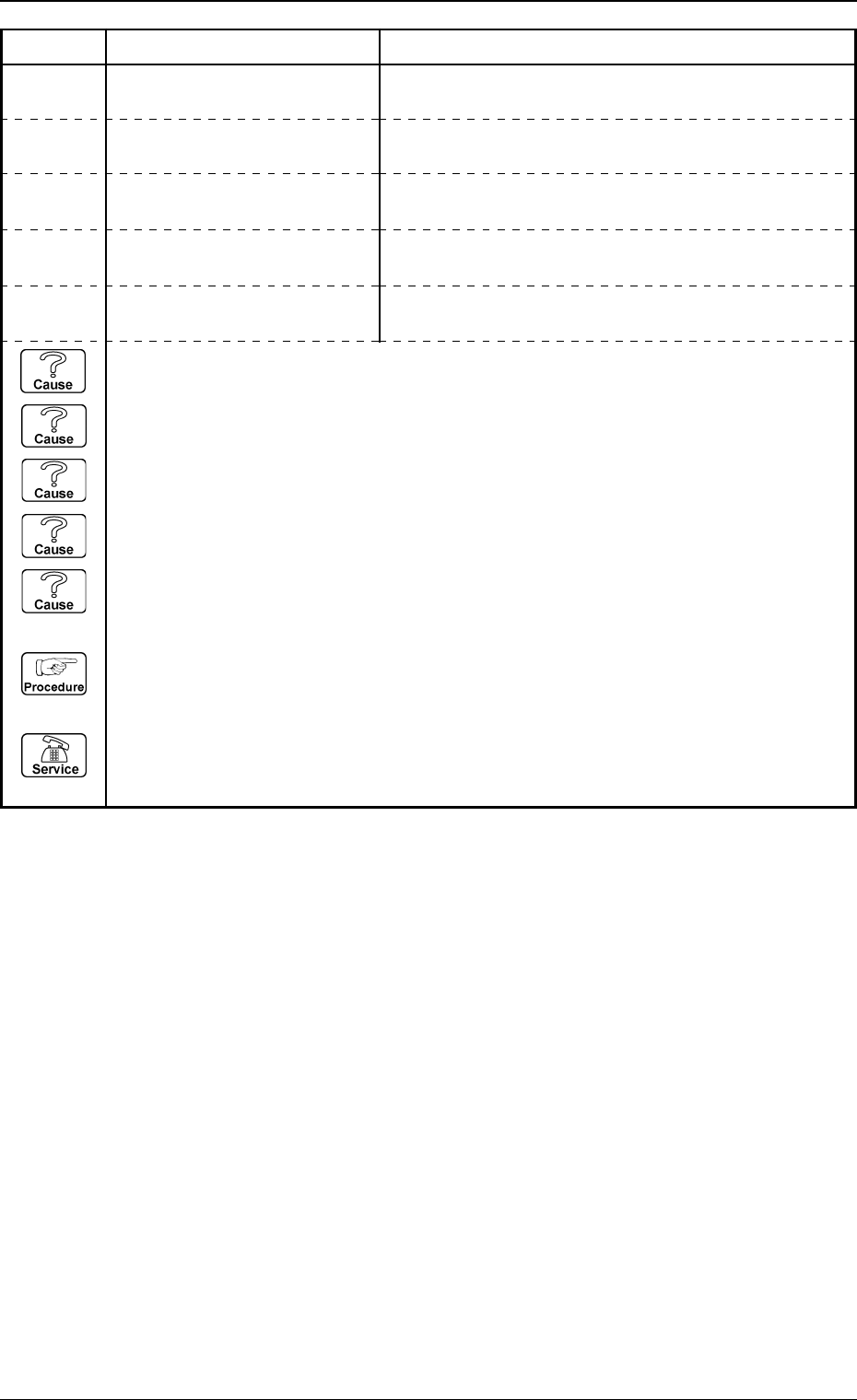
P.C.B. FROM ER-CONVEYOR WAS NOT RECEIVED.62 04 04 R-CONVEYOR OVERTIME
(Cause 1) A P.C.B. may be caught on the conveyor.
(Cause 2) The conveyor width may be maladjusted.
(Cause 3) The P.C.B. size may be larger than the specified size.
(Cause 4) The time indicated by the conveyor timer may be incorrect.
(Cause 5) A P.C.B. may have been removed during the P.C.B. feeding.
(Reset Procedure in the case of Causes 1, 2, 3, 4 and 5)
Reset Procedure
(1) Remove the caught P.C.B.
(2) Re-start.
(3) If the device can’t be re-started, contact our sales personnel because the sensor cable or
sensor may be defective.
0005-002 2-95 Tg0248-PM-ER
Error Code Display A Display B
3. Trouble Shooting after Error Display
62 04 05 R-CONVEYOR OVERTIME P.C.B. FROM P-CONVEYOR WAS NOT RECEIVED.
62 04 03 R-CONVEYOR OVERTIME P.C.B. ON R-CONVEYOR WAS NOT ABLE TO MOVE
TO ITS OUTLET.
62 04 01 R-CONVEYOR OVERTIME
62 04 02 R-CONVEYOR OVERTIME
P.C.B. FROM INP. MACHINE WAS NOT RECEIVED.
P.C.B. TO OUTPUT MACHINE WAS NOT TRANS-
FERRED.
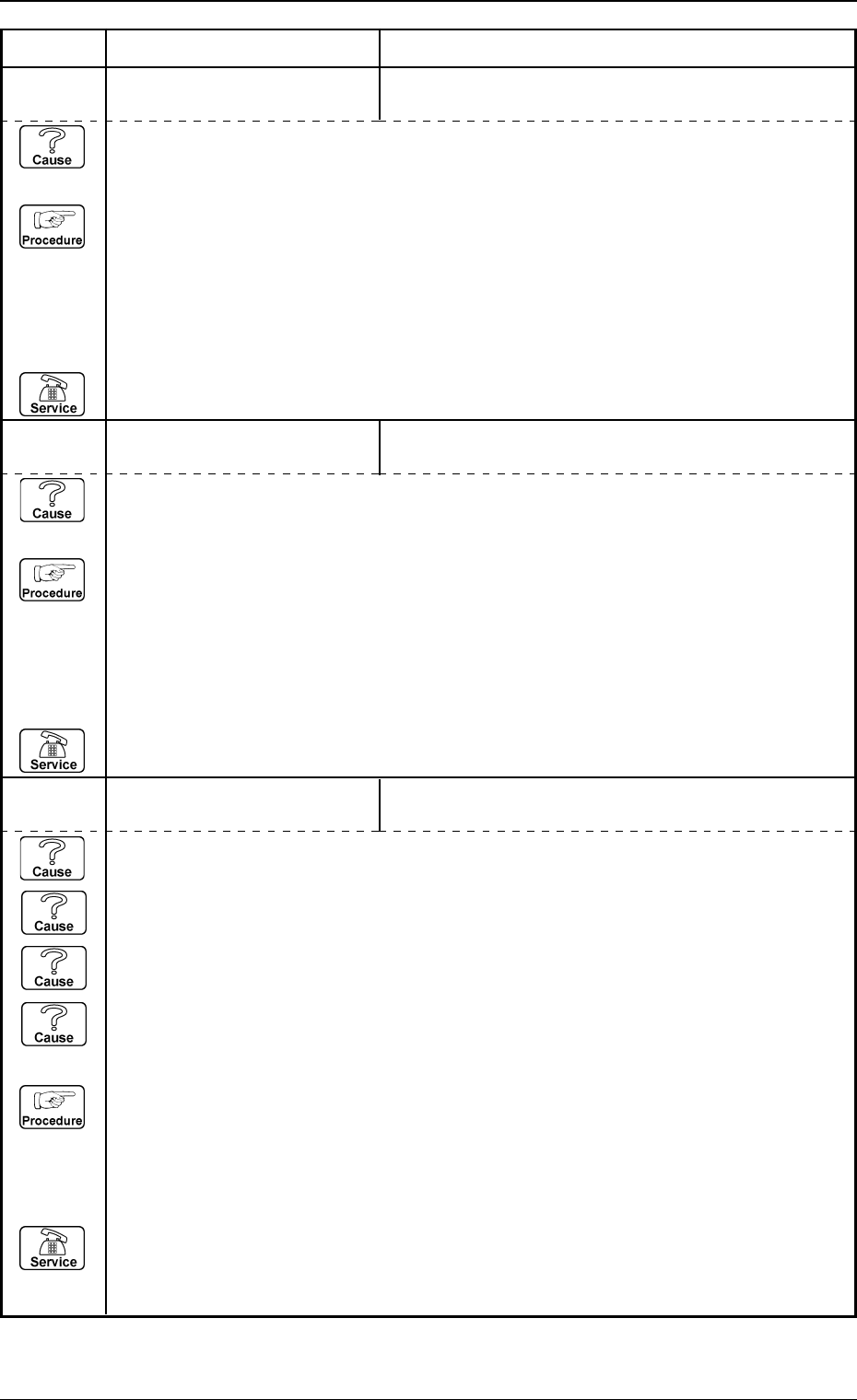
62 07 02 L-CONVEYOR P.C.B. DETEC-
TION
OUTP. MACHINE WORK REQ. SIG. TURNED OFF
BEFORE P.C.B. XFR. ACT. COMPLETED.
(Cause 1) This is the device’s self-diagnostic message.
(Reset Procedure in the case of Cause 1)
Reset Procedure
(1) Press the [CLEAR ALARM] key and the buzzer stops sounding.
(2) Check whether or not P.C.B. is hanging over on L-conveyor.
Check whether or not P.C.B. transfer error occurs at output machine.
(3) Press the [ZERO] button to return all the axes to their original positions.
(4) Re-start.
(5) If the device can’t be re-started, contact our service personnel.
0005-002 2-96 Tg0248-PM-ER
Error Code Display A Display B
3. Trouble Shooting after Error Display
62 07 01 L-CONVEYOR P.C.B. DETEC-
TION
INPUT MACHINE SEND SIGNAL TURNED OFF BE-
FORE P.C.B. REACHED L-CONVEYOR.
(Cause 1) This is the device’s self-diagnostic message.
(Reset Procedure in the case of Cause 1)
Reset Procedure
(1) Press the [CLEAR ALARM] key and the buzzer stops sounding.
(2) Check whether or not P.C.B. is hanging over on L-conveyor.
Check whether or not P.C.B. transfer error occurs at input machine.
(3) Press the [ZERO] button to return all the axes to their original positions.
(4) Re-start.
(5) If the device can’t be re-started, contact our service personnel.
62 07 03 L-CONVEYOR P.C.B. DETEC-
TION
P.C.B. ON L-CONVEYOR WAS NOT ABLE TO MOVE
TO ITS OUTLET.
(Cause 1) A P.C.B. may be caught on the conveyor.
(Cause 2) The conveyor width may be maladjusted.
(Cause 3) The P.C.B. size may be larger than the specified size.
(Cause 4) A P.C.B. may have been removed during the P.C.B. feeding.
(Reset Procedure in the case of Causes 1, 2, 3 and 4)
Reset Procedure
(1) Press the [CLEAR ALARM] key and the buzzer stops sounding.
(2) Remove P.C.B. on L-conveyor (inlet side).
(3) Press the [ZERO] button to return all the axes to their original positions.
(4) Re-start.
(5) If the device can’t be re-started, contact our service personnel.
(Cause 1) This is the device’s self-diagnostic message.
(Reset Procedure in the case of Cause 1)
Reset Procedure
(1) Press the [CLEAR ALARM] key and the buzzer stops sounding.
(2) Remove incorrect positioning P.C.B. on L-conveyor.
(3) Press the [ZERO] button to return all the axes to their original positions.
(4) Re-start.
(5) If the device can’t be re-started, contact our service personnel.
62 07 06 L-CONVEYOR P.C.B. DETEC-
TION
P.C.B. WAS TAKEN ON L-CONVEYOR.
(Cause 1) A P.C.B. may be caught on the conveyor.
(Cause 2) The conveyor width may be maladjusted.
(Cause 3) The P.C.B. size may be larger than the specified size.
(Cause 4) A P.C.B. may have been removed during the P.C.B. feeding.
(Reset Procedure in the case of Causes 1, 2, 3 and 4)
Reset Procedure
(1) Press the [CLEAR ALARM] key and the buzzer stops sounding.
(2) Remove P.C.B. on L-conveyor.
(3) Press the [ZERO] button to return all the axes to their original positions.
(4) Re-start.
(5) If the device can’t be re-started, contact our service personnel.
0005-002 2-97 Tg0248-PM-ER
Error Code Display A Display B
3. Trouble Shooting after Error Display
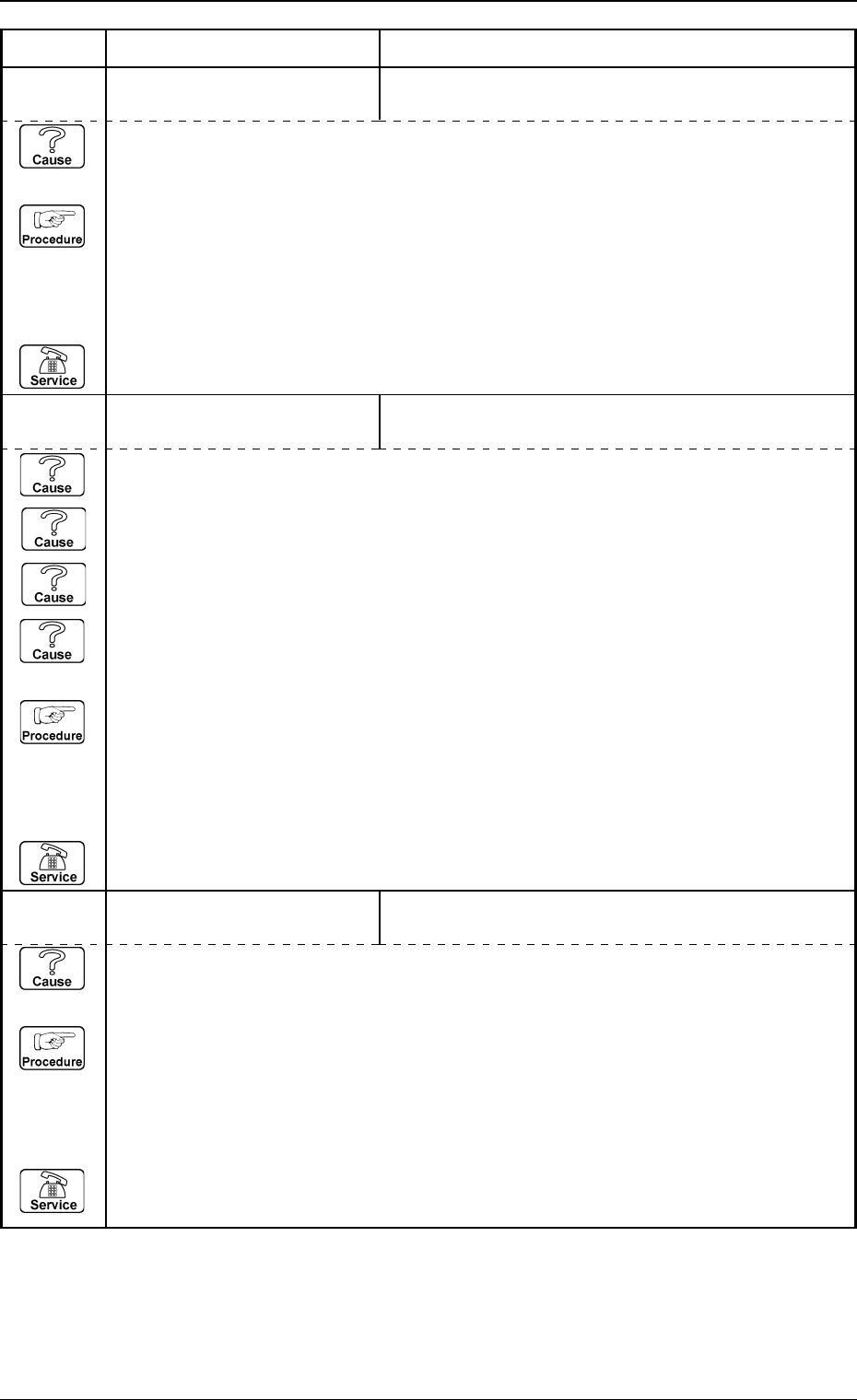
(Cause 1) This is the device’s self-diagnostic message.
(Reset Procedure in the case of Cause 1)
Reset Procedure
(1) Press the [CLEAR ALARM] key and the buzzer stops sounding.
(2) Remove incorrect positioning P.C.B. on L-conveyor.
(3) Press the [ZERO] button to return all the axes to their original positions.
(4) Re-start.
(5) If the device can’t be re-started, contact our service personnel.
62 07 04 L-CONVEYOR P.C.B. DETEC-
TION
P.C.B.’S WERE AT INLET AND OUTLET OF
L-CONVEYOR.
62 07 05 L-CONVEYOR P.C.B. DETEC-
TION
P.C.B. ON L-CONVEYOR WAS NOT ABLE TO MOVE
TO ITS OUTLET.