3OM-1064-001.pdf - 第39页
6. T roubleshooting (Component Pick-Up Errors) Ref. : (a) : Refer to “1.5 Opening and Closing of Supply Cover of Section 2 in V olume 1” for the detailed information on how to open or close the supply cover . (b) : Compo…
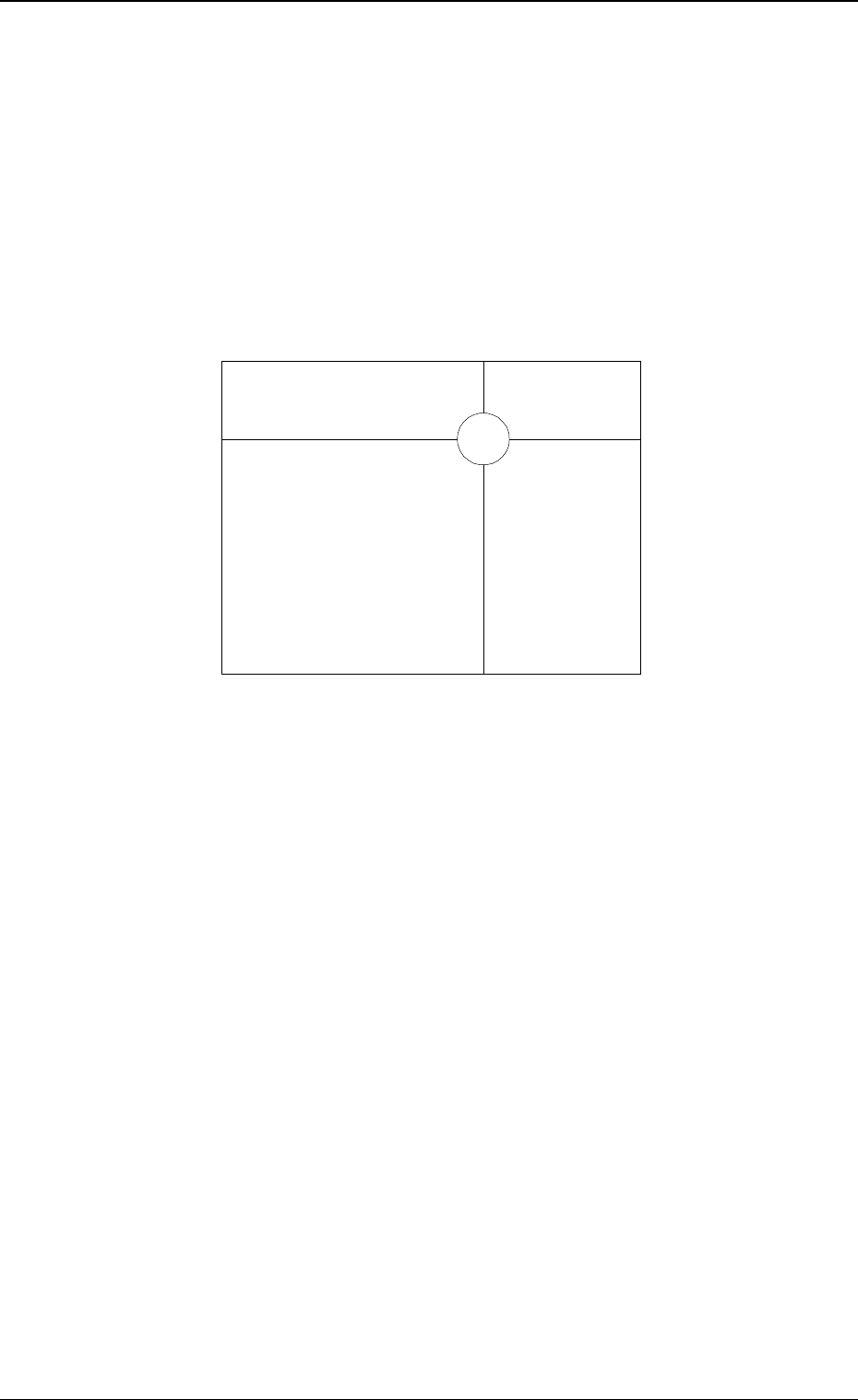
Operation Procedure
(1) Manipulate the trackball until the center of the crosslines comes over to
the image of the actual fiducial mark.
The image can be enlarged by pressing the right button of the trackball.
Pressing the left button reduces the image.
(2) Manipulate the trackball to enlarge or reduce the image until the template
at the center of the crosslines and the image of the actual fiducial mark
overlap each other as shown in Fig. 1.9.
Note: Enlarge the view for accurate manual alignment operation. Oth-
erwise, components may not be placed accurately.
Fig. 1.9
(5) After the completion of the manual alignment operation, press both left
and right buttons of the trackball at the same time.
The “AUTO OPN MODE (PLACEMENT)” display appears on the screen.
(6) When the [START] button is pressed, the automatic operation re-starts.
Note: Pressing both left and right buttons at the same time is validated
only once after manual alignment operation is completed.
• Exiting from Manual Alignment Operation by Mistake
If the [END] key is pressed by mistake, a placement position error occurs.
When placement position deviates from the correct one, follow the remedial
operation described below.
Operation Procedure
(1) Press the [SYS CLR] button to interrupt automatic operation.
(2) Perform zeroing operation.
(3) Open the “AUTO OPN SUB-MENU” display and perform the semi-
automatic operation to re-start the operation. (Hierarchical Sequence:
“AUTO OPN MODE (PLACEMENT)” Display → “AUTO OPN SUB-
MENU” Display).
0005-002 1-30 Tg0248-PM-ER
5. Cancellation of P.E.C. Recognition Error
6. Troubleshooting (Component Pick-Up Errors)
Ref. : (a) : Refer to “1.5 Opening and Closing of Supply Cover of Section 2
in Volume 1” for the detailed information on how to open or close
the supply cover.
(b)
: Component Shortage Error
Supply components.
Refer to the instruction manual of each feeder for details.
Pick-Up Error
Remove the component which caused a pick-up error.
(b)
(a)
(a)
(b)
(a)
(a)
(a)
(b)
0009-003 1-31 Tg0248-PM-ER
6.Troubleshooting (Component Pick-Up Errors)
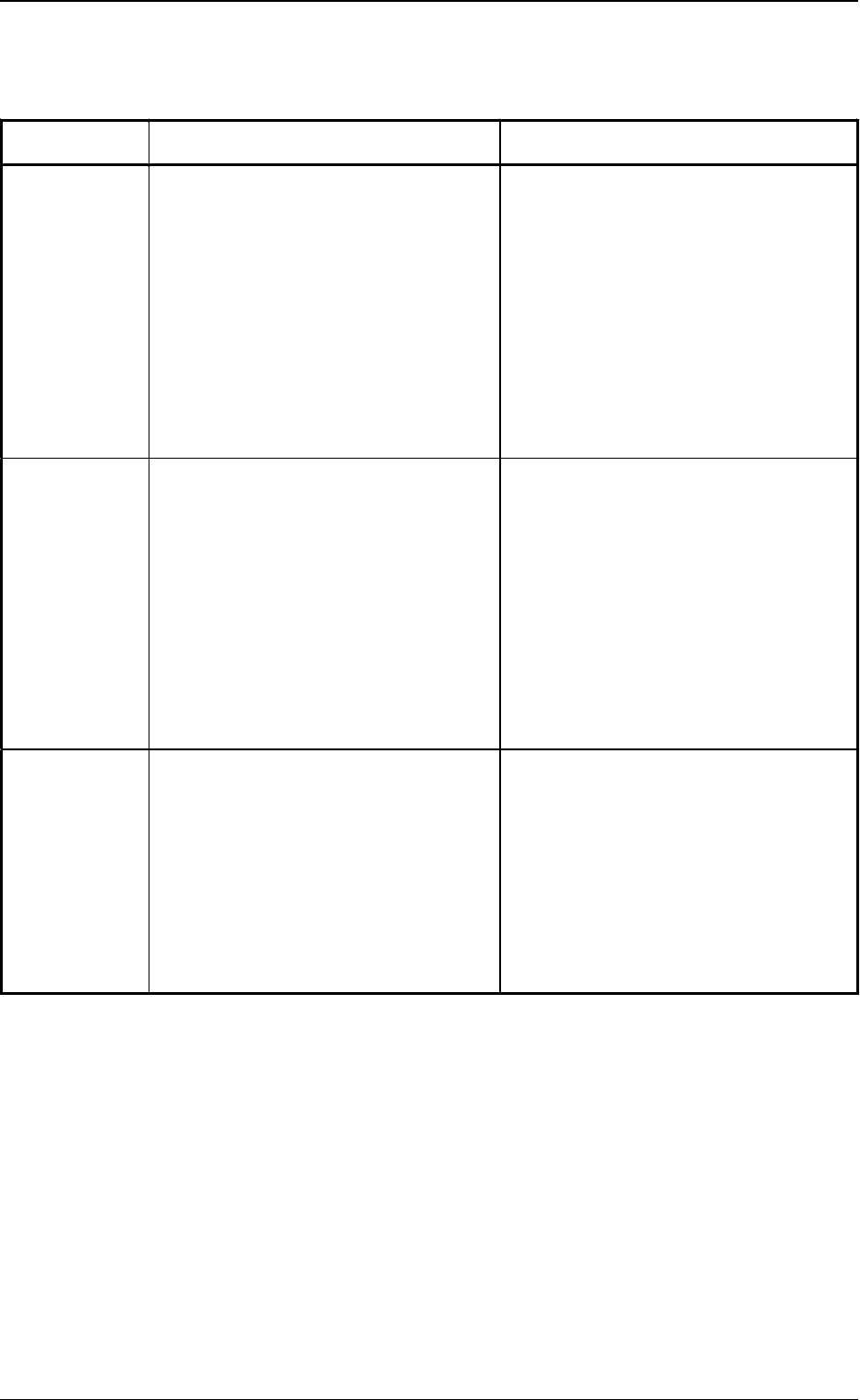
Table. 1.2
(a)
Error
Messages
Cause Remedy
Component
Missing
(Sensor)
• The head vacuum sensor (-SVS121)
did not detect any component.
• A pick-up error has occurred
continuously at the same feeder
(FDR. NO.) as many times as
specified in the “ERROR PROCESS
DATA 1” data box at the
“COMPONENT LIBRARY” display.
• The sensor cannot detect microchips
and such components that has rough
surfaces, causing vacuum leaks when
they are picked up.
(1) Press the [RESET] button.
(2) Open the supply cover.
(3) Check and remove the cause of the
pick-up error.
(4) Close the supply cover.
(5) Press the [READY] button.
(6) Press the [START] button to re-start
the operation.
Component
Detection
Sensor Error
• The result of the component
recognition (the recognition
performed using the component
recognition camera) was OK but the
head vacuum sensor (-SVS121) could
not detect any component.
• A pick-up error has occurred
continuously at the same feeder
(FDR. NO.) as many times as
specified in the “ERROR PROCESS
DATA 1” data box at the
“COMPONENT LIBRARY” display.
(1) Press the [RESET] button.
(2) Open the supply cover.
(3) Check and remove the cause of the
pick-up error.
(4) Close the supply cover.
(5) Press the [READY] button.
(6) Press the [START] button to re-start
the operation.
Component
Recognition
Error
(Recognition
Processing)
• A recognition error occurred as a
result of the recognition (the
recognition performed using the
component recognition camera).
• A pick-up error has occurred
continuously at the same feeder
(FDR. NO.) as many times as
specified in the “ERROR PROCESS
DATA 2” data box at the
“COMPONENT LIBRARY” display.
(1) Press the [RESET] button.
(2) Open the supply cover.
(3) Check and remove the cause of the
pick-up error.
(4) Close the supply cover.
(5) Press the [READY] button.
(6) Press the [START] button to re-start
the operation.

0005-002 1-32 Tg0248-PM-ER