3OM-1064-001.pdf - 第229页
0005-002 4-33 Tg0248-PM-ER 5. Component Recognition Error Code and List of Error Messages 20010000 COMPONENT MISSING COMPONENT W AS NOT FOUND. Error Code Display A Display B 2001X001 COMPONENT MISSING Note : X represents…
5. Component Recognition Error Code and List of Error Messages
5. Component Recognition Error Code and List of
Error Messages
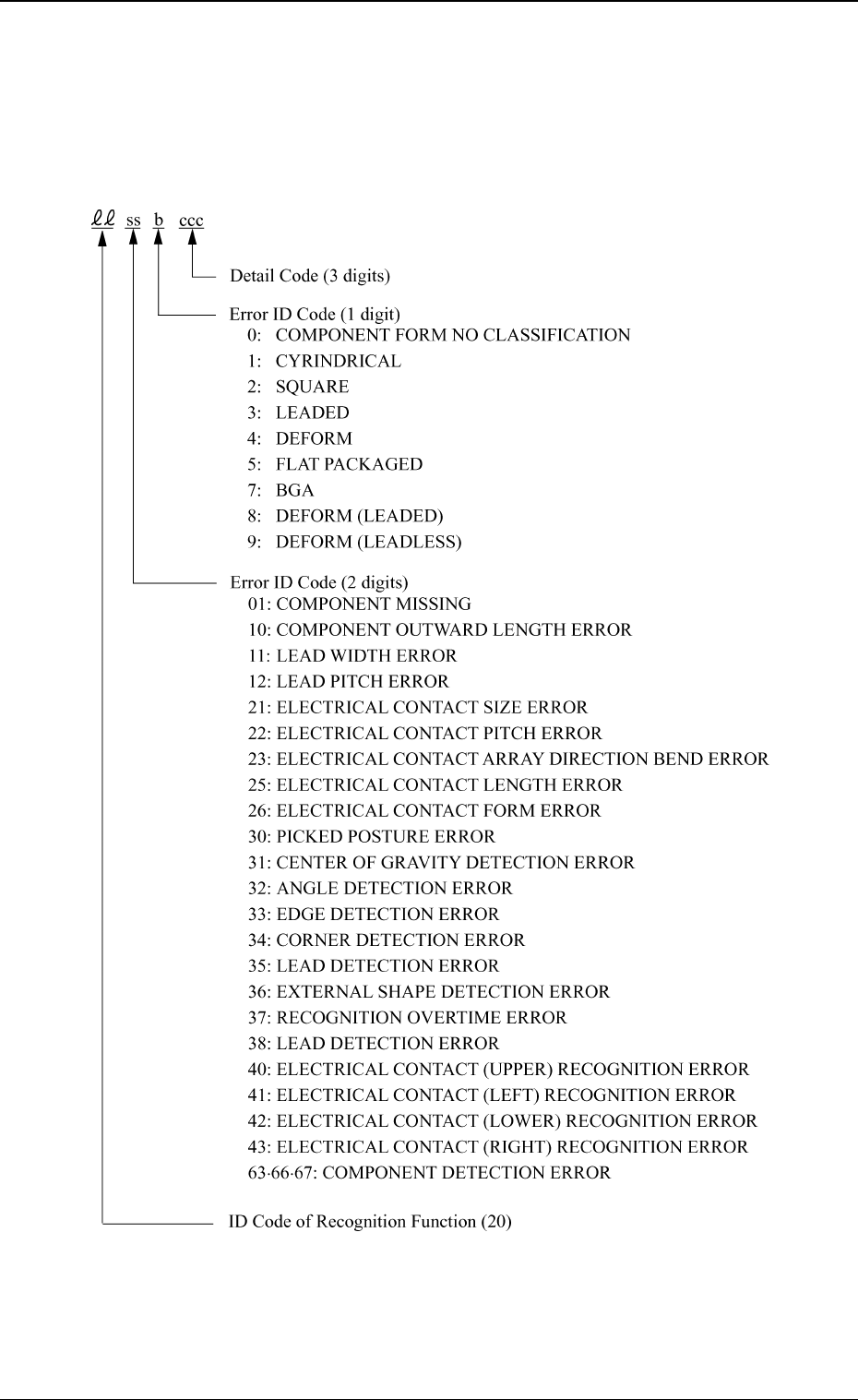
Shown are the contents of the error codes which might be issued in the compo-
nent recognition processing.
0005-002 4-32 Tg0248-PM-ER
0005-002 4-33 Tg0248-PM-ER
5. Component Recognition Error Code and List of Error Messages
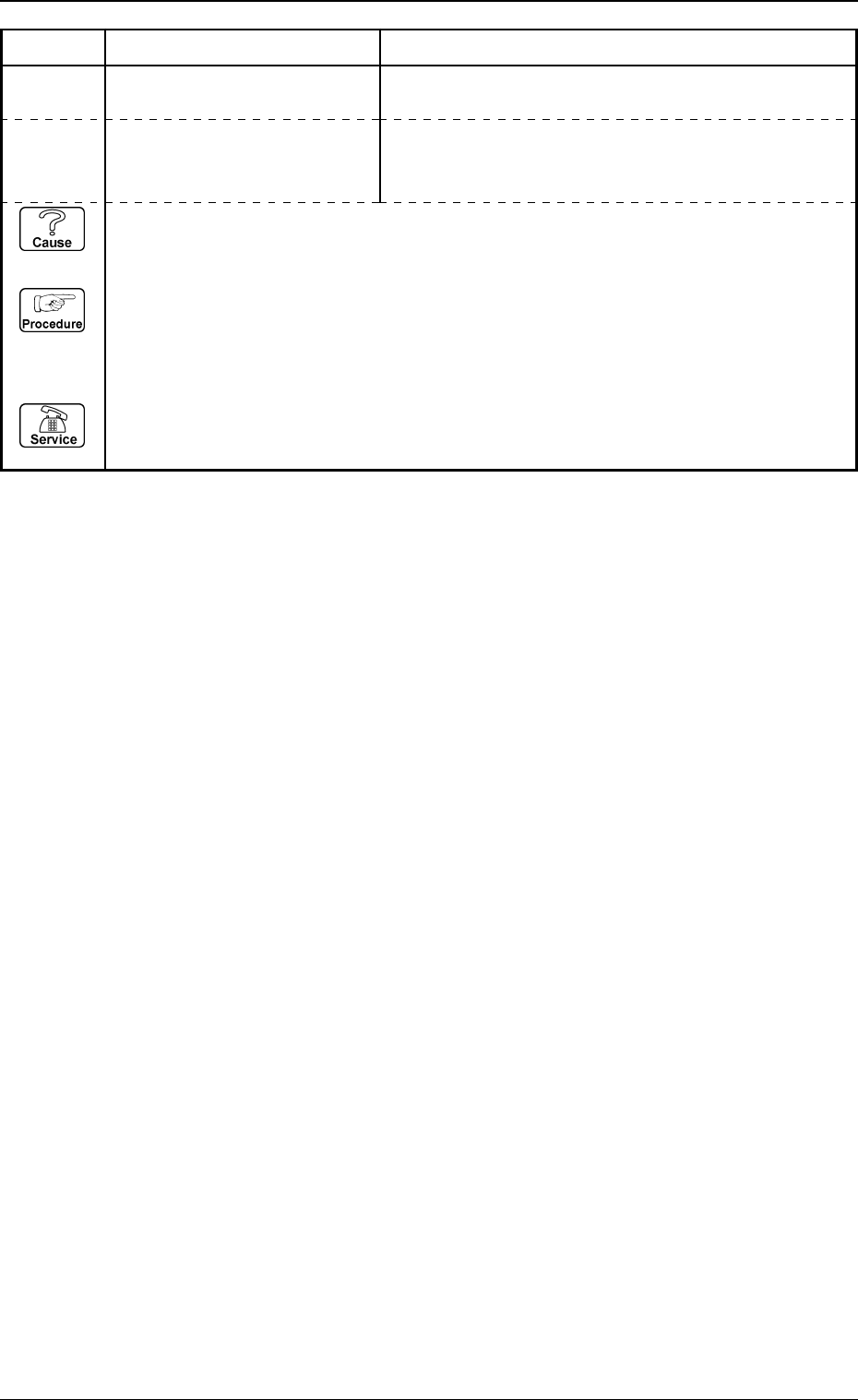
20010000 COMPONENT MISSING COMPONENT WAS NOT FOUND.
Error Code Display A Display B
2001X001 COMPONENT MISSING
Note: X represents “1 through 4,
8 and 9”.
COMPONENT WAS NOT FOUND.
(Cause 1) This is the device’s self-diagnostic message.
(Reset Procedure in the case of Cause 1)
Reset Procedure
(1) Press the [CLEAR ALARM] key and the buzzer stops sounding.
(2) Press the [ZERO] button to return all the axes to their original positions.
(3) Re-start.
(4) If the device can’t be re-started, contact our service personnel.
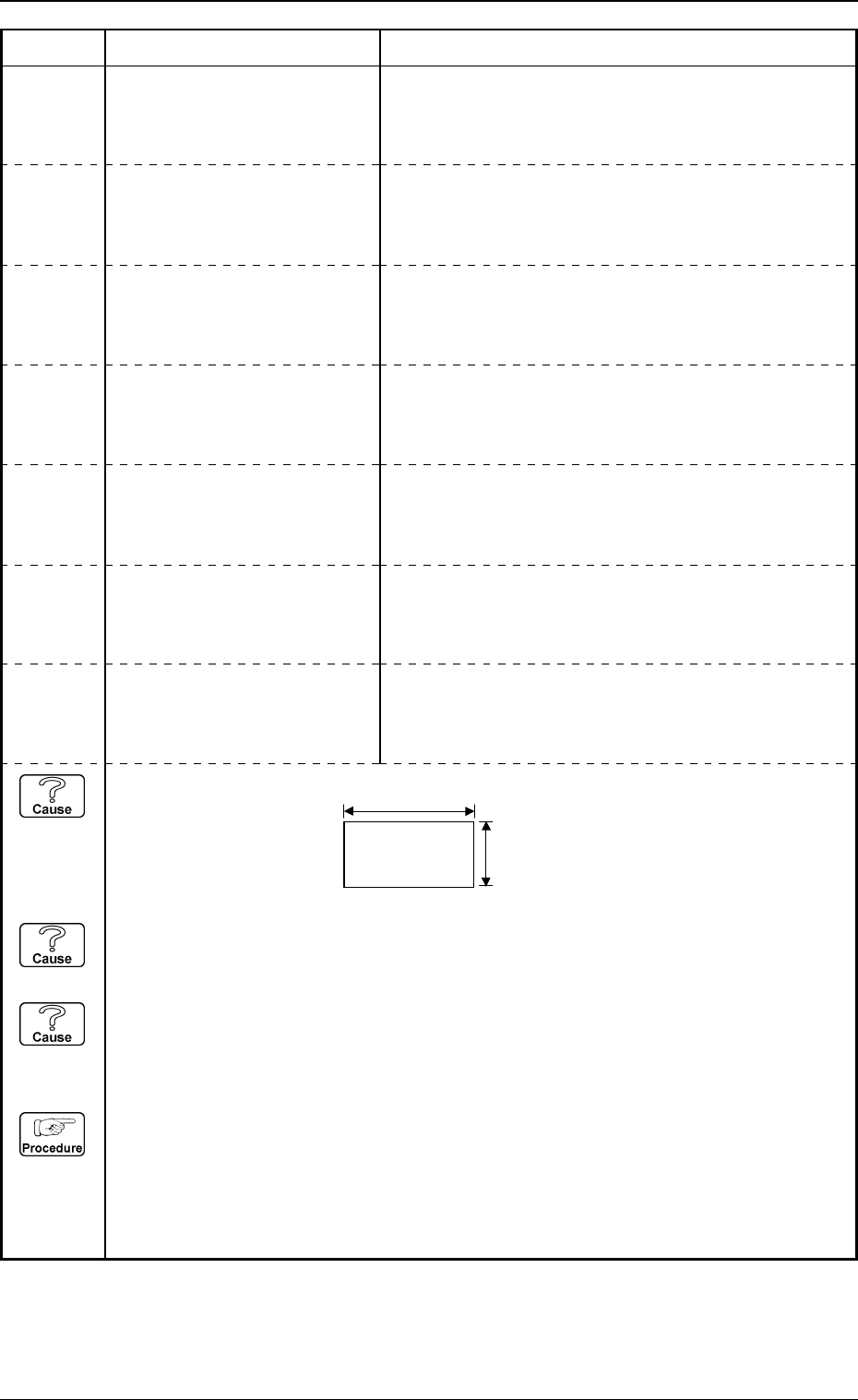
2010X003 COMPONENT OUTWARD
LENGTH ERROR
Note: X represents “1 through 4,
8 and 9”.
COMPONENT OUTWARD LENGTH Y WAS LESS THAN
TOLERANCE.
2010X004 COMPONENT OUTWARD
LENGTH ERROR
Note: X represents “1 through 4,
8 and 9”.
COMPONENT OUTWARD LENGTH Y WAS MORE THAN
TOLERANCE.
2010X005 COMPONENT OUTWARD
LENGTH ERROR
Note: X represents “1 through 4,
8 and 9”.
COMPONENT OUTWARD LENGTH X WAS INCOR-
RECT.
2010X002 COMPONENT OUTWARD
LENGTH ERROR
Note: X represents “1 through 4,
8 and 9”.
COMPONENT OUTWARD LENGTH X WAS MORE THAN
TOLERANCE.
2010X001 COMPONENT OUTWARD
LENGTH ERROR
Note: X represents “1 through 4,
8 and 9”.
COMPONENT OUTWARD LENGTH X WAS LESS THAN
TOLERANCE.
2010X007 COMPONENT OUTWARD
LENGTH ERROR
Note: X represents “1 through 4,
8 and 9”.
COMPONENT OUTWARD LENGTH X OR Y WAS IN-
CORRECT.
2010X006 COMPONENT OUTWARD
LENGTH ERROR
Note: X represents “1 through 4,
8 and 9”.
COMPONENT OUTWARD LENGTH Y WAS INCOR-
RECT.
(Cause 1) Wrong parameters (mold size X, Y and tolerance) are set for the selected component.
(Cause 2) Dirt and dust, etc., have adhered to the nozzle diffusion plate and the head lighting unit
in the vicinity of the corners (or edges or leads).
(Cause 3) An improper parameter is set in the "DIRECTION" data box of the label "LEAD
DATA".
(Reset Procedure in the case of Causes 1, 2 and 3)
Reset Procedure
(1) Check the selected component and the parameters set in the “X” and “Y” text boxes of the
label “MOLD SIZE” and in the “X” and “Y” text boxes of the label “MOLD SIZE TOLER-
ANCE” in the component library data.
(2) If wrong parameters are set in the component library data, correct them.
0103-003 4-34 Tg0248-PM-ER
5. Component Recognition Error Code and List of Error Messages
Error Code Display A Display B
X
Y
Y