CM88Maintenace2x.PDF.pdf - 第103页
Page 1-11 CALIBRA TION 3Y3C-E-MMZ0A-A01-00 1-2 Pickup Position Calibration 1-2-1 Preparation Pickup Position Calibration Jigs Before setting these jigs, make sure that the power supplies of the CCU and the power supply b…
Page 1-10
Mounting Position Calibration
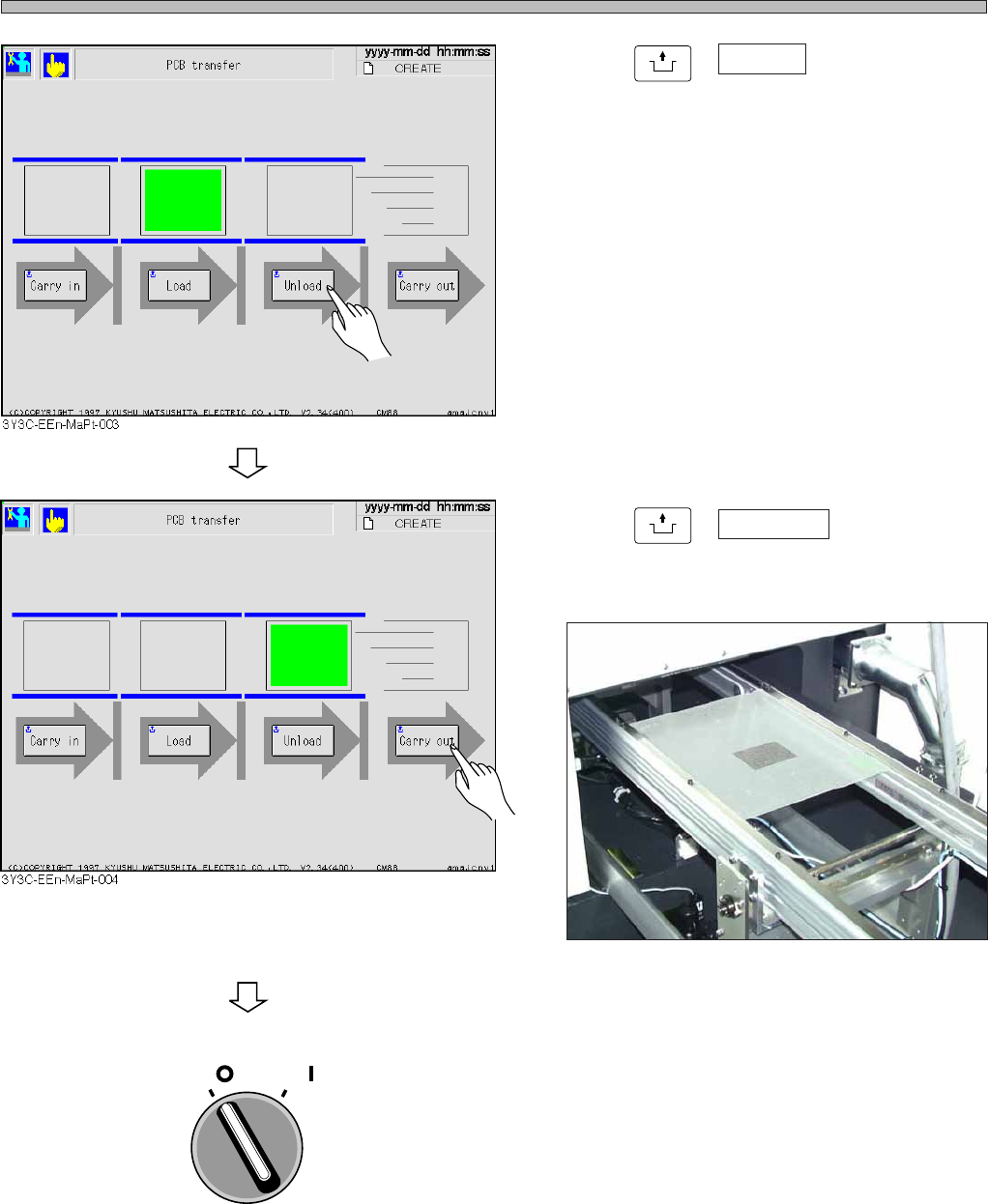
6. Press
UNLOCK
+ Unload .
• The board is transported to the rear conveyor.
7. Press
UNLOCK
+ Carry out .
• The board is ejected.
8. Turn OFF the servo switch.
∗ Open the safety cover, then remove the jigs and tape feeder.
3Y3C-E-MMZ0A-A01-00
OFF ( )
ON ( )
SERVO
3Y3C-140P
Page 1-11
CALIBRATION
3Y3C-E-MMZ0A-A01-00
1-2 Pickup Position Calibration
1-2-1 Preparation
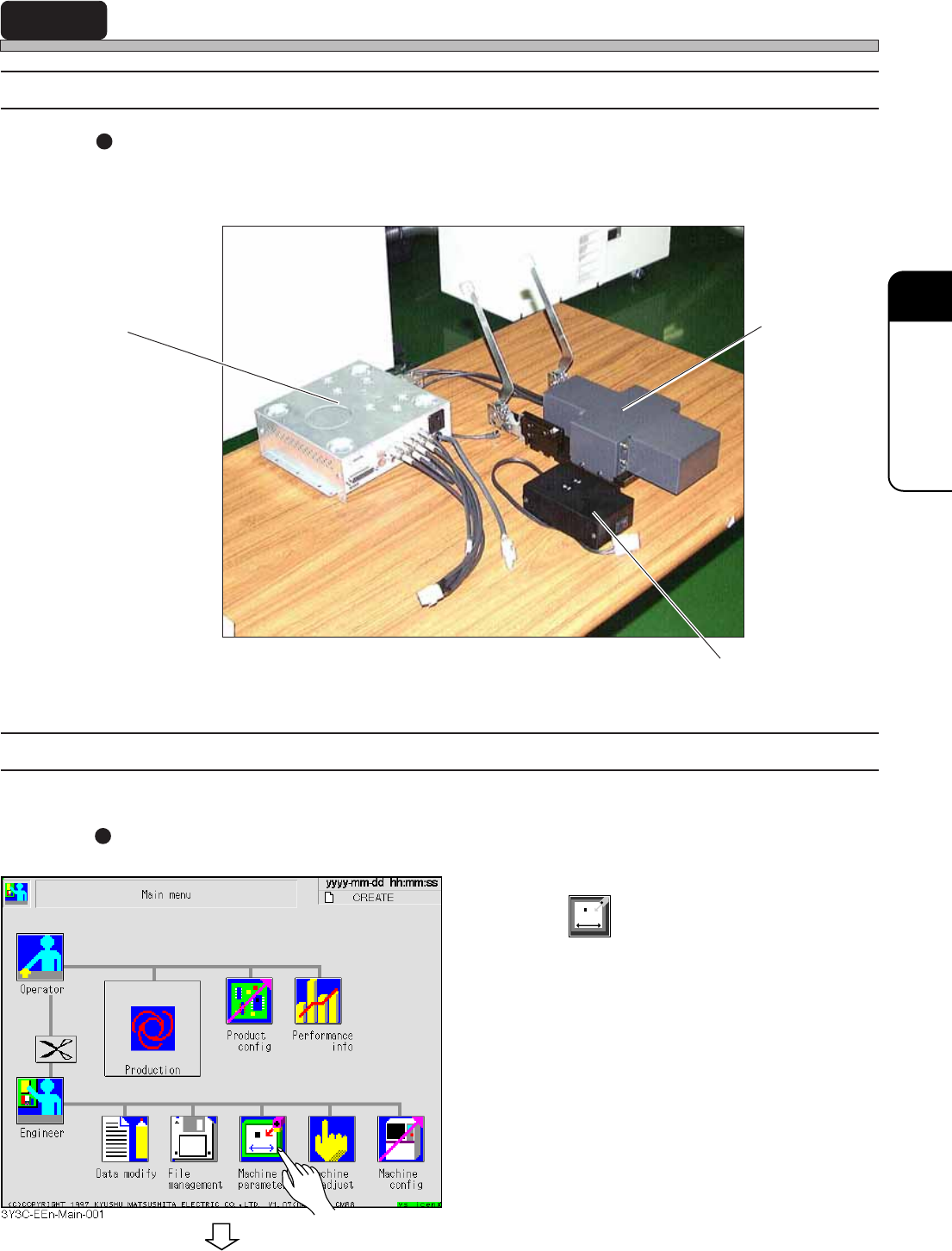
Pickup Position Calibration Jigs
Before setting these jigs, make sure that the power supplies of the CCU and the power supply box
are OFF.
1-2-2 Pickup Position Calibration Procedure
1. Setting the Jigs and Wiring
Setting the Jigs
1. Press
Machine
parameter
.
Camera Jig
Power Supply Box
Camera Control Unit (CCU)
To the next page
3Y3C-141P
Page 1-12
3Y3C-E-MMZ0A-A01-01
Pickup Position Calibration
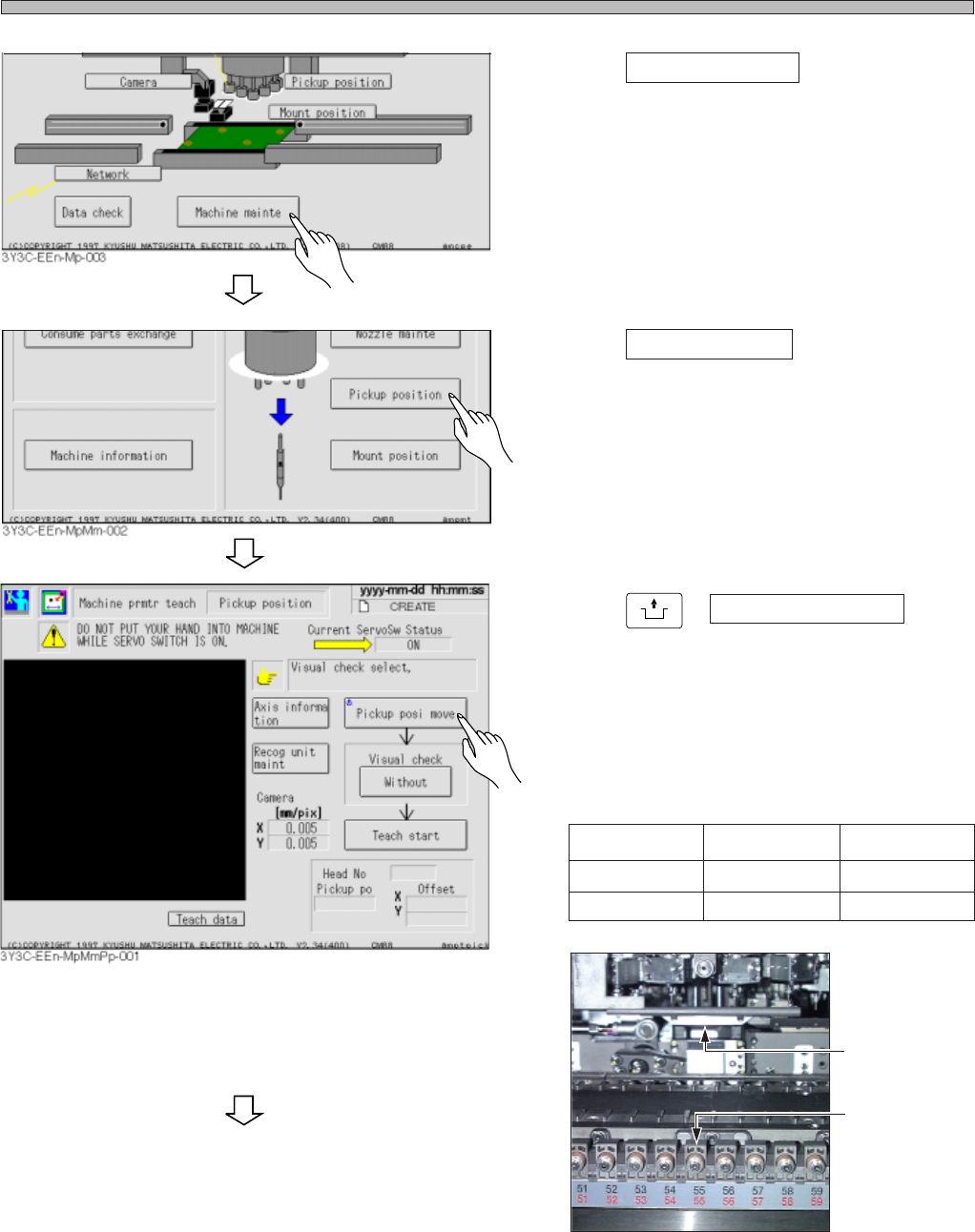
2. Press Machine mainte .
3. Press Pickup position .
4. Press
UNLOCK
+ Pickup posi move .
• The table moves so that the feeder axis No. 55
(CM88S-M/MU) and No. 20 (CM88S-M1) on
the A stage will be the pickup position.
∗ Be careful of the pickup position according to
the time when you get the machine.
Pickup Position
3Y3C-142P
No.55
CM88S-M/MU
55
48
CM88S-M1
20
9
To May, 2000
From May, 2000
To the next page