CM88Maintenace2x.PDF.pdf - 第23页
Page 2-23 MACHINE P ARAMETER 2 Machine Maintenance 2-2-2 Consumable Parts Exchange The information related to consumable parts requiring the periodic exchange among maintenance items are put together on this screen. “Cyc…
Page 2-22
Machine Maintenance
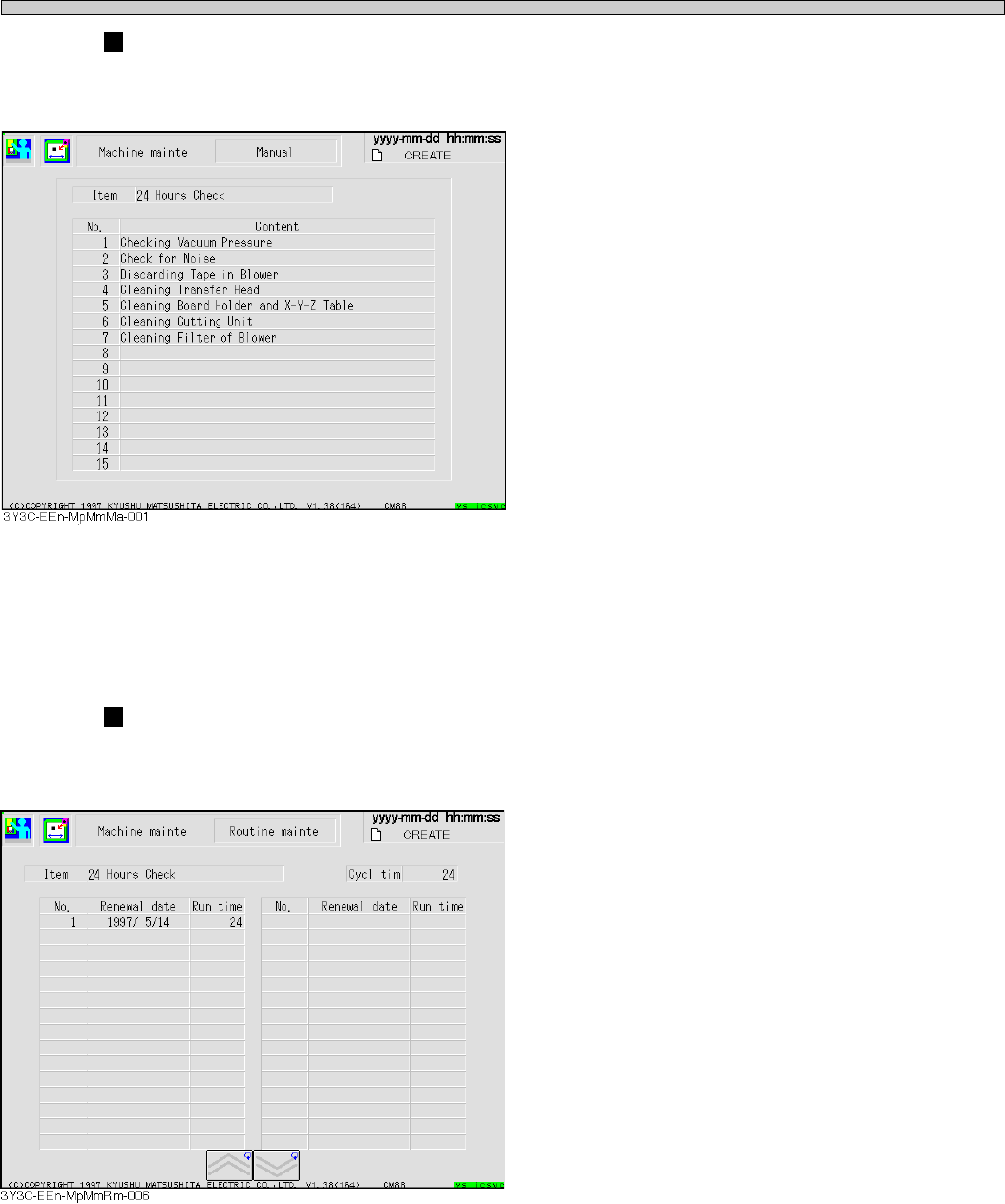
“Manual” screen
The contents of items selected on each screen of “Routine mainte” and “Consume parts exchange”
are displayed.
The maintenance operation needed for each period is displayed.
“History” screen
The history information of items selected on each screen of “Routine mainte” and “Consume parts
exchange” is displayed.
The date of maintenance and the run time before resetting are displayed in descending order.
3Y3C-E-MMD02-A01-02
Page 2-23
MACHINE PARAMETER
2
Machine Maintenance
2-2-2 Consumable Parts Exchange
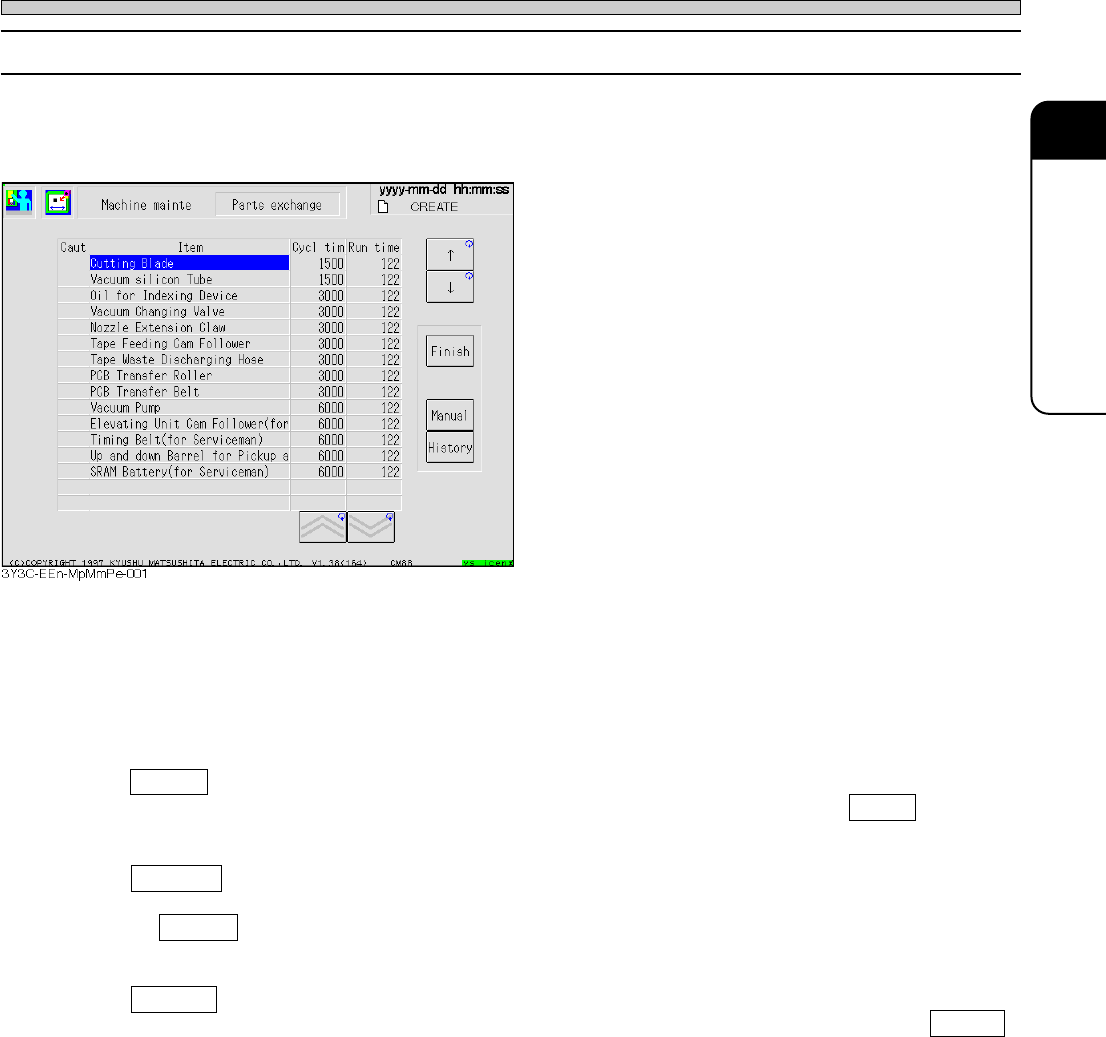
The information related to consumable parts requiring the periodic exchange among maintenance
items are put together on this screen.
“Cycle time” and “Run time” spent from the previous changing (the time when the machine starts to
run for the first operation) by now is displayed for each part.
When “Run time” reaches to 90 % of “Cycle time,” the warning blank under “Items” blinks in green,
and the item of which “Run time” is over the “Cycle time” blinks in yellow.
“Cycle” for the consumable parts means the life time of that part.
Finish
Move the cursor to the blank for “Consume parts” after the change, and press Finish . “Run
time” of that part is reset, and information is added to “History.”
Manual
Move the cursor to the blank for “Consume parts” to get contents of change, and press
Manual . The “Manual” screen of “Machine maintenance” appears, and you can get the infor-
mation related to that consumable parts.
History
Move the cursor to the blank for “Consume parts” to get the change history, and press History .
The information screen of change history related to that part is displayed.
3Y3C-E-MMD02-A01-03
Page 2-24
Machine Maintenance
2-2-3 Machine Information and Version History
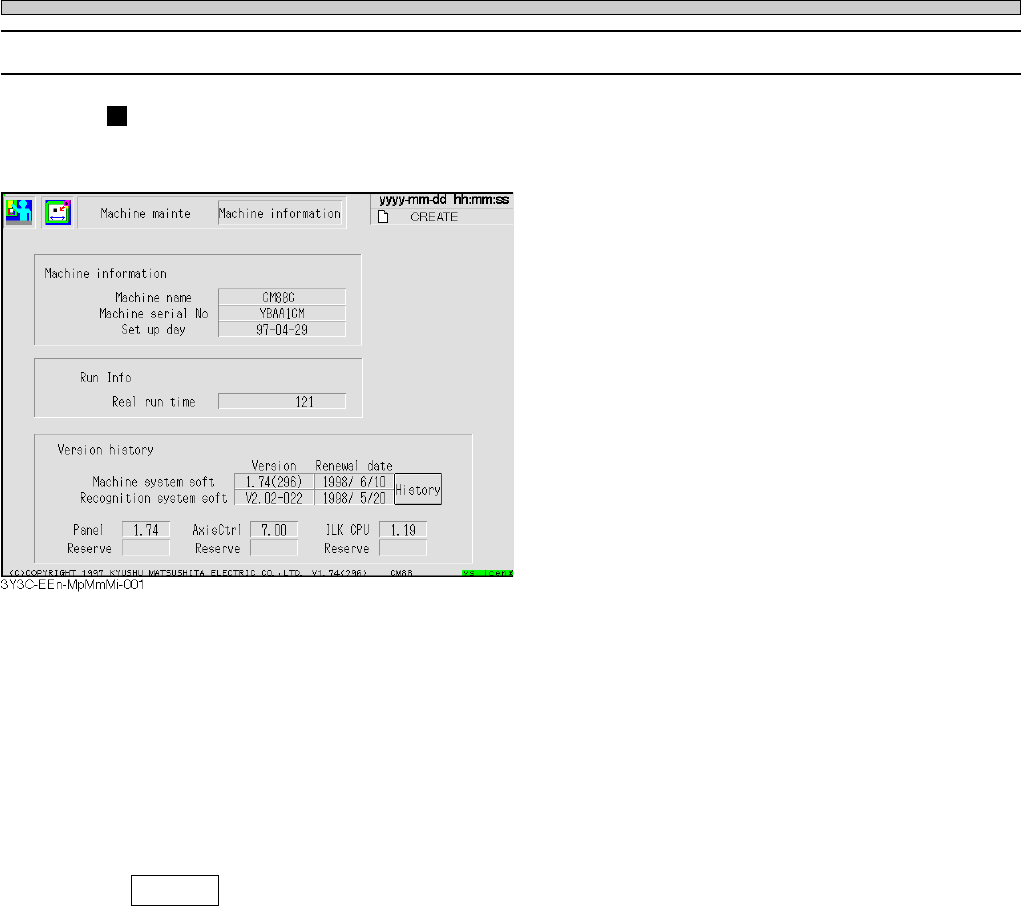
Machine information
Each information related to machine can be checked.
Machine information
Machine name, machine serial number, and setup day are displayed.
Run info
The sum of real run time for production from the setup day is displayed.
Version history
The version and installed day and time of current machine and recognition system software, and
other version information are displayed.
History
The update history of machine and recognition systems can be checked.
3Y3C-E-MMD02-A01-02