CM88Maintenace2x.PDF.pdf - 第48页
Page 3-20 Check and Solutions 3Y3C-E-MMD03-A02-01 3-2-15 Chip Recog LED Reflect Light Error Chip Recog LED Pass Light Error Board Recog LED Coaxial Light Error Board Recog LED Side Light Error 1. Removing chips at the ch…
Page 3-19
SOLUTIONS FOR ERROR
3
Check and Solutions
3Y3C-E-MMD03-A02-01
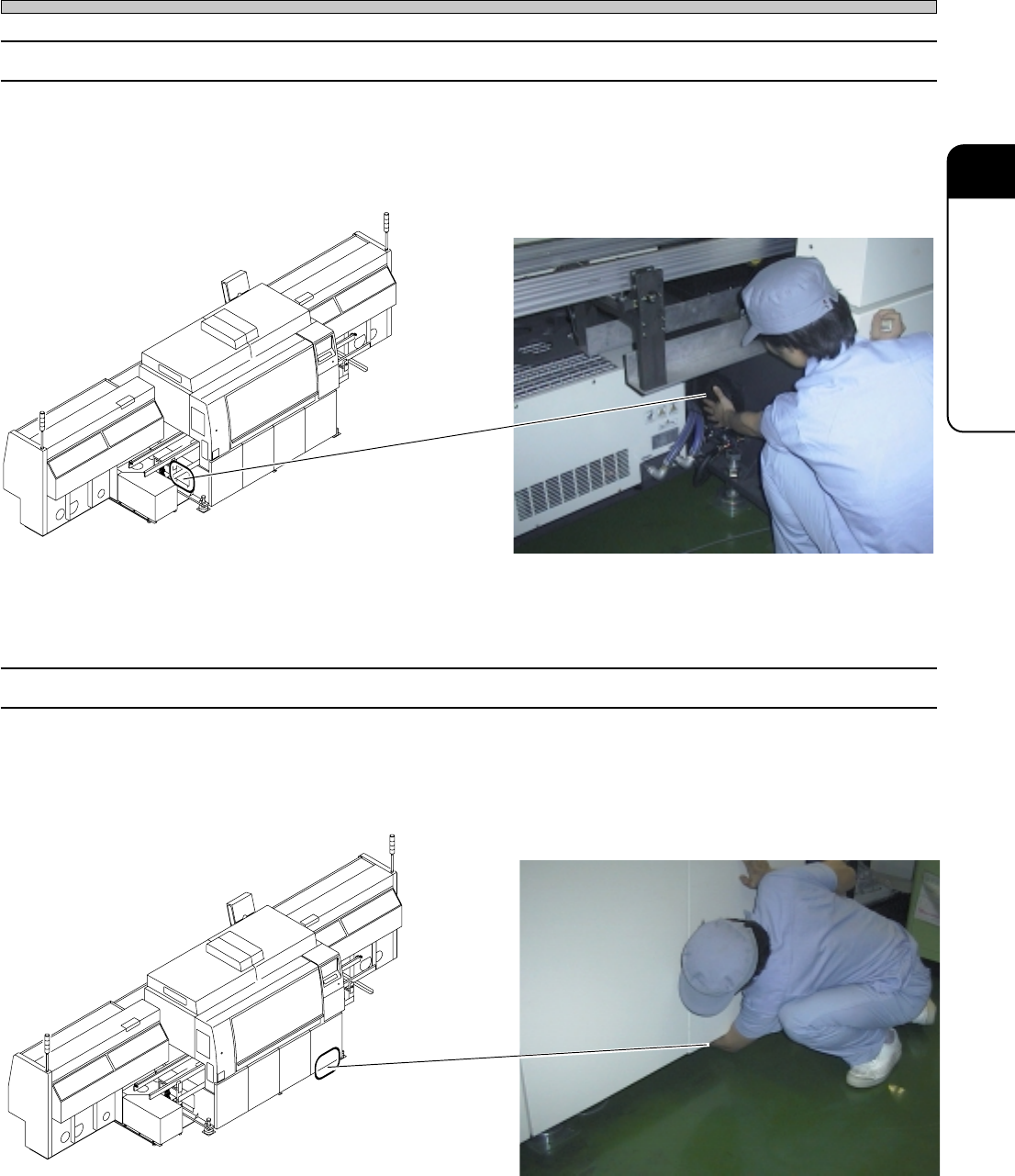
3-2-13 Power Box Over Heat
1. Checking the movement of cooling fan
If the wind is not sent from the wind opening to the outside, it may be the trouble of cooling fan.
Make contact with us for changing them.
3-2-14 CPU Box Over Heat
1. Checking the movement of cooling fan
If the wind is not sent from the wind opening to the outside, it may be the trouble of cooling fan.
Make contact with us for changing.
4G3C-AA01
3Y3C-012P
4G3C-AA01
3Y3C-013P
Page 3-20
Check and Solutions
3Y3C-E-MMD03-A02-01
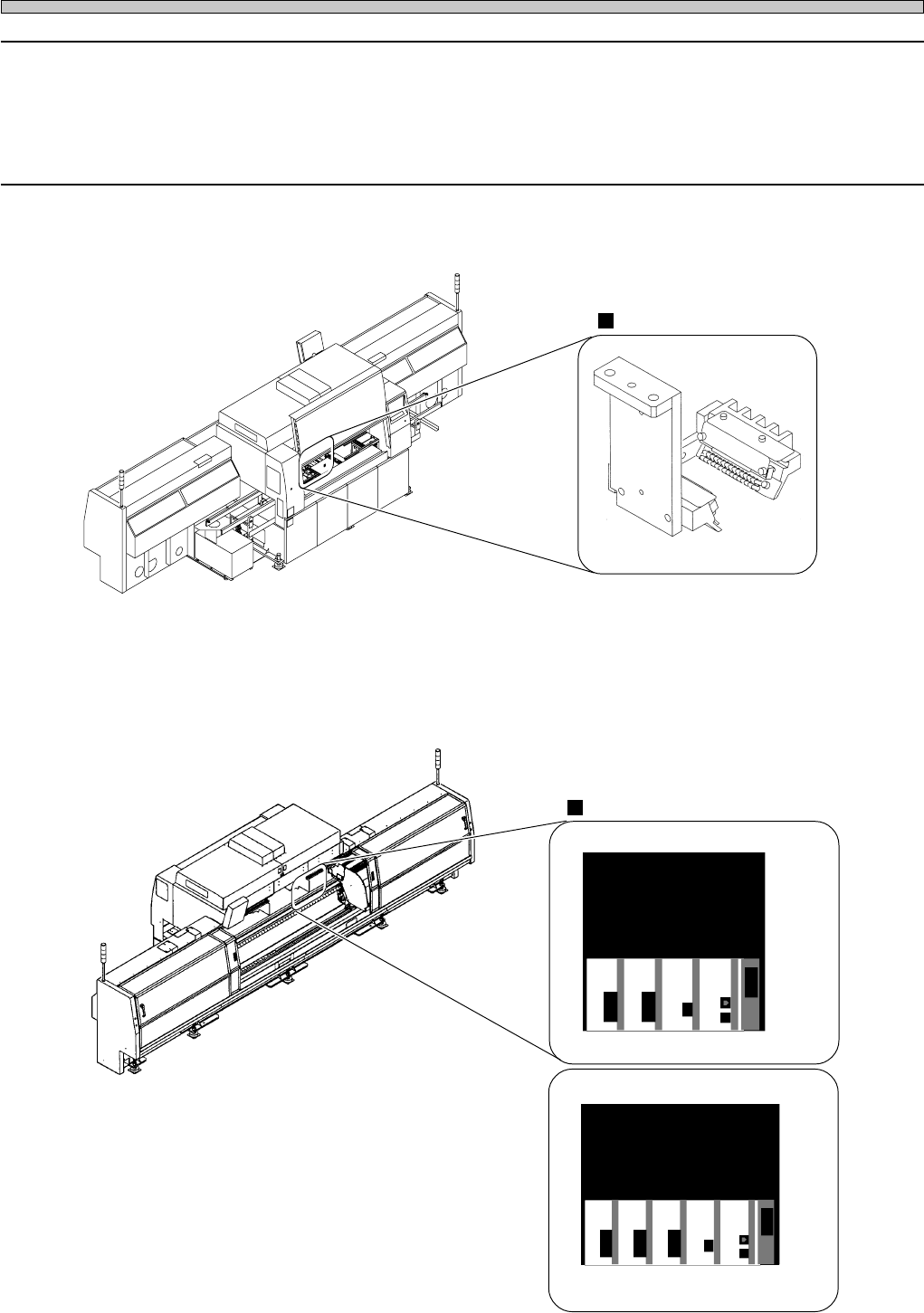
3-2-15 Chip Recog LED Reflect Light Error
Chip Recog LED Pass Light Error
Board Recog LED Coaxial Light Error
Board Recog LED Side Light Error
1. Removing chips at the chip recognition light
Remove chips if they are at the LED light emitting part.
Chip lighting
Connector
2. Connecting connectors
Check the state of connector, and recover the trouble if necessary. After operation, turn off the
power, and restart the machine.
4G3C-AB01
3Y3C-AI01
16EYC0AA
3Y3C-165E
CH7 . 8 CH6 CH2 CPU
RS232C
CM88C
3Y3C-166E
CM88S
CH6 CH4 CH2 CPU
RS232C
CH7 . 8
Page 3-21
SOLUTIONS FOR ERROR
3
Check and Solutions
3Y3C-E-MMD03-A02-01
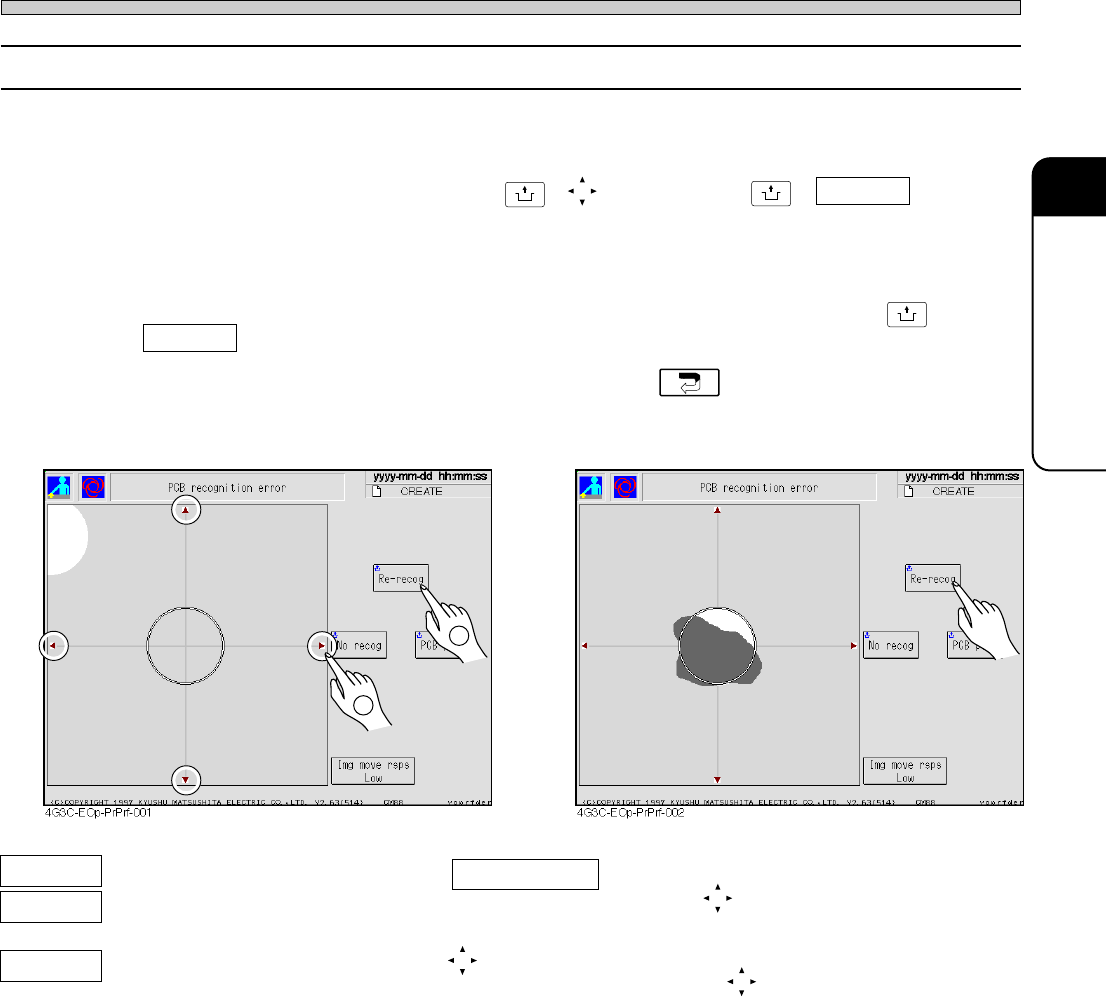
3-2-16 PCB Recognition Error
1 Move the mark to be re-recognized. (Fig. 1)
First, check the error screen. If the recognition mark is not at the center of recognition screen,
move the mark to the center by pressing
UNLOCK
+ , and then press
UNLOCK
+ Re-recog to restart
the operation.
2 Clean the mark to be re-recognized. (Fig. 2)
First, check error screen. If recognition mark is dirty, clean the mark, and then press
UNLOCK
+
Re-recog to resume operation.
∗ If you cancel automatic operation and teaching, press .
2
Img move rsps You can set the moving distance of one
pressing .
Low: 0.01mm, Middle: 0.1mm, High: 2.00 mm
(Red arrow marks)
The recognition screen can be moved to the
direction of (red arrow marks).
Re-recog The board is recognized again.
No recog Next workings are carried out without
recognizing the board.
PCB pass The recognition error board is
passed during the automatic opera-
tion.
(Fig. 1)
(Fig. 2)
1