CM88Maintenace2x.PDF.pdf - 第18页
Page 2-18 3Y3C-E-MMD02-A01-02 Items of Machine Parameter Stage changing motion when exchange mode priority function used During automatic operation, the stages are switched over in the following timing so as to pick up t…
Page 2-17
MACHINE PARAMETER
2
Items of Machine Parameter
3Y3C-E-MMD02-A01-01
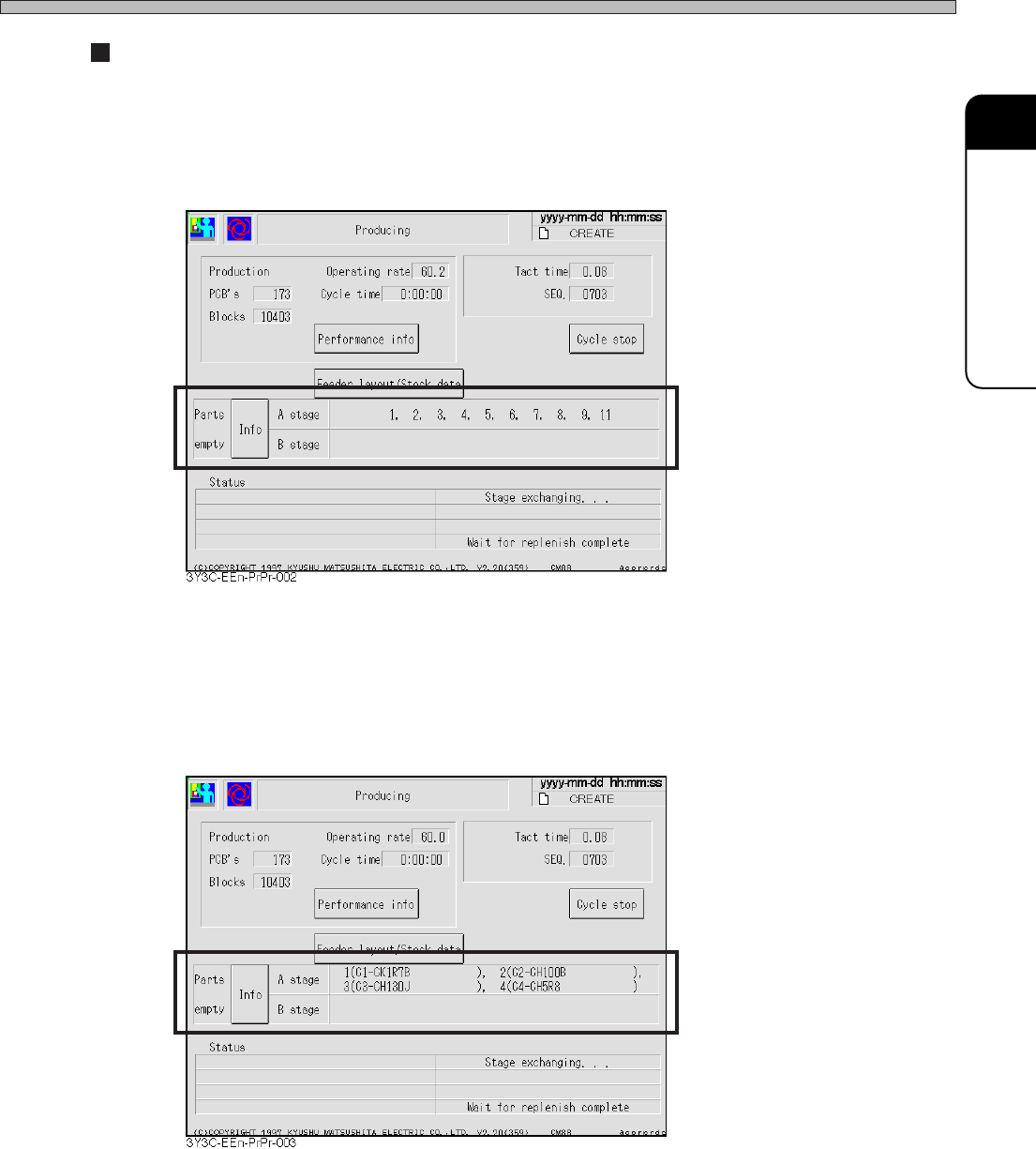
Part empty info display item
1) Setting the address display
Maximum 13 addresses for parts empty appear for each stage.
2) Setting the address and parts name display
Maximum 4 addresses and parts names for parts empty appear for each stage.
Page 2-18
3Y3C-E-MMD02-A01-02
Items of Machine Parameter
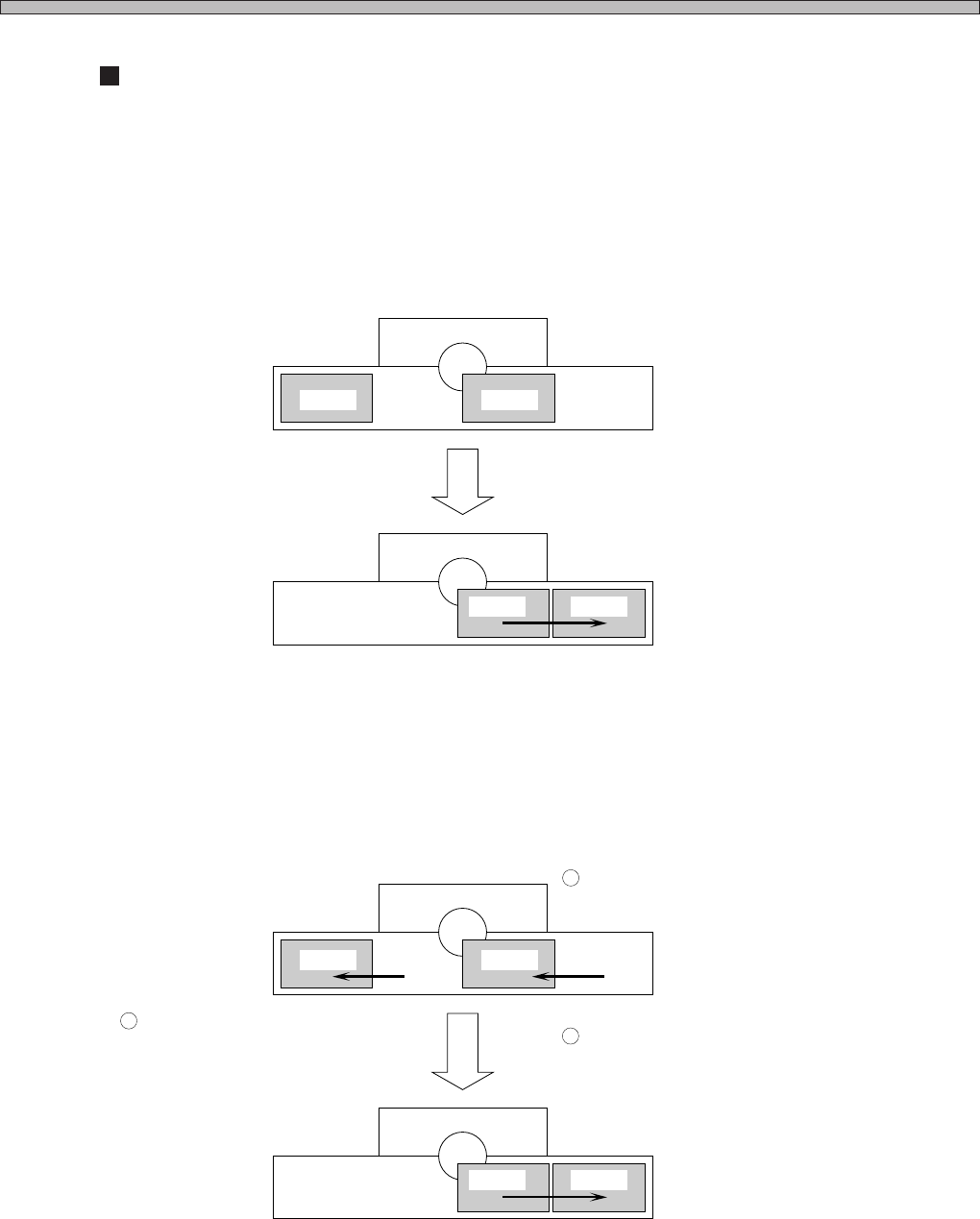
Stage changing motion when exchange mode priority function used
During automatic operation, the stages are switched over in the following timing so as to pick up the
chips on the specified stage by priority.
1) At the start of automatic operation
The chips on the priority stage are picked up first.
E.g. : A Stage Priority Specified
2) When the priority stage becomes available (Chip supply completed)
When the chips on the priority stage run out, it is switched over to another stage.
After the chips are supplied, that stage is switched over to the priority stage after the board being
produced currently has been mounted.
E.g. : A Stage Priority Specified
When returning to origin before operation, the
pick-up stage is switched to the A stage and
production starts.
When the chips on the A stage run out, the
pick-up stage is switched to the B stage.
Supply the chips of the A stage.
After the board being produced currently has
been mounted, the pick-up stage is switched
to the A stage.
4G3C-004E
4G3C-005E
1
2
3
A Stage B Stage
A Stage B Stage
A Stage B Stage
A Stage B Stage
Page 2-19
MACHINE PARAMETER
2
2-1-10 Data Check
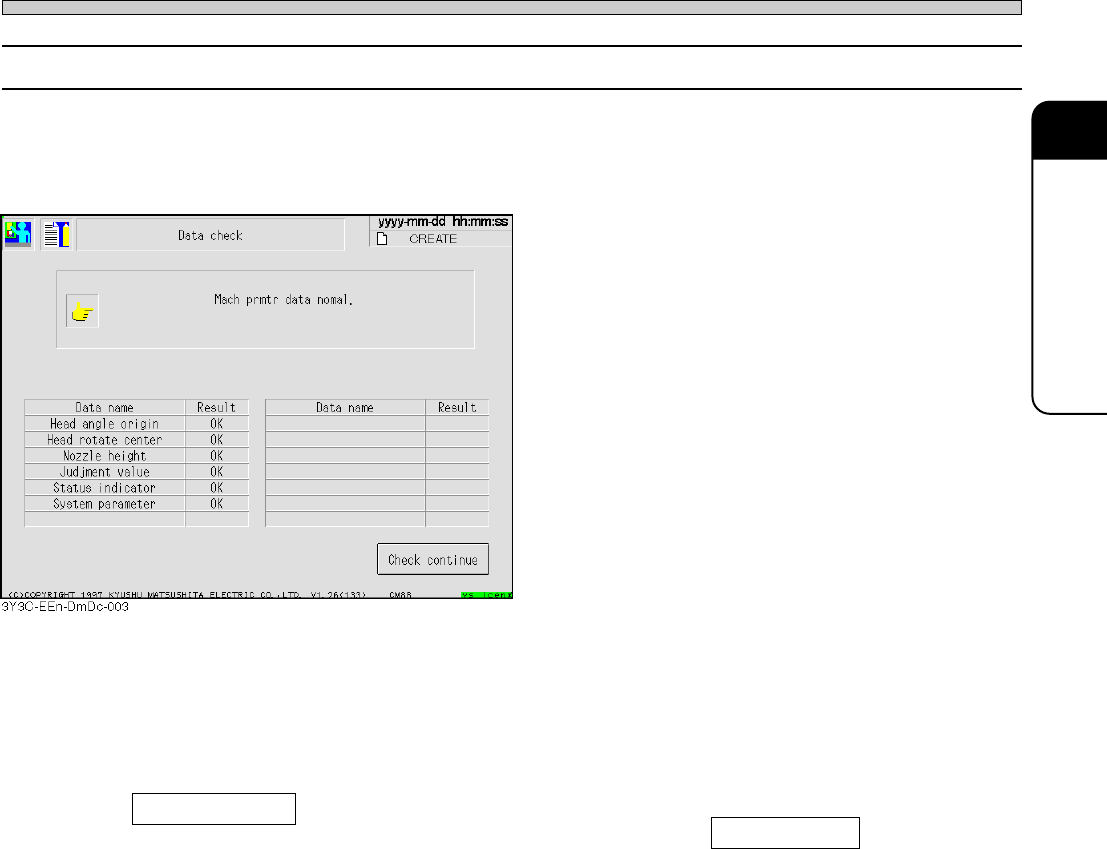
It is checked if the value of machine parameter is the one to be properly mounted.
Make sure of carrying out “Data check” after “Head exchange teach,” “Nozzle exchange teach”
after changing machine parameter.
If data is out of the set tolerance range, the machine judges it error.
When data is within the tolerance range, it is displayed “OK,” and “NG” for data out of the tolerance
range. For the data out of the tolerance range, detail information of it is displayed at the top of
screen.
Check continue
After checking stops due to data out of tolerance range, press Check continue to restart it from
the next data.
3Y3C-E-MMD02-A01-02
Items of Machine Parameter