CM88Maintenace2x.PDF.pdf - 第28页
Page 2-28 3Y3C-E-MMD02-A01-00
Page 2-27
MACHINE PARAMETER
2
Machine Maintenance
2-2-5 Nozzle Maintenance
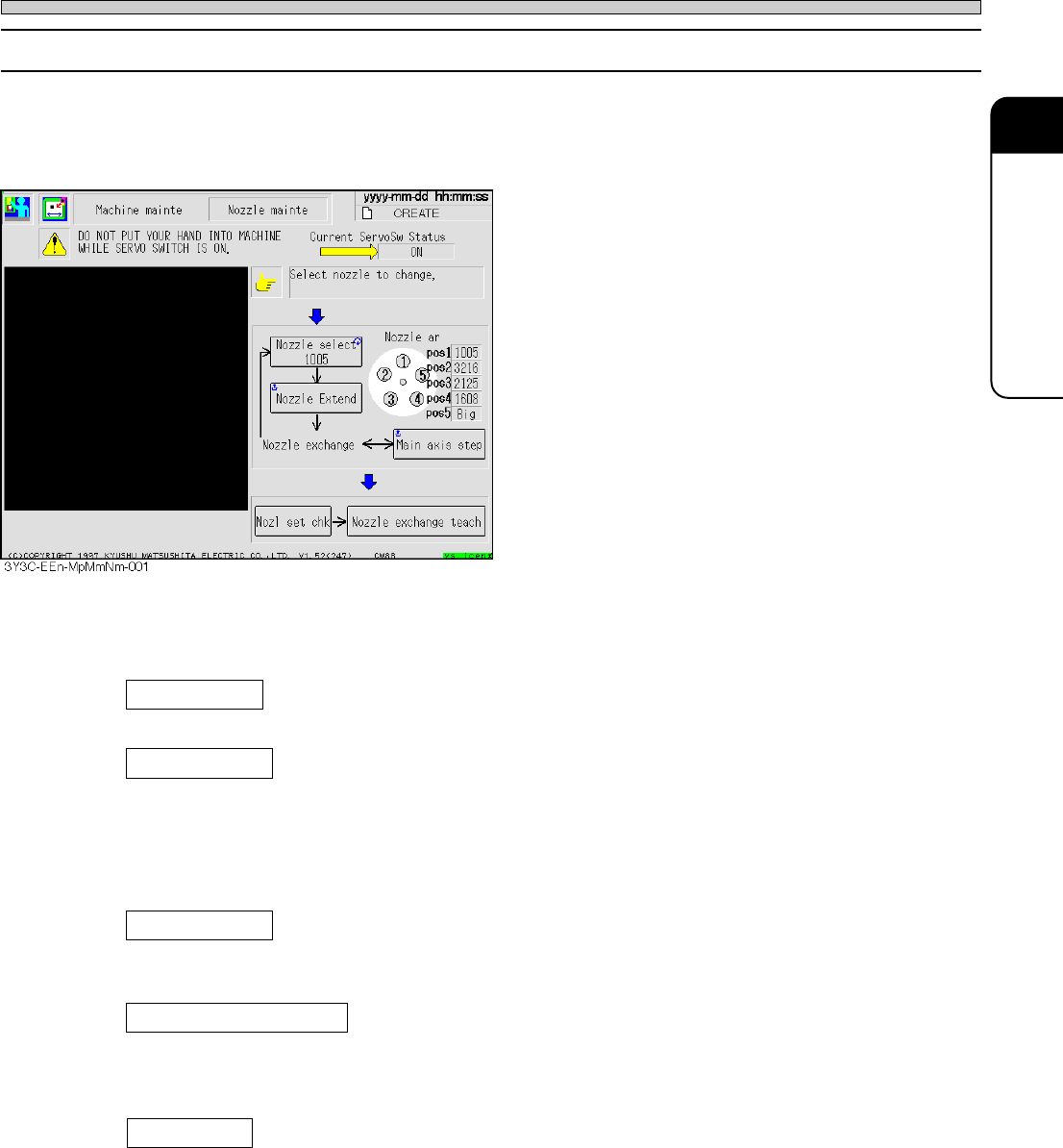
Removing and setting heads during cleaning and changing them are supported, and machine
parameter teach required after operation is automatically carried out.
Carry out the operation according to directions.
<Removing and Setting Nozzles>
Nozzle select
Nozzle to be cleaned and changed is selected.
Nozzle Extend
The selected nozzle is extended for all heads, and rotated to the direction easy to remove and
set (outside).
“Nozzle remove and set”
Turn off the servo switch, and remove and set the nozzle.
Main axis step
Use this to move the nozzle of next head to the position for removing and setting (station 12, 1,
and 2). The main axis rotates by one head (one station).
Nozzle exchange teach
Machine parameter teaching required after setting nozzle is automatically carried out in following
order.
Height sensor angle origin → Nozzle height
Nozl set chk
In removing and setting the nozzle, the machine automatically checks that each nozzle is prop-
erly set to the appropriate position.
3Y3C-E-MMD02-A01-00

Page 2-28
3Y3C-E-MMD02-A01-00
Page 3-1
3Y3C-E-MMD03-A01-00
Chapter 3
SOLUTIONS FOR ERROR
SOLUTIONS FOR ERROR
Solutions for Error
This section describes solutions for error.
Many errors happen because sensors set on each point of machine detect errors, or
the movable part has damage. Check the name of sensor related to errors by the
error list, and the place of error sensor by the load arrangement. Refer to the input
and output check of machine, for the state of machine and movement of movable
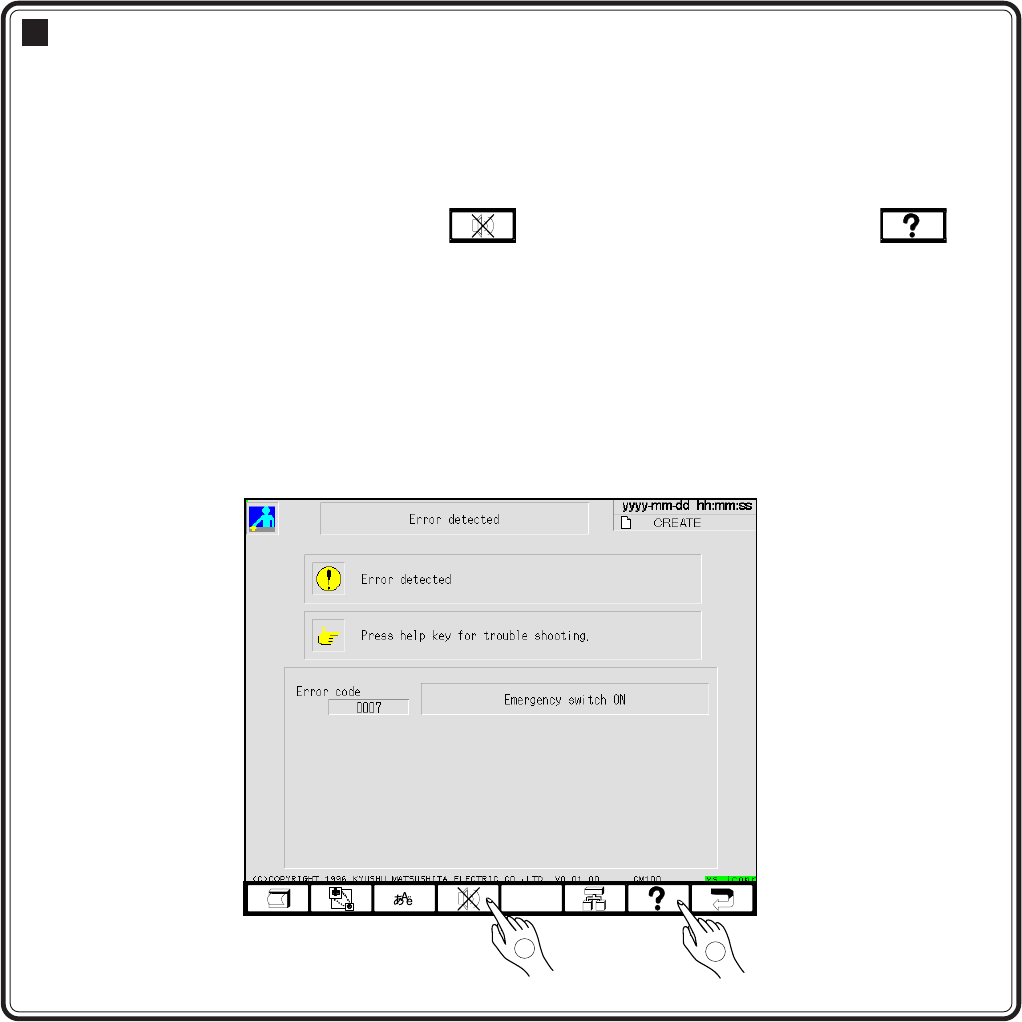
part. When the error happens, press to stop the buzzer. After that, see
on the touch panel or the error list in the maintenance manual, and carry out solu-
tions.
3-1 Error Messages (Error list)
3-2 Check and Solutions
3-3 Load Arrangement
3-4 Load List
3-5 Input and Output Check
(Checking the Sensor and Movement of Movable Part)
433C-EOp-Er-001
2
1