CM88Maintenace2x.PDF.pdf - 第9页
Page 2-9 MACHINE P ARAMETER 2 3Y3C-E-MMD02-A01-01 Items of Machine Parameter • Set the nozzle to be used to the specified position. (It is necessary to change the nozzle.) ∗ Y ou cannot select the fitting position of se-…
Page 2-8
3Y3C-E-MMD02-A01-00
Items of Machine Parameter
Optional setting
NOTICE
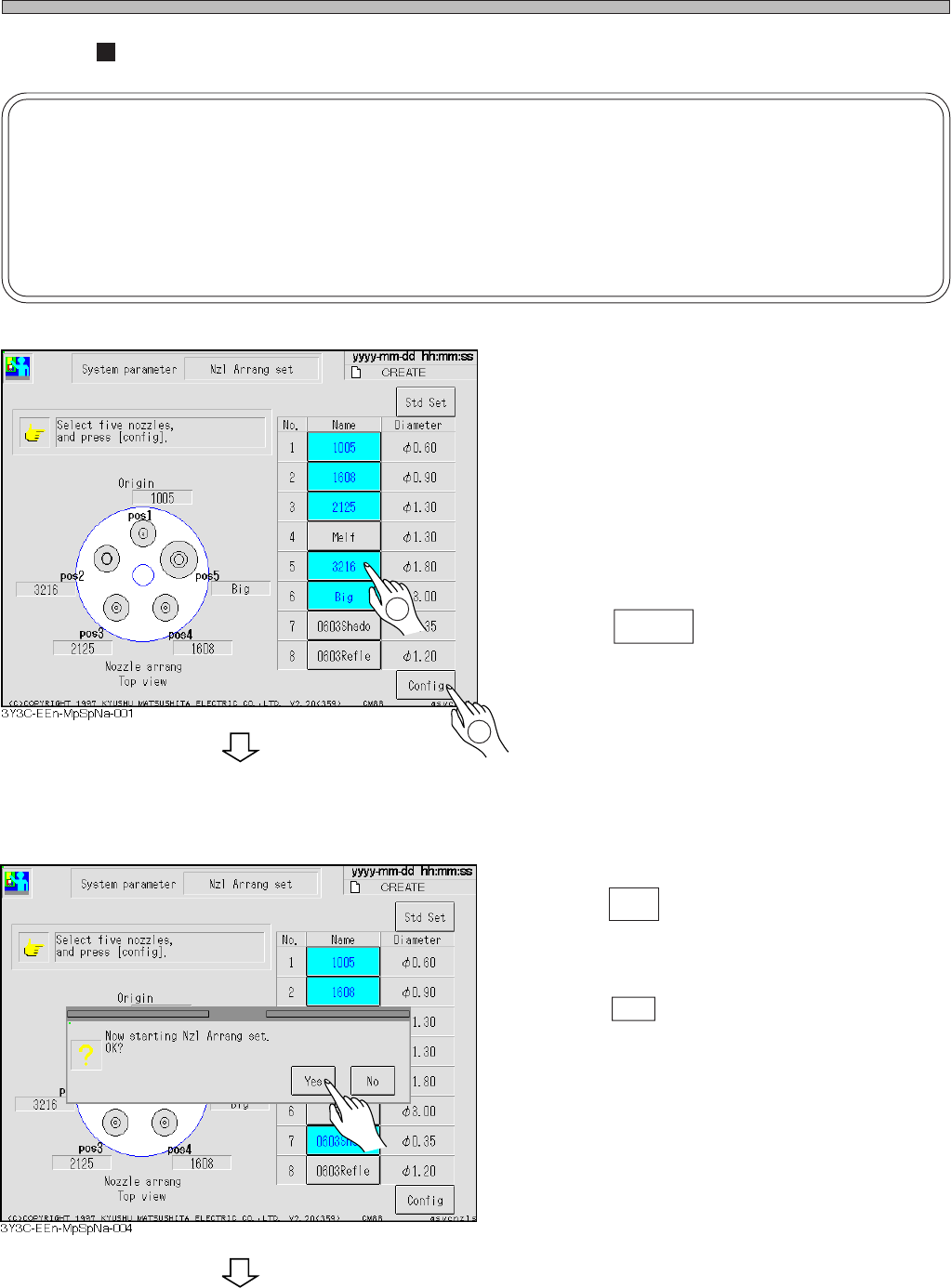
Make sure of following setting for selecting the nozzle optionally.
1. Select five nozzles.
2. Make sure of selecting the “3216” nozzle.
1. Select five nozzles.
2. Press Config .
a) Proper nozzles are selected.
1. Press Yes .
• Set the nozzle arrangement.
• Press No to stop setting the nozzle arrange-
ment.
1
2
To the next page
Page 2-9
MACHINE PARAMETER
2
3Y3C-E-MMD02-A01-01
Items of Machine Parameter
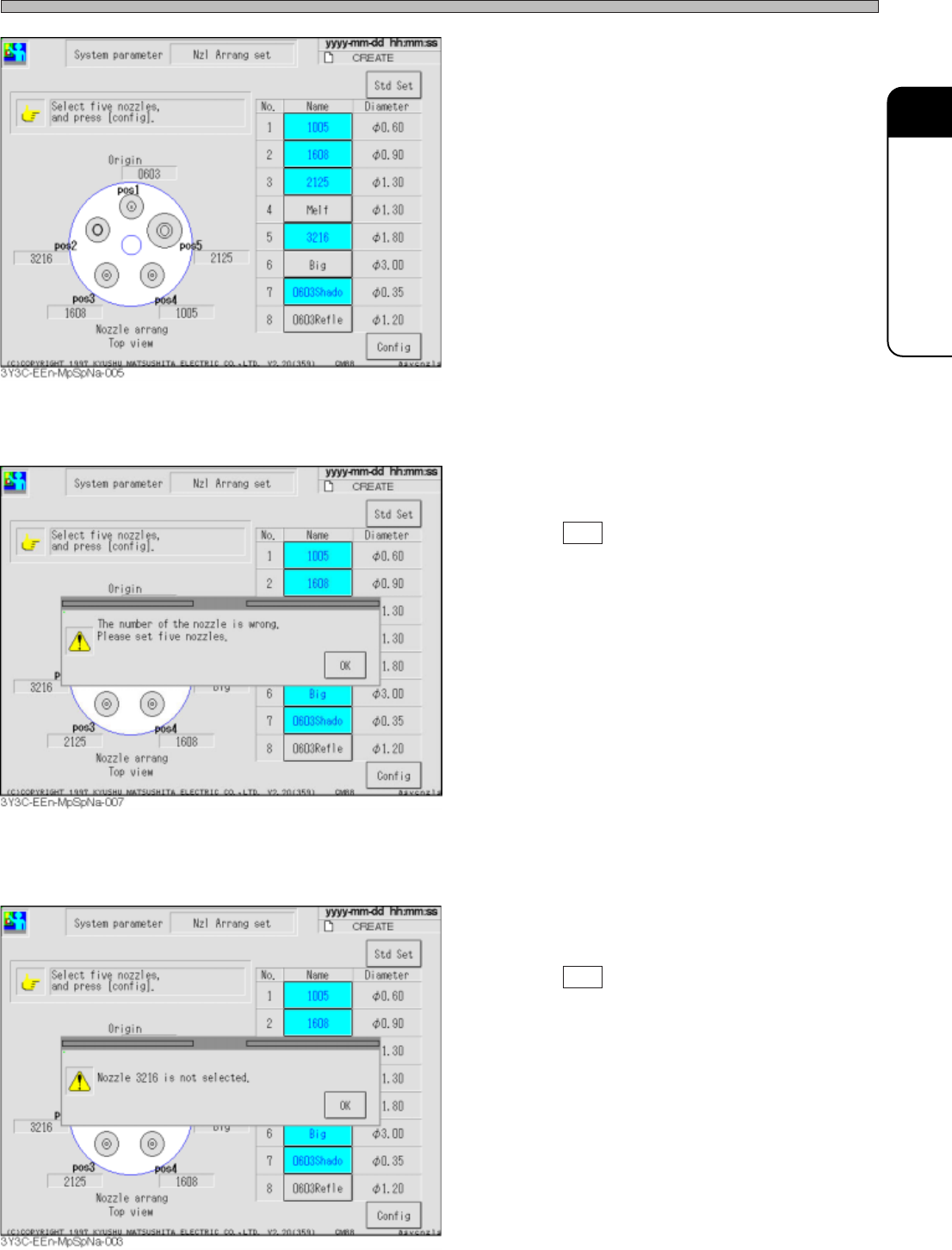
• Set the nozzle to be used to the specified
position. (It is necessary to change the nozzle.)
∗ You cannot select the fitting position of se-
lected nozzle.
b) Five nozzles are not selected.
• Press OK and select the nozzle arrangement
again.
c) The 3216 nozzle is not selected.
• Press OK and select the 3216 nozzle again.
Page 2-10
3Y3C-E-MMD02-A01-02
2-1-5 Camera Information
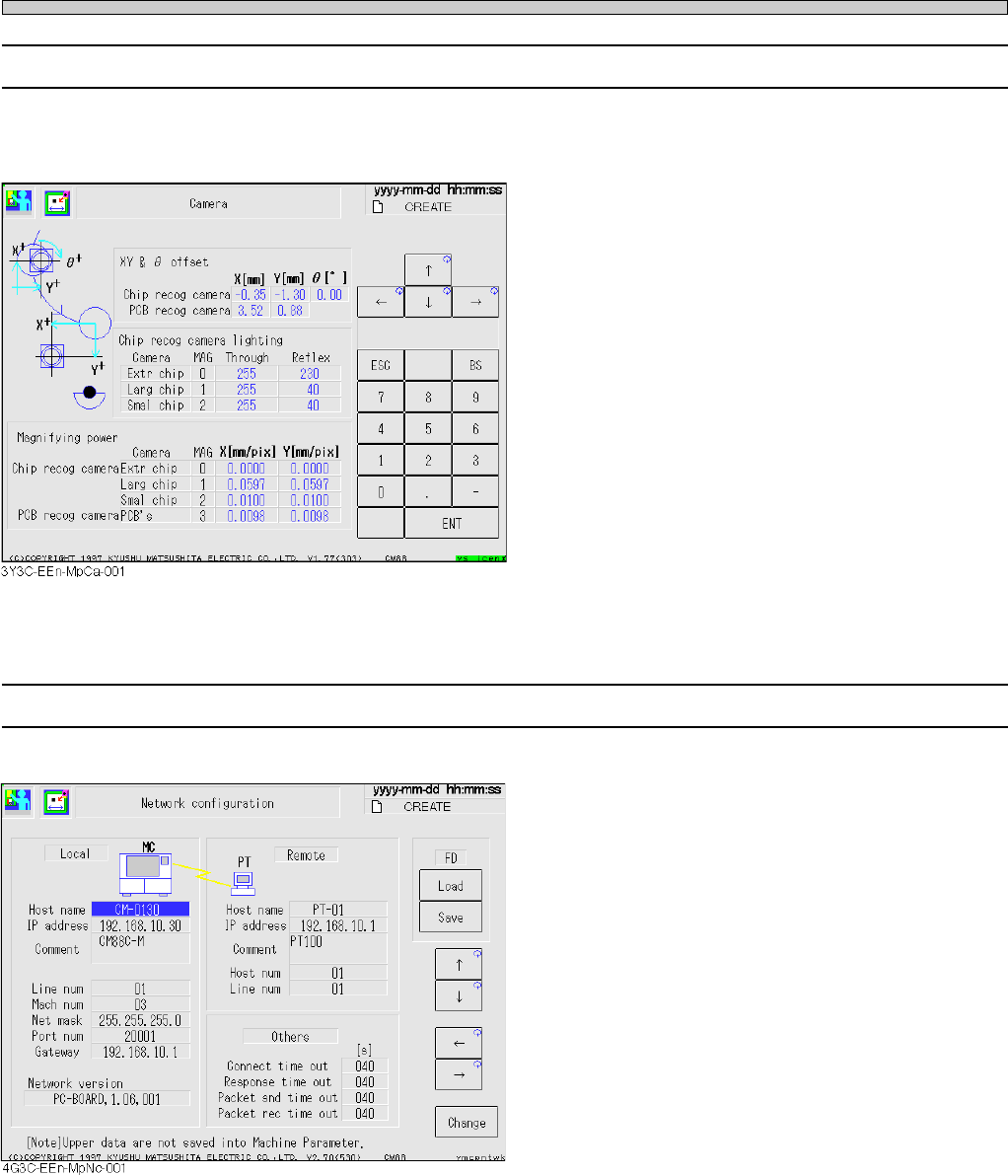
The offset values, lamp values, magnification, etc. of chip recognition camera and board recogni-
tion camera are displayed, so that you can check the data.
2-1-6 Network Configuration
This parameter is for setting communication with PT.
Host name
The name used on this mounter and the
network of the upper host (PT100) to be
connected with the mounter.
IP address
PT100 is communicated with the mounter
through TCP/IP.
“IP address” is the address given to CM88 and
each mounter separately, to make the network
through TCP/IP.
Host num
The number (01 to FE) given to each upper
host (PT100) separately. The mounter always
has “00.”
Items of Machine Parameter