00195094-0202-MM-D3_EN.pdf - 第78页
10 Annual maintenance work SIPLACE D3 08/2008 US Edition 78 10.1 Maint ain the T winHead 10

SIPLACE D3 10 Annual maintenance work
08/2008 US Edition
77
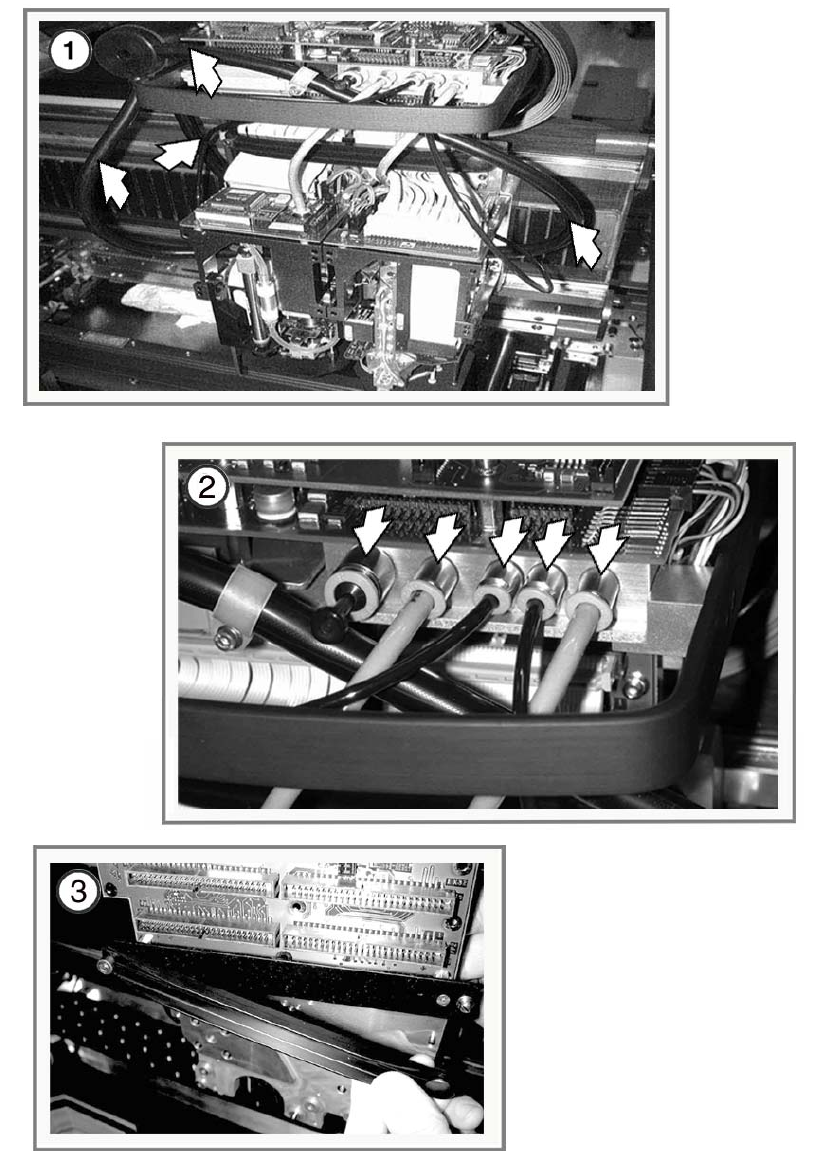
Check the cooling air hoses 10
a Loosen the screws on the cover plate above the magnetic rail, in front of the cable
and hose
carrier.
: Pull the cover p
lates out of the slots and remove them.
10
10
s Check the cooling air hoses for damage, particularly in the vicinity of the cooling hose fixings
in the trailing chain.
Replace them if they are damaged (see
Service Manual).
10
10
If the cooling air hoses are defective: 10
– the Y motor can overheat and switch off
– guide carriages and guides may be damaged.
10
10
: Fit the cover plates.
10
: Repeat these tasks on both sides or gantries of the machines on the placement line.
10
10
10
10
10
10
10
10
10
10
10
10 Annual maintenance work SIPLACE D3
08/2008 US Edition
78
10.1 Maintain the TwinHead
10

SIPLACE D3 10 Annual maintenance work
08/2008 US Edition
79
10
To maintain the TwinHead, you will need: 10
– Set of hexagon socket spanners
– Lint-free cloths
– Ethyl alcohol
– Compressed air
– ESD wriststrap.
10
10
Dismantle the TwinHead 10
: Stop the placement process and place the TwinHead nozzles on one side.
: Dock out the component trolley
fr
om the placement machine.
: Switch the p
lacement machine off at the main switch.
10
Rebuilding is easiest if done from locations 2 and 4. 10
10
10
10
Wear an ESD wrist strap for the whole time you are working on the placement head and the ser-
vos. 10
10
a Unplug the exhaust hoses.
10
s Place the hoses and the blanking plug on one side.
10
d Release the strain relief clip (press the knob).
10
10