3OM-1751-002w_G5S.pdf - 第149页
3OM-1751 1-95 6.3.3.1 "Cmp. Recog" T ab Sheet When the [Cmp. Recog] tab sheet is pressed on the "Capture Img." tab, the following tab sheet appears. [1] [3] [2] F3A77 [1] Select camera Displayed are t…
3OM-1751
1-94
6.3.3 "Capture Img." Tab
[1]
F3A76
[1] Tabs
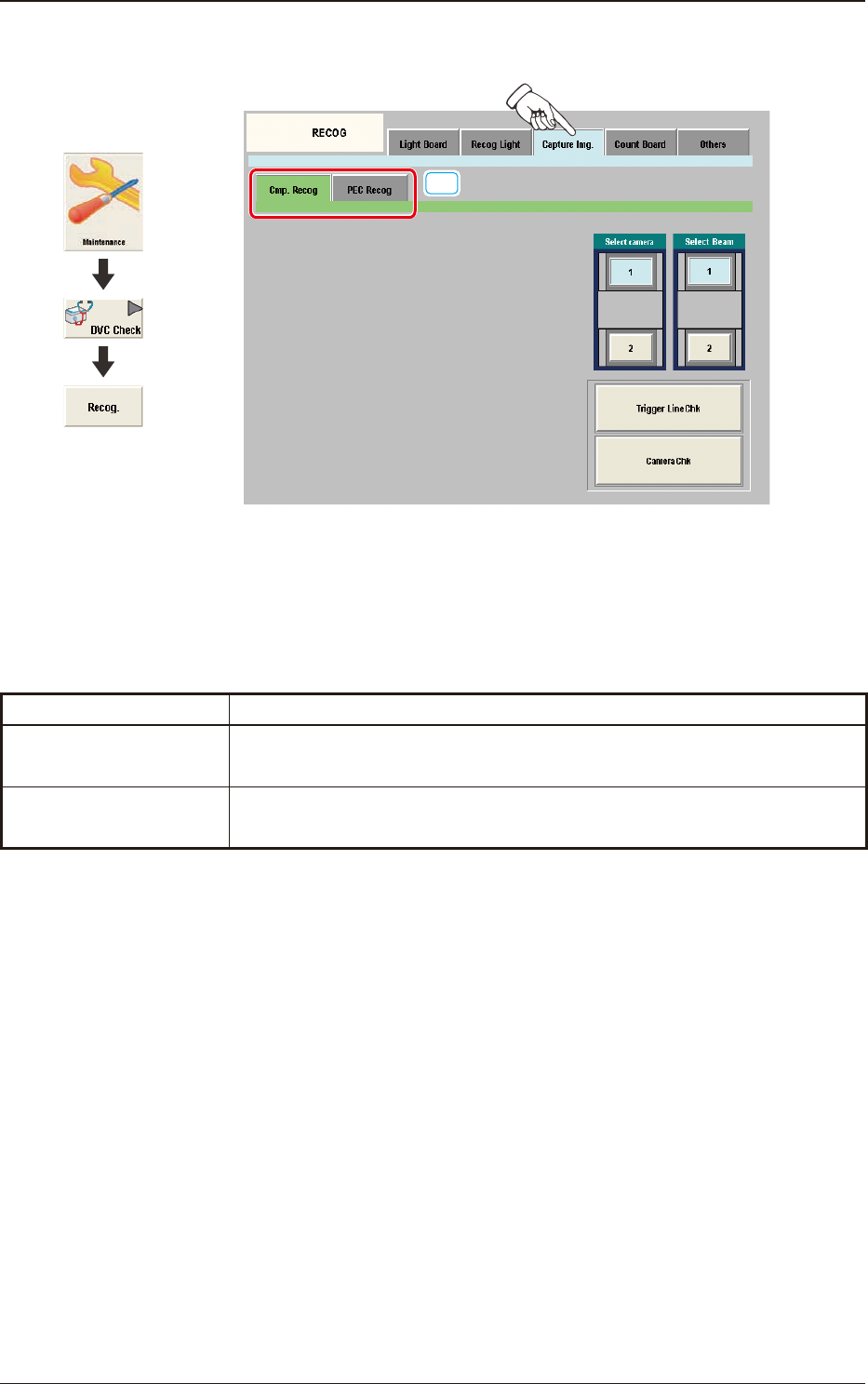
The "Capture Img." window is provided with the following two tabs. When
each tab is pressed, the corresponding tab sheet appears.
Tabs Description
Cmp. Recog
In this tab sheet the image is captured using the component recognition
camera and the trigger line and camera performance are checked.
PEC Recog
In this tab sheet the image is captured using the PEC recognition camera
and the wire connection and camera performance are checked.
T3A13
1303-001
6.3 "RECOG" Window
Graphic
Development
3OM-1751
1-95
6.3.3.1 "Cmp. Recog" Tab Sheet
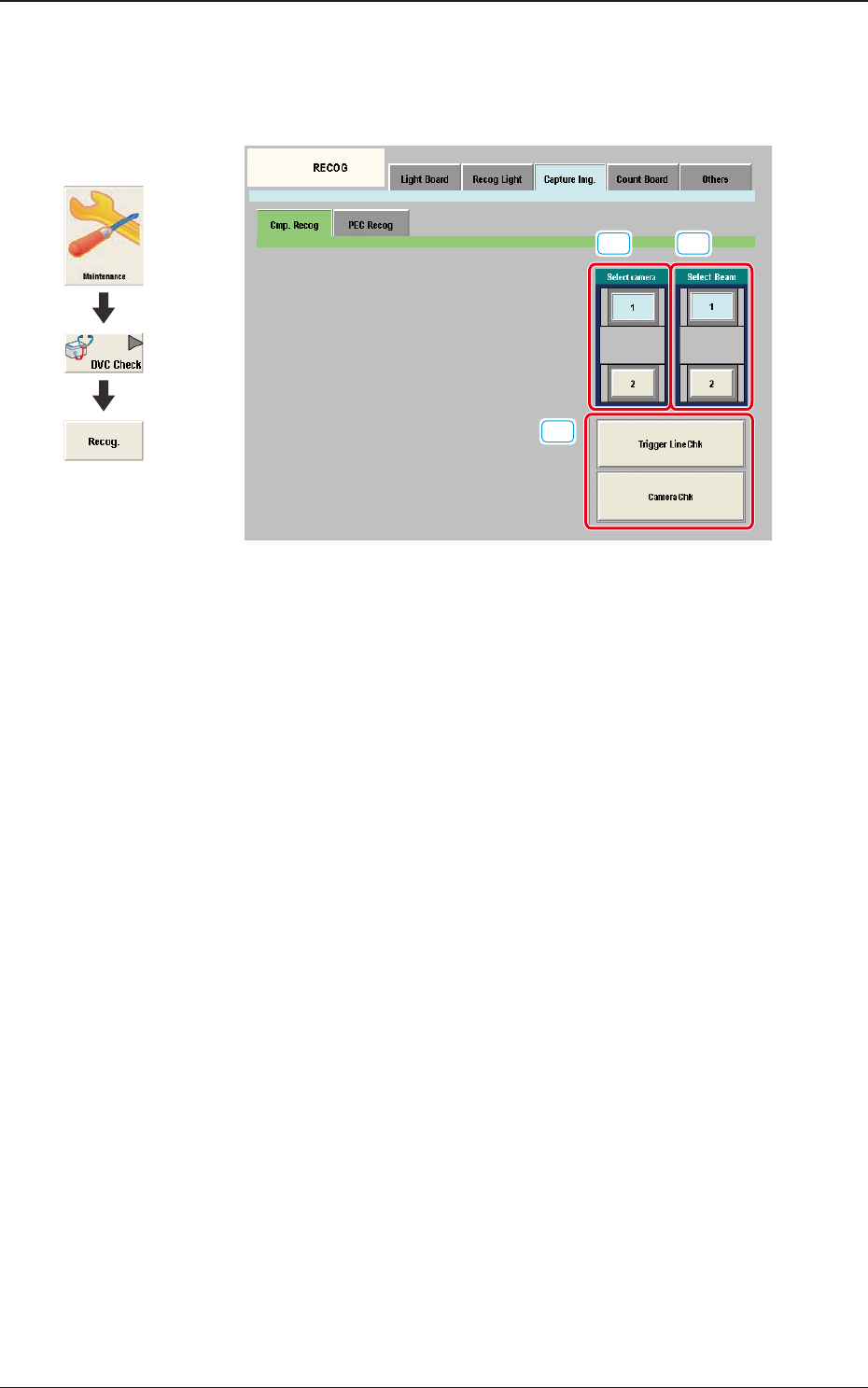
When the [Cmp. Recog] tab sheet is pressed on the "Capture Img." tab, the
following tab sheet appears.
[1]
[3]
[2]
F3A77
[1] Select camera
Displayed are the button showing the positions of the component recognition
cameras.
In this section the component recognition camera for capturing the
component image is selected.
[2] Select Beam
In this section the beam to be checked is selected.
[3] Trigger Line Chk
Using this button the trigger line for capturing the component image is
checked.
Camera Chk
Using this button the camera is checked.
1303-001
6.3 "RECOG" Window
Graphic
Development
3OM-1751
1-961303-001
6.3.3.2 "PEC Recog" Tab Sheet
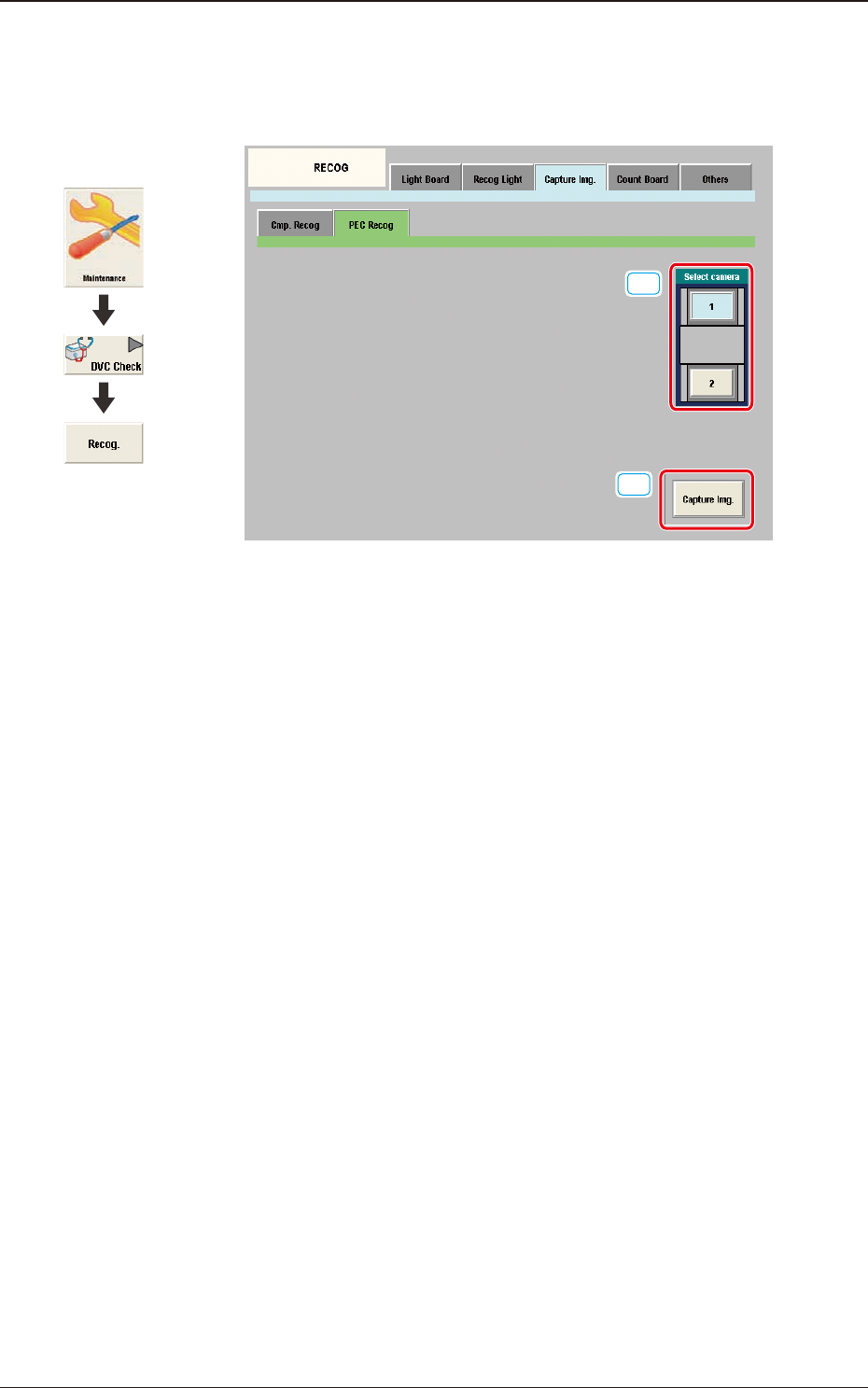
When the [PEC Recog] tab sheet is pressed on the "Capture Img." tab, the
following tab sheet appears.
[1]
[2]
F3A78
[1] Select camera
Displayed are the button showing the positions of the PEC recognition
cameras.
In this section the PEC recognition camera for capturing the component
image is selected.
[2] [Capture Img.] Button
Using this button the image is captured using the selected camera.
6.3 "RECOG" Window
Graphic
Development