3OM-1751-002w_G5S.pdf - 第151页
3OM-1751 1-97 6.3.4 "Count Board" T ab [1] [2] [3] F3A79 [1] BeamBack X, Y BeamFront X, Y In these data boxes the X, Y count values are displayed for each beam. [2] XY Beam Image Displayed are the X and Y beam …
3OM-1751
1-961303-001
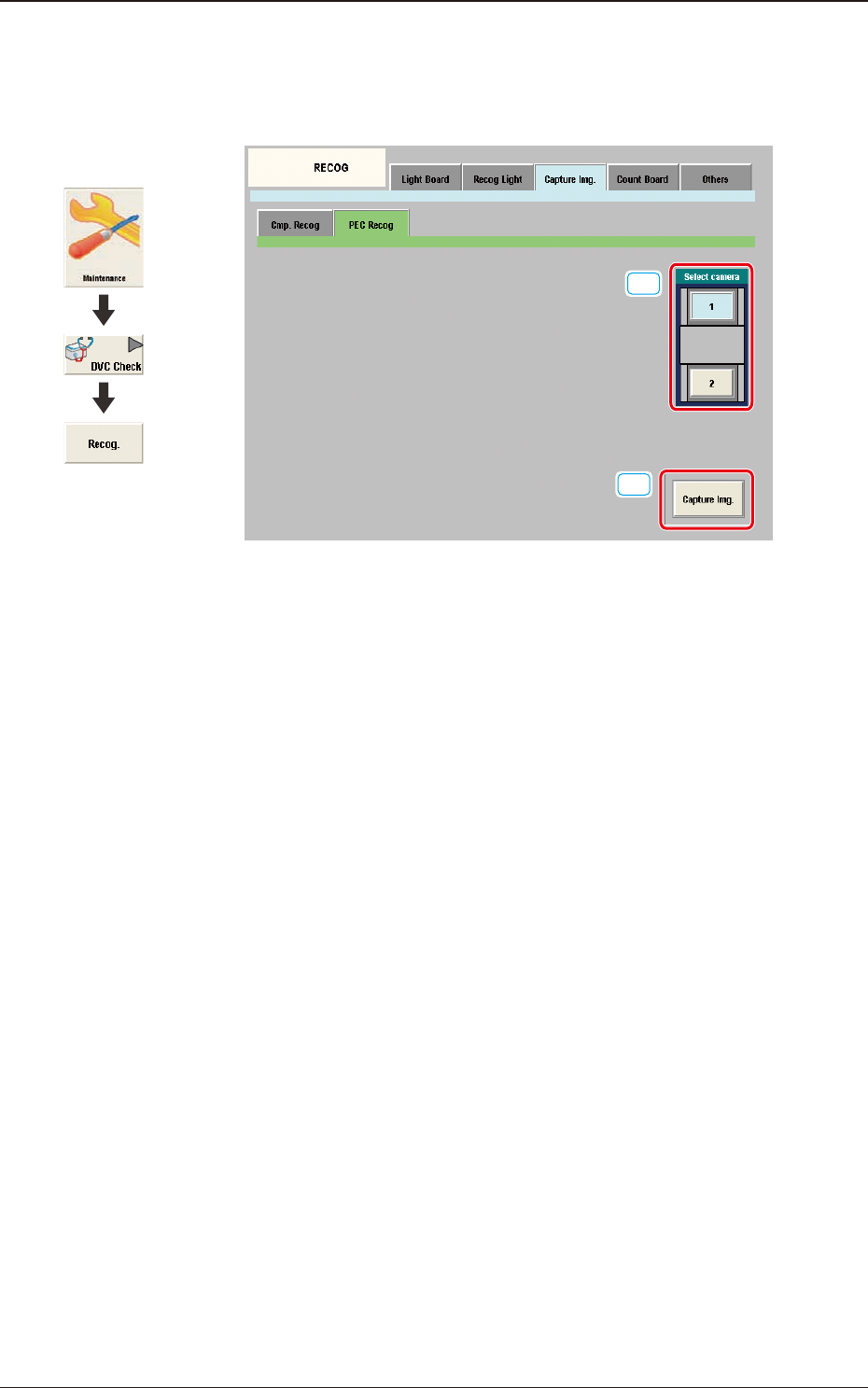
6.3.3.2 "PEC Recog" Tab Sheet
When the [PEC Recog] tab sheet is pressed on the "Capture Img." tab, the
following tab sheet appears.
[1]
[2]
F3A78
[1] Select camera
Displayed are the button showing the positions of the PEC recognition
cameras.
In this section the PEC recognition camera for capturing the component
image is selected.
[2] [Capture Img.] Button
Using this button the image is captured using the selected camera.
6.3 "RECOG" Window
Graphic
Development
3OM-1751
1-97
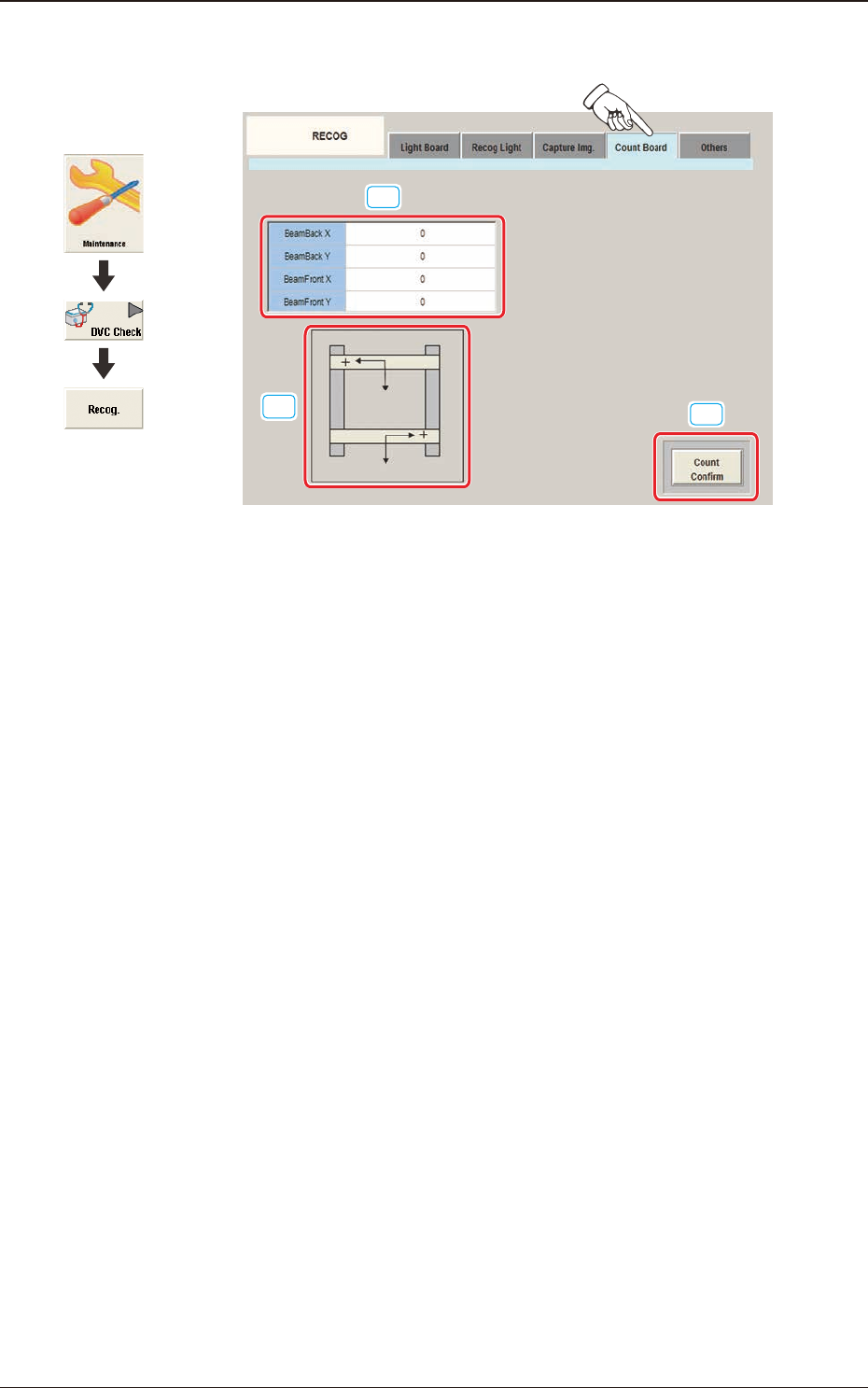
6.3.4 "Count Board" Tab
[1]
[2]
[3]
F3A79
[1] BeamBack X, Y
BeamFront X, Y
In these data boxes the X, Y count values are displayed for each beam.
[2] XY Beam Image
Displayed are the X and Y beam images.
[3] [Count Conrm] Button
When this button is pressed, the current counter value is checked.
The change position and increase/decrease direction of the count value
displayed by means of pressing the beam manually and pressing the [Count
Conrm] button, are conrmed.
1303-001
6.3 "RECOG" Window
Graphic
Development
3OM-1751
1-98
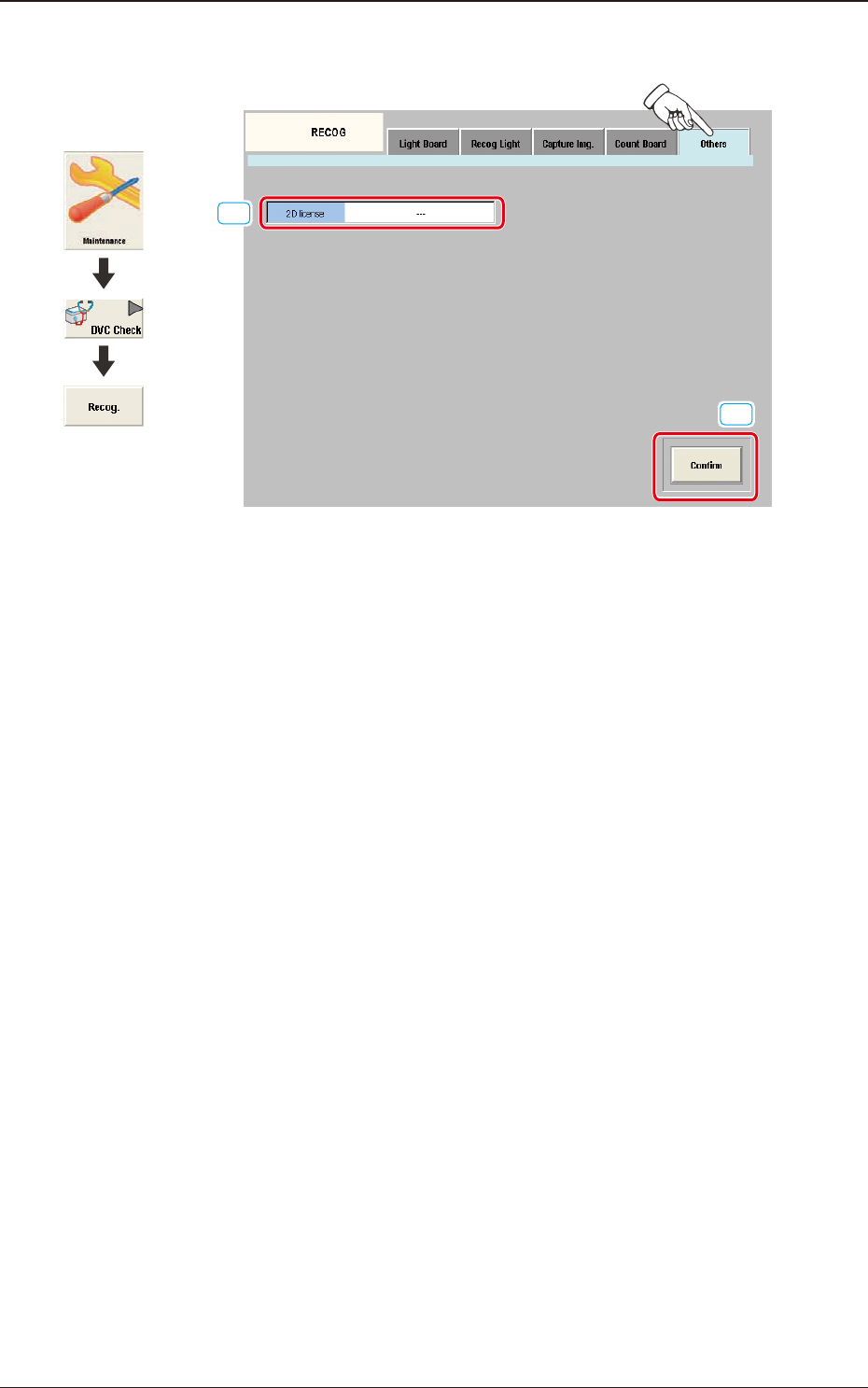
6.3.5 "Others" Tab
[1]
[2]
F3A80
[1] 2D license
In this data box the valid or invalid of the optional 2-D bar code read license
(GS-DL100) is displayed.
[2] [Conrm] Button
Using this button the valid or invalid of the optional 2-D bar code read
license (GS-DL100) is conrmed.
1303-001
6.3 "RECOG" Window
Graphic
Development