3OM-1751-002w_G5S.pdf - 第78页
3OM-1751 1-24 1303-001 4.2.3 "CompenDt Read" T ab Sheet [1] [2] [3] [4] F3A18 [1] [LS Compen Dt Read] Button When pressed, this button reads the compensative data of the linear measure sensor for the specied h…

3OM-1751
1-231303-001
[12] Nozzle Selection Area
Displayed is the nozzle in the selected head.
When the nozzle No. is pressed, the nozzle can be selected or cancelled.
When the detection test is performed, the results are displayed here.
When the result display area is pressed, the detection results for the nozzle
selected in "[4] Linear Meas Trace" and "[5] "Value" Group Box", are
displayed.
4.2 "LINE MEAS" Window
3OM-1751
1-241303-001
4.2.3 "CompenDt Read" Tab Sheet
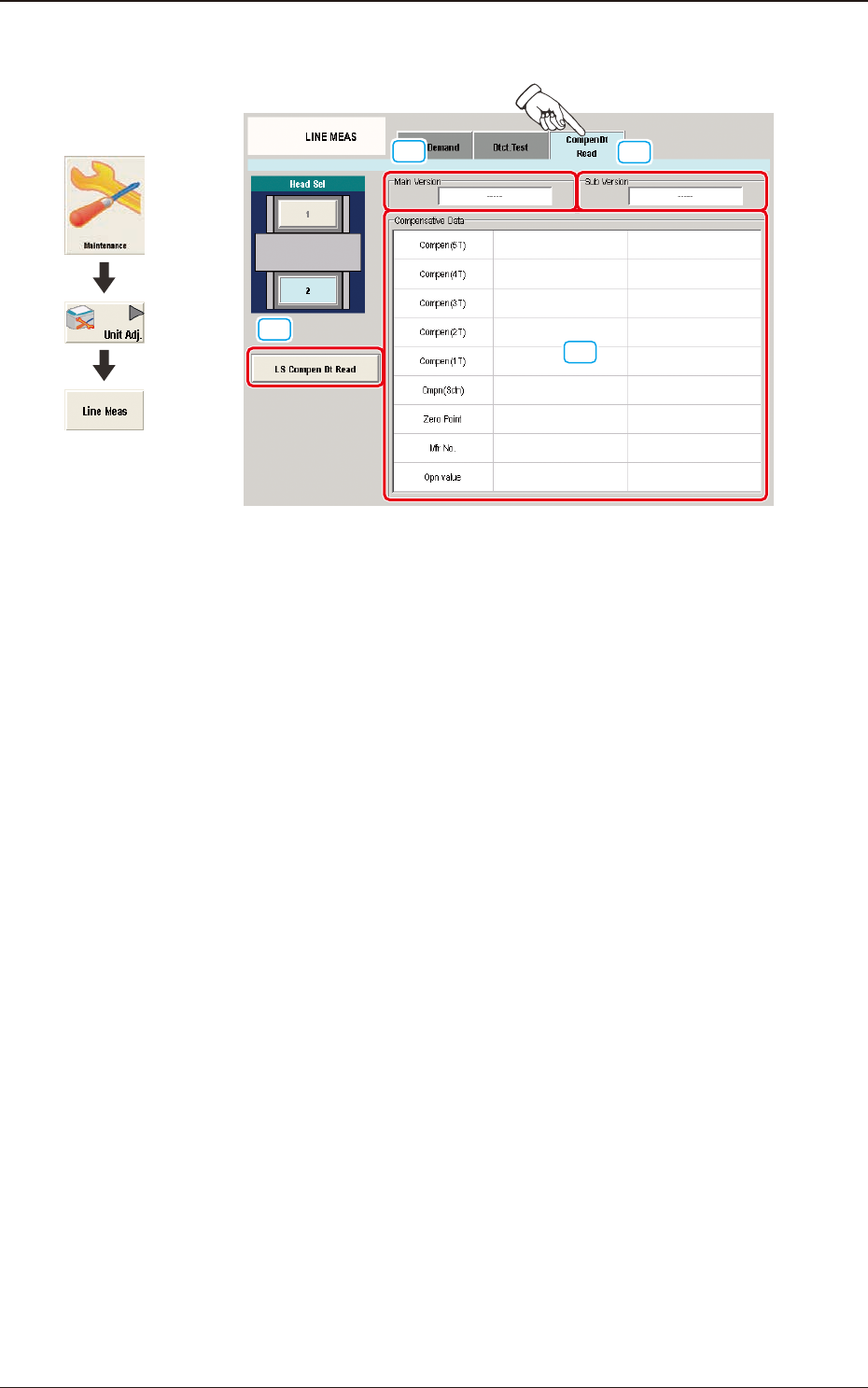
[1]
[2]
[3]
[4]
F3A18
[1] [LS Compen Dt Read] Button
When pressed, this button reads the compensative data of the linear measure
sensor for the specied head from the linear measure sensor amplier.
[2] "Main Version" Group Box
Displayed in this group box is the main version of the data which was read
with the [LS Compen Dt Read] button.
[3] "Sub Version" Group Box
Displayed in this group box is the sub version of the data which was read
with the [LS Compen Dt Read] button.
[4] "Compensative Data" Group Box
Displayed in this group box are the contents of the data which was read with
the [LS Compen Dt Read] button.
Graphic
Development
4.2 "LINE MEAS" Window
3OM-1751
1-251303-001
4.3 "CONVEYOR" Window
This button is used for the adjustment operation for the conveyor width overall
setup or manual setup.
[1]
"CONVEYOR" Window F3A19
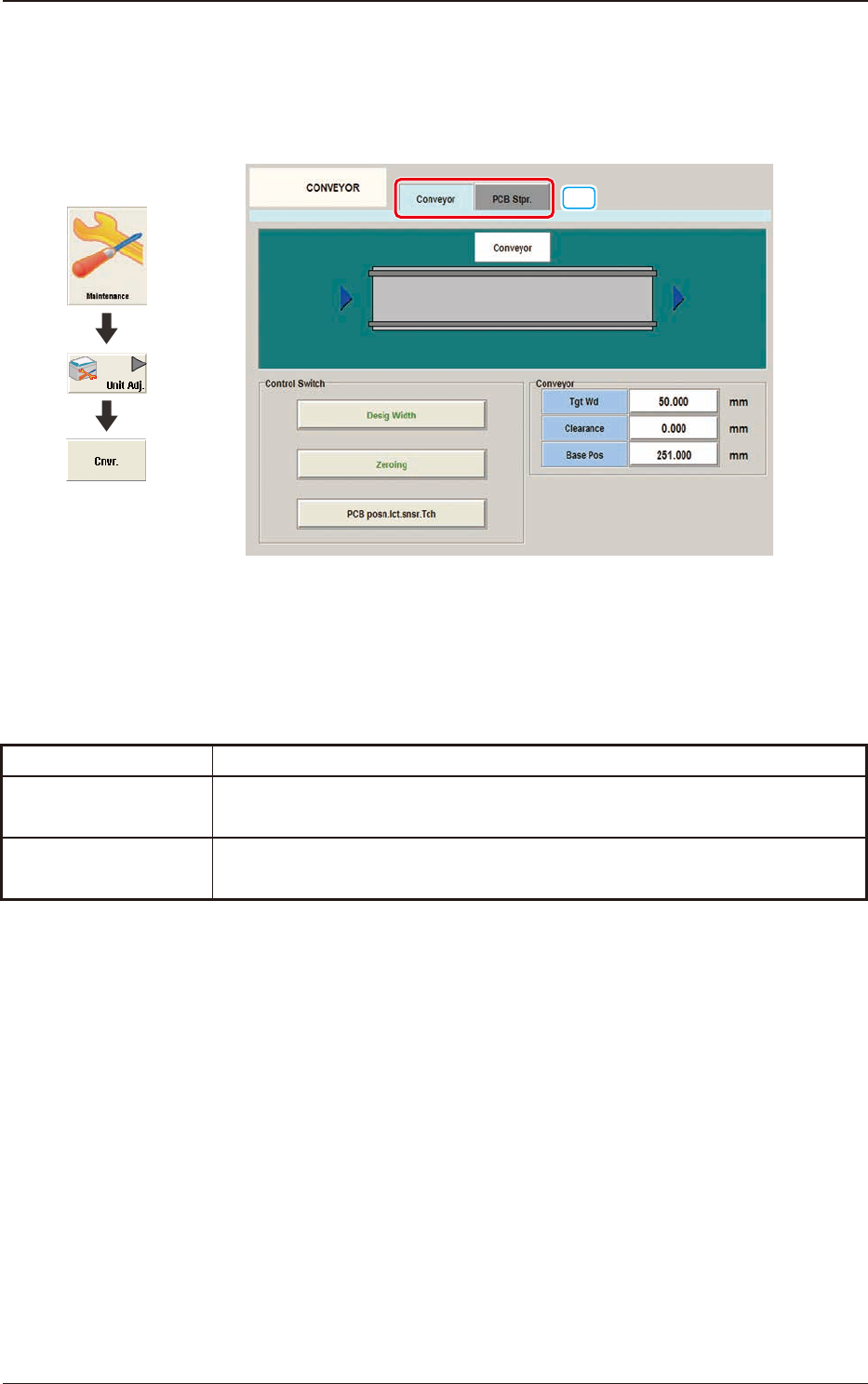
[1] Tabs
The "CONVEYOR" Window is provided with the following two tabs.
When each tab is pressed, the corresponding tab sheet appears.
Tabs Description
Conveyor
When this tab is selected the tab sheet for the conveyor operation is displayed.
PCB Stpr.
When this tab is selected the tab sheet for the PCB stopper operation is
displayed.
T3A3
Graphic
Development
4.3 "CONVEYOR" Window