xp141-241-341-5.0E.pdf - 第182页
FK-9F98- 29 XP Series Training Text for Service Engineers Edition 5.0 XP241 – Chapter 8 Options Page 10 of 10 Fuji Machine Mfg. Co., Ltd. Okazaki SMT Equipment Quality Assurance Dept. 8 – 10 CS Section NOTES:
FK-9F98-29 XP Series Training Text for Service Engineers
Edition 5.0 XP241 – Chapter 8 Options Page 9 of 10
Fuji Machine Mfg. Co., Ltd. Okazaki
SMT Equipment Quality Assurance Dept.
8 – 9 CS Section
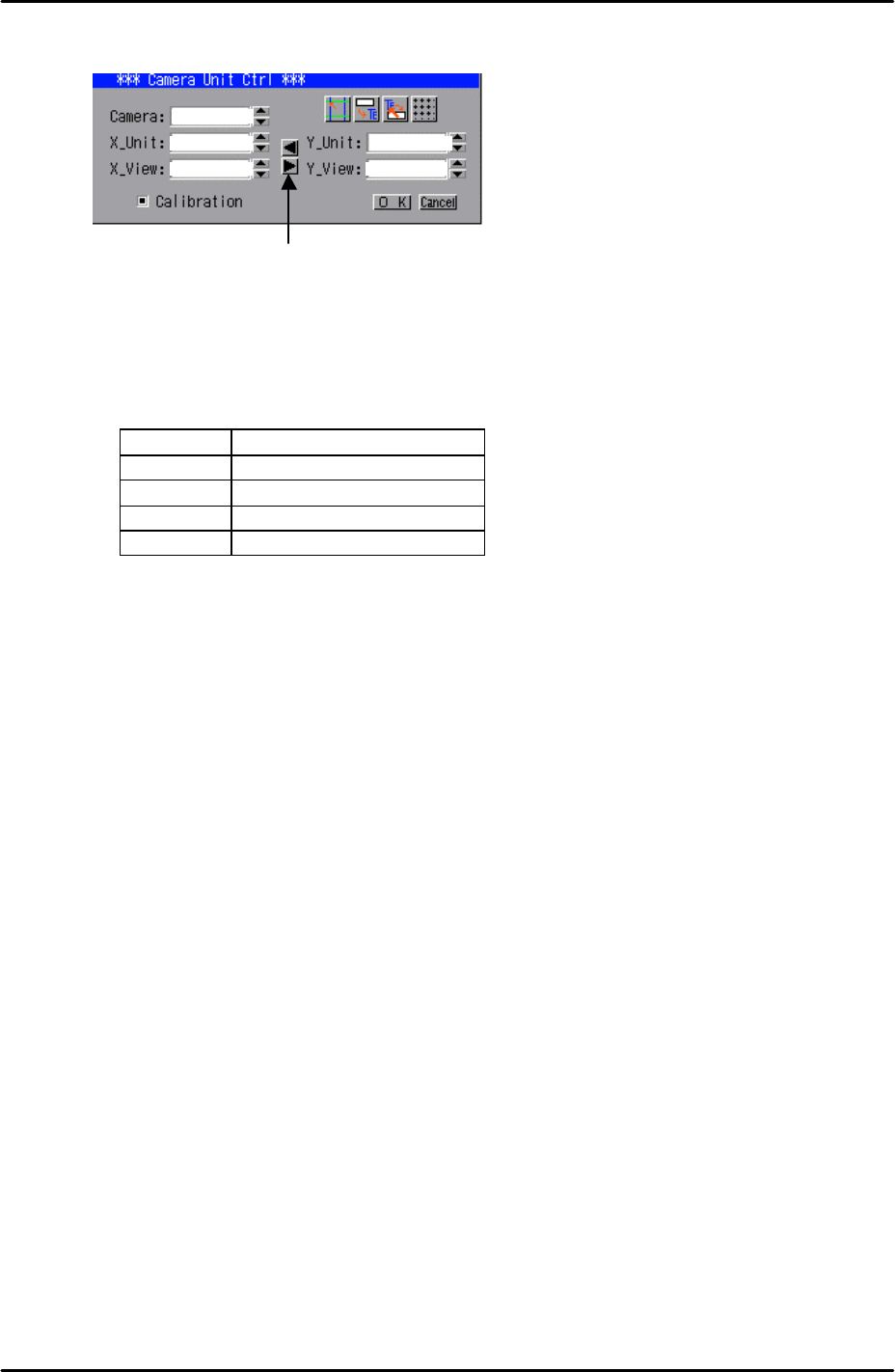
simply click on the right pointing arrow key on the “Camera Unit Ctrl” dialogue:
10. Having done this confirm that the resolution figures are within the tolerances shown
below:
Resolution Tolerances
X_Unit 0.0626 ~ 0.0686
X_View 40.1 ~ 43.9
Y_Unit 0.0626 ~ 0.0686
Y_View 30.06 ~ 32.94
11. Finally click on the “OK” button in the “Camera Unit Ctrl” dialogue then right click on the
screen and select return.
12. Select [Manual Operation] – [Nozzle Operation] – [Place] – [Execute] – [START] to
return the coplanarity jig to the nozzle station.
13. Finally remove the nozzle jig from the nozzle station and select [Maintenance A] – [I/O
Check] – and turn (Y01C CoplanarityLed) OFF.
14. Note that as with other cameras, the set screws for the focus and aperture rings should
be tightened securely and fastened with adhesive.
1
Click here to
copy
the X resolution
figures to Y

FK-9F98-29 XP Series Training Text for Service Engineers
Edition 5.0 XP241 – Chapter 8 Options Page 10 of 10
Fuji Machine Mfg. Co., Ltd. Okazaki
SMT Equipment Quality Assurance Dept.
8 – 10 CS Section
NOTES:

C
C
h
h
a
a
p
p
t
t
e
e
r
r
9
9
T
T
y
y
p
p
e
e
2
2
M
M
T
T
U
U
A
A
d
d
j
j
u
u
s
s
t
t
m
m
e
e
n
n
t
t