xp141-241-341-5.0E.pdf - 第60页
FK-9F98- 29 XP Series Training Text for Service Engineers Edition 5.0 XP141 – Chapter 6 Proper Data Measurements Page 5 of 26 Fuji Machine Mfg. Co., Ltd. Okazaki SMT Equipment Quality Assurance Dept. 6 – 5 CS Section 4. …
FK-9F98-29 XP Series Training Text for Service Engineers
Edition 5.0 XP141 – Chapter 6 Proper Data Measurements Page 4 of 26
Fuji Machine Mfg. Co., Ltd. Okazaki
SMT Equipment Quality Assurance Dept.
6 – 4 CS Section
6.3 Parts camera focus adjustment
1. Set 0.4, 0.7, and 1.0mm diameter nozzles in the revolver.
2. Select [Maintenance A] – [I/O Check] – [Y016 VacuumPump] – [ON].
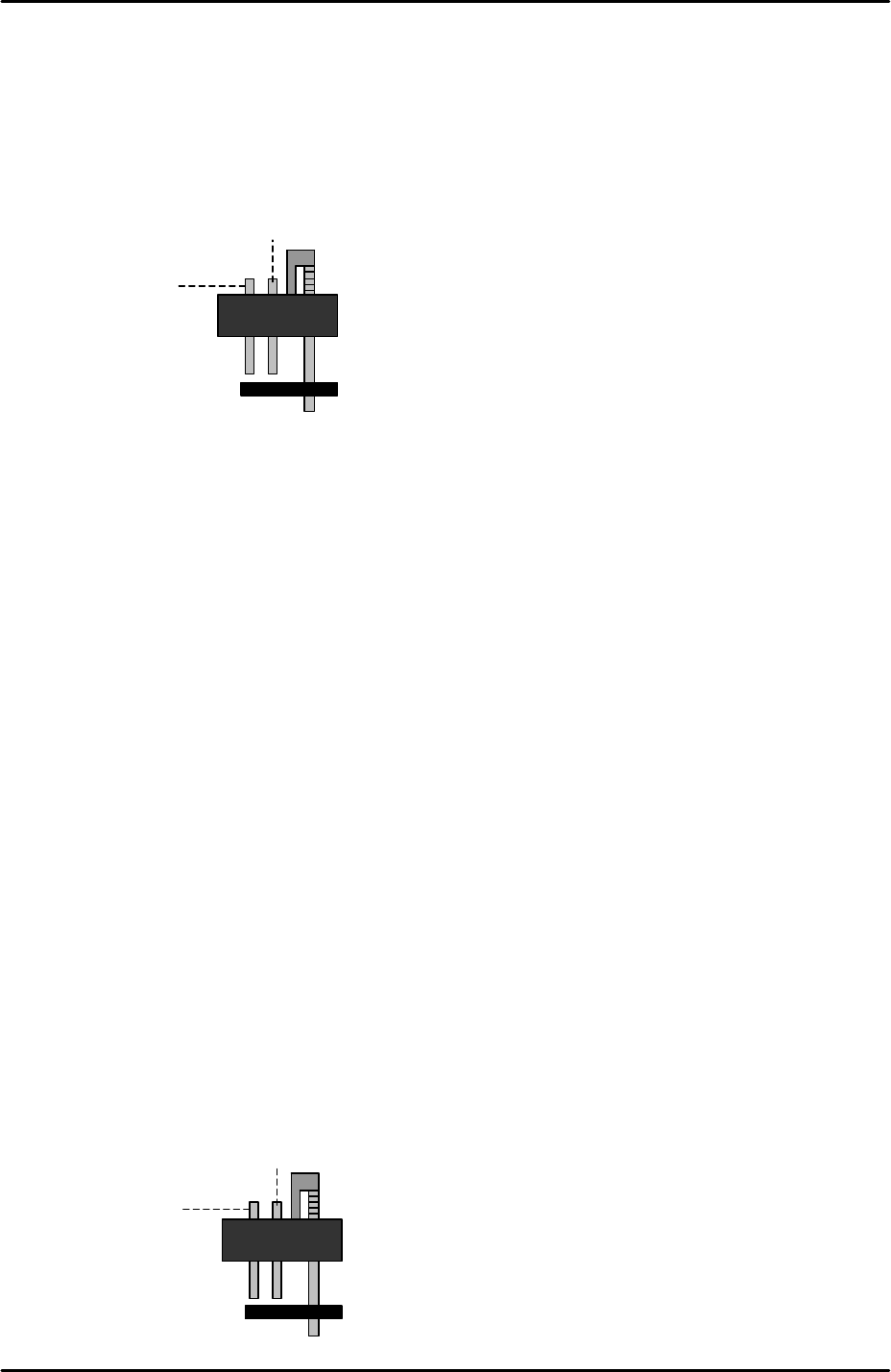
3. Lower all the vacuum pins but leave the air blow pins at their upper limit.
4. Place a 0603C component on the 0.4mm diameter nozzle, a 1005R component on the
0.7mm nozzle, and a 1608R component on the 1.0mm nozzle.
5. Select [Maintenance A] – [Jog] – [Side1] to activate the side 1 prism light source and
display the parts camera live image.
6. Inch the Y-axis to the “PrismFront” position (see 6.2 “camera centering” steps 12 and 13).
7. Adjust the camera focus ring so that the components’ image on the screen becomes as
clear and sharp as possible.
8. Select [Side2] to activate the side2 prism light source and inch the Y-axis to the
“PrismBack” position (see 6.2 “camera centering” step 12 and 13).
9. Confirm that the focus is clear and sharp at the side2 prism and then lock the focus ring
hollow bolt and apply adhesive (Loctite 222).
10. After locking the hollow bolt confirm that the focus has not changed as locking the hollow
bolt can sometimes move the position of the focus ring.
6.4 Parts camera brightness adjustment
1. Equipment: Color Sample Disc (Z9531DEPJ1111).
2. Select [Maintenance A] – [I/O Check] – [I/O Y016 VacuumPump] – [ON].
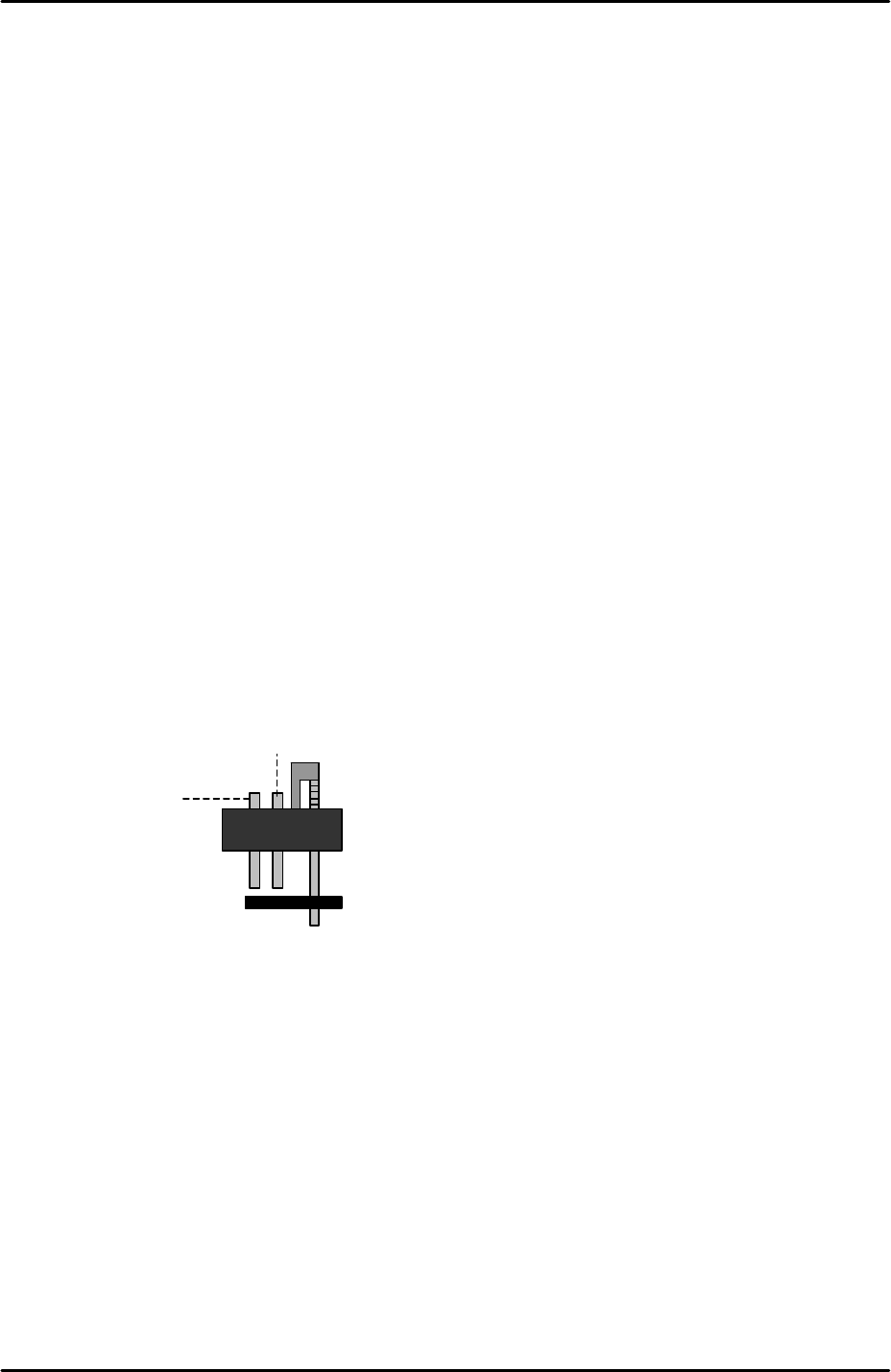
3. Lower all the vacuum pins but leave the air blow pins at their upper limit.
Vacuum pin
Air blow pin
Vacuum pin
Air blow pin
FK-9F98-29 XP Series Training Text for Service Engineers
Edition 5.0 XP141 – Chapter 6 Proper Data Measurements Page 5 of 26
Fuji Machine Mfg. Co., Ltd. Okazaki
SMT Equipment Quality Assurance Dept.
6 – 5 CS Section
4. Place the color sample disc (grey color side facing downwards) on the nozzles.
5. Select [Maintenance A] – [Jog] – [Side1] to activate the side1 prism light source and
display the parts camera live image on the screen.
6. Bring the color sample disc above the Side1 prism and press the image on the screen to
display a brightness reading.
7. The brightness readings will vary somewhat depending on which part of the color sample
disc image is touched. Set the average brightness level to 120 +/- 10 by adjusting the
parts camera gain.
8. Bring the color sample disc above the Side2 prism and confirm that the brightness
reading is within tolerance for the Side2 prism as well.
9. If the brightness level is too bright even with the brightness gain at minimum, then contact
FUJI.
6.5 Parts camera resolution measurement
1. Equipment: resolution measurement jig (Z3502DEAJ0020).
2. Put 1.8mm diameter nozzles in all twelve of the nozzle slots.
3. Select [Maintenance A] – [I/O Check] – [Y016 VacuumPump] – [ON].
4. Lower all of the vacuum pins, but leave the air blow pins at their upper limit.
5. Remove the half mirror from the light source unit.
6. Attach the resolution jig to the nozzles.
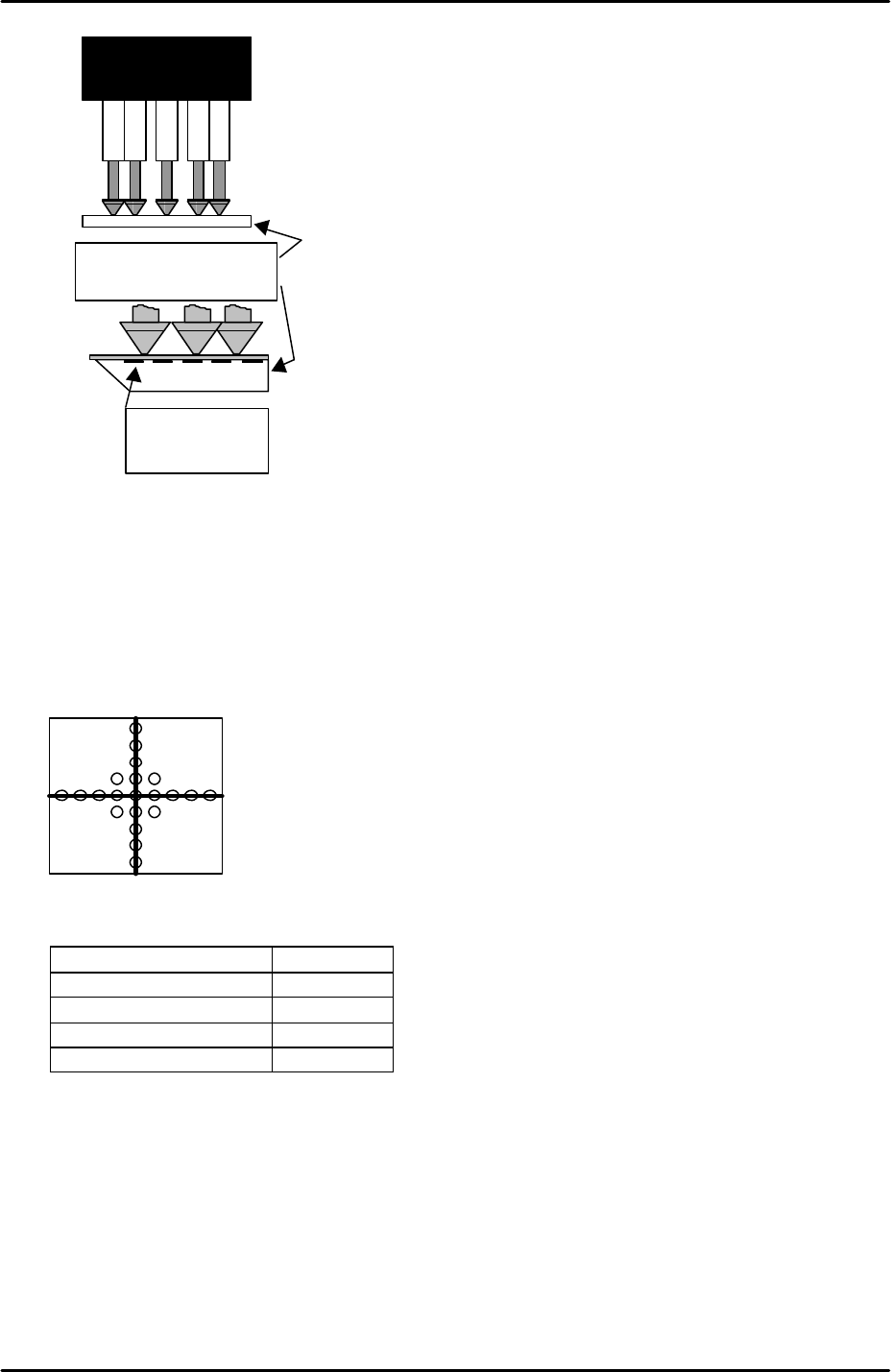
7. Note that the two sides of the resolution measurement gage are not identical. The glass
gage should be attached to the nozzles with the printed surface uppermost:
Vacuum pin
Air blow pin
FK-9F98-29 XP Series Training Text for Service Engineers
Edition 5.0 XP141 – Chapter 6 Proper Data Measurements Page 6 of 26
Fuji Machine Mfg. Co., Ltd. Okazaki
SMT Equipment Quality Assurance Dept.
6 – 6 CS Section
8. Inch the Y-axis to the “PrismFront” position (see 6.2 “camera centering” steps 12 and 13).
9. Select [Maintenance A] – [Jog] – [Side1] to activate the side1 prism light source and
display the parts camera live image on the screen.
10. Select the cross hairs and then adjust the position of the resolution measurement jig until
the center dot is in the center of the camera cross hairs:
11. Select [Maintenance A] – [I/O Check] – and turn the following I/Os ON:
I/O Signal
Y00C StroboTrigger ON
Y00D StroboLampA ON
Y00E StroboLampB ON
Y00F StroboCharge ON
12. Select [Program] – [Template Editor] – and then right click on the screen to display a
menu box.
13. Select [Utility] – [Default Setting] and confirm that the default settings are identical to
those shown below, note that the default settings are the same for the parts camera and
the mark camera:
Resolution measurement
glass gauge.
Printed surface
uppermost