Infinity EX Camera System Module.pdf - 第24页
INFINITY EX CAME RA SY STEM MO DULE ADJUS TMEN TS AND SE TTINGS 17.2 4 Technical Reference Manual Chapter Issue 3 Jan 04 8. When adjustment is complete, remov e each belt clamp scr ew dist urbed one at a time, apply suit…
INFINITY
EX
CAMERA SYSTEM MODULE
ADJUSTMENTS AND SETTINGS
Chapter Issue 3 Jan 04 Technical Reference Manual 17.23
X Axis Parallelism
WARNING
BOARD CLAMPS. EXTREME CARE MUST BE EXERCISED WHEN
WORKING IN THE TOOLING AREA OF THE MACHINE TO AVOID
INJURY. THE FOILS ON THE FRONT AND REAR BOARD CLAMPS
ARE VERY SHARP.
NOTE
The X Axis Parallelism is factory set and shouldn’t normally need to be adjusted.
1. In Camera Diagnostics, home the Camera X axis and Y axis.
NOTE
Check the physical position of the camera to ensure that it is clear of the
rails.
2. Select Raise Table to Print Height in Rising Table Diagnostics.
3. Raise the printhead and insert the head prop. Select Close System and Power
down the machine.
4. Carry out either of the following:
a. Move the camera carriage forward by hand to facilitate removal of camera
assembly from the camera carriage. Remove the camera, (Camera
Replacement Procedure refers).
b. If available, fit a spare camera carriage bearing to the right hand end of the
camera rail.
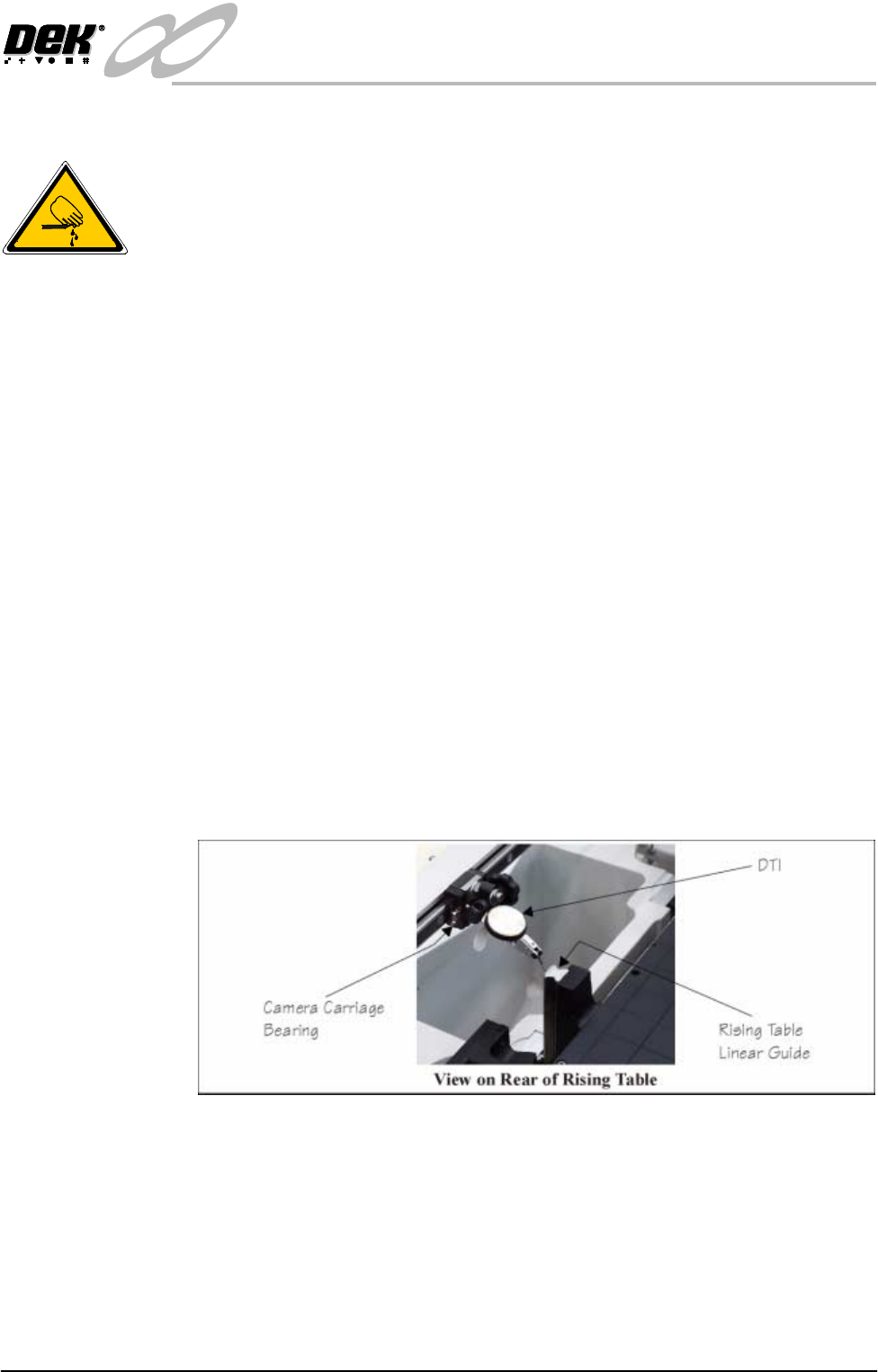
5. Fit a Dial Test Indicator (DTI) to the camera carriage bearing.
6. Using the DTI check the camera carriage for parallelism to the rear rising
table linear guides to within ±0.127mm.
7. If adjustment is necessary, carry out the following:
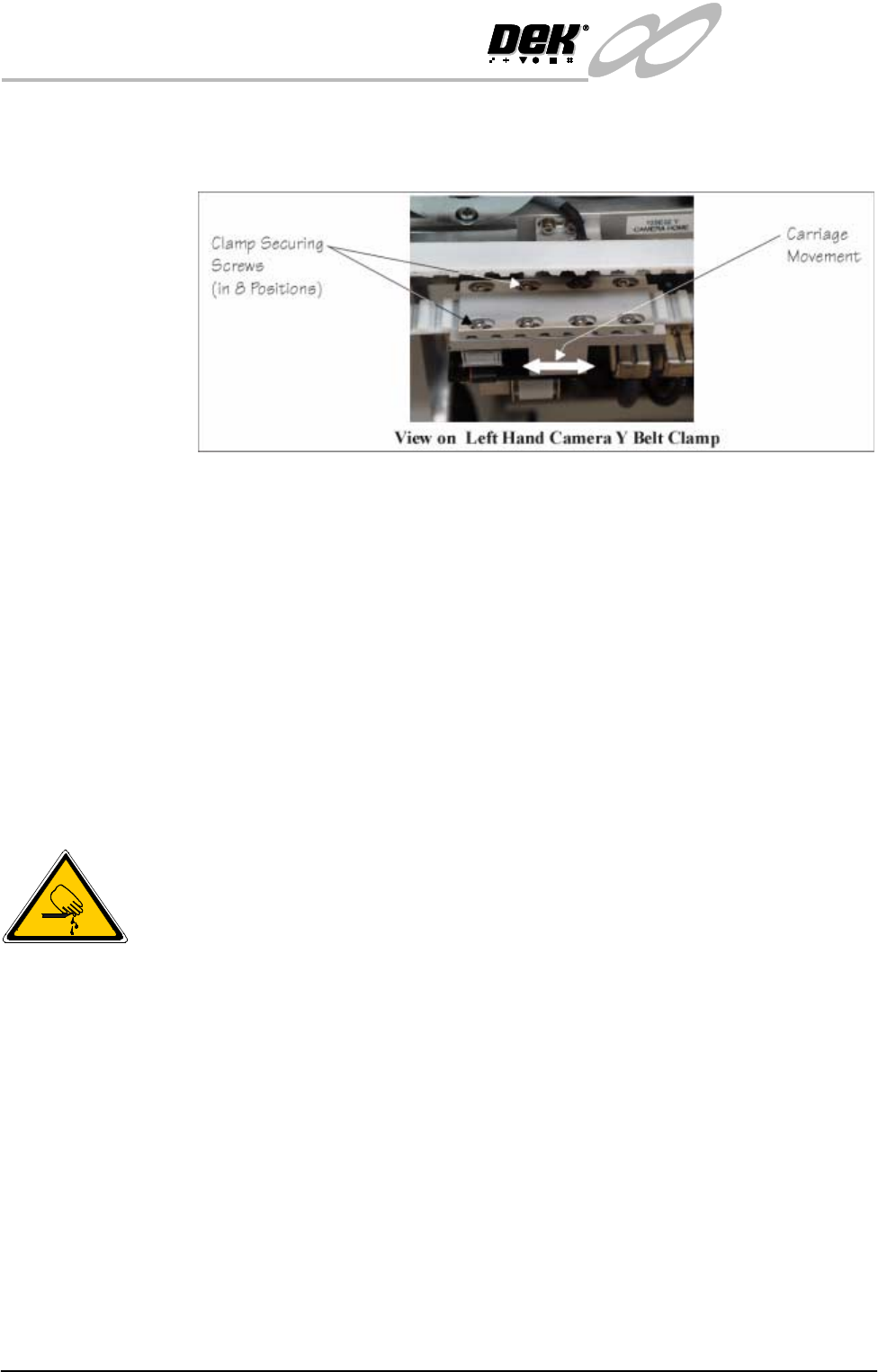
a. Loosen the left hand camera Y belt clamp securing screws (in eight
positions).
b. Adjust the carriage until parallelism is achieved.
c. Tighten the belt clamp screws.
d. Recheck carriage parallelism. Repeat Steps 7a - 7d if adjustment is still
necessary.
INFINITY
EX
CAMERA SYSTEM MODULE
ADJUSTMENTS AND SETTINGS
17.24 Technical Reference Manual Chapter Issue 3 Jan 04
8. When adjustment is complete, remove each belt clamp screw disturbed one
at a time, apply suitable locking compound and fully tighten. Recheck
parallelism of camera carriage.
9. Remove DTI from the camera bearing.
10.Carry out either of the following:
a. Refit the camera (Camera Replacement Procedure refers).
b. Remove the spare bearing from the camera rail.
11.Reposition the camera carriage to the home position by hand.
12.Switch on the machine, remove the head prop and lower the head.
13.Carry out either of the following:
a. Carry out checks in Camera Replacement Procedure, (Checks and Tests).
b. Carry out Home Camera Axis X and axis Y.
Y Axis Parallelism
WARNING
BOARD CLAMPS. EXTREME CARE MUST BE EXERCISED WHEN
WORKING IN THE TOOLING AREA OF THE MACHINE TO AVOID
INJURY. THE FOILS ON THE FRONT AND REAR BOARD CLAMPS
ARE VERY SHARP.
NOTE
The Y Axis Parallelism is factory set and shouldn’t normally need to be adjusted.
It is recommended this procedure is carried out by two persons.
1. In Rail System Diagnostics, select Home Rail Width.
2. Raise the printhead and fit the head prop. Select Close System and power
down the machine.
3. Using a 1000mm vernier caliper, check the camera Y axis parallelism.
Ensure the vernier is reading directly from the Y camera linear bearing.
INFINITY
EX
CAMERA SYSTEM MODULE
ADJUSTMENTS AND SETTINGS
Chapter Issue 3 Jan 04 Technical Reference Manual 17.25
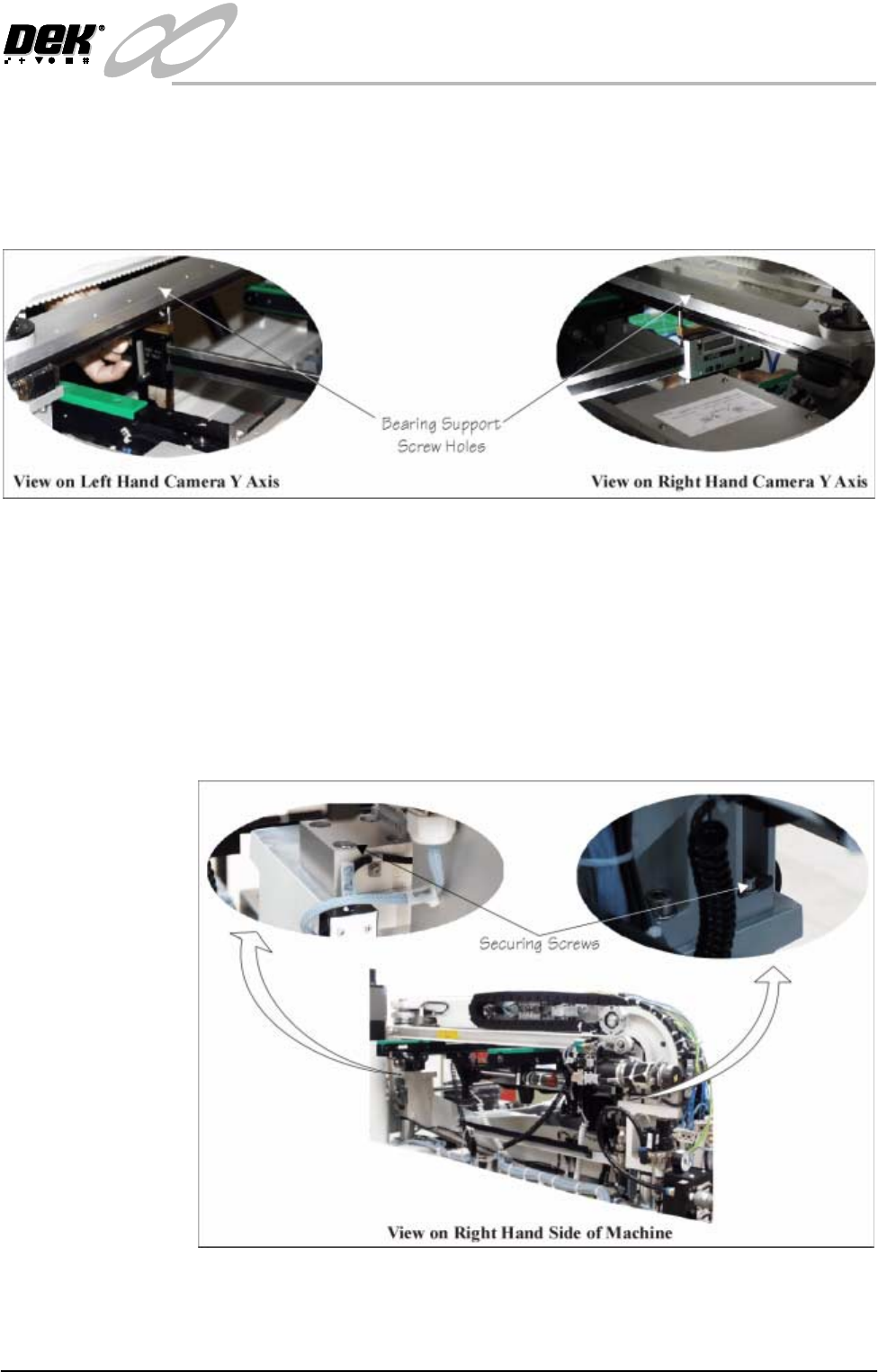
4. Use the screw holes visible on top of the camera Y axis linear bearing
supports as a reference. Align the vernier on the fourth hole from the front
edge on both supports and record the dimension. Repeat the measurement
using the eighth hole from the front edge. Compare the readings, ensure the
bearings are parallel to within ±0.05mm.
5. If adjustment is required, carry out the following:
NOTE
Machine panels may have to be removed to carry out the following proce-
dures.
a. Loosen the right hand camera Y rail support securing screws (4 each end),
(see figure below).
b. Adjust the rails as necessary to achieve rail parallelism.
c. Tighten the rail support screws and recheck the rail parallelism, (refit any
removed panels on completion).
6. When adjustment is complete, power up the machine, remove the head prop
and lower the printhead.
7. If adjustment has been necessary carry out the following: